



![Main image of RJ45 Ethernet LAN Network Adapter for Phone Pad, Phone Ethernet Adapter, 3.3ft/1m Cable, 10/100Mbps High Speed,Plug and Play Enbia [Grey]](https://c1.neweggimages.com/productimage/nb640/VT2CD2605120WXJHT06.jpg)
![Alt view image 2 of 7 - RJ45 Ethernet LAN Network Adapter for Phone Pad, Phone Ethernet Adapter, 3.3ft/1m Cable, 10/100Mbps High Speed,Plug and Play Enbia [Grey]](https://c1.neweggimages.com/productimage/nb640/VT2CD2605120WXJOR30.jpg)
![Alt view image 3 of 7 - RJ45 Ethernet LAN Network Adapter for Phone Pad, Phone Ethernet Adapter, 3.3ft/1m Cable, 10/100Mbps High Speed,Plug and Play Enbia [Grey]](https://c1.neweggimages.com/productimage/nb640/VT2CD2605120WXJYM97.jpg)
![Alt view image 4 of 7 - RJ45 Ethernet LAN Network Adapter for Phone Pad, Phone Ethernet Adapter, 3.3ft/1m Cable, 10/100Mbps High Speed,Plug and Play Enbia [Grey]](https://c1.neweggimages.com/productimage/nb640/VT2CD2605120WXJPU32.jpg)
![Alt view image 5 of 7 - RJ45 Ethernet LAN Network Adapter for Phone Pad, Phone Ethernet Adapter, 3.3ft/1m Cable, 10/100Mbps High Speed,Plug and Play Enbia [Grey]](https://c1.neweggimages.com/productimage/nb640/VT2CD2605120WXJXK7A.jpg)
![Alt view image 6 of 7 - RJ45 Ethernet LAN Network Adapter for Phone Pad, Phone Ethernet Adapter, 3.3ft/1m Cable, 10/100Mbps High Speed,Plug and Play Enbia [Grey]](https://c1.neweggimages.com/productimage/nb640/VT2CD2605120WXK1268.jpg)
![Alt view image 7 of 7 - RJ45 Ethernet LAN Network Adapter for Phone Pad, Phone Ethernet Adapter, 3.3ft/1m Cable, 10/100Mbps High Speed,Plug and Play Enbia [Grey]](https://c1.neweggimages.com/productimage/nb640/VT2CD2605120WXK3P0C.jpg)


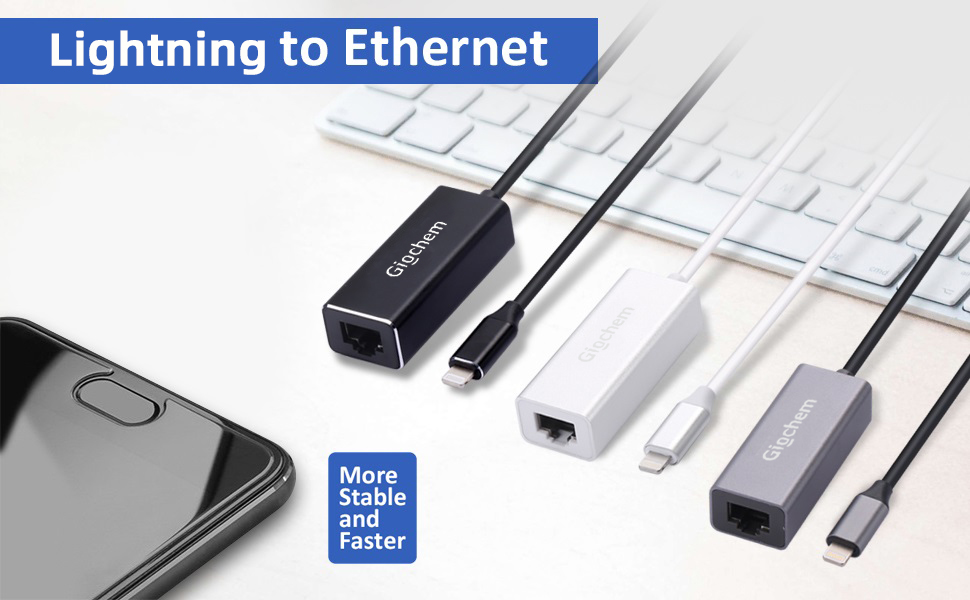
Giochem RJ45 Ethernet LAN Network Adapter for Phone/Pad
It's convenient to go anywhere with simply connecting it to an available Phone/Pad and LAN network, easy to carry and use.
1. Turn off Wi-Fi on your Pad or Phone.
2. Insert your router-connected Ethernet cable into Ethernet port of our adapter,
and connect the lighting end into your Pad or Phone.
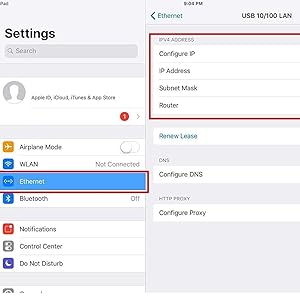
3. Go to\"Setting\" in your Pad or Phone and the Ethernet settings will show up on your screen.
4. Click the “Ethernet” to obtain an IP address.
5. Open Safari and check if the connection is working.
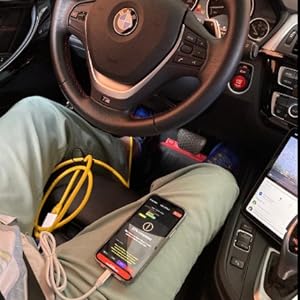
FOR ENET OBD to Ethernet E-SYS Cable

Quickly Video View without Loading Time
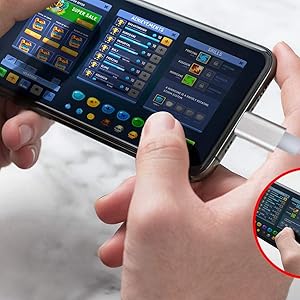
Ready for Stable Wired Network Connection
Compatibility:
- Phone Models: Phone13pro/pro max/13/ X/XR/12/12 mini/11/Phone 8 Plus/8/7 Plus/7/6s Plus/6s/6Plus/6/SE/5s/5
- Pad Models: Pad Pro/ Pad Air 2/ Pad Air/ Pad mini4/ Pad mini3/ Pad mini2
- System Demand: iOS 10.0-iOS15
Note:
- Turn off Wi-Fi on your Pad or Phone.
- Insert your router-connected wired Ethernet network cable into Ethernet port of our adapter, Connect the adapter to your 1Pad or 1Phone.
- Go to "Setting" in your Pad or Phone and the Ethernet lan wired network settings will show up on your screen.
- Click the "Ethernet" to obtain an IP address. 5.Open Safari and check if the connection is working.
- Please make sure your router-connected RJ45 Ethernet lan wired network cable is connected to internet.
- This adapter can't dial-up internet itself,need your router device provide a IP by DHCP service.
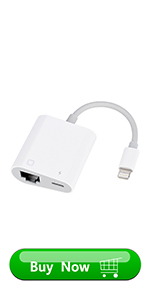 Ethernet adapter | 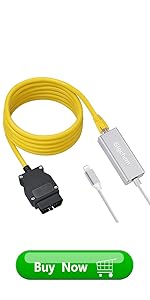 Phone to ODB2 [Silver] | 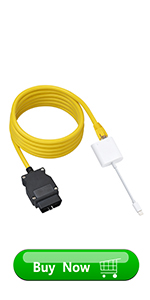 Phone to ODB2 [White] | 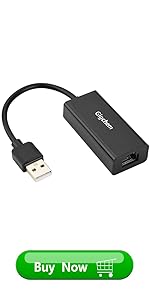 USB to ethernet Adapter | |
|---|---|---|---|---|
| Customer Reviews | — | — | — | — |
| Price | — | — | — | — no data |
| Speed | 10/100 Mbps | 10/100 Mbps | 10/100 Mbps | 10/100 Mbps |
| Color | White | Yellow+Silver | Yellow+White | Black |
| Length | 15CM | 3.3ft/1m+6ft/2M | 3.3ft/1m+6ft/2M | 20 CM |
| Connect A | Lightning | Phone | Phone | Ethernet |
| Connect B | Ethernet | ODB2 | ODB2 | USB 2.0 |
| Package | ONE | 2 IN 1 | 2 IN 1 | ONE |
| no data | no data | no data | no data |
Frequently Asked Questions
1.Q: Why Phone/Pad prompts "This accessory is not supported",when connecting the 3in1 adapter?
A:-- Improper connection: Please pull out the 3in1 adapter and reinsert.
- -The phone case is too thick: Please remove the phone case and insert it again.
2. Please make sure your router-connected Ethernet cable is connected to the internet.
3. This adapter cannot implement self-dial access. It requires your router device to provide IP through the DHCP service.
4. This adapter is not compatible with devices with systems lower than iOS10.0. Before using, please upgrade your system to iOS 10.0 or higher.
Giochem RJ45 Ethernet LAN Network Adapter for Phone/Pad
It's convenient to go anywhere with simply connecting it to an available Phone/Pad and LAN network, easy to carry and use.
1. Turn off Wi-Fi on your Pad or Phone.
2. Insert your router-connected Ethernet cable into Ethernet port of our adapter,
and connect the lighting end into your Pad or Phone.
3. Go to\"Setting\" in your Pad or Phone and the Ethernet settings will show up on your screen.
4. Click the “Ethernet” to obtain an IP address.
5. Open Safari and check if the connection is working.
FOR ENET OBD to Ethernet E-SYS Cable
Quickly Video View without Loading Time
Ready for Stable Wired Network Connection
Compatibility:
- Phone Models: Phone13pro/pro max/13/ X/XR/12/12 mini/11/Phone 8 Plus/8/7 Plus/7/6s Plus/6s/6Plus/6/SE/5s/5
- Pad Models: Pad Pro/ Pad Air 2/ Pad Air/ Pad mini4/ Pad mini3/ Pad mini2
- System Demand: iOS 10.0-iOS15
Note:
- Turn off Wi-Fi on your Pad or Phone.
- Insert your router-connected wired Ethernet network cable into Ethernet port of our adapter, Connect the adapter to your 1Pad or 1Phone.
- Go to "Setting" in your Pad or Phone and the Ethernet lan wired network settings will show up on your screen.
- Click the "Ethernet" to obtain an IP address. 5.Open Safari and check if the connection is working.
- Please make sure your router-connected RJ45 Ethernet lan wired network cable is connected to internet.
- This adapter can't dial-up internet itself,need your router device provide a IP by DHCP service.
Ethernet adapter | Phone to ODB2 [Silver] | Phone to ODB2 [White] | USB to ethernet Adapter | |
|---|---|---|---|---|
| Customer Reviews | — | — | — | — |
| Price | — | — | — | — no data |
| Speed | 10/100 Mbps | 10/100 Mbps | 10/100 Mbps | 10/100 Mbps |
| Color | White | Yellow+Silver | Yellow+White | Black |
| Length | 15CM | 3.3ft/1m+6ft/2M | 3.3ft/1m+6ft/2M | 20 CM |
| Connect A | Lightning | Phone | Phone | Ethernet |
| Connect B | Ethernet | ODB2 | ODB2 | USB 2.0 |
| Package | ONE | 2 IN 1 | 2 IN 1 | ONE |
| no data | no data | no data | no data |
Frequently Asked Questions
1.Q: Why Phone/Pad prompts "This accessory is not supported",when connecting the 3in1 adapter?
A:-- Improper connection: Please pull out the 3in1 adapter and reinsert.
- -The phone case is too thick: Please remove the phone case and insert it again.
2. Please make sure your router-connected Ethernet cable is connected to the internet.
3. This adapter cannot implement self-dial access. It requires your router device to provide IP through the DHCP service.
4. This adapter is not compatible with devices with systems lower than iOS10.0. Before using, please upgrade your system to iOS 10.0 or higher.