


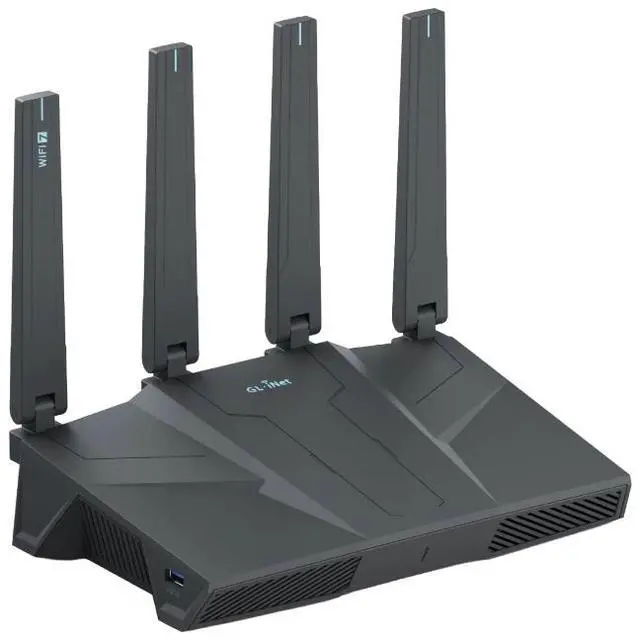



GL-BE6500
Flint 3e Dual-band Wi-Fi 7 Home Router
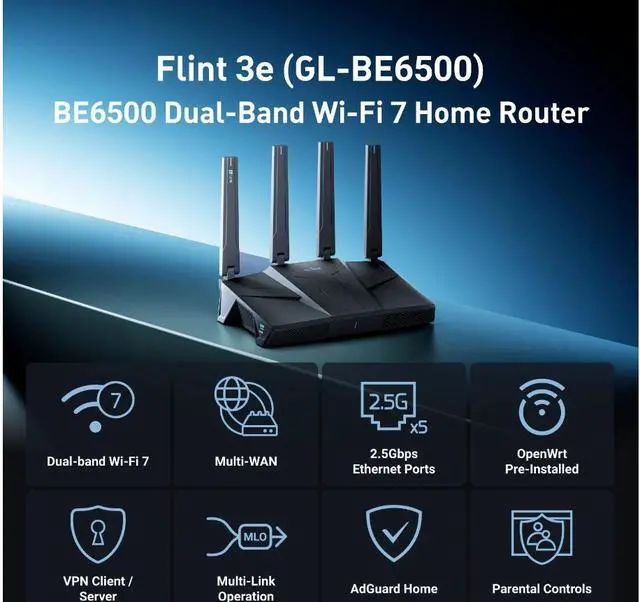
Flint 3e (GL-BE6500)
BE6500 Dual-band Wi-Fi 7 Home Router

The Smart Choice for the Wi-Fi 7 Generation
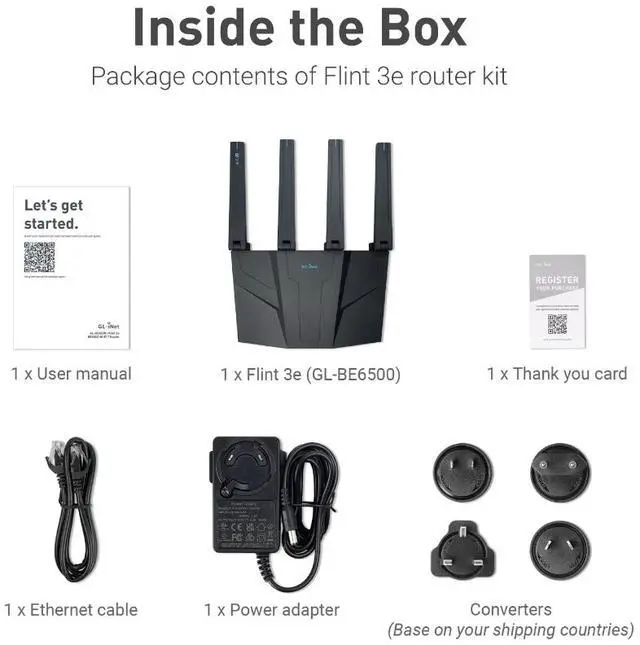
Flint 3e (GL-BE6500) is built for next-generation speed, stability, and security. Powered by dual-band Wi-Fi 7, it combines lightning-fast wireless performance with five 2.5GbE ports for high-speed wired connections. With advanced VPN support, plus built-in AdGuard Home, parental controls, and AstroWarp, Flint 3e delivers a seamless networking experience for smart homes, offices, and multi-user environments.
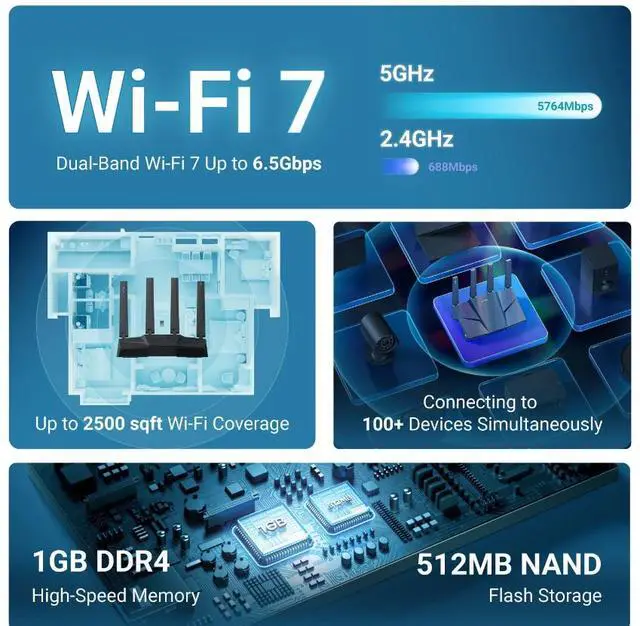
- Blazing Fast Wi-Fi Speeds: Max. 688Mbps (2.4GHz) + 5764Mbps (5GHz)
- High-speed Wired Connection: 5 x 2.5G ports
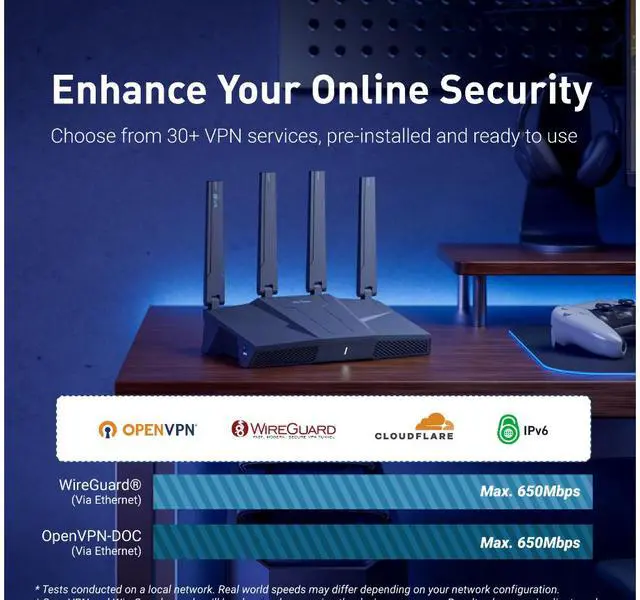
- Powerful VPN Performance: Max. 680Mbps on WiredGuard® and OpenVPN-DCO
- Flexible Expansion: USB3.0 interface


The Next-Generation Wireless Experience
Powered by Qualcomm, Flint 3e takes Wi-Fi performance to the next level with Wi-Fi 7. Experience blazing speeds up to 6.5 Gbps, enhanced stability, and smarter bandwidth distribution for all your devices.
8K Streaming

Low-Latency Gaming

Online Meetings

Immersive VR & AR

Why Wi-Fi 7 Changes Everything?
Multi-Link Operation (MLO)
Stay Smooth, Stay Connected
Flint 3e uses Multi-Link Operation to combine or switch between Wi-Fi bands instantly. You get stable video calls, lag-free gaming, and faster downloads even when the network is busy.

Multi-RU Puncturing
Smart Performance for Every Device
Flint 3e automatically optimizes bandwidth for multiple users, keeping all your devices fast and responsive, even in crowded networks.

4K QAM
Up to 20% Faster Speeds
More data packed into every signal means quicker file transfers, smoother 8K streaming, and lower latency across all your devices.

Preamble Puncturing
Stronger Signal, Less Interference
By cutting through noisy frequencies, Flint 3e delivers faster, more reliable Wi-Fi, ideal for apartments, offices, and busy homes.

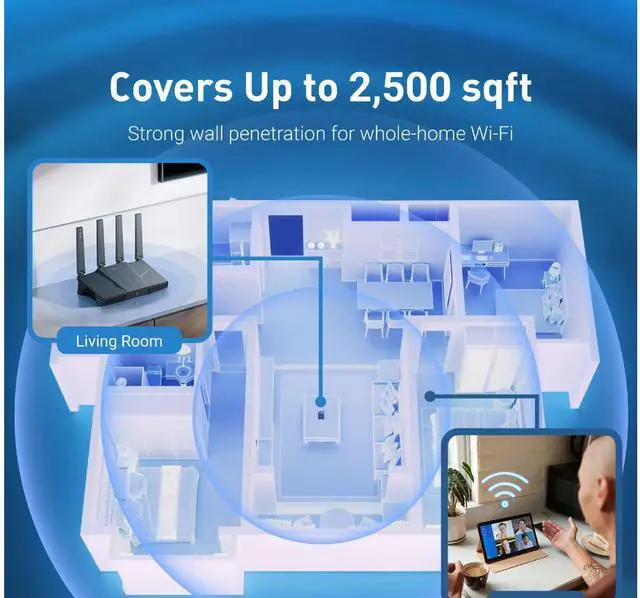
Wider Coverage That Reaches Every Room
Flint 3e delivers smooth, stable Wi-Fi that reaches every corner of your space. With coverage up to 2,500 sq. ft., you can enjoy strong and consistent signals across multiple rooms without dead zones or dropouts.

Connect Over 100 Devices Smoothly
Flint 3e is built for high-capacity performance, supporting 100+ connected devices at once without slowing down. Smart TVs, laptops, phones, and IoT gadgets all stay fast and reliable, even in busy multi-user environments.

Connectivity Designed for Performance
Flint 3e delivers high-speed, flexible connectivity to keep your network stable, efficient, and future-ready. Whether for home, office, or professional setups, every connection stays fast, reliable, and optimized for your needs.
Dual-WAN Flexibility
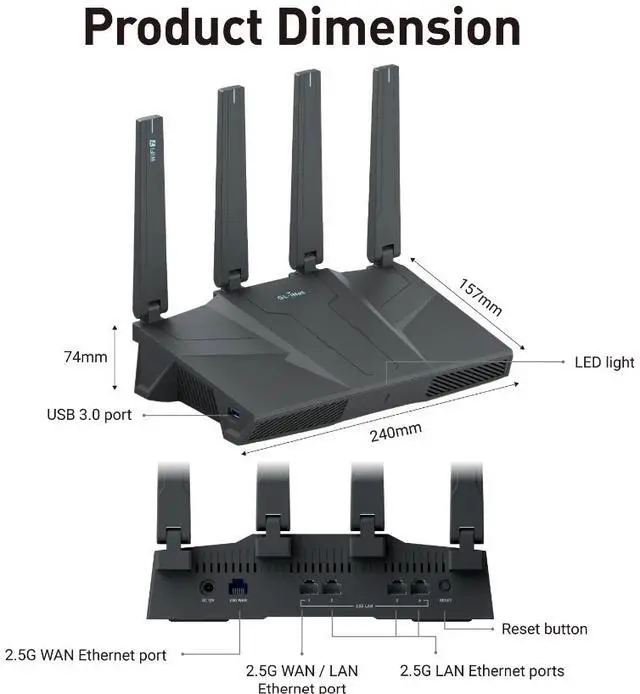
Five 2.5G Ethernet Ports
USB 3.0 Expansion
Multi-WAN failover

Stay online without interruptions
With a dedicated 2.5Gbps WAN port and the option to switch LAN1 into a secondary WAN, Flint 3e ensures continuous internet access even if one connection fails.
- Load balancing
- Failover protection

Experience ultra-fast wired performance
The five 2.5G ports deliver top-tier wired speed and stability for your most demanding devices.
- Lightning-fast file transfers
- Low-latency gaming
- Smooth 4K/8K streaming

Expand your network effortlessly
The USB 3.0 interface lets you customize and extend your setup with high-speed accessories.
- Share files or printers
- Enable remote downloads
- 4G/5G tethering for mobile connectivity

Always-on connectivity
Flint 3e supports dual Ethernet WAN, Wi-Fi repeater, USB tethering, and cellular backup, keeping your network stable at all times.
- Automatically switches to backup when one link fails
- Prevents downtime for homes and businesses
- Keeps bandwidth steady for heavy users
Connectivity That Fits Every Need
From small businesses to smart homes, Flint 3e adapts to your environment, delivering speed, stability, and flexibility wherever you need it.

Small Business Networking
With five 2.5G ports and dual-WAN support, Flint 3e powers multiple devices such as security cameras, printers, and workstations while keeping your network fast and stable.

DIY NAS Server
Transform your Flint 3e into a private server hub. Connect NAS devices via 2.5G ports for secure file backups, personal cloud storage, and seamless media streaming. Perfect for creators, remote teams, and small offices.

On-the-Go Connectivity
Use 4G/5G tethering to set up a secure Wi-Fi network in minutes, perfect for conference event, trade shows, or temporary offices. When broadband fails, Flint 3e keeps your business online.

Home Lab for Power Users
Flint 3e’s developer-friendly OpenWrt platform lets enthusiasts run virtual labs, Docker containers, or custom network projects with advanced flexibility and control.

Fast, Secure, and Private Connections
Flint 3e supports 30+ VPN services with OpenVPN and WireGuard® in both client and server modes, giving you full flexibility for home, office, or travel.
WireGuard® is a registered trademark of Jason A.Donenfeld.

* Built-in OpenVPN-DCO acceleration ensures faster encryption and smoother performance for remote work, travel, and privacy-focused users.
* Tests conducted on a local network. Real world speeds may differ depending on your network configuration.
* OpenVPN and WireGuard speeds will be slower when running the device as a server. Results above are in client mode.
Flexible VPN Modes for Every Need
Flint 3e gives you full control over how your VPN works. Choose between Global Mode for complete protection or Policy Mode for customized setups that match your lifestyle, whether you’re browsing, working, or streaming.
Global Mode
Policy Mode

Full Network Protection
Connect every device through a single VPN tunnel for consistent security and privacy. Enjoy safer browsing, protection on public Wi-Fi, and unrestricted access to global content without exposing your data.
Benefits:
- Anonymous browsing
- Secure access on public networks
- Freedom to bypass geo-restrictions

VPN Gaming
Play your favorite games anywhere while keeping your connection fast and private. Access region-locked servers, reduce lag, and avoid ISP throttling or network blocks for smoother gameplay.
Benefits:
- Access region-specific game content
- Protection from throttling and attacks
- Stable, low-latency performance

Secure Remote Work
Flint 3e supports both VPN client and server modes, ensuring secure communication between offices, homes, and travelers. Connect to your company network safely and protect sensitive data wherever you work.
Benefits:
- Secure access to office resources
- Encrypted data transfer
- Reliable remote connectivity

Custom Multi-VPN Setup
Flint 3e runs multiple VPN tunnels at once, routing each device intelligently for optimal speed and privacy. Perfect for advanced users who balance streaming, work, and everyday use.
Benefits:
- Streaming VPN tunnel for media access
- Work VPN tunnel for secure business use
- Bypass mode for maximum speed
Protect Your Family and Your Privacy
Keep your family safe and your data private with built-in tools that block ads, stop trackers, and create a safer online environment for everyone.
AdGuard Home
Parental Controls

Block Ads, Trackers, and Malware
Enjoy a faster, safer, and cleaner web experience with AdGuard Home built into Flint 3e. It blocks intrusive ads, stops trackers from following your activity, and protects against phishing and malware so your family can browse freely without distractions or risks.

Keep Your Kids Safe Online
Flint 3e integrates with Bark to help you create a safer online space for your children. You can easily filter inappropriate websites, enable safe search, and set screen time limits to encourage healthy and balanced internet use.
Always Improving, Always Secure
Enjoy worry-free ownership with expert support at your fingertips and regular firmware updates that keep your router faster, safer, and smarter over time.


Help When You Need ItGet direct access to professional technical support at no extra cost. Whether you’re setting up, troubleshooting, or optimizing performance, our team is ready to help whenever you need it.
 Smarter, Faster, More Secure Over Time
Flint 3e evolves with every update, delivering improved performance, stronger protection, and the latest features. Regular firmware updates ensure your router always stays optimized, reliable, and secure.
Simple, Fast, and Intuitive
Setting up and managing your Flint 3e is effortless with GL.iNet’s mobile app and Web Admin Panel. Whether you’re a first-time user or a power user, you’ll have complete control over your network in just a few steps.


Easy Setup with the GL.iNet App
Get your Flint 3e online in minutes using the GL.iNet mobile app.
- Quick setup in just a few steps
- Monitor real-time status and connected devices
- Manage settings remotely with a clean, intuitive interface

Advanced Control via the Web Admin Panel
For users who want deeper customization, the GL.iNet Web Admin Panel provides advanced tools for total network control.
- Full network configuration and monitoring
- Detailed control of VPN, firewall, and connected devices
- Accessible from desktop or mobile browser
Smart Network Management
glinet GoodCloud
AstroWarp

Advanced Control for Power Users
GoodCloud gives professionals and network managers complete control across multiple devices or locations. Manage everything from one place with remote configuration, batch updates, and real-time monitoring that keep your large-scale networks running smoothly and efficiently.


Smart Network Management in the Cloud
Flint 3e features AstroWarp, a secure cloud-based platform designed for remote management and site-to-site networking. Ideal for advanced users and organizations, it provides centralized device control, scalable performance, and future-ready hardware-level support for total network confidence.


Wi-Fi 7

Multi-WAN

2.5Gbps Ethernet Ports

OpenWrt Pre-installed

VPN Client / Server

Multi-Link Operation

AdGuard Home

Parental Controls
Frequently Asked Questions
Product Initial Setup Guide
Visit the User Guide page https://docs.gl-inet.com/router/en/4/user_guide/gl-be6500/#first-time-setup and choose the product model and specification required for setup from the options on the left-hand side of the page.
How to Set Up OpenVPN Client on GL.iNet Router
Navigate to the OpenVPN Client Configuration section https://docs.gl-inet.com/router/en/4/interface_guide/openvpn_client/, where you can follow the provided guide to effortlessly unlock NordVPN and OpenVPN settings, ensuring seamless VPN functionality.
How to Set Up WireGuard Client on GL.iNet Router
Visit the WireGuard VPN Client page https://docs.gl-inet.com/router/en/4/interface_guide/wireguard_client/ and refer to the guide to effortlessly configure settings for AzireVPN, Mullvad, and other WireGuard client features.
How to Connect to the Internet via an existing Wi-Fi by Repeater
Repeater https://docs.gl-inet.com/router/en/4/interface_guide/internet_repeater/ Mode Basic Setup Guide
How to Build Your Own WireGuard Home Server
Proceed to the Tutorials section https://docs.gl-inet.com/router/en/4/tutorials/build_your_own_wireguard_home_server_with_two_glinet_routers/ and refer to the guide to effortlessly complete the setup of your WireGuard Home Server.
How to do if Can't access web Admin Panel
Visit the FAQ page https://docs.gl-inet.com/router/en/4/faq/cannot_access_web_admin_panel/ and search for the "Can't access the web Admin Panel" section to find the specific reasons and solutions for this issue.