
Your Browsing History
- Shop Category
- Shopping Tools







Featured Brands









Shop Computer Cases


Computer Cases Popular Brands






Step into the future with Montech's KING Series – the epitome of premium materials and cutting-edge design. KING is the result of our relentless pursuit of quality and innovation, seamlessly blending top-tier materials with distinctive aesthetics. Whether you're a trend-setting gamer or a visionary creator striving for excellence, KING Series is designed to meet and exceed your every tech component desire.
Find out more about Montech KING Series Cases
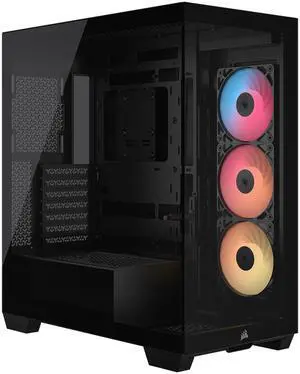
CORSAIR 3500X RS-R ARGB Mid-Tower PC Case – 3x Pre-Installed RS120-R ARGB Fans – GPU Anti-Sag Arm – Tempered Glass – Fits up to 10x 120mm Fans – Reverse Connection Motherboard Compatible
Save even more w/ promo code CSA3BC3J, limited offer
- Motherboard Compatibility: ATX / E-ATX / Micro ATX / Mini ITX
- Brand: Corsair
- Color: Black
- Case Material: Steel / Tempered Glass
- Model #: CC-9011322-WW
- Item #: N82E16811139244
- Return Policy: International Order Return Policy
- $114.99
- $89.99 –
- Save: 21%
- Free Shipping
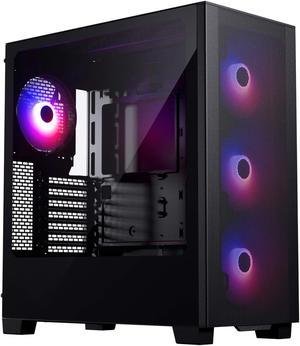
Phanteks XT Pro Ultra, Mid-Tower Gaming Chassis, 4x M25-140 Fans Included, High Airflow Performance Mesh, Tempered Glass Window, USB-C 3.2 Gen2, Black
- Motherboard Compatibility: ATX, micro-ATX, mini-ITX, E-ATX (up to 280mm wide)
- Front Ports: 1 x USB 3.0, 1 x USB-C 3.2 Gen 2, 1 x Audio, 2 x Buttons,
- Brand: Phanteks
- Series: XT
- Model #: PH-XT523P1_DBK01
- Item #: N82E16811854133
- Return Policy: 30-Day Return Policy
- $79.99 –
- $69.99 after $10.00 rebate
- More options from $49.31 - $139.77
- Free Shipping
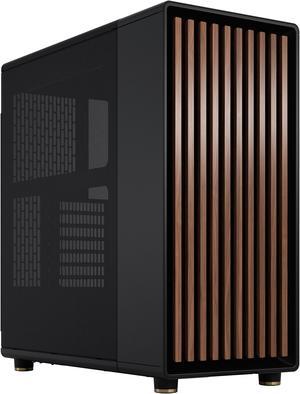
Fractal Design North ATX mATX Mid Tower PC Case - Charcoal Black Chassis with Walnut Front and Mesh Side Panel
- Motherboard Compatibility: ATX / Micro ATX / Mini ITX
- Front Ports: 1 x USB 3.2 Gen 2x2 Type-C, 2 x USB 3.0, 2 x Audio
- Power Supply Mounted: Bottom
- Brand: Fractal Design
- Model #: FD-C-NOR1C-01
- Item #: N82E16811352203
- Return Policy: 30-Day Return Policy
- $154.99 –
- More options from $149.44 - $297.44
- $12.99 Shipping
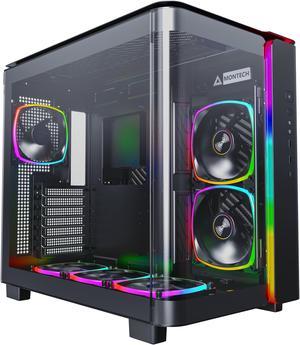
MONTECH, KING 95 PRO Dual-Chamber ATX Mid-Tower PC Gaming Case, High-Airflow, Toolless Panels, Sturdy Curved Tempered Glass Front, Six ARGB PWM Fan Pre-installed with Fan Hub, Black
Save even more w/ combo, limited offer
- Motherboard Compatibility: ATX / Micro ATX / Mini ITX
- Front Ports: 1 x USB Type-C, 2 x USB 3.0, 2 x Audio, 1 x Button
- Brand: Montech
- Series: KING 95
- Model #: KING 95 PRO (B)
- Item #: N82E16811970005
- Return Policy: International Order Return Policy
- $139.88 –
- More options from $139.88 - $195.06
- Free Shipping
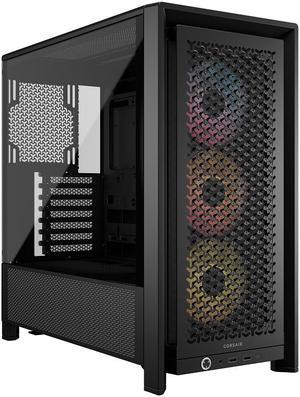
CORSAIR FRAME 4000D RS ARGB Modular High Airflow Mid-Tower PC Case, Black – Fully Customizable Design – InfiniRail™ Fan Mounting System – Fits Multiple 360mm Radiators – ASUS BTF, MSI Project Zero
- Motherboard Compatibility: Mini-ITX/Micro-ATX/ATX/E-ATX(305mm x 277mm)
- Brand: Corsair
- Series: FRAME 4000D RS ARGB
- Color: Black
- Model #: CC-9011296-WW
- Item #: N82E16811139228
- Return Policy: 30-Day Return Policy
- $124.99 –
- More options from $124.99 - $140.22
- Free Shipping
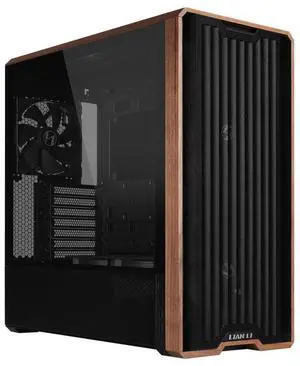
Lian Li LANCOOL 217 Genuine Walnut Wood Computer Case, Mid-Tower ATX PC Case with 5 Pre-Installed PWM Fans 2x170mm, 2x120mm & 1x140mm, Flexible PSU & Cable Installation - Black (LAN217X)
- Motherboard Compatibility: ATX / E-ATX / Micro ATX / Mini ITX
- Brand: LIAN LI
- Color: Black/White
- Case Material: Steel
- Model #: LAN217X
- Item #: 1YF-005G-000M9
- Return Policy: International Order Return Policy
- $119.99 –
- More options from $79.31 - $190.30
- Free Shipping
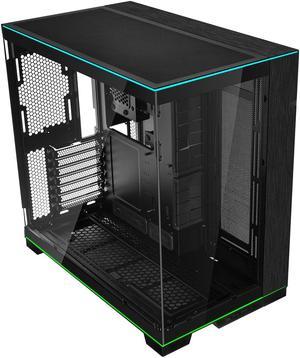
LIAN LI O11 Dynamic EVO RGB Black Aluminum / Steel / Tempered Glass ATX Mid Tower Computer Case----O11DERGBX
- Motherboard Compatibility: EATX(under 280mm)/ATX/MICRO-ATX/MINI-ITX
- Front Ports: 2 x USB 3.0, 1 x Audio, 3 x Buttons
- Brand: LIAN LI
- Color: Black
- Model #: O11DERGBX
- Item #: 2AM-000Z-000C0
- Return Policy: 30-Day Return Policy
- $159.99 –
- More options from $159.99 - $251.92
- Free Shipping
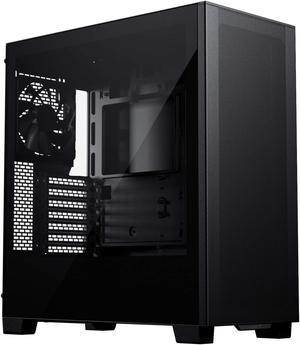
Phanteks XT Pro, Mid-Tower Gaming Chassis, High Airflow Performance Mesh, Tempered Glass Window, 1x M25-120 Black fan included, Black
- Motherboard Compatibility: ATX, micro-ATX, mini-ITX, E-ATX (up to 280mm wide)
- Front Ports: 1 x USB 3.0, 1 x USB-C 3.0, 1 x Audio, 2 x Buttons,
- Brand: Phanteks
- Series: XT
- Model #: PH-XT523P1_BK01
- Item #: N82E16811854132
- Return Policy: International Order Return Policy
- $59.99 –
- $49.99 after $10.00 rebate
- More options from $59.99 - $69.99
- Free Shipping
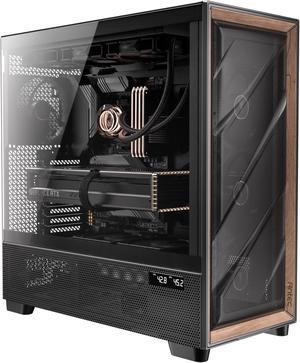
Antec Flux Pro, 6 x PWM Fans Included, High-Airflow Front Panel with Walnut Wood, iShift PSU 90° Mount, USB3.0 x 2, Type-C, 420mm Radiator Support, Temp. Display, Full-Tower E-ATX PC Case
+ $25 off w/ promo code PHDB234, limited offer
- Motherboard Compatibility: E-ATX (<=285mm), ATX, Micro-ATX, ITX
- Front Ports: 2 x USB 3.0, 1 x USB 3.1 Type-C, 1 x Audio, Temp. 1 x Display Switch
- Power Supply Mounted: Bottom
- Brand: Antec
- Model #: FLUX PRO
- Item #: N82E16811129320
- Return Policy: International Order Return Policy
- $179.99 –
- More options from $179.99 - $247.71
- Free Shipping
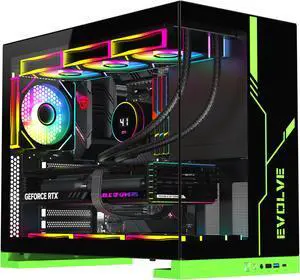
DIYPC IDX8-BK-ARGB Black USB3.0/ Type C Tempered Glass ATX Gaming Computer Case w/ Dual Tempered Glass Panel and 4 x ARGB PWM Fans (Pre-Installed)
+ 10% off w/ promo code SUSF64, limited offer
- Motherboard Compatibility: ATX / ITX / Micro ATX
- Front Ports: 1 x USB 3.0 /1 x USB 2.0/ 1 x Type C / Audio In & Out (HD)
- Power Supply Mounted: Top
- Brand: DIYPC
- Model #: IDX8-BK-ARGB
- Item #: N82E16811353291
- Return Policy: 30-Day Return Policy
- $119.99
- $88.94 –
- Save: 25%
- Free Shipping
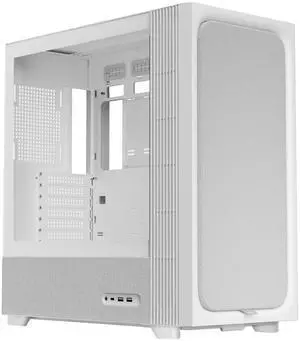

- Motherboard Compatibility: Mini-ITX, Micro-ATX, ATX, BTF & Project Zero
- Front Ports: 2 x USB-A 3.2 Gen 1; USB-C 3.2 Gen 2x2; Audio/Mic Jack; Power Button
- 120mm Fans: 1
- Power Supply Mounted: Bottom
- Model #: C-F500F-FM1E-G0W
- Item #: N82E16811963002
- Return Policy: 30-Day Return Policy
- $149.99 –
- More options from $149.99 - $165.97
- Free Shipping
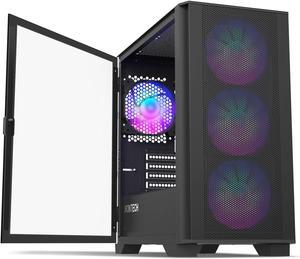
Montech AIR 100 ARGB MICRO-ATX Tower with Four ARGB Fans Pre Installed, Ultra-Minimalist Design, Fine Mesh Front Panel, High Airflow, Unique Side Swivel Tempered Glass, Dust Protection, Black
- Motherboard Compatibility: Micro ATX / Mini ITX
- Front Ports: 1 x USB 2.0, 2 x USB 3.0, 2 x Audio
- Power Supply Mounted: Bottom
- Brand: Montech
- Model #: AIR 100 ARGB(B)
- Item #: 2AM-00CN-00033
- Return Policy: 30-Day Return Policy
- $79.99
- $69.90 –
- Save: 12%
- More options from $69.90 - $90.06
- Free Shipping
Related searches
| Learn about Computer Cases & PC Tower Chassis | |
|---|---|
What Is a Computer Case & Why Upgrade?A computer case (also called a PC chassis or tower) houses and protects your components—motherboard, GPU, storage, power supply, and cooling—while directly impacting airflow, thermals, and system noise. If you’re building new or refreshing an older setup, upgrading your PC case can improve cooling efficiency, create room for future expansions, and elevate the look of your desk with cleaner cable routing and modern front I/O. Newegg makes it easy to shop by size, style, and features—from compact builds to full-size gaming towers. Browse: Computer Cases , Mid Tower Cases , and Full Tower Cases . Choosing the Right Size: Form Factor & CompatibilityCase sizing is all about compatibility. Start with your motherboard form factor—ATX,Micro-ATX, or Mini-ITX —then confirm clearance for your GPU length, CPU cooler height, PSU type, and storage needs. ATX cases typically offer the most expansion space, while Mini-ITX cases are best for compact builds where every millimeter matters. What “Form Factor” Means (Quick Explanation)In PC hardware, a form factor defines motherboard dimensions and mounting points. Your case must support the correct form factor so the board, standoffs, and rear I/O align properly. The case size also affects how easily you can route cables, mount fans or radiators, and install larger GPUs. Popular Trend: Panoramic View CasesA panoramic view case typically features multiple tempered-glass panels designed to showcase internal components, RGB lighting, and clean cable management. These cases are popular for “showcase builds,” often pairing minimalist exterior styling with roomy interiors and modern airflow layouts. |
Cooling, Airflow, Cable Management & StyleManaging Cooling & AirflowCase airflow is a major part of PC performance. Look for mesh fronts, well-placed intake/exhaust positions, and enough mounting points for fans or liquid cooling. Adequate cooling helps prevent thermal throttling and keeps your system quieter under load. If you plan to run an AIO or custom loop, confirm radiator support (top/front) and clearance before you buy.
Pairing the right case with the right cooling helps the entire build. Shop: PC Case Fans and Power-Supply. Cable Management & Front I/O AccessibilityClean cable routing improves both aesthetics and airflow. Look for cases with routing channels, tie-down points, rubber grommets, and enough space behind the motherboard tray. Also consider front-panel features such as USB-C, USB-A, audio jacks, and where the power button is located—especially for under-desk or shelf setups. Custom Looks: Tempered Glass, RGB & AccessoriesIf you want a build that looks as good as it performs, choose a case with tempered-glass panels, ARGB-friendly layouts, and accessory support. Fan grills, lighting strips, vertical GPU mounts, and dust filters can add polish—while still protecting performance and keeping maintenance simple. Shop Cases & Add-Ons on NeweggTo build a complete setup, many shoppers bundle a new case with cooling, storage, and lighting. Use filters to narrow by form factor, GPU clearance, fan/radiator support, and features—then sort by Best Sellers or Lowest Price. |
Last Updated: March 2026 | Newegg Computer Case Buying Guide
Computer Case Frequently Asked Questions:
What does a computer case do in a PC build?
A computer case houses and protects your components while defining airflow, cooling potential, and upgrade flexibility for your entire system.
When should I upgrade my PC case?
Upgrade when your case limits airflow, GPU size, cooling support, or cable management—especially when installing newer or larger components.
What case size do I need: ATX, Micro ATX, or Mini ITX?
Choose based on your motherboard size. ATX offers maximum expansion, Micro ATX balances size and flexibility, and Mini ITX is ideal for compact builds.
How do I check GPU and CPU cooler clearance?
Compare your component dimensions with the case specifications, including GPU length, CPU cooler height, and radiator clearance if needed.
Are mesh-front cases better for airflow?
Mesh-front designs typically allow better airflow than solid panels, helping reduce system temperatures in high-performance builds.
How many case fans do I need?
Most builds start with 2–3 intake fans and 1 exhaust fan, adjusted based on heat output and cooling requirements.
What is positive vs negative air pressure?
Positive pressure uses more intake than exhaust to reduce dust, while negative pressure increases airflow but may draw in more dust.
Do I need liquid cooling support in a case?
Only if you plan to use an AIO or custom loop. Check radiator size and mounting support before choosing a case.
What cable management features should I look for?
Look for routing channels, tie-down points, and space behind the motherboard tray to improve airflow and build quality.
What is a panoramic view PC case?
A panoramic case features large tempered glass panels designed to showcase internal components and lighting.
Are tempered glass cases harder to cool?
Cooling depends on airflow design, not just materials. Many glass cases perform well with proper fan configuration.
What front ports should I look for?
USB-C is increasingly important for modern devices, while USB-A and audio ports remain essential for everyday use.
Can I reuse my old power supply in a new case?
Most cases support ATX power supplies, but smaller cases may require SFX units—always verify compatibility.
What case features help reduce noise?
Efficient airflow, quality fans, and vibration-dampening mounts help reduce noise during operation.
What’s the best way to shop PC cases?
Filter by form factor, GPU clearance, and cooling support, then compare top-rated models to find the best fit.
What is the difference between full tower, mid tower, and mini ITX cases?
Full towers offer maximum space and expansion, mid towers balance size and features, while mini ITX cases focus on compact builds.
How do airflow-focused cases compare to tempered glass cases?
Airflow-focused cases prioritize cooling performance, while glass cases emphasize aesthetics—many modern designs combine both.
What is the difference between open-air and enclosed cases?
Open-air cases provide maximum airflow and accessibility, while enclosed cases offer better protection and controlled airflow paths.
How do different case materials compare?
Steel is durable and cost-effective, aluminum is lighter, and tempered glass enhances aesthetics but requires careful airflow design.
What is the difference between gaming and standard PC cases?
Gaming cases typically offer better cooling, larger GPU support, and visual features, while standard cases focus on basic functionality.
How do I choose the right computer case?
Start with motherboard size, then consider airflow, GPU clearance, cooling support, and future upgrade needs.
What size case do I need for my components?
Match your case to your motherboard, GPU length, and cooling setup to ensure proper fit and performance.
Do I need a full tower case or is mid tower enough?
Most builds work well in mid tower cases, while full towers are ideal for maximum expansion and advanced cooling setups.
What are common issues when buying a PC case?
Common issues include compatibility mismatches, limited airflow, and insufficient space for large GPUs or cooling systems.
How do I install components into a PC case?
Install the motherboard, power supply, storage, and cooling components step by step, following the case layout and manual.
Bestselling Computer Case Reviews:
Danny
11/20/2025 11:30:02 AM
Great value PC case
“ Great budget PC case that offers a lot of features found in more expensive cases. ”
Montech AIR 100 ARGB MICRO-ATX Tower with Four ARGB Fans Pre Installed, Ultra-Minimalist Design, Fine Mesh Front Panel, High Airflow, Unique Side Swivel Tempered Glass, Dust Protection, BlackAnonymous
10/6/2025 10:50:16 AM
Pretty Good
“ It's all here, pretty good PC case, only flaw is how bulky it is ”
Phanteks NV5 MK2, Showcase Mid-Tower Chassis, Rear-Connect MB Support, Integrated D/A-RGB Lighting, Seamless Tempered Glass Design, 8x Fan Positions, BlackJoash C.
9/13/2025 5:59:39 PM
Looks amazing but is a NIGHTMARE to take apart and configure.
“ -The best looking pc case I've ever seen. ”
Phanteks NV7, Showcase Full-Tower Chassis, High Airflow Performance, Integrated D/A-RGB Lighting, Seamless Tempered Glass Design, 12 Fan Positions, BlackChristian
7/11/2025 2:30:53 PM
Amazing case ... but a bit pricey
“ One of the best computer cases money can buy. ”
Fractal Design Meshify 2 Black ATX Flexible Light Tinted Tempered Glass Window Mid Tower Computer CaseMelissa
4/22/2025 12:04:51 AM
Beautiful case, easy install
“ Very easy install process with this PC Case for my first build. ”
SAMA 4503 Dual USB3.0 and Type C Tempered Glass ATX Mid Tower Gaming PC Computer Case, w/ 4 x 120mm ARGB Fans (3 x MB Side, 1 x Rear) Pre-Installed, Back Plug Motherboard DesignAnonymous
4/13/2025 5:05:59 PM
Amazing display
“ Best pc case I've owned ”
SAMA SV01 Mid Tower ATX Gaming PC Computer Case Black, 4 Addressable RGB Fans Pre-Installed, Tempered Glass Side Panel, Back Plug Motherboard DesignJohn M.
3/28/2025 9:11:44 AM
Perfect Workstation PC Case
“ Great price workstation PC case. ”
Cooler Master N200 Micro-ATX Mini Tower with Front Mesh Ventilation, Minimal Design, 240mm Close-Loop AIO SupportXIAOMING
3/6/2025 9:19:20 AM
SAMA 4503 Dual USB3.0
“ I recently got the SAMA 4503, and I have to sayits one of the best PC cases Ive ever used! ”
SAMA 4503 Dual USB3.0 and Type C Tempered Glass ATX Mid Tower Gaming PC Computer Case, w/ 4 x 120mm ARGB Fans (3 x MB Side, 1 x Rear) Pre-Installed, Back Plug Motherboard Design