• In Stock
  • Sold by Newegg
Brands
Show More
Type
Show More
Max Extend Distance
Show More
Sold by
All Top Brands
Availability
Useful Links
Customer Ratings
Sort By:
View:
Black Box Slim-Net 12ft RJ-45 M/M Cat6 Patch Cable Green
Quick View
  •  
  • AUD$35.20 
  • AUD$63.06 Shipping
AVOCENT MPUIQ-SRL-G01 Serial Extender
Quick View
AVOCENT MPUIQ-SRL-G01 Serial Extender
  • Changer Type: Serial Extender
  • Model #: MPUIQ-SRL-G01
Black Box Usb 2.0 Extender - Cat5 1-Port
Quick View
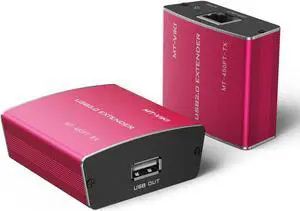
Black Box Usb 2.0 Extender - Cat5 1-Port
  • : IC280A-R2
  • : IC280A-R2
  • Type: USB 2.0 over Ethernet
  • Max Extend Distance: 328 feet
  • Model #: IC280A-R2
C2G USB 3.2 Superbooster Switch Extender - TAA C2G54262
Quick View
C2G USB 3.2 Superbooster Switch Extender - TAA C2G54262
  • Brand: C2G
  • Part Number: C2G54262
  • Type: Switch Extender
  • Max Extend Distance: up to 100m (328ft)
  • Model #: C2G54262
  •  
  • AUD$1,158.30 
  • AUD$67.95 Shipping
Gefen EXTDVIFM1000 DVI FM 1000 Extender
Quick View
Gefen EXTDVIFM1000 DVI FM 1000 Extender
  • Type: DVI-D over Fiber Optic
  • Max Extend Distance: 5600 feet
  • Color: Blue
  • Specifications: Input Video Signal: 1.2V p-p Input DDC Signal: 5V p-p (TTL) Link Connector (Sender / Receiver): (1) Type SC Fiber connector Fiber Cable: CAB-1SC-XXX (62.5ì multi-mode)
  • Model #: EXTDVIFM1000
  •  
  • AUD$1,751.20 
  • AUD$98.22 Shipping
USB 2.0 OVER CAT5 SUPERBOOSTER DONGLE KIT
Quick View
USB 2.0 OVER CAT5 SUPERBOOSTER DONGLE KIT
  • Type: USB 2.0 over Ethernet
  • Max Extend Distance: 328 feet
  • Changer Type: USB Extender
  • Color: Black
  • Model #: 53880
  •  
  • AUD$980.10 
  • AUD$162.26 Shipping
Black Box LRX Series KVM Extender DVI-D USB 2.0 RS232 ACU5700A
Quick View
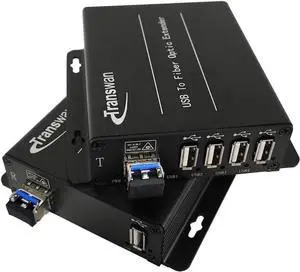
USB 2.0 EXTENDER CATX 4-PORT
Quick View
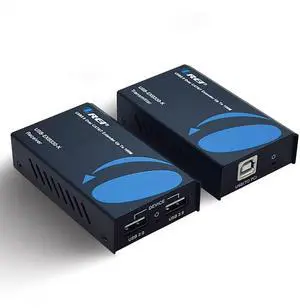
USB 2.0 EXTENDER CATX 4-PORT
  • Type: USB 2.0 over Ethernet
  • Max Extend Distance: 330 feet
  • Color: Black
  • Specifications: Provides true plug-and-play capabilities, ready to operate right out of the box. Works with Windows, Mac OS X, and Linux operating systems. No new driver installation is required. It is ideal for a wide variety of USB devices, from printers, scanners, and hard drives to audio devices, touch screens, Web cams, and more! Works with all USB device types: control, interrupt, bulk, and isochronous at up to 480 Mbps. Get USB connectivity anywhere. Install your USB devices anywhere! Combine the 4-Port CATx USB Extender with additional USB hubs to connect up to 30 USB devices. An AC power adapter at the remote unit provides up to 1A max to USB port. Use it for any or all of the following applications: Industrial control KVM extension Digital signage Remote des...
  • Model #: IC400A-R2
Black Box Secure NIAP 4.0 Certified KVM Switch FlexPort KVS4-2002HVX
Quick View
  •  
  • AUD$1,585.10 
  • AUD$89.32 Shipping
Black Box KVXLC-200-R2 KVM Extender KVXLC200R2
Quick View
  •  
  • AUD$1,843.60 
  • AUD$120.43 Shipping

To set up WiFi® in your home, you simply connect computers, laptops or mobile devices that have wireless capabilities to a wireless router and a modem, with items like an extender kit or a repeater thrown into the mix if necessary. In the easiest scenarios, setting up WiFi should be straightforward. You just have to find a place to set up your router, preferably in a place where there are no obstructions that can cause wireless interference. You then connect the router to the modem using an Ethernet cable. You then connect the computer to the router, power everything on, and follow the directions. Sometimes, however, your home setup is such that WiFi doesn't reach certain areas of your space. For these situations, you are going to need accessories like HDMI repeaters and USB extenders. These devices help get a WiFi signal to where it needs to go.

WiFi Extenders Can Help Expand WiFi Throughout Your House

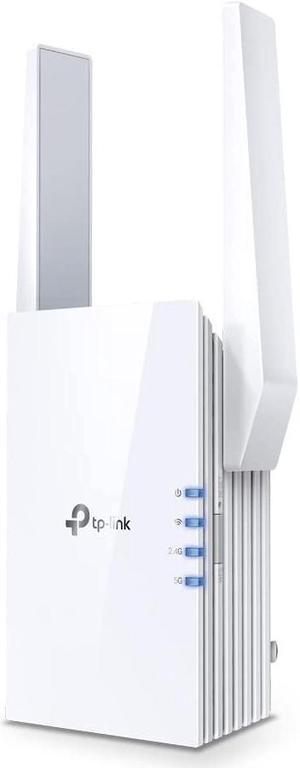
WiFi is sometimes unable to make it all the way through to every corner of a house. Whether it is due to too many walls and corners in the home or some sort of interference, the signal cannot reach the device for which it is intended. This is where WiFi extender kits help. A WiFi extender repeats the signal from your router so that it reaches the device you need it to reach. The same way that one basketball player will pass the ball to another to get close to the basket for an easy shot is the same way that the extender works. It acts as a bridge that carries the signal to its final destination. If you see that you need a WiFi extender, choose one that is compatible with your router.

New Router Technology Extends Your WiFi Signal

A home's WiFi signal is often weak because it is connected to an old router. Older routers do not have the strength of today's routers, so if you bought one years ago, consider replacing it with one of the newer models. The latest routers have features like Tri-Band, MU-MIMO and Beamforming technology, allowing WiFi signals to reach into the farthest reaches of the home. Mesh WiFi systems make it possible to forgo a router altogether. Do some research to find out what works for you. 

A Wireless Repeater Is Another Signal Strengthening Device

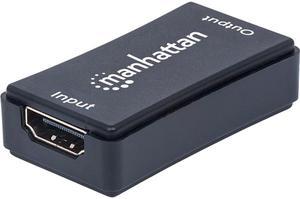
A wireless or HDMI repeater falls into the same family as the WiFi extender. These devices repeat or rebroadcast the WiFi signal to a specific area. The repeated signal is on the same frequency as the original WiFi signal, meaning that the connection speed will be slower because the two devices will share the same connection. Repeaters are also very susceptible to interference from devices and items like microwaves and stereos. The repeater only works if you place it in an area where it has direct access to the router's signal. If you locate it too far away, it will not connect to WiFi easily.