SHOP BY Speed

Quick View
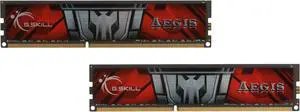
G.SKILL AEGIS 16GB (2 x 8GB) DDR3 1600 (PC3 12800) Desktop Memory Model F3-1600C11D-16GIS
OUT OF STOCK
- CAS Latency: CL11
- Voltage: 1.50V
- Multi-channel Kit: Dual Channel Kit
- Timing: 11-11-11-28
- Model #: F3-1600C11D-16GIS
- ¥16,359 –
- ¥4,385 Shipping

Quick View
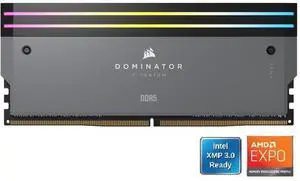
CORSAIR Dominator Titanium 64GB (2 x 32GB) DDR5 6000 (PC5 48000) Desktop Memory Model CMP64GX5M2B6000Z30
OUT OF STOCK
- CAS Latency: CL30
- Voltage: 1.40V
- Multi-channel Kit: Dual Channel Kit
- Timing: 30-36-36-76
- Model #: CMP64GX5M2B6000Z30
- ¥246,529 –
- ¥5,210 Shipping

Quick View
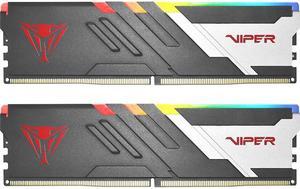
Patriot Memory Viper Venom RGB DDR5 RAM 32GB (2X16GB) 6000MT/s CL30 UDIMM Desktop Gaming Memory Kit - PVVR532G600C30K Compatible with AMD / Intel Gen14 Only
OUT OF STOCK
- CAS Latency: CL30
- Voltage: 1.35V
- Timing: 30-40-40-76
- Brand: Patriot
- Model #: PVVR532G600C30K
- ¥88,809 –
- ¥5,194 Shipping

Quick View
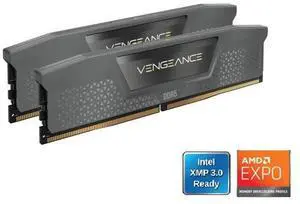
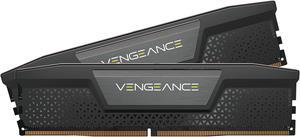
CORSAIR Vengeance 32GB (2 x 16GB) 288-Pin PC RAM DDR5 6400 (PC5 51200) Desktop Memory Model CMK32GX5M2B6400Z36
OUT OF STOCK
- CAS Latency: CL36
- Voltage: 1.40V
- Multi-channel Kit: Dual Channel Kit
- Timing: 36-48-48-104
- Model #: CMK32GX5M2B6400Z36
- ¥98,270 –
- ¥4,385 Shipping

Quick View
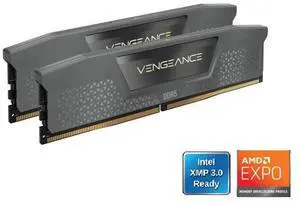
CORSAIR Vengeance 32GB (2 x 16GB) 288-Pin PC RAM DDR5 6000 (PC5 48000) Desktop Memory Model CMK32GX5M2B6000Z38
OUT OF STOCK
- CAS Latency: CL38
- Voltage: 1.35V
- Multi-channel Kit: Dual Channel Kit
- Timing: 38-44-44-96
- Model #: CMK32GX5M2B6000Z38
- ¥100,777 –
- ¥4,310 Shipping

Quick View
CORSAIR Vengeance 128GB (2 x 64GB) 288-Pin PC RAM DDR5 6000 (PC5 48000) Desktop Memory Model CMK128GX5M2D6000C40
OUT OF STOCK
- CAS Latency: CL40
- Voltage: 1.35V
- Multi-channel Kit: Dual Channel Kit
- Timing: 40-50-50-96
- Model #: CMK128GX5M2D6000C40
- ¥497,448 –
- ¥5,073 Shipping

Quick View
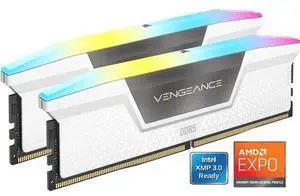
CORSAIR Vengeance RGB 16GB (2 x 8GB) 288-Pin PC RAM DDR5 5200 (PC5 41600) Desktop Memory Model CMH16GX5M2B5200Z40W
OUT OF STOCK
- CAS Latency: CL40
- Voltage: 1.25V
- Multi-channel Kit: Dual Channel Kit
- Timing: 40-40-40-77
- Model #: CMH16GX5M2B5200Z40W
- ¥50,531 –
- ¥4,385 Shipping

Quick View
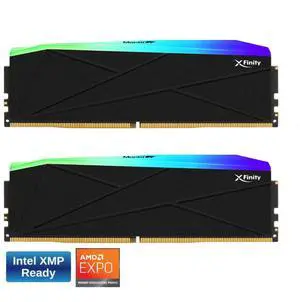
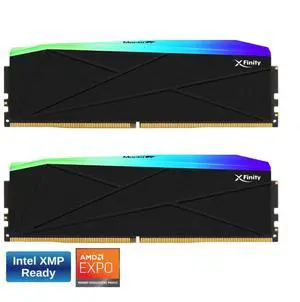
V-COLOR Manta XFinity RGB DDR5 128GB (64GBx2) 7200MHz XMP 3.0 & AMD EXPO CL36 1.4V RGB Gaming Desktop Upgrade RAM U-DIMM Memory Module SK Hynix IC - BLACK (TMXFL6472836KWK)
OUT OF STOCK
- CAS Latency: CL36
- Voltage: 1.40V
- Multi-channel Kit: Dual Channel Kit
- Timing: 36-56-56-112
- Model #: TMXFL6472836KWK
- ¥715,876 –
- ¥4,385 Shipping

Quick View
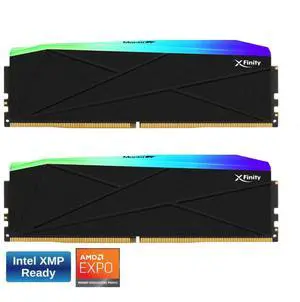
V-COLOR Manta XFinity RGB DDR5 64GB (32GBx2) 6000MHz XMP 3.0 & AMD EXPO CL30 1.35V RGB Gaming Desktop Upgrade RAM U-DIMM Memory Module SK Hynix IC - BLACK (TMXFL3260830KWK)
OUT OF STOCK
- CAS Latency: CL30
- Voltage: 1.35V
- Multi-channel Kit: Dual Channel Kit
- Timing: 30-38-38-76
- Model #: TMXFL3260830KWK
- ¥192,735 –
- ¥4,385 Shipping

Quick View
V-COLOR Manta XFinity RGB DDR5 64GB (32GBx2) 6400MHz XMP 3.0 & AMD EXPO CL32 1.4V RGB Gaming Desktop Upgrade RAM U-DIMM Memory Module SK Hynix IC - BLACK (TMXFL3264832KWK)
OUT OF STOCK
- CAS Latency: CL32
- Voltage: 1.40V
- Multi-channel Kit: Dual Channel Kit
- Timing: 32-38-38-80
- Model #: TMXFL3264832KWK
- ¥202,712 –
- ¥4,385 Shipping

Quick View
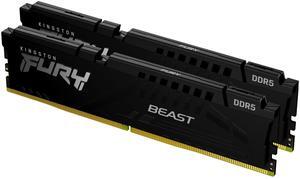
Kingston Technology FURY Beast RGB memoria 32 GB 1 x 32 GB DDR5 6000 MHz
OUT OF STOCK
- Model #: KF560C36BBEA-32
- ¥164,653 –
- Free Shipping

Quick View
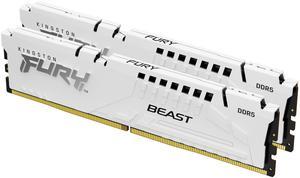
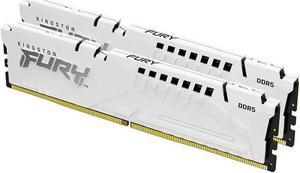
Kingston 64GB (2x32GB) DDR5 6000MT/s CL30 FURY Beast White EXPO - 64 GB (2 X 32GB) - DDR5-6000/PC5-48000 DDR5 SDRAM - 6000 MHz Dual-rank Memory - CL30 - 1.40 V - Non-ECC - Unbuffered - 288-pin - DIMM
OUT OF STOCK
- CAS Latency: CL30
- Voltage: 1.35 V
- Brand: Kingston
- Capacity: 64GB (2 x 32GB)
- Model #: KF560C30BWEK2-64
- ¥282,562 –
- Free Shipping

Quick View
Kingston FURY Beast 64GB (2 x 32GB) 288-Pin PC RAM DDR5 6000 (PC5 48000) Memory (Desktop Memory) Model KF560C30BWEK2-64
OUT OF STOCK
- CAS Latency: CL30
- Color: White
- Model #: Kingston-KF560C30BWEK2-64
- ¥282,562 –
- Free Shipping

Quick View
32GB DDR5 6400MT/S CL32 DIMM
OUT OF STOCK
- Voltage: 1.4 V
- Brand: Kingston
- Capacity: 32GB (2 x 16GB)
- Speed: DDR5 6400 (PC5 51200)
- Model #: KF564C32BBEK2-32
- ¥184,287 –
- Free Shipping
RAM is the short term memory of your computer. It affects the number of programs you can run at once, and even the number of tabs you can use on your browser. Better RAM, and more of it, also influences the frames per second you can glean from integrated graphics. If you are a video editor or run 3D rendering software on your computer, you will need plenty of high-quality desktop memory. However, not all desktop RAM is compatible with your machine. Your motherboard dictates the number of memory cards, its maximum capacity and even the type of RAM that you can install.
Get the Most From Your Desktop RAM by Matching Speeds
Desktop RAM clock speed is the speed at which the laptop memory can read and write data. Generally speaking, the quicker the clock speed of your new RAM, measured in Megahertz (MHz), the faster the memory processes data. However, if your system only supports 2,666MHz speeds, then there is no point in buying 3,000MHz RAM. Also, if your system supports multiple modules, it will only run at the speed of the slowest RAM, so try to match module speeds when possible. Accessories like card readers can help improve access to data. You will also need to check compatibility. Some systems will only work with DDR4, while others can only run DDR3. Check with the instructions that came with your motherboard to see if it is a home-built PC, or with your computer if it was pre-built.
Improve Integrated Graphics Performance With Better Desktop Memory
Heavy-duty Graphics Processing Units (GPUs) and dedicated graphics cards include RAM, but some systems and laptops have integrated graphics. This means that the main processor is responsible for processing graphics and utilizes system RAM. It places a greater load on desktop or laptop memory, and this type of setup will benefit most from improved RAM. It could prevent you from having to invest in a more expensive computer, while enabling you to eliminate choppy frame rates and improve video quality.
Enjoy Quicker Multitasking With New Laptop RAM
Multitaskers can also enjoy noticeable improvements with new computer memory. Every piece of software, every browser window and every tab requires the use of RAM. When you open new programs, this will create virtual memory on the hard drive when there is no more RAM available. By increasing the amount of RAM, the system doesn't have to use the hard drive, avoiding bottlenecking and improving software as well as web browsing performance.
Do More by Increasing Memory Capacity
At its simplest, RAM allows you to do more, and enables you to do it more quickly. The key is identifying how much you need. When buying memory cards, check the requirements for software that you regularly run. Include operating system specifications and allow some memory for browsing the web. Consider that new and updated applications might have different requirements, so if you install new software regularly, allow extra RAM.