Quick View
Tripp Lite 8-Port Cat5 1U Rack-Mount KVM Switch with IP Remote Access, 1+1 User, VGA, USB (B072-008-1-IP)
OUT OF STOCK
- Type: D-Sub, USB, PS/2
- Computer Connections: 8 x RJ45 Female
- Video Resolution: 1920 x 1080
- Monitors Supported: Full HD
- Model #: B072-008-1-IP
- ¥168,731 –
- More options from ¥168,731 - ¥174,541
- ¥20,966 Shipping

Quick View
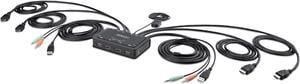
2-PORT COMPACT 4K KVM SWITCH
OUT OF STOCK
- Type: Computer Accessories
- Weight: 2.0000
- Model #: C2-DH46-UA2-CBL-KVM
- ¥61,471 –
- ¥10,011 Shipping

Quick View
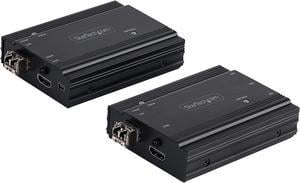
4K HDMI KVM Extender over Fiber, HDMI Video & USB over Fiber, up to 984ft/300m (MultiMode), 10G MMF SFP+ modules, Remote KVM Switch/Console Extender, KVM Extension Kit (TX/RX) - Transmitter & Receiver
OUT OF STOCK
- Type: HDMI, USB
- Video Resolution: 3840 x 2160
- Temperature: 0ºC to 50ºC(32ºF to 122ºF)
- Humidity: 0% to 80%,Non-Condensing
- Model #: SV565FXHD4KU
- ¥138,310 –
- ¥10,287 Shipping

Quick View
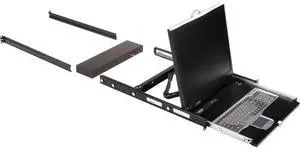
Black Box ServTray Complete 19" 8-Port KVM Switching Module USB PS/2 8 Computer
OUT OF STOCK
- Brand: Black Box Innovations
- Type: USB, PS/2
- Model #: KVT419A-8UV-R2
- ¥356,123 –
- More options from ¥347,686 - ¥356,123
- ¥6,855 Shipping

Quick View
Raritan Dominion KX III DKX3-416 KVM Switchbox
OUT OF STOCK
- Type: KVM Switchbox
- Computer Connections: 16 Ports
- Video Resolution: 1920 x 1080
- Monitors Supported: Full HD
- Model #: DKX3-416
- ¥1,346,903 –
- ¥41,341 Shipping

Quick View
Vertiv Avocent HMX5000/6000 | IP KVM Transmitter | DVI-D (HMX5150T-DVID)
OUT OF STOCK
- Type: DVI, USB
- Computer Connections: 1 x DVI-D 2 x USB type A
- Video Resolution: 1920 x 1200
- Console Connectors: Ethernet: 1 x 8p8c (RJ45)
- Model #: HMX5150T-DVID
- ¥390,300 –
- More options from ¥152,050 - ¥390,300
- ¥10,096 Shipping
- KVM Switches
KVM Switches
Suppose you have more than one computer in the same room but you do not have enough room for a second monitor. Or you have a laptop and want to use it with your home computer's keyboard, mouse and monitor, without changing your current setup. The answer lies in a handy device called a KVM switch.
KVM stands for keyboard, video, mouse. The keyboard, video, and mouse set collectively is called a "console." KVM switches allow you to connect a console to more than one computer. You simply connect your console cables to the output jacks of the switch and connect the switch to the connections on your computer that the keyboard mouse and monitor would normally be plugged into. It's that simple.
KVM Switches Let You Switch between Consoles
To switch consoles, you just push a button on the switch and it allows you to use the other console. KVM switches save you money because you won't have to purchase separate keyboards, mice, and monitors for each computer you use. It makes it very easy when one person uses more than one computer at work, for example. They are also useful for server farms with one staff person accessing each computer periodically, one at a time.
When buying KVM switches, it is important to fully understand your needs before you buy anything. Make sure the switch you choose will support your monitor refresh rates and resolution so that the signals are not degraded.