• In Stock
  • Sold by Newegg
Brands
Show More
Speed
Show More
Capacity
Show More
Type
CAS Latency
Voltage
ECC
Sold by
All Top Brands
Availability
Total Capacity
Current Promotion
Useful Links
Customer Ratings
Sort By:
View:
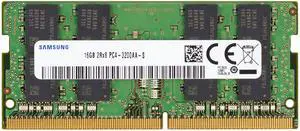
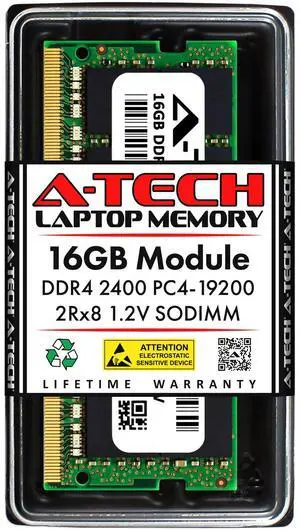
Rimlance 32GB (2X16GB) 1.2V DDR4 2400MHZ PC4-19200 SODIMM 2RX8
Quick View
Rimlance 32GB (2X16GB) 1.2V DDR4 2400MHZ PC4-19200 SODIMM 2RX8
  • CAS Latency: CL17
  • Buffered/Registered: Unbuffered
  • Multi-channel Kit: Dual Channel Kit
  • Parts: Lifetime warranty
  • Model #: RSO19200D8C2K32
  •  
  • ¥28,653 
  • Free Shipping
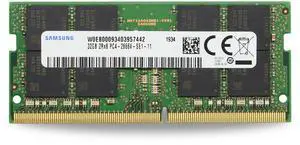
Rimlance 32GB (2X16GB) 1.2V DDR4 2133MHZ PC4-17000 SODIMM 2RX8
Quick View
Rimlance 32GB (2X16GB) 1.2V DDR4 2133MHZ PC4-17000 SODIMM 2RX8
  • CAS Latency: CL15
  • Buffered/Registered: Unbuffered
  • Multi-channel Kit: Dual Channel Kit
  • Parts: Lifetime warranty
  • Model #: RSO17000D8C2K32
  •  
  • ¥27,953 
  • Free Shipping
Rimlance 64GB (2X32GB) 1.2V DDR4 2666MHZ PC4-21300 SODIMM 2RX8
Quick View
Rimlance 64GB (2X32GB) 1.2V DDR4 2666MHZ PC4-21300 SODIMM 2RX8
  • CAS Latency: CL19
  • Buffered/Registered: Unbuffered
  • Multi-channel Kit: Dual Channel Kit
  • Parts: Lifetime warranty
  • Model #: RSO21300D8C2K64
  •  
  • ¥52,270 
  • Free Shipping
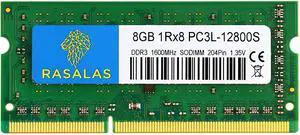
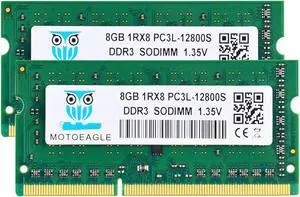
Rimlance 4GB (1X4GB) 1.5V DDR3 1066MHZ PC3-8500 SODIMM 2RX8
Quick View
Rimlance 4GB (1X4GB) 1.5V DDR3 1066MHZ PC3-8500 SODIMM 2RX8
  • Buffered/Registered: Unbuffered
  • Model #: RSO8500D8C4
  •  
  • ¥2,587 
  • Free Shipping
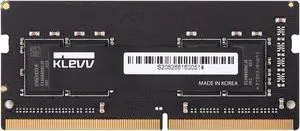
Rimlance 8GB (2X4GB) 1.5V DDR3 1066MHZ PC3-8500 SODIMM 2RX8
Quick View
Rimlance 8GB (2X4GB) 1.5V DDR3 1066MHZ PC3-8500 SODIMM 2RX8
  • Buffered/Registered: Unbuffered
  • Multi-channel Kit: Dual Channel Kit
  • Model #: RSO8500D8C2K8
  •  
  • ¥3,811 
  • Free Shipping
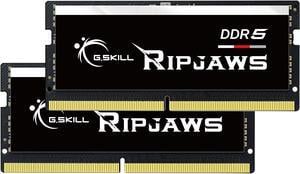
G.SKILL Ripjaws SO-DIMM 64GB (2 x 32GB) 262-Pin DDR5 SO-DIMM DDR5 5600 (PC5 44800) Laptop Memory Model F5-5600S4645A32GX2-RS
Quick View
G.SKILL Ripjaws SO-DIMM 64GB (2 x 32GB) 262-Pin DDR5 SO-DIMM DDR5 5600 (PC5 44800) Laptop Memory Model F5-5600S4645A32GX2-RS

OUT OF STOCK

  • CAS Latency: CL46
  • Timing: 46-45-45
  • Voltage: 1.10V
  • Multi-channel Kit: Dual Channel Kit
  • Model #: F5-5600S4645A32GX2-RS
G.SKILL Ripjaws Series 16GB 260-Pin DDR4 SO-DIMM DDR4 3200 (PC4 25600) Laptop Memory Model F4-3200C22S-16GRS
Quick View
G.SKILL Ripjaws Series 16GB 260-Pin DDR4 SO-DIMM DDR4 3200 (PC4 25600) Laptop Memory Model F4-3200C22S-16GRS

OUT OF STOCK

  • CAS Latency: CL22
  • Timing: 22-22-22-52
  • Voltage: 1.20V
  • Features: Optimized Compatibility with 10th / 11th Gen Intel Core Processors
  • Model #: F4-3200C22S-16GRS
G.SKILL Ripjaws Series 8GB 260-Pin DDR4 SO-DIMM DDR4 3200 (PC4 25600) Laptop Memory Model F4-3200C22S-8GRS
Quick View
G.SKILL Ripjaws Series 8GB 260-Pin DDR4 SO-DIMM DDR4 3200 (PC4 25600) Laptop Memory Model F4-3200C22S-8GRS

OUT OF STOCK

  • CAS Latency: CL22
  • Timing: 22-22-22-52
  • Voltage: 1.20V
  • Features: Optimized Compatibility with 10th / 11th Gen Intel Core Processors
  • Model #: F4-3200C22S-8GRS
  •  
  • ¥15,074 
  • ¥7,049 Shipping
G.SKILL Ripjaws SO-DIMM 32GB (2 x 16GB) 262-Pin DDR5 SO-DIMM DDR5 4800 (PC4 38400) Laptop Memory Model F5-4800S3434A16GX2-RS
Quick View
G.SKILL Ripjaws SO-DIMM 32GB (2 x 16GB) 262-Pin DDR5 SO-DIMM DDR5 4800 (PC4 38400) Laptop Memory Model F5-4800S3434A16GX2-RS

OUT OF STOCK

  • CAS Latency: CL34
  • Timing: 34-34-34-76
  • Voltage: 1.10V
  • Buffered/Registered: Unbuffered
  • Model #: F5-4800S3434A16GX2-RS
  •  
  • ¥121,151 
  • ¥7,049 Shipping
Axiom 8GB 204-Pin DDR3 SO-DIMM DDR3 1600 (PC3 12800) Laptop Memory Model B4U40AA-AX
Quick View
Axiom 8GB 204-Pin DDR3 SO-DIMM DDR3 1600 (PC3 12800) Laptop Memory Model B4U40AA-AX

OUT OF STOCK

  • Buffered/Registered: Unbuffered
  • Features: Compatibility: HP Compaq Elite 8300 (ultra-slim desktop) HP 6360t Mobile Thin Client HP EliteBooks: 2560p 2760p 8460p 8460w 8560p 8560w 8760w HP ProBooks: 4530s 6360b 6460b 6465b 6560b 6565b
  • Model #: B4U40AA-AX
  •  
  • ¥38,034 
  • ¥10,096 Shipping
AddOn Compatible 8GB DDR3-1600MHz 1.35V DR SoDIMM
Quick View
AddOn Compatible 8GB DDR3-1600MHz 1.35V DR SoDIMM

OUT OF STOCK

  • Model #: CT102464BF160BAA

Laptop memory comes in different types. These differences are due to memory technology, the function of memory and other computer hardware components. Determine the right kind of memory for your Windows® laptop with the Task Manager utility program. Alternatively, use the Hardware Overview utility in a MacBook® for the right Mac memory. Both tools will help you determine which memory modules are compatible with your device in terms of speed, capacity and format.

Make Your System Run Faster With Laptop RAM Sticks

A RAM card for your laptop is a critical component for short-term data access when loading applications, editing a spreadsheet or browsing the web, which means that the speed and amount of memory in the system play a crucial role. However, RAM for your system's speed depends entirely on your laptop’s motherboard. A motherboard that supports RAM with clock speeds of up to 1600MHz will only utilize speeds to that limit. The clock speed, cycle or frequency is the number of cycles RAM runs in a second. So, a laptop memory with a clock speed of 2133MHz can perform 2,133 cycles per second. The higher the cycle numbers, the greater the amount of data your laptop can read and write.

Improve Multitasking Capabilities

You probably use your laptop to do lots of things simultaneously. As you edit a document, you are pulling up pictures from memory cards and browsing the Internet. Each active app requires memory, and is competing for limited resources, but you can overcome this by installing high-density memory modules in each slot for seamless multitasking. If the laptop motherboard and operating system allow it, upgrading to an 8GB or 16GB of RAM ensures faster loading of applications and switching between open programs. Upgrades of more than 16GB of memory capacity are advisable for users running resource-intensive games, creative applications and various computer-aided design solutions.

Easy Installation Means No Computer Mechanical Skills Required

All you need is the owner’s manual, a screwdriver and a few minutes to install a laptop memory stick. However, you need to pay attention to the type of RAM your laptop uses. The most common RAM used in modern laptops is DDR SO-DIMM, an acronym for Double Data Rate Small Outline Dual In-Line Memory Module. It comes in three versions: DDR, DDR2, DDR3 and DDR4, with each version faster and using less power than the previous one. The DDR4 SO-DIMMs has up to 260 pins, with each achieving up to 2Gbps transfer speeds, and consuming less power than earlier generation sticks.

Unlike your laptop memory, flash memory is a non-volatile storage medium that retains information, even after cutting off power. Despite the name, when it comes to data transfer and storage, flash memories are closer in operation and form to solid-state drives than an external RAM for laptop devices. Flash memory is commonly used in USB card readers, printers, small electronics and portable media players.