
Your Browsing History
- Free 30-day Returns
- ¥11,322 Shipping
¥224,796
Consumption Sales Tax-Inclusive Price
Ships from United States.
Sold by Newegg
Shipped by Newegg
Best Sellers
 Top Rated
- ¥232,882
- + ¥10,144 Shipping
Top Rated- ¥236,993
- + ¥20,009 Shipping


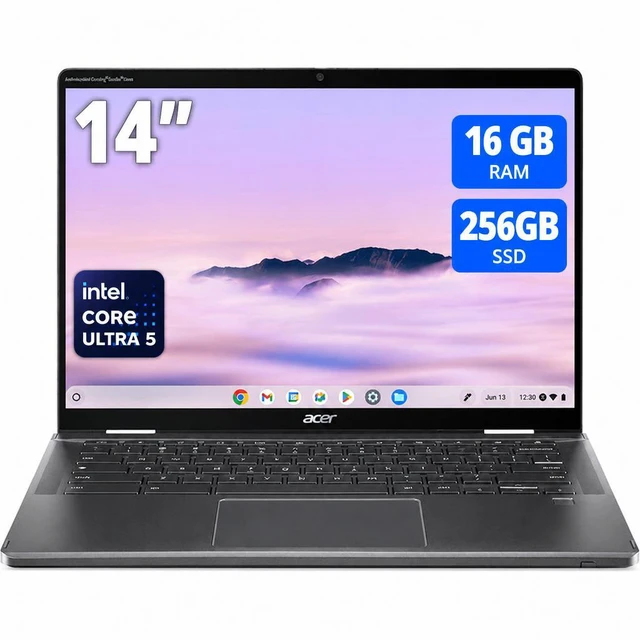
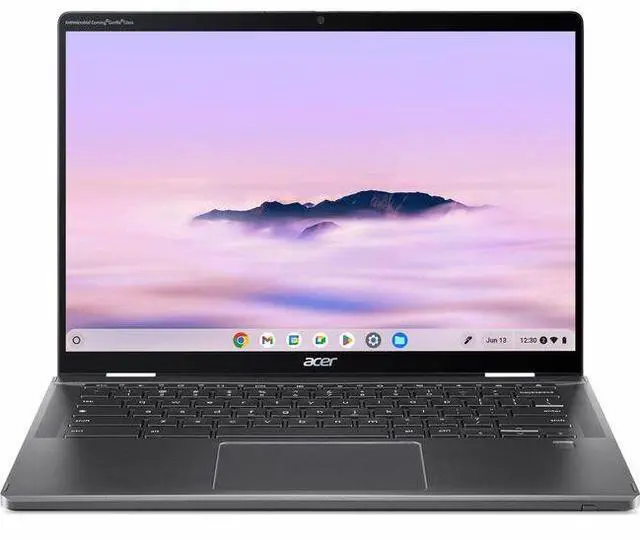
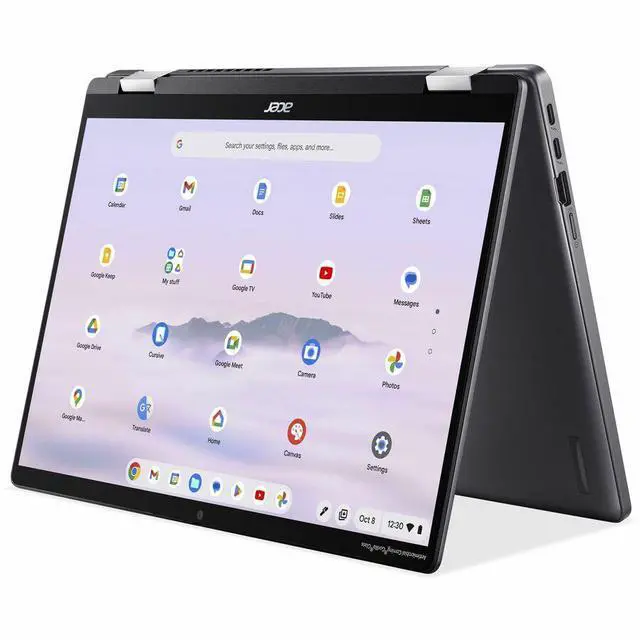
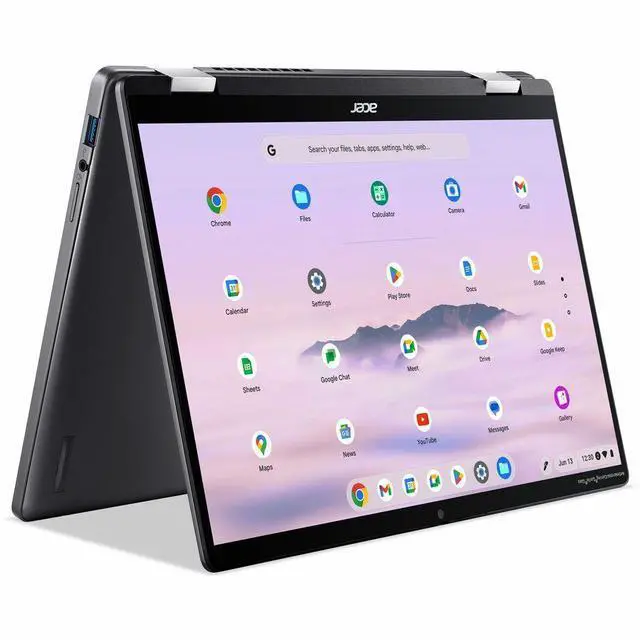
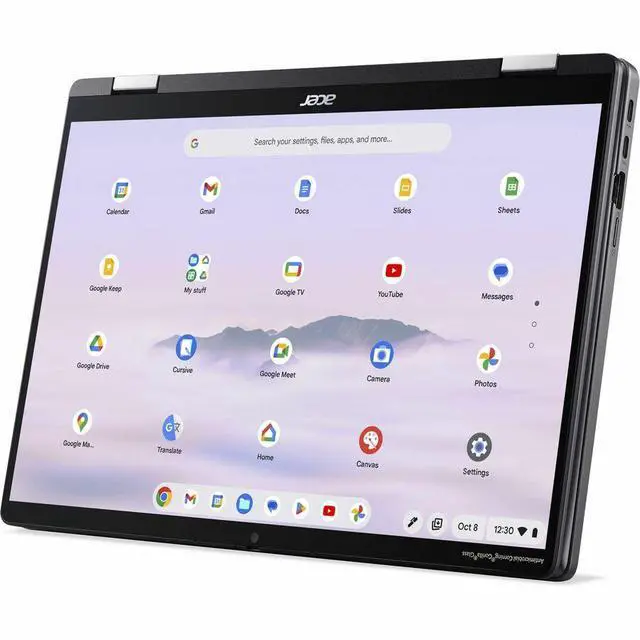
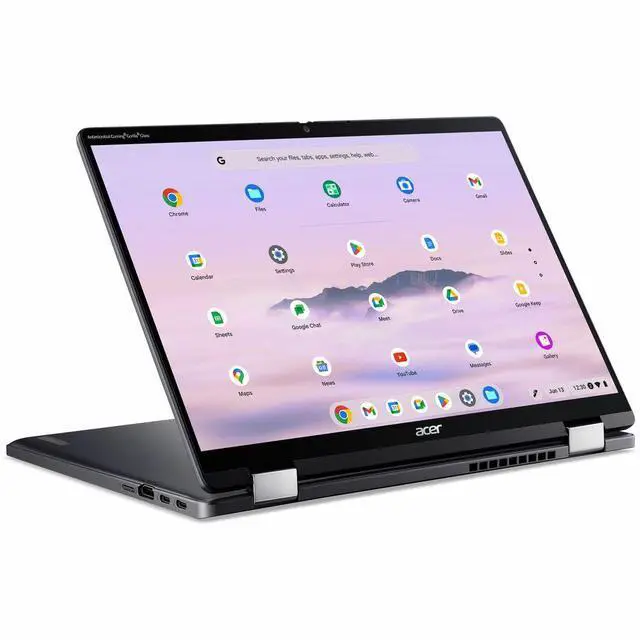
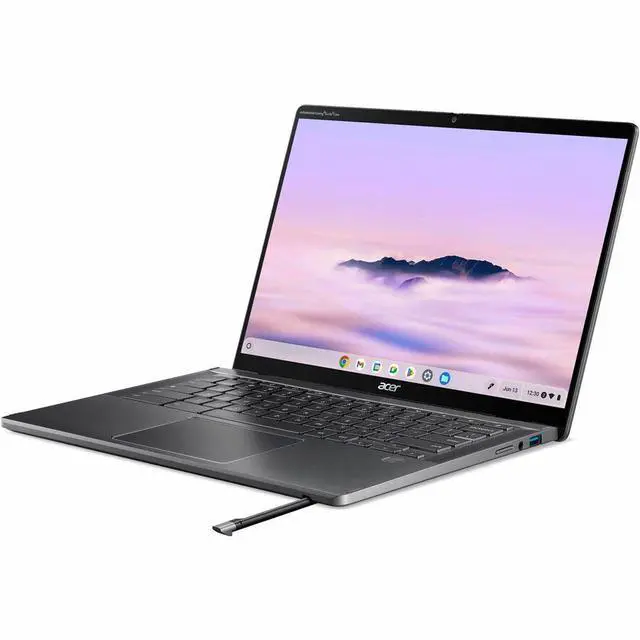
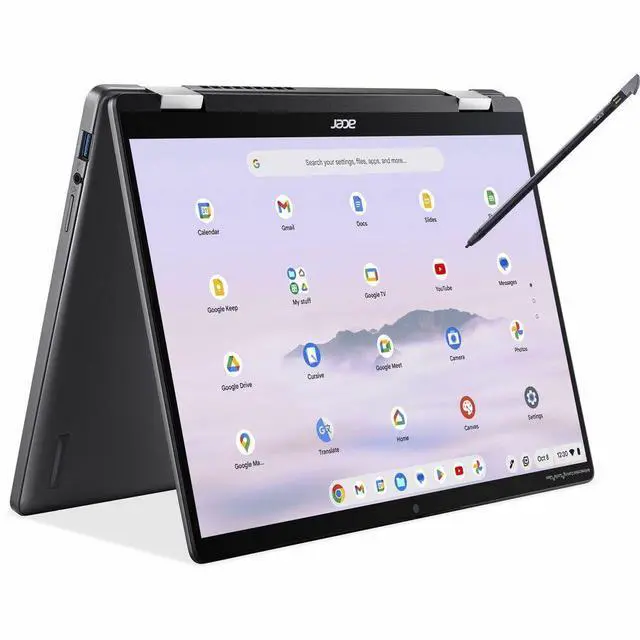


Acer Chromebook Plus Spin 714 CPE794-1N CPE794-1N-56FV 14" Touchscreen Convertible 2 in 1 Chromebook - WUXGA - Intel Core Ultra 5 125U - 16 GB - 256 GB SSD - English (US) Keyboard - Iron - Intel
- WUXGA
- Intel Core Ultra 5 125U
- 16 GB
- 256 GB SSD
- English (US) Keyboard
- Iron
- Intel Chip
- 1920 x 1200
- ChromeOS
- Intel
- CineCrystal (Glare), In-plane Switching (IPS) Technology
- Front Camera/Webcam^
+
+
Overview
Specs
Reviews
Lift. Flip. Spin. Plus More PowerPowered by the latest Intel Core Ultra Processors-the Acer Chromebook Plus Spin 714 is the embodiment of power and portability. A premium thin and light 2-in-1 convertible Acer Chromebook for work in office or on-the-go. Your Work, Your WayCarry your work around in style with an 18.05 mm thin and 1.46 kg light 2-in-1 convertible Acer Chromebook made with durable aluminum chassis. Precision with every strokeDraw with precision using the tilt and pressure sensitive Active Stylus. Store and charge your stylus in the stylus garage without worrying about losing it.
Stay productive day and nightWork through the night on a precision keyboard with backlight. Military-Grade DurabilityMade to be durable and reliable-this Acer Chromebook undergoes stringent test procedures, meeting MIL-STD 810H standards to withstand everyday wear and tear. Do more than you thought you couldPowered with Intel Core Ultra processor this Acer Chromebook Plus offers more than just a performance score, advancing real-world computing and delivering efficient multi-tasking. Stay productive offlineFile Sync, available with Acer Chromebook Plus, automatically syncs files to File Manager, so Google Docs, Sheets, and Slides are always accessible - even when offline.
Built-in video call control toolsAutomatically enhance clarity and lighting, cancel noise, and blur backgrounds. Work Smarter, not HarderWith 2X the power, speed, memory, and storage of other devices, and a high-definition camera and display, your people are empowered to do their best work. Proactive security that reduces your attack surfaceA secure by design OS that protects your people from security breaches, and your bottom-line profitability from costly attacks. Software and hardware features to activate worker productivityOur modern, cloud-first OS coupled with 2X the power, speed, memory, and storage of our devices, empowers your people to do their best work, whether they're in-office, remote - or anywhere in between.
Get more done at a lower costReduce your cost of ownership with devices that have a 245% ROI over three years. A Touch of MagicWitness magic on the 14" WUXGA (1920 x 1200) Antimicrobial Gorilla Glass display with touch. See more on the 16:10 narrow bezel display and dive into a whole new visual and audio experience with DTS audio. Crystal Clear CallsThis Acer Chromebook Plus has a 1440p QHD webcam with HDR and built-in AI-powered video call tools that enhance clarity and lighting to look your best on any video call app. Acer TNR SolutionDetects, diagnoses, and improves image quality in low-light conditions.
Facial Auto-exposureAutomatically adjust the image exposure based on the lighting conditions of your face. Connect with EaseWith fast Wi-Fi 7 and Bluetooth 5.3 connectivity, connect to all your favorite accessories and devices. ChromeOSChromeOS is a cloud-first operating system that provides employees with a modern experience and devices that stay fast, have built-in security, deploy quickly, and reduce the total cost of ownership. Chrome Enterprise UpgradeChrome Enterprise Upgrade unlocks the built-in business capabilities of ChromeOS devices for IT to secure, orchestrate, and power the cloud workforce, with 24/7 IT admin support.
Zero-Touch EnrollmentFeaturing zero-touch enrollment, IT departments will be able to drop ship ChromeOS devices that will be automatically enrolled into enterprise administration as soon as the user connects to the internet. SustainabilityFeaturing recycled materials, sustainable packaging, an energy-efficient design, and EPEAT registration, this Acer Chromebook Plus embodies the spirit of our Earth ion initiative to reduce waste across the lifetime of the device. Less Plastic Waste in the OceanWe use recycled ocean-bound plastic in the OceanGlass touchpad of this Acer Chromebook Plus. The touchpad gives you a sleek, glass-like tactile feel as your fingers scroll across its surface
Stay productive day and nightWork through the night on a precision keyboard with backlight. Military-Grade DurabilityMade to be durable and reliable-this Acer Chromebook undergoes stringent test procedures, meeting MIL-STD 810H standards to withstand everyday wear and tear. Do more than you thought you couldPowered with Intel Core Ultra processor this Acer Chromebook Plus offers more than just a performance score, advancing real-world computing and delivering efficient multi-tasking. Stay productive offlineFile Sync, available with Acer Chromebook Plus, automatically syncs files to File Manager, so Google Docs, Sheets, and Slides are always accessible - even when offline.
Built-in video call control toolsAutomatically enhance clarity and lighting, cancel noise, and blur backgrounds. Work Smarter, not HarderWith 2X the power, speed, memory, and storage of other devices, and a high-definition camera and display, your people are empowered to do their best work. Proactive security that reduces your attack surfaceA secure by design OS that protects your people from security breaches, and your bottom-line profitability from costly attacks. Software and hardware features to activate worker productivityOur modern, cloud-first OS coupled with 2X the power, speed, memory, and storage of our devices, empowers your people to do their best work, whether they're in-office, remote - or anywhere in between.
Get more done at a lower costReduce your cost of ownership with devices that have a 245% ROI over three years. A Touch of MagicWitness magic on the 14" WUXGA (1920 x 1200) Antimicrobial Gorilla Glass display with touch. See more on the 16:10 narrow bezel display and dive into a whole new visual and audio experience with DTS audio. Crystal Clear CallsThis Acer Chromebook Plus has a 1440p QHD webcam with HDR and built-in AI-powered video call tools that enhance clarity and lighting to look your best on any video call app. Acer TNR SolutionDetects, diagnoses, and improves image quality in low-light conditions.
Facial Auto-exposureAutomatically adjust the image exposure based on the lighting conditions of your face. Connect with EaseWith fast Wi-Fi 7 and Bluetooth 5.3 connectivity, connect to all your favorite accessories and devices. ChromeOSChromeOS is a cloud-first operating system that provides employees with a modern experience and devices that stay fast, have built-in security, deploy quickly, and reduce the total cost of ownership. Chrome Enterprise UpgradeChrome Enterprise Upgrade unlocks the built-in business capabilities of ChromeOS devices for IT to secure, orchestrate, and power the cloud workforce, with 24/7 IT admin support.
Zero-Touch EnrollmentFeaturing zero-touch enrollment, IT departments will be able to drop ship ChromeOS devices that will be automatically enrolled into enterprise administration as soon as the user connects to the internet. SustainabilityFeaturing recycled materials, sustainable packaging, an energy-efficient design, and EPEAT registration, this Acer Chromebook Plus embodies the spirit of our Earth ion initiative to reduce waste across the lifetime of the device. Less Plastic Waste in the OceanWe use recycled ocean-bound plastic in the OceanGlass touchpad of this Acer Chromebook Plus. The touchpad gives you a sleek, glass-like tactile feel as your fingers scroll across its surface
Warranty & Returns
Warranty, Returns, And Additional Information
Return Policies*
- Return for refund within: 30 days
- Returns are subject to restocking fees and return shipping fees. Please click here to learn more about restocking fees and return shipping fees.
- This item is covered by Newegg.com's International Order Return Policy.
- Read full return policy for details.
- *Subject to applicable law
Warranty Notice:
This product does not include manufacturer warranty when purchased or used outside of its designated sales region. By purchasing internationally, you acknowledge that warranty support from the manufacturer will not be available.
Manufacturer Contact Info
- Manufacturer Website
- Support Phone: 1-800-816-2237
- Support Website
- View other products from Acer America
LOADING...
LOADING...
Learn about this product
The Acer Chromebook Plus Spin 714 is a 14-inch WUXGA touchscreen 2-in-1 Chromebook with an Intel Core Ultra 5 125U, 16GB RAM, and 256GB SSD, making it a strong fit for students, remote workers, and home users who want flexible laptop and tablet use with solid everyday performance.
Recommended For
- Students or remote workers who live in Chrome, Google Docs, Zoom, and web apps, and want a 14-inch laptop that feels more premium than entry-level Chromebooks while still lasting through a school or work day.
- People who split time between laptop and tablet-style use for reading, streaming, note-taking, or casual Android apps, and specifically want a 2-in-1 Chromebook with a 360-degree hinge and touch display.
- Frequent video callers who care more about webcam quality than raw local software support, such as hybrid staff, tutors, or students attending classes online.
- Buyers who want a Chromebook for travel, commuting, or moving room to room at home, and value solid battery life, a compact 14-inch footprint, and HDMI/USB-C connectivity for docks or external displays.
Real-World Use Scenarios
- Working between home, class, or meetings with lots of browser tabs, Google apps, and video calls: users can keep Docs, Sheets, Gmail, and chat open at once with a smooth ChromeOS workflow, and the 16:10 touchscreen plus built-in webcam make it practical for everyday productivity.
- Using it as a 2-in-1 for note-taking, annotation, or reading in tablet or tent mode: the convertible design fits people who switch between typing and touch input, so it works well for marking up documents, casual sketching, and watching content without needing a separate tablet.
- Docking at a desk with an external monitor, USB accessories, and fewer dongles: this model suits users who want a Chromebook that can move from lap to desk easily, with reviewers specifically highlighting the port selection as convenient for regular workstation-style use.
- Joining frequent Zoom or Google Meet calls while traveling or working remotely: users can expect a more laptop-like conferencing setup than on budget Chromebooks, with a higher-resolution webcam, backlit keyboard, and a screen shape that feels comfortable for split-screen work during calls.
- Streaming, browsing, and light personal use on the couch or during travel: it works well as a premium everyday Chromebook for web use, email, media, and Android apps, though community feedback suggests it feels more like a capable laptop first than a light handheld tablet.
- Running sustained workloads in a quiet room, such as long study sessions or extended browsing: performance is generally well suited to demanding Chromebook tasks, but some community reports note that active cooling can be noticeable, so the experience may be less ideal for users who are very sensitive to fan noise.
Spec Summary
| Attribute | Value |
|---|---|
| Best For | 2‑in‑1 Chromebook convertible aimed at productivity for students and professionals — touchscreen model with Intel Core Ultra 5 125U, 16 GB RAM and 256 GB SSD |
| Processor And Core Count | Intel Core Ultra 5 125U processor (single-processor configuration) — 1.3 GHz base, up to 4.3 GHz boost; 5th-generation 125U chipset |
| GPU And VRAM | Integrated Intel graphics (integrated GPU); graphics described as integrated and listed with GDDR5 RAM type |
| Display Spec | 14" capacitive touchscreen, WUXGA / 1920 x 1200 native resolution (CineCrystal IPS LCD), 60 Hz refresh, ~340 nit peak brightness and 100% sRGB color gamut |
| Memory Configuration | 16 GB RAM (installed and listed as maximum) using LPDRR5X technology at 6400 MHz |
| Storage And Expansion | 256 GB solid-state storage in M.2 form factor |
| High Speed I O | HDMI x1 and DisplayPort output, total USB ports 3 (two USB 3.0, zero USB 2.0) with USB Type-C support |
| Battery And Power | Built-in Lithium‑Polymer battery, 45 Wh energy content, 4 lithium‑ion cells; battery included |
| Wired And Wireless Networking | Wi‑Fi and Bluetooth 5.3 wireless connectivity (Bluetooth support listed as version 5.3) |
| Webcam And Privacy | Built-in webcam with audio recording capability |
| Keyboard And Control | Physical keyboard plus touchpad; OceanGlass touchpad specified |
| Audio Setup | Two built-in speakers and support for audio recording |
| Portability | Item weight listed as 5 Pounds (package weight ~5.1 Pounds); item dimensions provided as 2.5 L x 11.5 W x 18 TH inches (packaging dims 2.5 L x 18 W x 11.5 H inches) |
| External Display And Docking Fit | Supports external displays via HDMI and DisplayPort; listed compatible with external displays and common USB/HDMI peripherals |
| Model Identifiers | Acer model NX.JHLAA.001 (Edition CPE794-1N), manufacturer Acer, model year 2026, North America / United States version |
| Design And Finish | Color: Iron; 2‑in‑1 convertible chassis with capacitive touchscreen |
Reference Q&A
Q: Should I buy the Acer Chromebook Plus Spin 714 or a cheaper Chromebook Plus like the ASUS Chromebook Plus CX34?
A: Choose the Acer Chromebook Plus Spin 714 if you want a more premium 2-in-1 setup with a 14-inch 1920x1200 touch display, convertible design, and stronger multitasking headroom in this 16GB/256GB configuration. Choose a lower-cost model like the ASUS Chromebook Plus CX34 if your priority is basic Chromebook Plus performance at a lower price and you do not need the 360-degree touchscreen form factor. In most buyer decisions, the Spin 714 fits users who want more flexibility for work, note-taking, and heavier tab loads, while CX34-class systems fit value-focused everyday use.
Q: Is this 16GB Acer Chromebook Plus Spin 714 worth it over an 8GB version?
A: Yes, the 16GB version is the better fit if you keep many tabs open, run Linux apps, use Android apps alongside Chrome, or want more long-term headroom. An 8GB Spin 714 already meets Chromebook Plus requirements and is enough for standard browsing, documents, streaming, and video calls. The main advantage of this 16GB model is not a different everyday experience in light use, but smoother performance under heavier multitasking and better margin for advanced ChromeOS workflows.
Q: Should I get the Acer Chromebook Plus Spin 714 or move up to a more portability-focused premium Chromebook like the Samsung Galaxy Chromebook Plus?
A: Pick the Acer Chromebook Plus Spin 714 if you want a 14-inch convertible with touch use, more traditional productivity flexibility, and a sturdier work-first setup. Move up to a thinner premium alternative like the Samsung Galaxy Chromebook Plus if lower carry weight and a larger, more travel-oriented clamshell design matter more than 2-in-1 versatility. The common trade-off is simple: the Spin 714 leans toward flexibility and mixed-mode use, while lighter premium clamshells lean toward portability and design.
Q: Is the Acer Chromebook Plus Spin 714 a meaningful upgrade over the older Chromebook Spin 714?
A: It is a practical upgrade if you want newer Intel platform hardware and the newer Chromebook Plus positioning, especially for AI-assisted ChromeOS features and longer-term buying confidence. If you already own a recent Spin 714 and your current performance is fine, the upgrade is more about refreshed internals and platform alignment than a complete change in experience. For new buyers, the Chromebook Plus Spin 714 is the safer choice because it pairs the familiar Spin 714 design with the newer Chromebook Plus hardware baseline.
Q: Is the Acer Chromebook Plus Spin 714 better for portability-first use or performance-first use?
A: The Acer Chromebook Plus Spin 714 is better matched to performance-first and flexibility-first use than to ultra-light portability-first buying. Its 14-inch convertible design, touch display, and stronger configuration options make more sense for users who multitask heavily, work between laptop and tablet modes, or want a Chromebook that feels closer to a full productivity machine. If your main goal is the lightest device to carry every day, a thinner clamshell Chromebook may be the better fit.
Q: Is this a good Chromebook for travel, meetings, and everyday work?
A: Yes, it fits that use case well if your workflow is browser-based or Android-app friendly. The 14-inch 1920x1200 touchscreen gives more vertical room than standard 1080p panels, the 2-in-1 design is useful for video calls and presentations, and the listed 16 GB RAM and 256 GB SSD are stronger-than-average Chromebook specs for multitasking. The main trade-off is that it still runs ChromeOS, so it is best for web apps, Google Workspace, and light office work rather than specialized Windows-only software.
Q: Is it good for note-taking and handwriting?
A: Probably yes, but only if you already have or plan to buy a compatible pen. Buyer questions on comparable Chromebook Plus 2-in-1 models repeatedly focus on stylus support, which is a strong signal that handwriting matters in this category. This Acer is a convertible touchscreen, so it is suitable for note-taking in concept, but the provided product data does not confirm that a pen is included. Decision-wise, it is a better fit for digital notes than a clamshell Chromebook, but you should verify bundled stylus support before buying if pen input is important.
Q: Can it handle Microsoft Office and normal office tasks?
A: Yes for typical office work, with an important limitation: on ChromeOS, Microsoft Office is mainly a web-app workflow, not the same as a full native Windows laptop setup. Retail Q&A for Chromebook Plus models repeatedly ask about Office compatibility, and the consistent answer is that Word, Excel, and PowerPoint can be used online. For email, documents, web apps, video meetings, and cloud-based workflows, this model should be a solid fit. It is less suitable if you depend on desktop-only Windows software, advanced Excel add-ins, or company tools that require a full Windows environment.
Q: Who is this model best suited for?
A: It is best suited for students, remote workers, and home users who want a premium-feeling Chromebook with more headroom than entry models. The 16 GB RAM, 256 GB SSD, touchscreen, and convertible form factor make it a better choice for heavy browser multitasking, note-taking setups, research, streaming, and meetings than cheaper 8 GB or 128 GB Chromebook alternatives. It is a weaker fit for buyers who need Windows apps, large local game installs, or professional desktop software.
Q: How does it compare with a cheaper Chromebook Plus alternative?
A: This Acer is the better pick if you value multitasking, storage, and flexibility more than lowest price. Compared with common Chromebook Plus alternatives that often use 8 GB RAM and 128 GB storage, this configuration's 16 GB RAM and 256 GB SSD give more room for many tabs, larger files, and longer-term use. The likely trade-off is price and possibly battery or fan noise depending on the exact comparison model. If your needs are mostly email, browsing, and light documents, a cheaper Chromebook Plus may be enough; if you want a more capable 2-in-1 for daily work, this Acer makes more sense.
Q: Is the Acer Chromebook Plus Spin 714 a good buy for work and heavy browser multitasking?
A: Yes, if your work is mostly browser-based and you want a premium Chromebook. The Core Ultra 5, 16 GB RAM, and 256 GB SSD make it suitable for many tabs, video calls, documents, and routine productivity. It is a stronger fit for users who want performance headroom than for buyers who only need basic reading or light web use.
Q: Is it a good Chromebook for Linux apps or light development?
A: Yes, it appears to be one of the better Chromebook options for Linux use. Repeated Reddit discussion points to strong Linux and Crostini performance on the Spin 714 line, and this configuration's 16 GB RAM is especially helpful if you expect to run Linux apps, IDEs, or multiple workloads at once. It is still a Chromebook, so it is best for light to moderate development rather than as a full replacement for a high-end native Linux or Windows workstation.
Q: Is the Spin 714 a good choice for note-taking, tablet use, and travel?
A: It is a good fit if you want one device for laptop and occasional tablet-style use. The 14-inch 1920x1200 touch display and 2-in-1 hinge support note-taking, reading, and flexible use on the go. The trade-off is that a 14-inch convertible is more practical as a laptop-first device than as a pure tablet, so it suits mixed use better than people who want the lightest handheld experience.
Q: Who should buy this Chromebook, and who should skip it?
A: Buy it if you want a higher-end Chromebook for work, school, Linux apps, and long-term everyday use. Skip it if your needs are very basic, such as simple reading, email, and light browsing, because a less expensive Chromebook can cover those tasks. It is also not the right choice if you need broad Windows or Mac software compatibility.
Q: What are the main trade-offs of buying the Acer Chromebook Plus Spin 714?
A: The main trade-off is paying for a more capable Chromebook when some buyers may not need that much performance. It gives you a strong CPU, 16 GB RAM, convertible design, and a sharp 14-inch display, but it is still limited by ChromeOS software availability compared with Windows or macOS. For many buyers, the question is not whether it is capable enough, but whether they will use its extra performance and 2-in-1 features enough to justify choosing it over a cheaper Chromebook.