


 All Categories

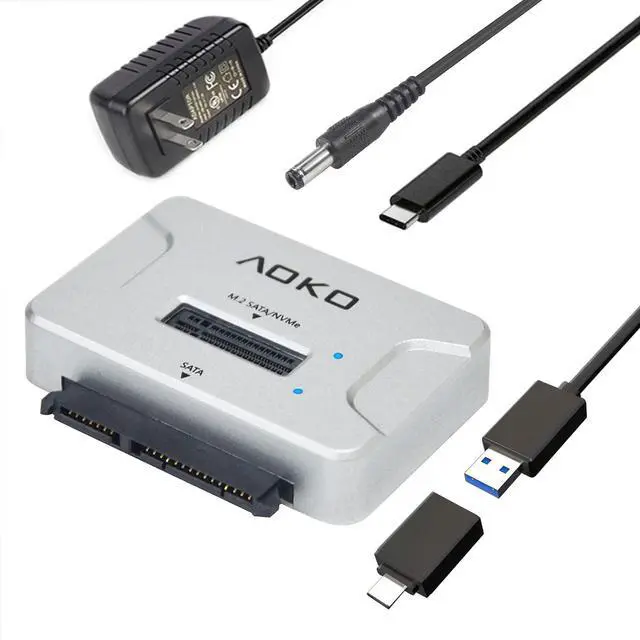


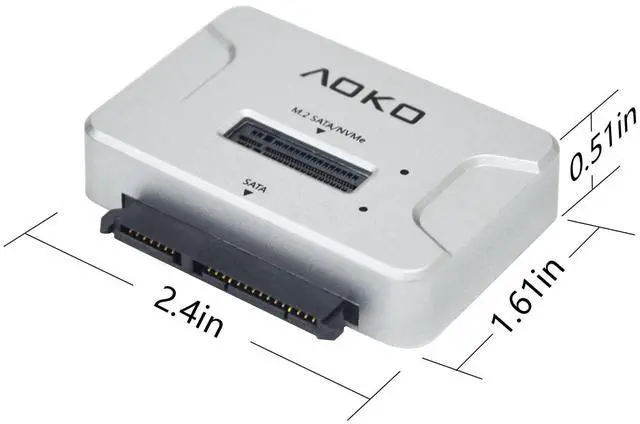


4-in-1 Hard Drive Reader
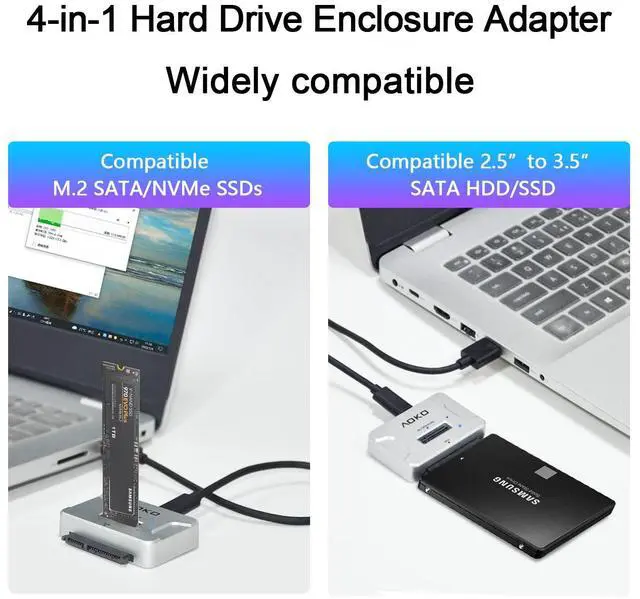
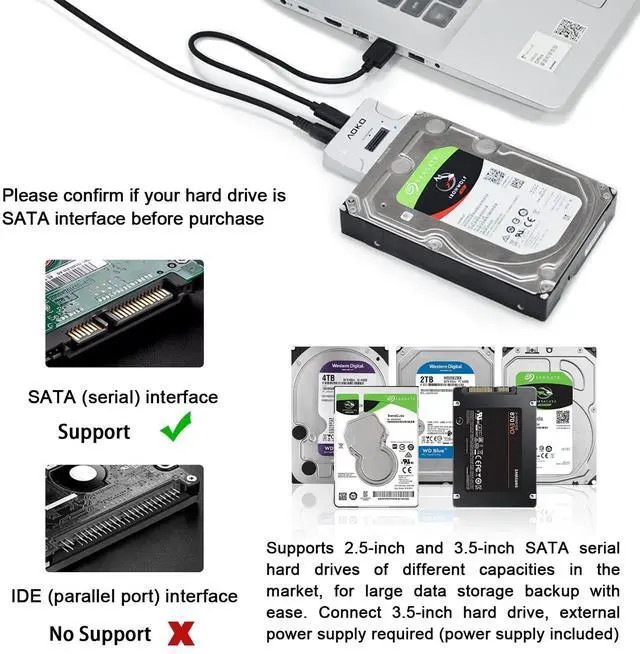
- Support M.2 SATA/ NVMe & 2.5/3.5-inch SATA HDD/SSD (Hard disk not included).
- Support connection with smart phone, read or transfer data (the phone needs to support OTG function).
- Plug and play, tool-free installation, no driver required.
- USB 3.2 Gen 2 standard (USB C port), supporting amazing data transfer rates up to 10Gbps (theoretical), gives you the best experience when connected to 3.1 /3.2 Gen2 or Thunderbolt 3 ports. (Actual transfer speeds depend on the drive itself and the hardware device)
- 4-in-1 design (this is M.2 SATA/NVMe hard drive dock is also 2.5/3.5-inch SATA HDD/SSD hard drive adapter) to support multi-scene use for convenience. Meet your daily needs.


Instructions for using the NVMe SATA M.2 docking Station
1. Plug the Drive into the M.2 SATA NVMe Connector.
2.Use the USB cable to connect to the computer.
3. Press the power button and the M.2 NVMe/SATA status LED will illuminate to indicate that it can be read.
Note
- When using M.2 SSD for the first time, you need to format the disk (you must plug and unplug the SSD when the power is off to avoid damaging the data)
- Please confirm the direction of the SSD before inserting the card slot to avoid damaging your Hard Disk.
- The actual transfer speed depends on your hardware device, such as the transfer speed of your solid state drive, the type of USB port, and the performance of your computer.
- NVMe SSD may be running at speeds up to 60°, please do not touch
- This device can only read one hard disk at a time, if it is plugged into both M.2 NVMe/M.2 SATA and SATA interface, it will only read the hard disk of SATA interface
Widely compatible
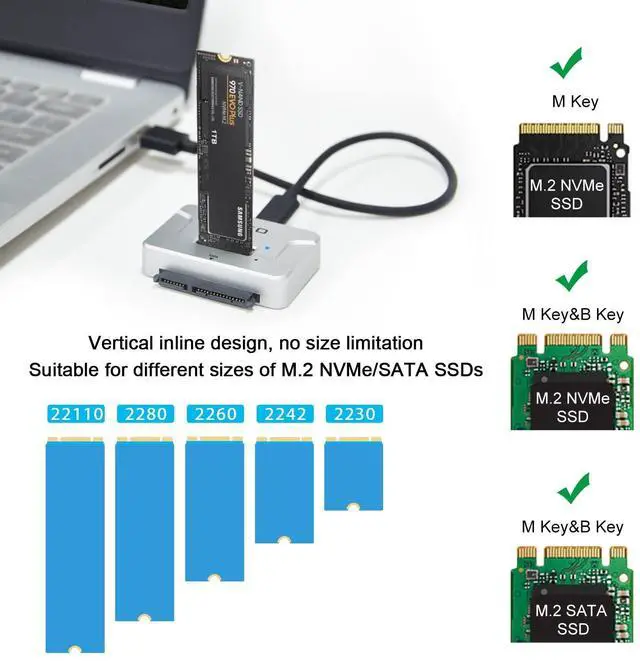
- Support most M.2 SSDs (pcie-ahci not included), compatible with NVMe SSDs, such as WD Black NVMe SSD, Samsung 970Evo/ 960Evo/ 950Pro/ XP941/ PM951/ PM961/ SM951/ SM962 etc.
- Compatible with M2 (B+M Key) SATA-Based SSD and also compatible with 2.5"/3.5" SATA SSD/HDD (ide not included)
4-in-1 Hard Drive Reader
- Support M.2 SATA/ NVMe & 2.5/3.5-inch SATA HDD/SSD (Hard disk not included).
- Support connection with smart phone, read or transfer data (the phone needs to support OTG function).
- Plug and play, tool-free installation, no driver required.
- USB 3.2 Gen 2 standard (USB C port), supporting amazing data transfer rates up to 10Gbps (theoretical), gives you the best experience when connected to 3.1 /3.2 Gen2 or Thunderbolt 3 ports. (Actual transfer speeds depend on the drive itself and the hardware device)
- 4-in-1 design (this is M.2 SATA/NVMe hard drive dock is also 2.5/3.5-inch SATA HDD/SSD hard drive adapter) to support multi-scene use for convenience. Meet your daily needs.
Instructions for using the NVMe SATA M.2 docking Station
1. Plug the Drive into the M.2 SATA NVMe Connector.
2.Use the USB cable to connect to the computer.
3. Press the power button and the M.2 NVMe/SATA status LED will illuminate to indicate that it can be read.
Note
- When using M.2 SSD for the first time, you need to format the disk (you must plug and unplug the SSD when the power is off to avoid damaging the data)
- Please confirm the direction of the SSD before inserting the card slot to avoid damaging your Hard Disk.
- The actual transfer speed depends on your hardware device, such as the transfer speed of your solid state drive, the type of USB port, and the performance of your computer.
- NVMe SSD may be running at speeds up to 60°, please do not touch
- This device can only read one hard disk at a time, if it is plugged into both M.2 NVMe/M.2 SATA and SATA interface, it will only read the hard disk of SATA interface
Widely compatible
- Support most M.2 SSDs (pcie-ahci not included), compatible with NVMe SSDs, such as WD Black NVMe SSD, Samsung 970Evo/ 960Evo/ 950Pro/ XP941/ PM951/ PM961/ SM951/ SM962 etc.
- Compatible with M2 (B+M Key) SATA-Based SSD and also compatible with 2.5"/3.5" SATA SSD/HDD (ide not included)