SHOP BY Type

- ₩32,982 –
- More options from ₩32,982 - ₩38,701
- ₩80,890 Shipping

- Model #: IMOUSE E30
- ₩82,151 –
- More options from ₩80,377 - ₩123,319
- ₩59,399 Shipping

- Model #: IMOUSE M6C-TAA
- ₩33,433 –
- More options from ₩33,433 - ₩75,843
- ₩44,296 Shipping

- Features: Sold as 1 Each.
- Model #: 99769
- ₩44,028 –
- More options from ₩44,028 - ₩66,559
- ₩82,715 Shipping

- Model #: IMOUSEM20B
- ₩44,548 –
- More options from ₩44,548 - ₩62,606
- ₩60,093 Shipping

- Resolution (DPI): 2000 dpi
- Power Supply: AAA
- Distance: Up to 30 feet
- System Requirement: USB Port Operating Systems: Windows 8 Windows 7 Windows Vista Windows XP Windows 2000 Mac OS X and Above
- Model #: IMOUSEE10
- ₩81,197 –
- More options from ₩81,197 - ₩85,369
- ₩50,805 Shipping

- Parts: 3 Year
- Model #: K70991WW
- ₩103,990 –
- More options from ₩94,152 - ₩103,990
- ₩92,015 Shipping

- Package Contents: iMouse P30 Mouse/Presentation Pointe Desktop Charging Cradle USB Charging Cable 2.4 GHz USB Receive Quick Start Guide
- Model #: IMOUSE P30
- ₩154,369 –
- More options from ₩154,369 - ₩205,005
- ₩79,343 Shipping

- ₩80,278 –
- More options from ₩76,780 - ₩80,278
- ₩65,151 Shipping

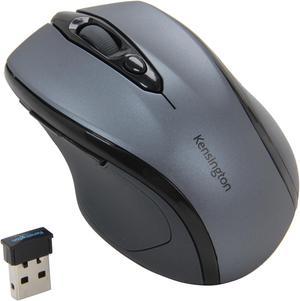
- Brand: Kensington
- Type: Bluetooth Wireless
- Parts: 3 Year
- Model #: K72171WWMY
- ₩112,840 –
- ₩57,889 Shipping

- Hand Orientation: Both Hands
- Resolution (DPI): 2400 dpi
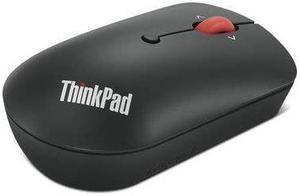
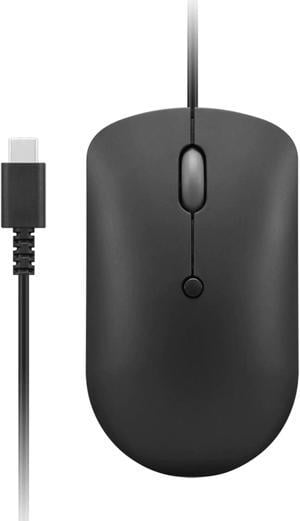
- Package Contents: ThinkPad USB-C Wired Compact Mouse USB-C To USB-A converter (attached to cable) Product and warranty information documents
- Model #: 4Y51D20850
- ₩38,671 –
- More options from ₩36,000 - ₩38,671
- ₩42,500 Shipping

- Resolution (DPI): 3200 dpi
- Model #: K75403WW
- ₩55,148 –
- More options from ₩50,638 - ₩55,148
- ₩59,399 Shipping

- Hand Orientation: Right Hand
- Power Supply: 2 x AAA Battery (Not Included)
- Distance: 20 ft.
- Operating System Supported: Windows 7, 8, 8.1, 10 Mac OS Linux
- Model #: 4XWLSMS1
- ₩40,055 –
- ₩42,954 Shipping

- Parts: 30 DAYS WARRANTY
- Labor: 30 DAYS WARRANTY
- Model #: STM042
- ₩56,052 –
- More options from ₩56,052 - ₩246,233
- ₩41,991 Shipping

- Brand: Cherry
- Type: Bluetooth Wireless
- Model #: JW-7500US-19
- ₩71,082 –
- ₩94,890 Shipping

- Model #: IMOUSES200B
- ₩56,436 –
- More options from ₩48,789 - ₩115,310
- ₩52,265 Shipping

- Type: Office Products
- Model #: 99744
- ₩40,163 –
- ₩41,873 Shipping

- Part Number: 1Y4D0UT#ABA
- Operating System Supported: Windows 11; Windows 10; Windows 8; Windows 7 and macoS 10.1 or higher
- System Requirement: Compatibility: Compatible with all HP PCs with available USB-A port. Minimum system requirements: Available USB-A port
- Features: HP 235 Wireless Mouse and Keyboard Combo Dimensions (W x D x H): 17.23" x 5.76" x 1.09" (keyboard) 2.49" x 4.53" x 1.43" (mouse) Weight: 1.09 lb. (keyboard); 0.14 lb. (mouse)
- Model #: 1Y4D0UT#ABA
- ₩110,335 –
- ₩99,999 Shipping

- ₩45,116 –
- More options from ₩45,116 - ₩68,330
- ₩82,715 Shipping

- Brand: ADESSO
- Name: iMouse W3
- Color: Black
- Buttons: 4
- Model #: IMOUSEW3
- ₩56,611 –
- More options from ₩52,694 - ₩105,364
- ₩51,434 Shipping

- Power Supply: 1 x AA Battery
- Operating System Supported: Windows 8, 7, XP, 2000, Vista, Mac OS 10.4.X and higher
- System Requirement: USB port
- Package Contents: 37121T
- Model #: 97995
- ₩43,249 –
- More options from ₩43,249 - ₩66,559
- ₩41,873 Shipping

- Model #: 72370
- ₩42,825 –
- ₩80,924 Shipping

- ₩46,200 –
- ₩83,870 Shipping

- Brand: ADESSO
- Model: iMouse S50
- Color: Black
- Buttons: 3
- Model #: IMOUSES50
- ₩36,870 –
- More options from ₩36,870 - ₩66,603
- ₩66,666 Shipping

- Model #: K72370US
- ₩47,318 –
- ₩59,399 Shipping

- Model #: 783750009591
- ₩125,309 –
- More options from ₩125,309 - ₩173,248
- ₩93,465 Shipping

- Brand: Kensington
- Name: Kensington K72484NA
- Color: Gray
- Buttons: 3
- Model #: K72484NA
- ₩80,141 –
- More options from ₩80,141 - ₩82,844
- ₩82,575 Shipping

- ₩31,275 –
- More options from ₩31,275 - ₩95,302
- ₩97,202 Shipping

- Brand: Kensington
- Name: Kensington Kensington SlimBlade Pro
- Color: Black
- Buttons: 3
- Model #: K72080WW
- ₩204,640 –
- More options from ₩204,640 - ₩218,392
- ₩90,991 Shipping

- Resolution (DPI): 1750 dpi
- Model #: K72424US
- ₩45,499 –
- ₩129,606 Shipping

- Brand: HP
- Type: Wired / Wireless
- Tracking Method: N/A
- Power Supply: Rechargeable Battery
- Model #: 9T5B0UT#ABA
- ₩193,140 –
- More options from ₩189,916 - ₩193,140
- ₩129,868 Shipping

- Brand: Matias
- Name: Matias M5DCW 28055203
- Color: Black
- Buttons: 3
- Model #:
- ₩67,533 –
- ₩82,603 Shipping
Computer mice often are the unsung heroes of the home and office computing world. While your PC probably shipped with a standard mouse, if you haven't upgraded it, it is unlikely that you're getting the most from your time online or gaming. Modern Bluetooth mice can offer a seamless, virtually lag-free experience, while models with multiple buttons make it easier to keep pace with some of the best gamers in the world while enhancing your word processing and graphic design work. Shape and size determine how the mouse feels in your hand, with some people preferring lightweight models and others preferring something with extra heft. Button layout and configuration can greatly influence your mouse experience.
Laser Mice Offer Precision Movement
Computer mice use laser or optical sensors to track movement. Laser models track up to 2,000 dots per inch (dpi) while optical mice only track approximately 600. Most home users don't need the precision of a laser, and optical versions are less expensive. Graphic designers, videographers and serious gamers benefit from laser tracking because the movements on screen more precisely mirror the movement of the mouse.
Enjoy Greater Flexibility With Configurable Buttons
Most computer mice include left and right buttons, as well as a tracker wheel in the middle. Advanced versions can include two or four side buttons, and allow the user to configure these buttons to their own settings. A simple use may be to perform the function of the back button on your browser. Gamers might map a series of commands to one of these buttons, allowing them to pull off a complex move in one press.
Improve Mobility With Wireless Mice
Wired mice connect to a PC using USB or the PS/2 port. You will use the PS/2 port to connect other input devices such as keyboards so consider your configuration and whether you have a spare port available. If not, opt for a USB connection. PCs typically come with an array of ports so that you can connect mice and other USB gadgets. You can buy additional hubs that expand a single port to give four or more connections and allow the addition of all your computer accessories. Even wireless mice, which eliminate wire snags and make it easier to move your input device around, still require a USB port to connect the wireless receiver. They also take batteries or include a charging dock or wire.
Travel Mice Are Useful for Small Hands
Most portable and Bluetooth mice are smaller than their full-bodied counterparts. This is so that they will more easily fit into the pockets of a laptop bag and take up less space. However, they also offer benefits to users with smaller hands. It is important that you can comfortably fit your hand around a mouse, ensuring that your fingers rest easily over the buttons, and the diminutive form of travel mice makes this possible, even for children's hands.