• In Stock
  • Sold by Newegg
  • New
Brands
Show More
Type
Show More
Sold by
All Top Brands
Availability
Condition
Useful Links
Customer Ratings
Sort By:
View:
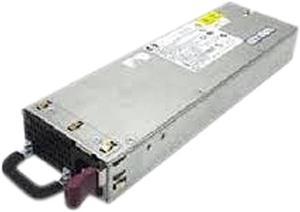
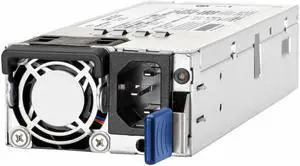
HPE JD183A#ABA RPS 800 Redundant Power Supply
Quick View
HP
HPE JD183A#ABA RPS 800 Redundant Power Supply
  • Type: Power Supply
  • Specifications: Output Power: 650W Form Factor: External Input Voltage: 110V AC; 220V AC Number of +12V Rails: 1 Output Voltage: 12V DC @ 17.25A -54V DC @ 12A Dimensions: 1.70" x 17.40" x 7.20" Weight (Approximate): 8.38 lbs. Package Content: H3C RPS 800 Redundant Power Supply Power Cord Front and Rear Mounting Brackets
  • Model #: JD183A#ABA
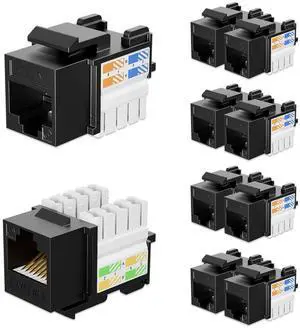
iwillink 10Gbps Cat6 Ethernet Coupler - 90-Degree Keystone Jack Adapter (Black) 10-Pack
Quick View
  •  
  • ₩39,762 
  • Free Shipping
HP 459006-B21 Cisco 10Gb Ethernet Base Short Range X2 Module
Quick View
  •  
  • ₩307,401 
  • Free Shipping
Mikrotik RouterBoard mAP RBmAP2nD micro Access Point wireless Dual-Chain
Quick View
  •  
  • ₩161,907 
  • Free Shipping
HP JG137A Proprietary Power Supply
Quick View
HP JG137A Proprietary Power Supply
  • Type: Power Supply
  • Specifications: Input Voltage Type: AC Input Voltage Range: 264 V AC Output Voltage: 56.5 V DC
  • Model #: JG137A
  •  
  • ₩639,546 
  • Free Shipping
HP  JG545A  Power Supply - hot-plug / redundant - 1110 Watt
Quick View
  •  
  • ₩1,622,327 
  • Free Shipping
Tripp Lite U336-000-R USB 3.0 to Gigabit Ethernet Adapter, 10/100/1000
Quick View
Tripp Lite U336-000-R USB 3.0 to Gigabit Ethernet Adapter, 10/100/1000
  • Color: Black
  • Changer Type: USB to Ethernet
  • Connector A: 1x USB 3.0 male
  • Connector B: 1x 1Gbps Ethernet female
  • Model #: U336-000-R
TRENDnet Gigabit Ultra PoE+ Injector, TPE-117GI
Quick View
TRENDnet Gigabit Ultra PoE+ Injector, TPE-117GI
  • Type: PoE+ Injector
  • Color: Black
  • Specifications: Standards: IEEE 802.3 IEEE 802.3u IEEE 802.3ab IEEE 802.3af IEEE 802.3at IEEE 802.3bt compatible Device Interface: 1 x Gigabit Data in port 1 x Gigabit Ultra PoE out port Metal Housing Power Input: 100-240V, 2A 50-60Hz Output: 52V, 1.38A PoE Budget: 60 watts max. Power Consumption: 5 watts max. (without PD) Temperature: 0 - 60 degree C (32 - 140 degree F) Humidity: Max. 95% non-condensing Dimension: 0.80" x 4.00" x 3.00" Weight: 0.41 lb.
  • Parts: Manufacturers Limited Warranty: 3 Year / Parts Only
  • Model #: TPE-117GI
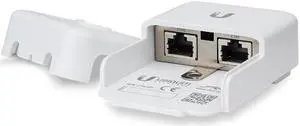
Ubiquiti 15V 12W PoE Adapter
Quick View
Ubiquiti 15V 12W PoE Adapter
  • Type: PoE Adapter
  • Color: Black
  • Specifications: Output Voltage: 15V DC @ 0.8A Rated Voltage: 100-240V AC @ 50/60 Hz Input Current: 0.3A @ 120VAC,0.2A @ 240VAC Inrush Current: <30A Peak @ 120V AC, <60A Peak @ 230V AC Efficiency: 75+% Output Ripple: 1% Max. Switching Frequency: 50 kHz Operating Temperature: 0 to 40 degree C (32 to 104 degree F) Storage Temperature: 30 to
  • Features: Provides Earth Grounding and Surge Protection Helps Protect Against ESD Events Powers Ubiquiti PoE Devices
  • Model #: POE-15-12W
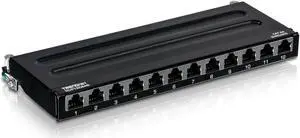
TRENDnet TC-P12C6AS 12-Port Cat6A Shielded Wall Mount Patch Panel
Quick View
TRENDnet TC-P12C6AS 12-Port Cat6A Shielded Wall Mount Patch Panel
  • Type: Mounting
  • Specifications: 0.5U design 220 x 97 x 25mm (8.66" x 3.80" x 0.98")
  • Model #: TC-P12C6AS
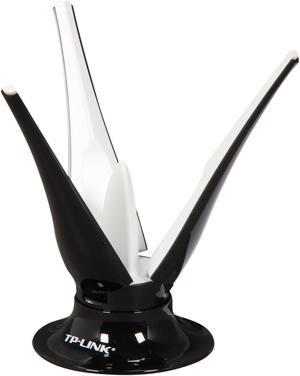
TP-Link TL-ANT2403N 2.4GHz 3dBi Wireless N Desktop Antenna
Quick View
TP-Link TL-ANT2403N 2.4GHz 3dBi Wireless N Desktop Antenna
  • Type: Antenna
  • Specifications: Frequency: 2.4GHz~2.5GHz Gain: 3dBi Radiation: Omni-directional VSWR(MAX.): 1.92:1 MAX Polarization: Linear, Vertical Connector Type: RP-SMA Male (Plug) Extended Cable/Length: RG-174 100cm Mounting: Desktop Application: Indoor
  • Model #: TL-ANT2403N
  •  
  • ₩90,231 
  • Free Shipping
Ubiquiti Networks EdgePoint PoE Injector, 54VDC, 80W (POE-54V-80W)
Quick View
Ubiquiti Networks EdgePoint PoE Injector, 54VDC, 80W (POE-54V-80W)
  • Type: PoE Injector
  • Color: White
  • Specifications: Dimensions: 123 x 65 x 34 mm (4.8" x 2.6" x 1.3") Weight: 299 g (10.6 oz) Output voltage: 54V DC @ 1.5A LAN activity indicator: No Gigabit LAN port: Yes Remote reset capability: No Reset button: No Rated voltage: 100-240V AC @ 50/60Hz Input current: 0.8A @ 120V AC, 0.4A @ 240V AC Inrush current: <80A Peak @ 120V AC, <120A Peak @ 230V AC Efficiency: 87+% Output ripple: 1% Max. Switching frequency: 100 kHz Max. Line regulation: <= 3% Load regulation: <= 5% 2-pair powering: - 4-pair powering: Pins 1, 2, 4, 5 (+) and Pins 3, 6, 7, 8 (-) AC connector: IEC-320 C6 Data IN / PoE: RJ45 shielded socket Surge protection: Difference and common mode Clamping protection: 11V data, 60V power Max. surge discharge: 1500A (8/20 µs) power Peak pulse current: 36A (10/1000 µs) data Shunt capacitance: <...
  • Model #: POE-54V-80W
NETGEAR PAV12V-100NAS AC DC Pwr Adapt for Wirles AP
Quick View

Wireless network accessories include hardware and auxiliary equipment that boost the reliability of installed home and office networks. Some components also reduce the setup time as well as the risk of problems during setup. The essential factors to consider before buying wireless networking equipment products include the number of connected devices, network compatibility and the size and layout of the network cover, among other factors. Whether you are looking to install a network conveniently or you want to provide ease of use and boost speeds, a versatile range of routers, network antennas and PoE adapters and injectors are well-suited to meet your wireless networking needs.

Wireless Network Antennas Send and Receive Signals Over Different Frequencies

Most network antennas have an internal pigtail piece that connects the wireless card to the chassis exterior and a customizable external antenna. Consider factors such as gain, physical size and frequency bands when shopping for these wireless network accessories. Typical screw-on antennas have a gain range of about 2-7db. Network antennas with a higher decibel rating perform better at strengthening weak signals. Make sure the antenna covers both single- and dual-band frequencies, so you can have both Bluetooth® and legacy wireless networks operating seamlessly within the same frequency range.

Wireless Routers Distribute the Network Signal Efficiently Across Different Devices

A variety of routers are available with features and performance capabilities for different building layouts and positioning requirements. Routers that use Wi-Fi® 5 are significantly faster, and they provide stronger signals throughout the house with their more advanced features. Signal sipper routers offer less throughput, and they are well-suited for small apartments where you can install them a room away. Signal gulpers have a long range with stable data throughput, and they are cost-effective for large buildings with many floors and rooms. In addition to tolerance to orientation, a sector antenna delivers high gain (13-16dBi) and superior beam performance. Choose a climate-resistant outdoor antenna that can operate reliably in a range of environmental conditions.

Wireless Adapters Allow PC Connection to a Network Without Ethernet Cables

The essential factors to consider when choosing wireless adapters include the build quality, adapter size, form factor, frequency and wireless protocols. The USB adapter operates as a typical flash drive, and it is convenient and easy to install. PCI adapters feature multiple antennas and spatial multiplexing for maximum data throughput. Choose a wireless adapter that transmits in the same frequency as your router to guarantee fast and reliable connectivity. Experts recommend using adapters with at least 2.4GHz for homes with many walls or other interfering wireless devices to maintain signal strength over a distance. A wireless range extender/media bridge rebroadcasts the existing Wi-Fi signal so you can simultaneously stream and rebroadcast media content and engage in online gaming. The Gigabit Ethernet adapter is a type of PoE adapter that is essential for connecting network devices far away from the power source. The two-wire pairs in the Ethernet cable transmit data, and the remaining pair transmits electric power to the device.