All CategoriesAll CategoriesAll Categories
OUT OF STOCK
Use this link for more information on Wireless Routers in our Learning Center
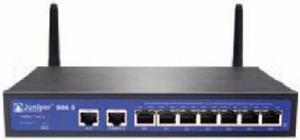
Home wireless routers allow you to connect multiple devices together wirelessly into a network to share resources and access the internet. Examples of some of the devices you can connect to your network include desktop computers, notebook computers, external hard drives, PDAs, stand alone or all-in-one copy / fax / printers, media players, entertainment devices and more all without wires.
If you setup your network to be 100% wireless then you will need to ensure that every device that you want to add to the network has a wireless network adapter installed otherwise they will have no way to access the network. If these are not already in the computers, you'll need to purchase them and add them in. Once all devices are configured and set up you will be able to share files and resources across the network.
Security is especially important when using a wireless network. Basically, anybody within the range of your network who has the right equipment can access it if it is not secured. Therefore we recommend safety features such as WEC or MAC address filtering. This is a unique hardware identifier that gives each network device its own identity.
WEP, or Wireless Encryption Protocol, is another way to identify your network devices. It establishes a shared key between the access point and clients, using the key to encrypt and de-encrypt the data that is transferred between them. This is enough security for most home network uses.