All CategoriesAll CategoriesAll Categories




OUT OF STOCK
OUT OF STOCK
OUT OF STOCK
OUT OF STOCK
OUT OF STOCK
OUT OF STOCK
OUT OF STOCK
OUT OF STOCK
OUT OF STOCK
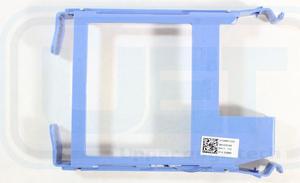
As the heart of any computer system, solid-state drives (SSDs) and hard disk drives (HDDs) are a necessary component of modern-day life, suitable for equipping business people, gamers and home users. You can use solid state drives to upgrade internal storage using an SSD drive bracket. You can also add an HDD mounting bay in your computer case using a mounting kit, or set up an SSD or hard drive enclosure to make a portable power drive. Browse the biggest online collection of mounting kits, drive brackets, hard drive enclosures, cables extenders on Newegg.com
Known for their fast reading and writing speeds and easy compatibility with modern operating systems, solid-state drives can do more than expand internal storage. Solid-state drives can be an excellent replacement for internal hard disk drives (HDD), giving your system a much-needed performance lift with additional features. Quieter, faster and harder to damage, SSDs increase your boot-up speed and enhance your computer's performance while loading large files. A necessary upgrade for serious users, switching to a solid-state drive (SSD) is also easy to manage without prior experience with assembling PC components. Using a conversion mounting kit, you can mount an affordable, high-storage SSD into much larger slots in your PC case for optimal performance.
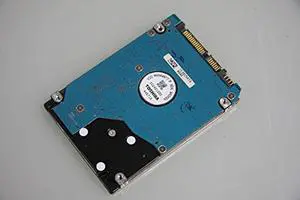
With the increasing need for storage in day-to-day life and office computing, using a hard disk drive to expand your computer memory or internal storage is easy, and quickly effective. Whether you are replacing the internal drive or adding an extra HDD in your PC mounting bay, an HDD mounting kit is a convenient solution. For external hard drive setups, a hard drive enclosure typically offers several types of connections, interfaces, and materials to choose from, depending on how you intend to use it. Making sure that your hard drive enclosure interface matches your device interfaces is a top priority. As for USB and SATA connectors, consider how you intend to use your setup and choose accordingly. For instance, a SATA 3.0 connector can transfer data at up to 6Gbps, while a USB 3.1 connector can reach 10Gbps.
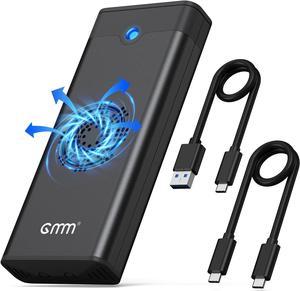
Your computer can heat up during the workday or gaming session, causing the performance to drop. To avoid losing your precious data, it's wise to invest in hard drive cooling such as an HDD cooler with dual fans. An SSD cooler heatsink or a thermal pad for your SSD can also help you maintain PC performance and increase the lifecycle of internal storage devices. Additionally, you can invest in a hard drive enclosure with a premounted fan, which can help you maintain the airflow of your device without sacrificing unnecessary space. 3-pin to 4-pin adapters are available with select hard disk coolers to suit heavy-duty users.