• In Stock
  • Sold by Newegg
Brands
Show More
Type
Show More
Max Extend Distance
Show More
Sold by
All Top Brands
Availability
Useful Links
Customer Ratings
Sort By:
View:
SIIG Full HD Wireless HDMI KVM Extender w/ Loopout 1080p up to 500ft CEH26G11S2
Quick View
  •  
  • NZ$464.60 
  • NZ$85.52 Shipping
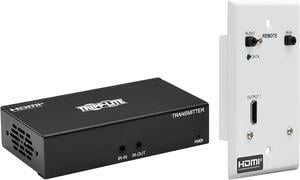
Tripp Lite B127-1A1-WHD1 Wireless HDMI Extender 4K with Zero Latency - 4K x 2K @ 30 Hz, 7.1 audio, HDCP 2.2, 98 ft. (30 m)
Quick View
Tripp Lite B127-1A1-WHD1 Wireless HDMI Extender 4K with Zero Latency - 4K x 2K @ 30 Hz, 7.1 audio, HDCP 2.2, 98 ft. (30 m)
  • Type: HDMI Extender
  • Max Extend Distance: 98 ft. (30 m)
  • Color: Black
  • Specifications: Voltage Compatibility (VAC): 100; 110; 120; 125; 127; 200; 208; 220; 230; 240 External Power Supply Input Specs (V / Hz / A): 100-240V~50/60Hz, 0.2A External Power Supply Output Specs (V / A): 5V / 1A External Power Supply Cord Length (ft.): 5 External Power Supply DC Barrel Connector Specs: OD: 5.5 x 2.1 x 10mm, Positive Pin, Negative Sleeve External Power Supply Plug(s): NEMA 1-15P North America External Power Supply Certifications: UL; cUL Bus Powered: Yes Max Supported Video Resolution: 4K x 2K (3840 x 2160) @30Hz HDMI Specification: 1.4 HDCP Specification: 2.2 Audio Specification: Supports 7.1-channel LPCM, DTS-HD and Dolby-AC3 digital audio System Requirements: Source device with HDMI output (Blu-ray player, cable box, laptop) Display device with H...
  • Model #: B127-1A1-WHD1
  •  
  • NZ$908.50 
  • NZ$87.22 Shipping
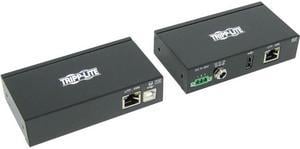
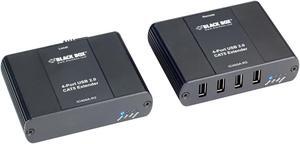
USB 2.0 EXTENDER CATX 4-PORT
Quick View
USB 2.0 EXTENDER CATX 4-PORT
  • Type: USB 2.0 over Ethernet
  • Max Extend Distance: 330 feet
  • Color: Black
  • Specifications: Provides true plug-and-play capabilities, ready to operate right out of the box. Works with Windows, Mac OS X, and Linux operating systems. No new driver installation is required. It is ideal for a wide variety of USB devices, from printers, scanners, and hard drives to audio devices, touch screens, Web cams, and more! Works with all USB device types: control, interrupt, bulk, and isochronous at up to 480 Mbps. Get USB connectivity anywhere. Install your USB devices anywhere! Combine the 4-Port CATx USB Extender with additional USB hubs to connect up to 30 USB devices. An AC power adapter at the remote unit provides up to 1A max to USB port. Use it for any or all of the following applications: Industrial control KVM extension Digital signage Remote des...
  • Model #: IC400A-R2
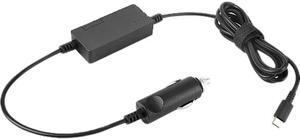
Lenovo 40AK0065WW 65W Usb-C Dc Travel Adapter
Quick View
Lenovo
Lenovo 40AK0065WW 65W Usb-C Dc Travel Adapter
  • Color: Black
  • Model #: 40AK0065WW
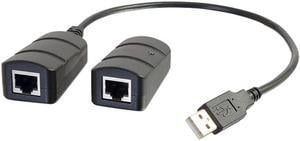
USB OVER CAT5CAT6 EXTENDER KIT 1PORT
Quick View
Black Box JPM398A Wallmount Mini DIN Rail Fiber Enclosure - 1-Slot Adapter
Quick View
Black Box JPM398A Wallmount Mini DIN Rail Fiber Enclosure - 1-Slot Adapter
  • Type: Wallmount Mini DIN Rail Fiber Enclosure - 1-Slot Adapter
  • Color: Black
  • Specifications: Non-locking door can be removed providing complete access to the enclosure. DIN Rail mounting bracket is removable. Enclosure can be mounted five ways. There are three possible cable entry points for the fiber. Enclosure includes internal cable management.
  • Dimensions: 2.00" x 5.30" x 5.50"
  • Model #: JPM398A
  •  
  • NZ$357.65 
  • NZ$108.07 Shipping
15FT USB3.0 EXTENDER CABLE
Quick View
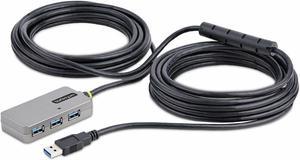
15FT USB3.0 EXTENDER CABLE
  • Changer Type: USB Extender
  • Color: N/A
  • Model #: UE350A
  •  
  • NZ$89.70 
  • NZ$57.59 Shipping
Black Box Usb 2.0 Extender - Cat5 1-Port
Quick View
Black Box Usb 2.0 Extender - Cat5 1-Port
  • : IC280A-R2
  • : IC280A-R2
  • Type: USB 2.0 over Ethernet
  • Max Extend Distance: 328 feet
  • Model #: IC280A-R2
195FT USB 2.0 EXTENDER
Quick View
195FT USB 2.0 EXTENDER
  • Changer Type: USB Extender
  • Color: Black
  • Weight: 0.6
  • Model #: UCE260
  •  
  • NZ$164.45 
  • NZ$86.68 Shipping
DisplayPort to HDMI Over Cat6 Extender Kit 4K60Hz HDR 4:4:4 PoC
Quick View
DisplayPort to HDMI Over Cat6 Extender Kit 4K60Hz HDR 4:4:4 PoC
  • Type: HDMI over Ethernet
  • Max Extend Distance: 230 feet
  • Color: Black
  • Specifications: Video Input: HDMI (FEMALE) Video Output: HDMI (FEMALE) Video Ports: HDMI (FEMALE); (4) RJ45 (FEMALE) Video Ports Details: HDMI 2.0; HDCP 2.2 Max Supported Video Resolution: 3840 x 2160 @ 60 Hz Audio Specification: True uncompressed 7.1 Channel digital audio and supports DTS-HD, Dolby-TrueHD digital audio
  • Model #: B127A-004-BHPH3
GROMMET MOUNT FOR MXV DUAL ARM
Quick View
GROMMET MOUNT FOR MXV DUAL ARM
  • Color: Black
  • Model #: 98-111
  •  
  • NZ$88.55 
  • NZ$137.54 Shipping
LONGSTAR LONG-RANGE POE COAX,CAMERA UNIT
Quick View
LONGSTAR LONG-RANGE POE COAX,CAMERA UNIT
  • Color: N/A
  • Model #: VLS-1P-CC
  •  
  • NZ$608.35 
  • NZ$57.74 Shipping
Transition Networks SGPAT1040-105-NA 10/100/1000 Poe+ Rj-45 To Open Dual Speed Sfp Port Media Converter
Quick View
  •  
  • NZ$887.80 
  • NZ$153.39 Shipping
ATEN CE820 USB HDMI HDBaseT 2.0 KVM Extender (4K@100 m)
Quick View
ATEN CE820 USB HDMI HDBaseT 2.0 KVM Extender (4K@100 m)
  • Type: HDMI & USB over Ethernet
  • Max Extend Distance: 330 feet
  • Color: Black
  • Connector A: 1 x HDMI Female (Black) 3 x USB Type A Female 1 x Mini Stereo Jack Female (Green) 1 x Mini Stereo Jack Female (Pink) 1 x RJ-45 Female (Black)
  • Model #: CE820
Black Box Secure NIAP 4.0 Certified KVM Switch FlexPort KVS4-2002HVX
Quick View
  •  
  • NZ$2,014.80 
  • NZ$108.58 Shipping
Black Box KVXLC-200-R2 KVM Extender KVXLC200R2
Quick View
  •  
  • NZ$2,084.95 
  • NZ$146.35 Shipping

To set up WiFi® in your home, you simply connect computers, laptops or mobile devices that have wireless capabilities to a wireless router and a modem, with items like an extender kit or a repeater thrown into the mix if necessary. In the easiest scenarios, setting up WiFi should be straightforward. You just have to find a place to set up your router, preferably in a place where there are no obstructions that can cause wireless interference. You then connect the router to the modem using an Ethernet cable. You then connect the computer to the router, power everything on, and follow the directions. Sometimes, however, your home setup is such that WiFi doesn't reach certain areas of your space. For these situations, you are going to need accessories like HDMI repeaters and USB extenders. These devices help get a WiFi signal to where it needs to go.

WiFi Extenders Can Help Expand WiFi Throughout Your House

WiFi is sometimes unable to make it all the way through to every corner of a house. Whether it is due to too many walls and corners in the home or some sort of interference, the signal cannot reach the device for which it is intended. This is where WiFi extender kits help. A WiFi extender repeats the signal from your router so that it reaches the device you need it to reach. The same way that one basketball player will pass the ball to another to get close to the basket for an easy shot is the same way that the extender works. It acts as a bridge that carries the signal to its final destination. If you see that you need a WiFi extender, choose one that is compatible with your router.

New Router Technology Extends Your WiFi Signal

A home's WiFi signal is often weak because it is connected to an old router. Older routers do not have the strength of today's routers, so if you bought one years ago, consider replacing it with one of the newer models. The latest routers have features like Tri-Band, MU-MIMO and Beamforming technology, allowing WiFi signals to reach into the farthest reaches of the home. Mesh WiFi systems make it possible to forgo a router altogether. Do some research to find out what works for you. 

A Wireless Repeater Is Another Signal Strengthening Device

A wireless or HDMI repeater falls into the same family as the WiFi extender. These devices repeat or rebroadcast the WiFi signal to a specific area. The repeated signal is on the same frequency as the original WiFi signal, meaning that the connection speed will be slower because the two devices will share the same connection. Repeaters are also very susceptible to interference from devices and items like microwaves and stereos. The repeater only works if you place it in an area where it has direct access to the router's signal. If you locate it too far away, it will not connect to WiFi easily.