
Your Browsing History
Featured Brands









GPU & Video Graphics Device Featured Items
Shop all products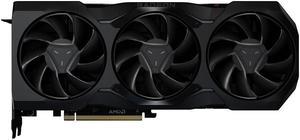
ASRock Radeon RX 7900 XTX Video Card RX7900XTX 24G - OEM
- Max Resolution: 7680 x 4320
- DisplayPort: 2 x DisplayPort 2.1
- HDMI: 1 x HDMI 2.1
- Slot Width: 2.5 Slot
- Model #: RADEON RX7900XTX 24G
- Item #: N82E16814930084
- Return Policy: International Order Return Policy
- NZ$2,187.30 –
- NZ$115.00 Shipping
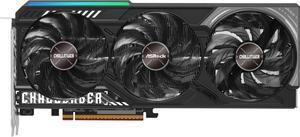
ASRock Challenger Radeon RX 9070 Graphics Card RX9070 CL 16G
- Max Resolution: 7680 x 4320
- DisplayPort: 3 x DisplayPort 2.1a
- HDMI: 1 x HDMI 2.1b
- Card Dimensions (L x H): 290 x 123 x 51 mm
- Model #: RX9070 CL 16G
- Item #: N82E16814930138
- Return Policy: International Order Return Policy
- NZ$1,381.15 –
- NZ$106.00 Shipping
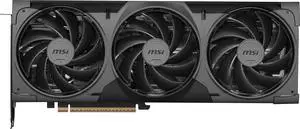
MSI Ventus GeForce RTX 5070 Ti Graphics Card RTX 5070 TI 16G VENTUS 3X OC BLACK
- Max Resolution: 7680 x 4320
- DisplayPort: 3 x DisplayPort 2.1b
- HDMI: 1 x HDMI 2.1b
- Card Dimensions (L x H): 303 x 121 x 49 mm
- Model #: RTX 5070 Ti 16G VENTUS 3X OC BLACK
- Item #: N82E16814137993
- Return Policy: International Order Return Policy
- NZ$2,535.75 –
- NZ$106.00 Shipping
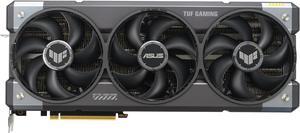
ASUS TUF Gaming GeForce RTX 5070 OC 12GB 192-Bit GDDR7 PCI Express 5.0 DLSS 4.0 Graphics Card TUF-RTX5070-O12G-GAMING
- Max Resolution: 7680 x 4320
- DisplayPort: 3 x DisplayPort 2.1b
- HDMI: 2 x HDMI 2.1b
- Card Dimensions (L x H): 12.95 x 5.51 x 2.46 inch
- Model #: TUF-RTX5070-O12G-GAMING
- Item #: N82E16814126758
- Return Policy: International Order Return Policy
- NZ$2,018.25 –
- More options from NZ$1,577.80 - NZ$2,273.55
- NZ$135.00 Shipping
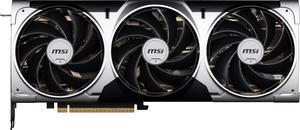
MSI Ventus GeForce RTX 5070 Ti Graphics Card RTX 5070 TI 16G VENTUS 3X OC
- Max Resolution: 7680 x 4320
- DisplayPort: 3 x DisplayPort 2.1b
- HDMI: 1 x HDMI 2.1b
- Card Dimensions (L x H): 303 x 121 x 49 mm
- Model #: RTX 5070 TI 16G VENTUS 3X OC
- Item #: N82E16814137933
- Return Policy: International Order Return Policy
- NZ$2,507.00 –
- NZ$106.00 Shipping
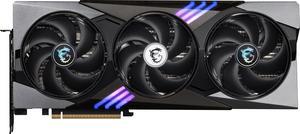
MSI Gaming GeForce RTX 5080 Graphics Card RTX 5080 16G GAMING TRIO OC
- Max Resolution: 7680 x 4320
- DisplayPort: 3 x DisplayPort 2.1a
- HDMI: 1 x HDMI 2.1b
- Card Dimensions (L x H): 338 x 140 x 50 mm
- Model #: RTX 5080 16G GAMING TRIO OC
- Item #: N82E16814137910
- Return Policy: International Order Return Policy
- NZ$3,822.60 –
- NZ$106.00 Shipping
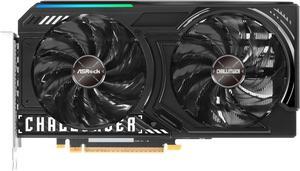
ASRock Challenger Arc B570 Graphics Card B570 CL 10GO
- Core Clock: 2600 MHz
- Max Resolution: 7680 x 4320
- DisplayPort: 3 x DisplayPort 2.1 with DSC
- HDMI: 1 x HDMI 2.1
- Model #: B570 CL 10GO
- Item #: N82E16814930134
- Return Policy: International Order Return Policy
- NZ$522.10 –
- NZ$106.00 Shipping
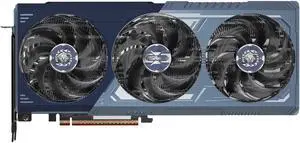
ASRock Monster Hunter Wilds Radeon RX 9070 XT Graphics Card RX9070XT MH 16G
- Max Resolution: 7680 x 4320
- DisplayPort: 3 x DisplayPort 2.1a
- HDMI: 1 x HDMI 2.1b
- Card Dimensions (L x H): 298 x 131 x 58 mm
- Model #: RX9070XT MH 16G
- Item #: N82E16814930146
- Return Policy: International Order Return Policy
- NZ$1,635.30 –
- NZ$106.00 Shipping
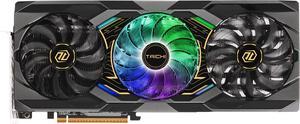
ASRock Taichi Radeon RX 9070 XT Graphics Card RX9070XT TC 16GO
OUT OF STOCK
- Max Resolution: 7680 x 4320
- DisplayPort: 3 x DisplayPort 2.1a
- HDMI: 1 x HDMI 2.1b
- Card Dimensions (L x H): 330 x 140 x 61mm
- Model #: RX9070XT TC 16GO
- Item #: N82E16814930135
- Return Policy: International Order Return Policy
- NZ$1,684.75 –
- NZ$156.00 Shipping
Related searches
Choose video cards with graphics processing units (GPU) and central processing units (CPU) that handle multiple needs. Effective units can handle intensive gaming sessions, CAD, graphic designing and video editing, and maximize your computer's performance. Consider the Thermal Design Power (TDP) as an optimal choice for your system, as it indicates how much power your graphics card will need, and how much heat it produces. There are models available with different connectors that work with a variety of monitors to help set up multiple screens. Most models feature Thunderbolt® and USB or USB-C™ connections, providing plug-and-play capabilities for a quick setup.
Video Cards Upgrade Your Graphics and Prevent Latency
Check your screen resolution when selecting video devices and graphics cards to choose models that match those requirements. Games require graphics cards that can handle higher refresh rates and overclocking, which help prevent latency. The cards have memory ranging from as little as 64MB to 16GB. Desktop graphics card with 2GB to 4GB of memory meet the needs of most creative professionals. Gamers require 6GB to 8GB of memory for less lag and latency during play. Laptops used for browsing the internet and using productivity applications only need up to 1GB. Consider dedicated graphics cards that improve overall performance for serious gaming and running high-end video software.
Customized Cards Suit Your Needs
Creative professionals can use workstation graphics cards designed to handle the demands of power-intensive applications. The memory on these graphics cards will usually start at around 4GB, and have professional pixel resolution to produce high-quality images. Entry-level cards support basic computer use, like surfing, checking emails and creating spreadsheets. Connect multiple desk top graphics cards by selecting options with either SLI® or CrossFire® support, depending on whether you have Nvidia® or AMD® hardware. Verify the available space inside your case when choosing video cards, as the additional fans and cooling systems require more room. Dedicated video cards often feature improved driver compatibility and support, which benefits users switching to different operating systems, or who need to run specific software. Consider 4K gaming cards for playing the latest multiplayer titles, or enjoy crisp videos when watching Netflix® and other streaming media.
Video Card Accessories Enhance Your Experience
There is a range of video card accessories that allow you to get the full benefit from your existing card or when upgrading. Adapters let you upgrade older systems, even if you don't have the right connections. Use a second graphics card by installing an SLI bridge if you have Nvidia hardware, or a CrossFire bridge if you have AMD hardware. Check out the external graphics enclosures and docks if you want to upgrade your laptop without opening it up. Use slot extenders, braces, and adapters for convenient installation. External power supplies let you connect workstation graphics cards so they share the load on the motherboard. Be sure to check the specifications and connections on your chosen graphics card to match it with the accessories.