here!
here!
I’m your shopping assistant for PC builds, upgrades, and everything tech.
Got questions? Ask away!
Start a conversation
here!
I’m your shopping assistant for PC builds, upgrades, and everything tech.
Got questions? Ask away!
Start a conversation










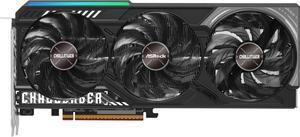
Free ASRock AIO with purchase, LIMITED TIME ONLY
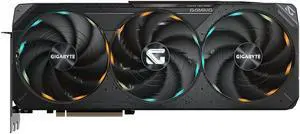
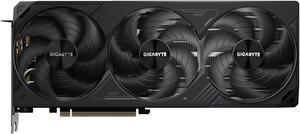
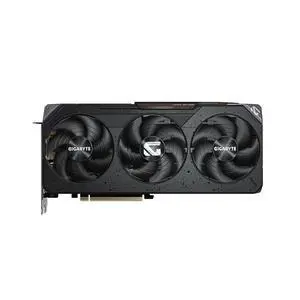
Free ASRock AIO with purchase, LIMITED TIME ONLY
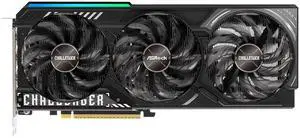
Free ASRock 360 AIO with purchase, LIMITED TIME ONLY
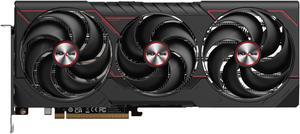
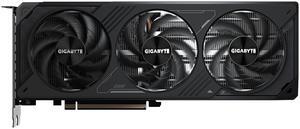
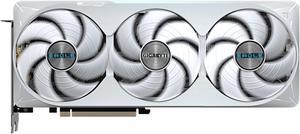

Free ASRock 240mm AIO with purchase, LIMITED TIIME ONLY
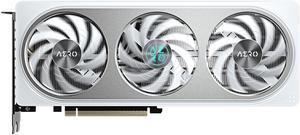
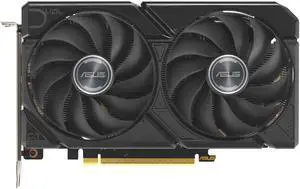
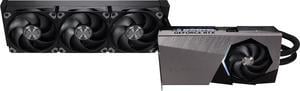
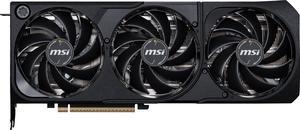
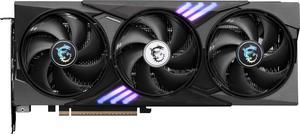
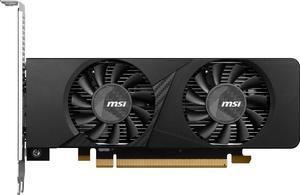
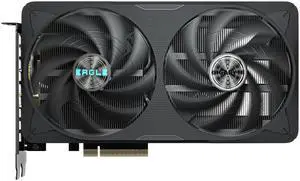
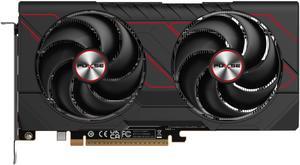
OUT OF STOCK
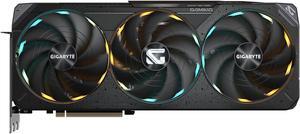
OUT OF STOCK
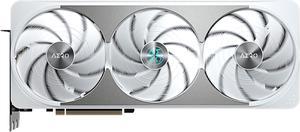
OUT OF STOCK
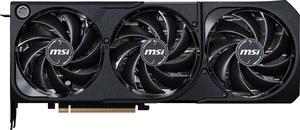
OUT OF STOCK
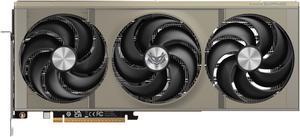
OUT OF STOCK
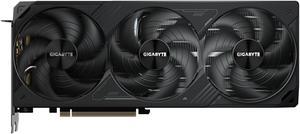
OUT OF STOCK
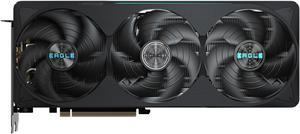
OUT OF STOCK
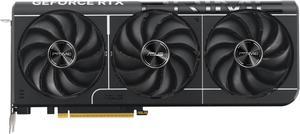
OUT OF STOCK
| Learn About GPU / Graphics Cards | |
|---|---|
Understanding Graphics Cards: Ports, Performance, and VRAMGraphics cards (GPUs) turn CPU data into images on your monitor. Modern GPUs support HDMI 2.1 and DisplayPort 2.1 for higher refresh rates, HDR, and multi-monitor setups. If you want smooth gaming, fast rendering, or AI workloads, focus on three factors: GPU tier, VRAM capacity, and cooling + power requirements. GPU vs Graphics Card: What’s the Difference?A GPU is the processor chip that handles graphics computation. A graphics card includes the GPU, VRAM (memory), cooling system, and display outputs. Major chipmakers like NVIDIA , AMD , and Intel design the GPU silicon, while board partners like ASUS , Gigabyte , and MSI build complete cards with custom cooling, factory overclocks, and improved thermals. Key GPU Families (Gaming + Creator Options)
Ray Tracing & AI Upscaling (DLSS / FSR / XeSS)Modern GPUs use dedicated ray tracing cores to create realistic lighting and reflections. To boost frame rate without losing image quality, AI upscaling technologies like DLSS (NVIDIA), FSR (AMD), and XeSS (Intel) render at a lower resolution and reconstruct a sharper final image. Cooling, Power, and GPU Size: What to Check Before Buying
Always check your PC case clearance and airflow before upgrading. Many high-end GPUs exceed 320mm+ length and require 2.5–3.5 slots. For power, pair performance GPUs with an 850W+ PSU and verify cable compatibility. Use the Power Supply Calculator to estimate wattage.
| Types of Graphics Cards & Best Use CasesChoose the right GPU based on how you use your PC:
Shop High-Performance GPUsExplore Newegg’s selection of GPUs and video cards from entry-level upgrades to flagship RTX and Radeon models. Look for limited-time GPU Deals during seasonal events. Buying Tips (Popular Picks)
Useful Tools and Buying Links
Explore More GPU Guides on Newegg Insider / NewsWant more tips on choosing the right graphics card, understanding VRAM, power requirements, and new GPU features? Browse our latest GPU articles on Newegg Insider: View all GPU Insider posts . You’ll find quick buying guides, performance explainers, and new-release coverage to help you shop with confidence. |
Last Updated: June 2026 | Newegg GPU Buying Guide
A graphics card processes visual workloads for gaming, video output, creative software, and GPU-accelerated tasks. It is one of the most important components for gaming performance and high-resolution display support.
VRAM is the dedicated memory used by a graphics card to store textures, frame data, and other visual assets. Higher VRAM can help at higher resolutions, in newer games, and in workloads that use larger graphics assets.
Gaming GPUs are usually tuned for frame rates and consumer gaming workloads, workstation GPUs focus more on professional applications and stability, while AI accelerator cards are aimed at specialized compute and inference tasks.
GPU generation refers to the architecture family or release wave of a graphics card, such as RTX 50 Series or Radeon RX 9000 Series. Newer generations may offer better performance, efficiency, and feature support depending on the model.
Common outputs include DisplayPort and HDMI, and the right choice depends on your monitor resolution, refresh rate, and display setup. Before buying, check that the card has the ports and output support your monitor needs.
All three GPU families can offer strong value depending on your budget, target games, and feature priorities. On Newegg, comparing cards by generation, VRAM, price, and use case is usually more helpful than choosing by brand alone.
Entry-level cards are often aimed at basic gaming or display upgrades, mid-range cards balance price and performance, and high-end GPUs target stronger frame rates, higher resolutions, and more demanding workloads.
Newer generations can improve performance, efficiency, and feature support, but the real value depends on the exact model and price. Comparing specific cards side by side is usually better than assuming every newer GPU is the best buy.
Gaming cards are usually optimized for consumer gaming performance, while workstation graphics cards focus more on professional software workflows, certified drivers, and specialized business or creator use cases.
Air-cooled cards are more common and easier to install, while liquid-cooled models may target higher-end systems looking for stronger thermal control and different acoustic or case design goals.
Start with your target resolution, frame rate expectations, power supply, and budget. On Newegg, filtering by GPU family and comparing cards against your gaming goals is one of the simplest ways to narrow the field.
The right VRAM amount depends on resolution, game settings, and how long you want the card to stay relevant. Higher resolutions and newer titles can benefit from more VRAM, but total GPU performance still matters too.
That depends on the age of your current platform and whether the rest of the system can support a newer graphics card. In many cases a GPU upgrade is enough, but older CPUs, power supplies, or cases can limit the value of that upgrade.
Power supply compatibility is critical because the GPU must have enough wattage headroom and the right power connectors to run safely. Before ordering, it is important to verify both PSU capacity and connector support.
A newer generation may offer stronger efficiency and newer features, while an older card can still be a smart value buy at the right price. The best choice depends on your budget, target performance, and how long you plan to keep the card.
Common concerns include case fit, power connector needs, cooling clearance, and whether the card is balanced for the rest of your system. Checking the full listing details helps avoid expensive compatibility mistakes.
Customer reviews can reveal useful details about thermals, fan noise, real-world fit, and out-of-box experience. Verified buyer feedback is especially useful when comparing similar cards from different brands.
Budget GPUs can be reliable when matched with realistic expectations and the right system, but long-term satisfaction often depends more on whether the performance level stays useful for your needs over time.
Check case length, PSU wattage, GPU power connectors, motherboard slot availability, and monitor output compatibility. These factors are just as important as performance when planning an upgrade.
Some users do report thermal concerns or coil whine depending on the exact model, cooling design, system airflow, and load conditions. Recent buyer feedback is often the fastest way to spot whether a pattern exists for a specific card.
Install the card into the correct PCIe slot, secure it to the case, attach the required power connectors, and connect your monitor to the GPU outputs. Take your time and confirm that the card is fully seated before powering on.
In most cases, yes. Installing the latest graphics driver helps with stability, compatibility, and game performance after a GPU upgrade.
Connect your monitor directly to the graphics card output using the correct cable type, such as DisplayPort or HDMI. This ensures the system is actually using the discrete GPU for display output.
Compare the card’s listed length and cooling thickness with your case specifications before ordering. Clearance near front fans, radiators, and drive cages can matter just as much as the raw GPU length.
Update drivers, confirm display output, monitor temperatures, and test a few games or workloads to make sure the card is performing as expected. This is also a good time to verify fan behavior and power stability.
“ one of if not the best value gpus if its price stays the same (500) this was a great gpu for its price the 12 gb of vram is not a problem for most games and there has been no problem with gaming no overheating great for budget 1440p ”
GIGABYTE Gaming Radeon RX 9070 GRE 12GB GDDR6 PCI Express 5.0 ATX Graphics Card GV-R907GREGAMING OC-12GD“ Unlike NVIDIA GPUs, I can just put the GPU in and it works with Linux. ”
SAPPHIRE PULSE Radeon RX 7800 XT 16GB GDDR6 PCI Express 4.0 x16 ATX Graphics Card 11330-02-20G“ Customization is there as always with the AORUS GPUs. ”
GIGABYTE AORUS GeForce RTX 5080 16GB GDDR7 PCI Express 5.0 ATX Graphics Card GV-N5080AORUSM ICE-16G“ I'm pretty happy with this Gigabyte GPU. I was always an EVGA customer but since they stop doing GPUs anymore I was undecided with one company should I upgrade with, so I ended with Gigabyte and let me tell you this thing never goes above 65c even with hard OC. ”
GIGABYTE Gaming GeForce RTX 5070 Ti 16GB GDDR7 PCI Express 5.0 ATX Graphics Card GV-N507TGAMING OC-16GD“ I see people saying cons are price and size. To me, those are not cons. Price: GPUs arent cheap right now and if you want aesthetics, you will have to pay more. ”
GIGABYTE Gaming GeForce RTX 5070 Ti 16GB GDDR7 PCI Express 5.0 ATX Graphics Card GV-N507TGAMING OC-16GD“ Only caveat is availability and pricing. I only got this GPU over the 9070 XT because it came bundled with BL4 and was at MSRP, with the difference between the GPUs being . ”
ASUS PRIME GeForce RTX 5070 Ti 16GB 256-Bit GDDR7 PCI Express 5.0 DLSS 4.0 Graphics Card PRIME-RTX5070TI-16G“ See modern GPUs can "invent" frames if your game is laggy, which is an oddity because that just means you need a stronger card. ”
GIGABYTE WINDFORCE GeForce RTX 5080 16GB GDDR7 PCI Express 5.0 x16 ATX SFF Graphics Card GV-N5080WF3-16GD“ For as much as I hate GPUs sold over MSRP, this card was at a relatively reasonable price, and performs great on my 1440p 165Hz display. ”
GIGABYTE Gaming Radeon RX 9070 XT 16GB GDDR6 PCI Express 5.0 x16 ATX Graphics Card GV-R9070XTGAMING OC-16GD