• In Stock
  • Sold by Newegg
  • New
Brands
Show More
Type
Ports
Show More
VPN
WAN Ports
LAN Ports
Maximum Users
Form Factor
Simultaneous Sessions
Sold by
All Top Brands
Availability
Condition
Useful Links
Customer Ratings
Sort By:
View:
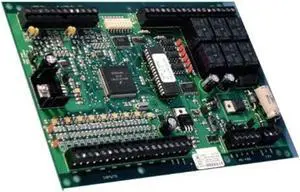
Lenel LNL-1320 Interface Module Dual Reader, PC Board, Series 1
Quick View
  •  
  • ₱60,668.47 –
  • Free Shipping
Brocade Communications - E1MG-SX-OM - Brocade 1000BASE-SX SFP Module - 1 x 1000Base-SX
Quick View
  •  
  • ₱28,465.25 –
  • Free Shipping
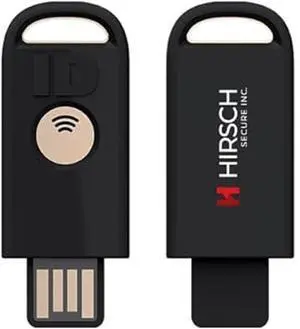
Hirsch Secure uTrust FIDO2 Gov FIPS 140-3 validated Security Key NFC and USB (Type A)
Quick View
  •  
  • ₱7,157.28 –
  • Free Shipping
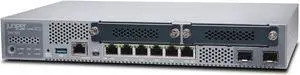
Juniper SRX320 8-Port Security Services Gateway Appliance
Quick View
  •  
  • ₱53,536.72 –
  • Free Shipping
Check Point CPAP-SG1600-SNBT-SS-PREM-3Y Direct Premium support for 3 years
Quick View
  •  
  • ₱446,153.37 –
  • Free Shipping
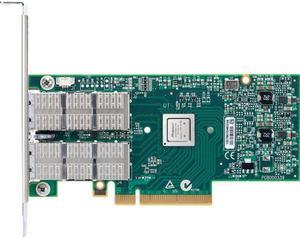
Mellanox Connectx-3 Pro Single-Port Adapter
Quick View
Mellanox Connectx-3 Pro Single-Port Adapter
  • Type: Consumer Electronics
  • Weight: 0.47
  • Model #: MCX313ABCCT
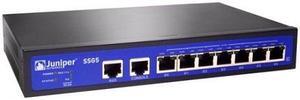
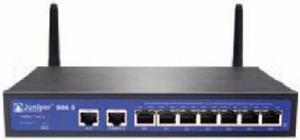
Juniper SSG-5-SH-W-US Secure Services Gateway 5
Quick View
Juniper SSG-5-SH-W-US Secure Services Gateway 5
  • Protocols: HCRP, SPP
  • Model #: SSG-5-SH-W-US
  •  
  • ₱48,200.06 –
  • Free Shipping
JNP10003-RE1
Quick View
JNP10003-RE1
  • Model #: JNP10003-RE1
  •  
  • ₱34,587.72 –
  • Free Shipping
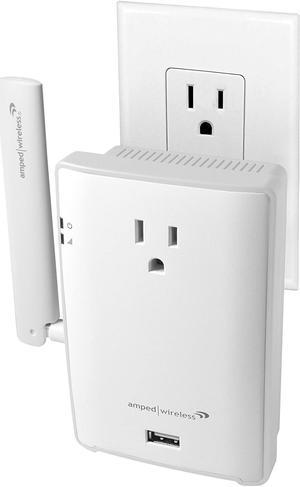
Amped Wireless REC22P IEEE 802.11ac 1.17 Gbit/s Wireless Range Extender
Quick View
  •  
  • ₱3,667.99 –
  • ₱9,311.73 Shipping
Ubiquiti (UXG-Pro-US) Next-Generation Gateway Pro
Quick View
Ubiquiti (UXG-Pro-US) Next-Generation Gateway Pro

OUT OF STOCK

  • LAN Ports: LAN: (1) 1 GbE RJ45 port (1) 10G SFP+ port WAN: (1) 1 GbE RJ45 port (1) 10G SFP+ port
  • Brand: Ubiquiti Networks
  • Series: Gateway
  • LEDs: Ethernet Green/amber SFP+ White/ green AC outlet/ RPS Blue
  • Model #: UXG-Pro-US
  •  
  • ₱72,273.59 –
  • Free Shipping
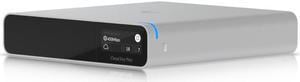
Ubiquiti CloudKey+, Compact UniFi Console (UCK-G2-SSD)
Quick View
Ubiquiti CloudKey+, Compact UniFi Console (UCK-G2-SSD)

OUT OF STOCK

  • Brand: Ubiquiti
  • Series: CloudKey
  • Processor: Octa-core Arm® Cortex®-A53 based chip
  • Features: Management interface: Ethernet Bluetooth Networking interface: (1) GbE RJ45 port Memory: 32 GB eMMC 3 GB RAM SSD capacity: 1 TB 2.5" SATA SSD (user-upgradeable*) *CloudKey+ only supports drives that can operate on 5V power. Drives that require additional power are not supported. Power method: PoE Quick charge 2.0/3.0 power adapter, 9V DC, 2A Max. power consumption 9.6W Display 1.42" gray-scale OLED LEDs: (1) Power: white/blue Buttons: (1) Power (1) Factory reset Ambient operating temperature: 0 to 35° C (32 to 104° F) Ambient operating humidity: 20 to 80% noncondensing Certifications: FCC, CE, IC Capacity HD cameras: 24 2K cameras: 14 4K cameras: 8 *Assumes the UCK-G2-PLUS is dedicated to UniFi Prot...
  • Model #: UCK-G2-SSD
  •  
  • ₱29,537.75 –
  • ₱7,565.66 Shipping
Ubiquiti Poe-24-24W Power Over Ethernet Injector
Quick View
Ubiquiti Poe-24-24W Power Over Ethernet Injector

OUT OF STOCK

  • Protocols: TCP/IP
  • Brand: UBIQUITI - NETWORKS
  • Weight: 0.65
  • Model #: POE-24-24W
  •  
  • ₱3,284.95 –
  • Free Shipping
  • Wired Routers

Wired Routers

Use this link for more information on Wireless Routers in our Learning Center

Home wireless routers allow you to connect multiple devices together wirelessly into a network to share resources and access the internet. Examples of some of the devices you can connect to your network include desktop computers, notebook computers, external hard drives, PDAs, stand alone or all-in-one copy / fax / printers, media players, entertainment devices and more all without wires.

If you setup your network to be 100% wireless then you will need to ensure that every device that you want to add to the network has a wireless network adapter installed otherwise they will have no way to access the network. If these are not already in the computers, you'll need to purchase them and add them in. Once all devices are configured and set up you will be able to share files and resources across the network.

The Importance of Security with Wireless Network Routers

Security is especially important when using a wireless network. Basically, anybody within the range of your network who has the right equipment can access it if it is not secured. Therefore we recommend safety features such as WEC or MAC address filtering. This is a unique hardware identifier that gives each network device its own identity.

WEP, or Wireless Encryption Protocol, is another way to identify your network devices. It establishes a shared key between the access point and clients, using the key to encrypt and de-encrypt the data that is transferred between them. This is enough security for most home network uses.