• In Stock
  • Sold by Newegg
  • New
Brands
Show More
Type
Show More
Interface
Show More
Tracking Method
Buttons
Show More
Scrolling Capability
Show More
Color
Show More
Security Type
Hand Orientation
Sold by
Resolution (DPI)
All Top Brands
Availability
Condition
Current Promotion
Useful Links
Customer Ratings
Sort By:
View:
Kensington Duo Gel Mouse Pad Wrist Rest K62399US
Quick View
Verbatim Universal Wired Optical Mouse Black (70733) VTM70733
Quick View
Verbatim Universal Wired Optical Mouse Black (70733) VTM70733
  • Brand: Verbatim
  • Color: Black
  • Type: Wired
  • Parts: 1 Year
  • Model #: 70733
Verbatim Mouse Optical Corded f/PCs & Macs White/Black 99740
Quick View
SHARKK 5-Button 2.4G Wireless Vertical Optical Mouse w/ Ergonomic Design
Quick View
SHARKK 5-Button 2.4G Wireless Vertical Optical Mouse w/ Ergonomic Design
  • Resolution (DPI): 1600 dpi
  • Operating System Supported: Mac OS X, Linux and all versions of Windows.
  • Version: RF Wireless
  • Model #: SK137G
  •  
  • 1,822.51 
  • Free Shipping
Lenovo Basic Ambidextreous Optical 3 Buttons Wired USB Mouse Black 4Y51C68693
Quick View
Lenovo Go Wireless Multi-Device Mouse 4Y51C21217
Quick View
Lenovo
Lenovo Go Wireless Multi-Device Mouse 4Y51C21217
  • Brand: lenovo
  • Name: GO
  • Color: Black
  • Buttons: 5
  • Model #: 4Y51C21217
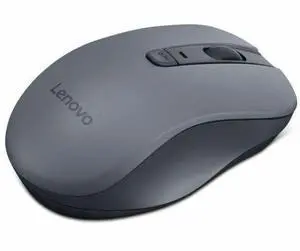
Lenovo 400 Wireless Optical Mouse, Black (GY50R91293)
Quick View
Lenovo 400 Wireless Optical Mouse, Black (GY50R91293)
  • Hand Orientation: Both Hands
  • Resolution (DPI): 1200 dpi
  • Power Supply: 1 x AA Battery
  • Operating Time: Up to 12 months (may vary based on usage)
  • Model #: GY50R91293
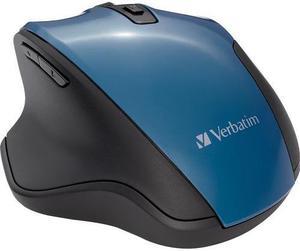
Verbatim Silent Ergonomic Wireless Blue LED Mouse Dark Teal 70244
Quick View
Kensington Pro Fit K72424AM Green 1 x Wheel RF Wireless Mid-Size Mouse
Quick View
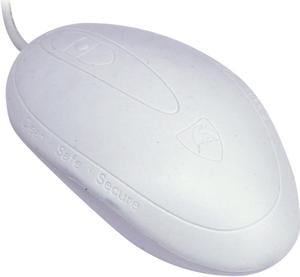
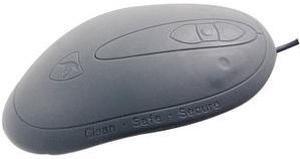
Seal Shield Mouse
Quick View
Seal Shield Mouse
  • Resolution (DPI): 800 dpi
  • Parts: 2 Year Limited
  • Model #: SSWM3
Lenovo 400 USB-C Wired Compact Mouse
Quick View
Lenovo 400 USB-C Wired Compact Mouse
  • Hand Orientation: Both Hands
  • Resolution (DPI): Three level adjustable, up to 2400 DPI, Default 1600 DPI
  • Operating System Supported: Chrome OS, Windows 10, Windows 11
  • System Requirement: Supported PC with USB-C port
  • Model #: GY51D20875
  •  
  • 1,528.33 
  • ₱2,018.40 Shipping
Kensington K74531WW Black 3 Buttons USB Wired Optical Mouse
Quick View
Kensington K74531WW Black 3 Buttons USB Wired Optical Mouse
  • Resolution (DPI): 1000 dpi
  • Model #: K74531WW
Verbatim 98590 Black 1 x Wheel Bluetooth Wireless Optical Mouse
Quick View
Verbatim 98590 Black 1 x Wheel Bluetooth Wireless Optical Mouse
  • Resolution (DPI): 1600 dpi
  • Power Supply: 2 x AA Batteries
  • Operating System Supported: Android 3.1 and higher; Windows 10, 8, 7, XP, 2000, Vista; Mac OS 10.4X and higher
  • Package Contents: Bluetooth Tablet Mouse 1 x AAA Battery
  • Model #: 98590
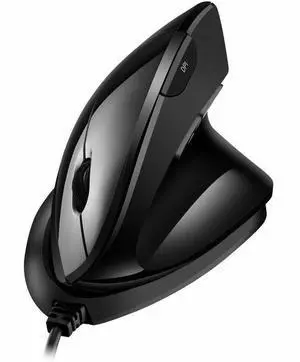
ADESSO iMouseV10 Black 2.4 GHz RF Wireless Vertical Ergo Mini Mouse
Quick View
ADESSO iMouseV10 Black 2.4 GHz RF Wireless Vertical Ergo Mini Mouse
  • Hand Orientation: Right Hand
  • Resolution (DPI): 1600 dpi
  • Power Supply: 1 x AA Battery
  • Distance: Up to 30 feet
  • Model #: iMouseV10
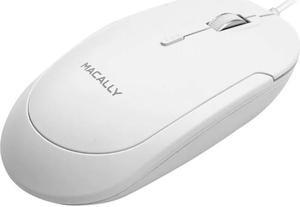
Macally USB-C Optical Quiet Click Mouse for Mac/PC White UCDYNAMOUSEW
Quick View
  •  
  • 2,624.93 
  • ₱2,980.57 Shipping
Urban Factory CYCLEE Eco-Designed Ambidextrous Computer Mouse, Black GWM01UF
Quick View
Urban Factory CYCLEE Eco-Designed Ambidextrous Computer Mouse, Black GWM01UF
  • Brand: Urban Factory
  • Type: see description
  • Model #: GWM01UF
  •  
  • 1,648.95 
  • ₱2,014.84 Shipping
Cherry Wireless Ergonomic 6 Buttons Adjustable Mouse Model JW-4500
Quick View
Cherry Wireless Ergonomic 6 Buttons Adjustable Mouse Model JW-4500
  • Brand: Cherry
  • Name: Wireless Mouse
  • Color: Black
  • Buttons: 6
  • Model #: Model JW-4500
Cherry JW-T0320 Mw 2310 Wireless 6btn Mouse Wireless Infrared Sensor Adj Dpi 2.4ghz
Quick View
  •  
  • 2,186.18 
  • ₱1,989.77 Shipping
Kensington Duo Gel Keyboard Wrist Rest K62395US
Quick View
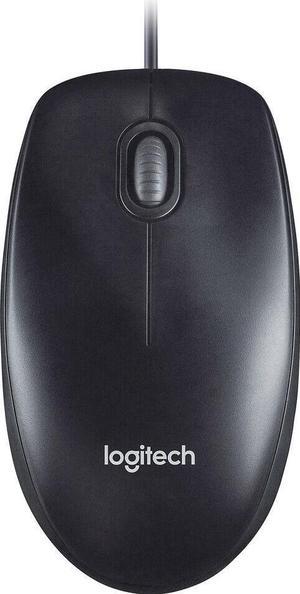
Logitech M100 Corded Mouse – Wired USB Mouse for Computers and Laptops, for Right or Left Hand Use, Black
Quick View
  •  
  • 1,337.27 
  • ₱2,971.96 Shipping
Pro Fit Wired Full-Size Mouse, Usb, Right, Black
Quick View
  •  
  • 2,218.00 
  • ₱1,998.66 Shipping
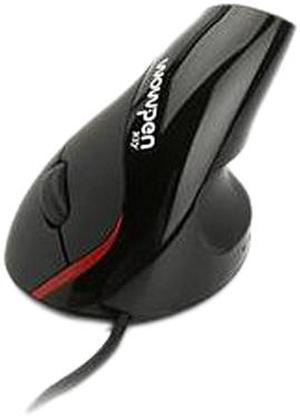
iMouse V3 Adjustable Vertical Ergonomic Wired USB Mouse, TAA Compliant  IMOUSEV3
Quick View
Verbatim Silent Corded Optical Mouse - Blue
Quick View

Computer mice often are the unsung heroes of the home and office computing world. While your PC probably shipped with a standard mouse, if you haven't upgraded it, it is unlikely that you're getting the most from your time online or gaming. Modern Bluetooth mice can offer a seamless, virtually lag-free experience, while models with multiple buttons make it easier to keep pace with some of the best gamers in the world while enhancing your word processing and graphic design work. Shape and size determine how the mouse feels in your hand, with some people preferring lightweight models and others preferring something with extra heft. Button layout and configuration can greatly influence your mouse experience.

Laser Mice Offer Precision Movement

Computer mice use laser or optical sensors to track movement. Laser models track up to 2,000 dots per inch (dpi) while optical mice only track approximately 600. Most home users don't need the precision of a laser, and optical versions are less expensive. Graphic designers, videographers and serious gamers benefit from laser tracking because the movements on screen more precisely mirror the movement of the mouse.

Enjoy Greater Flexibility With Configurable Buttons

Most computer mice include left and right buttons, as well as a tracker wheel in the middle. Advanced versions can include two or four side buttons, and allow the user to configure these buttons to their own settings. A simple use may be to perform the function of the back button on your browser. Gamers might map a series of commands to one of these buttons, allowing them to pull off a complex move in one press.
Improve Mobility With Wireless Mice

Wired mice connect to a PC using USB or the PS/2 port. You will use the PS/2 port to connect other input devices such as keyboards so consider your configuration and whether you have a spare port available. If not, opt for a USB connection. PCs typically come with an array of ports so that you can connect mice and other USB gadgets. You can buy additional hubs that expand a single port to give four or more connections and allow the addition of all your computer accessories. Even wireless mice, which eliminate wire snags and make it easier to move your input device around, still require a USB port to connect the wireless receiver. They also take batteries or include a charging dock or wire.
Travel Mice Are Useful for Small Hands

Most portable and Bluetooth mice are smaller than their full-bodied counterparts. This is so that they will more easily fit into the pockets of a laptop bag and take up less space. However, they also offer benefits to users with smaller hands. It is important that you can comfortably fit your hand around a mouse, ensuring that your fingers rest easily over the buttons, and the diminutive form of travel mice makes this possible, even for children's hands.