




 here!
I’m your shopping assistant for PC builds, upgrades, and everything tech.
Got questions? Ask away!
Start a conversation
here!
I’m your shopping assistant for PC builds, upgrades, and everything tech.
Got questions? Ask away!
Start a conversation



Any questions? Ask CelesteSM will help you find out quickly.

Do I need to install a driver on Windows?
Windows 11/10 and Linux — no, plug and play. Windows 7/XP — download the signed driver from the GLOTRENDS support page.
My motherboard's onboard LAN stopped working. Can this card replace it?
Yes — install the card, connect the cable, optionally disable the onboard NIC in BIOS. Use Cat5e or better for full speed.
Will it fit my slim / small-form-factor case?
Yes — low-profile bracket included, standard bracket preinstalled.
Does it support Wake-on-LAN and firewall/NAS systems?
Yes — WoL works after enabling in BIOS/UEFI; pfSense, OPNsense, Proxmox, unRAID and TrueNAS run out of the box; ESXi needs our driver.
The card is not detected or there is no link. What should I check?
Reseat the card, try another PCIe slot and a different cable. Still not detected? Contact GLOTRENDS support.
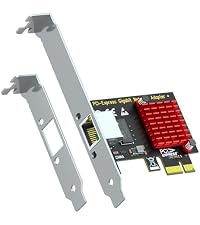 LE8111H | 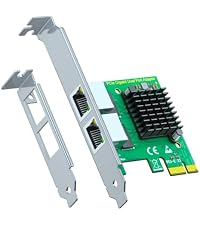 LE8102H |  ST7314 | 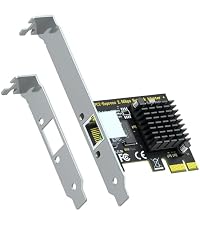 LE8105 | 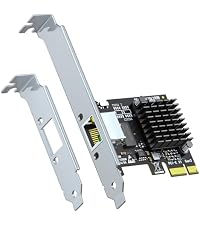 LE8126P | 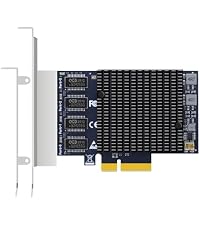 LE8245(A3) | 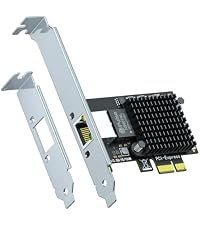 LE8127T1(X1) | |
|---|---|---|---|---|---|---|---|
Customer Reviews | — | — | — | — | — | — | — |
Price | — | — | — | — | — | — | — |
Data Rate | 10/100/1000Mbps | 10/100/1000Mbps | 10/100/1000Mbps | 10/100/1000/2500Mbps | 100/1000/2500/5000Mbps | 100/1000/2500/5000Mbps | 100M/1/2.5/5/10Gbps |
Port | RJ45 | 2 x RJ45 | 4 x RJ45 | RJ45 | RJ45 | 4 x RJ45 | RJ45 |
Controller | RTL 8111H | 2 x RTL 8111H | 4 x RTL 8111H | RTL 8125BG | RTL 8126-CG | 4 x RTL 8125BG | RTL8127 |
PCIe Bus | PCIe 1.1 X1 | PCIe 2.0 X1 | PCIe 2.0 X1 | PCIe 2.0 X1 | PCIe 3.0 X1 | PCIe 3.0 X2 | PCIe 4.0 X1 |
Features | Not WOL, Not PXE | Not WOL, Not PXE | Not WOL, PXE(UEFI/Legacy BIOS) | WOL, PXE(UEFI/Legacy BIOS) | WOL, PXE(UEFI/Legacy BIOS) | Not WOL, Not PXE | WOL, PXE(UEFI/Legacy BIOS) |


1Gbps Gigabit Ethernet
Aluminum Heatsink
Dual Brackets Included

2.5Gbps Multi-Gig Ethernet
Backward Compatible: 2.5G / 1G / 100M
PCIe x1, Low-Profile Bracket Included

10Gbps Single-Port RJ45
PCIe 4.0 x1
Wake-on-LAN / Jumbo Frame Support


| Controller | Realtek RTL8111H |
|---|---|
| Host Bus Interface | PCI Express 2.1 x1 (backward compatible; fits x1/x4/x8/x16 slots) |
| Transfer Speed | 10/100/1000Mbps auto-negotiation |
| Network Standards | IEEE 802.3, 802.3u, 802.3ab (1000BASE-T), 802.1Q VLAN tagging |
| Port | 1 x RJ45 (10/100/1000BASE-T) |
| VM Compatibility | VMware ESXi 5.x/6.x (driver required for 7.0+) |
| Features | IPV4/V6, IEEE 802.1Q, Receive-Side Scaling (RSS), Advanced Configuration Power Management Interface (ACPI), etc. |
| Supported | Jumbo Frame,Wake-on-LAN (WoL),PXE Boot |
| Flow Control | IEEE 802.3x full-duplex flow control |
| Heatsink | Integrated heatsink over controller |
| Brackets | Standard bracket (preinstalled) + low-profile bracket (in box) |
| Power | Bus-powered from PCIe slot, no external power connector |
| OS Support | Windows 11/10 (driver-free); Windows 8.1/8/7 (driver download); Linux (built-in kernel driver); VMware ESXi 5.x/6.x (driver download); compatible with pfSense, OPNsense, Proxmox, unRAID, TrueNAS |
| LED Indicators | Link / Activity |
| Item Weight | 3.17 oz (90 g) |
| In the Box | LE8111H network card x1, low-profile bracket x1 |


Do I need to install a driver on Windows?
Windows 11/10 and Linux — no, plug and play. Windows 7/XP — download the signed driver from the GLOTRENDS support page.
My motherboard's onboard LAN stopped working. Can this card replace it?
Yes — install the card, connect the cable, optionally disable the onboard NIC in BIOS. Use Cat5e or better for full speed.
Will it fit my slim / small-form-factor case?
Yes — low-profile bracket included, standard bracket preinstalled.
Does it support Wake-on-LAN and firewall/NAS systems?
Yes — WoL works after enabling in BIOS/UEFI; pfSense, OPNsense, Proxmox, unRAID and TrueNAS run out of the box; ESXi needs our driver.
The card is not detected or there is no link. What should I check?
Reseat the card, try another PCIe slot and a different cable. Still not detected? Contact GLOTRENDS support.
LE8111H | LE8102H | ST7314 | LE8105 | LE8126P | LE8245(A3) | LE8127T1(X1) |
|---|---|---|---|---|---|---|
| Customer Reviews | ||||||
| — | — | — | — | — | — | — |
| Price | ||||||
| — | — | — | — | — | — | — |
| Data Rate | ||||||
| 10/100/1000Mbps | 10/100/1000Mbps | 10/100/1000Mbps | 10/100/1000/2500Mbps | 100/1000/2500/5000Mbps | 100/1000/2500/5000Mbps | 100M/1/2.5/5/10Gbps |
| Port | ||||||
| RJ45 | 2 x RJ45 | 4 x RJ45 | RJ45 | RJ45 | 4 x RJ45 | RJ45 |
| Controller | ||||||
| RTL 8111H | 2 x RTL 8111H | 4 x RTL 8111H | RTL 8125BG | RTL 8126-CG | 4 x RTL 8125BG | RTL8127 |
| PCIe Bus | ||||||
| PCIe 1.1 X1 | PCIe 2.0 X1 | PCIe 2.0 X1 | PCIe 2.0 X1 | PCIe 3.0 X1 | PCIe 3.0 X2 | PCIe 4.0 X1 |
| Features | ||||||
| Not WOL, Not PXE | Not WOL, Not PXE | Not WOL, PXE(UEFI/Legacy BIOS) | WOL, PXE(UEFI/Legacy BIOS) | WOL, PXE(UEFI/Legacy BIOS) | Not WOL, Not PXE | WOL, PXE(UEFI/Legacy BIOS) |
1Gbps Gigabit Ethernet
Aluminum Heatsink
Dual Brackets Included
2.5Gbps Multi-Gig Ethernet
Backward Compatible: 2.5G / 1G / 100M
PCIe x1, Low-Profile Bracket Included
10Gbps Single-Port RJ45
PCIe 4.0 x1
Wake-on-LAN / Jumbo Frame Support
A dead onboard network port does not have to end a good PC. The GLOTRENDS LE8111H adds one RJ45 gigabit port through any available PCIe x1 (or larger) slot a quick fix for desktops with a failed integrated NIC, and a clean upgrade for older machines still stuck at 100Mbps. Installation takes minutes. The card is bus-powered, so no power cable is needed. Windows 11/10 and mainstream Linux distributions detect the RTL8111H controller automatically no CD, no download. An integrated heatsink keeps the controller cool during long transfers, and both a standard bracket (preinstalled) and a low-profile bracket (included) cover towers, SFF, HTPC and slim cases. Beyond the desktop, the LE8111H is homelab-friendly: it runs with pfSense, OPNsense, Proxmox, unRAID, TrueNAS and VMware ESXi as a WAN or LAN port, supports Wake-on-LAN and PXE boot, and handles 802.1Q VLAN tagging and Jumbo Frames. Driver packages for Windows 8.1/8/7 and ESXi 5.x/6.x are available from GLOTRENDS support.
| Brand | GLOTRENDS |
| Hardware Interface | Ethernet, PCIE x 1 |
| Color | Green,Yellow |
| Compatible Devices | Desktop, PC Server |
| Data Link Protocol | IEEE 802.3, IEEE 802.3u, IEEE 802.3ab, IEEE 802.1Q VLAN tagging |
| Data Transfer Rate | 1000 megabits_per_second |
| Item Weight | 0.09 kg |
| Minimum Required Operating System Version | Windows 7 |
| Item Highlight | 10/100/1000Mbps, X1 Slot, Wake on LAN, Heatsink, Low Profile Bracket, Replaces Dead Onboard LAN, Windows 11/10, Linux, ESXi |
| Number of Items | 1 |
| Manufacturer | glotrends |
| Built-In Media | Low-profile bracket, Regular-profile bracket |
| Model Number | 1-port, 1Gbps |
| Mfr Part Number | LE8111H |
| Warranty Description | 12 Month Warranty |


