






HanlinYue Free3 is a device compatible with multiple devices, offering a variety of youthful colors to choose from, which can meet functional needs or serve as a stress relieving device. If you encounter difficulties during use, you can refer to the tutorials in the user manual
What devices does Free3 support?
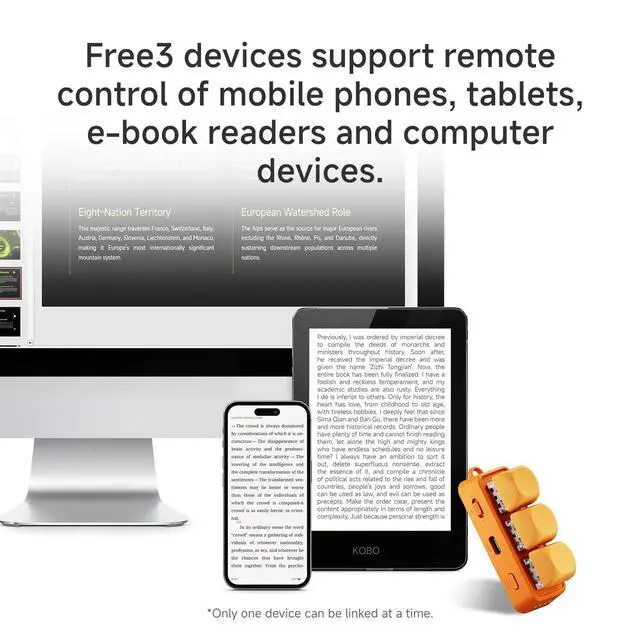
Connect devices via Bluetooth: compatible with smartphones, tablets, E-Ink e-readers (excluding Kindle) for page turning, and computers, as well as Kobo devices. It allows remote page turning and switching between videos, music, and photos
Why can't I switch to short videos on my iPhone?
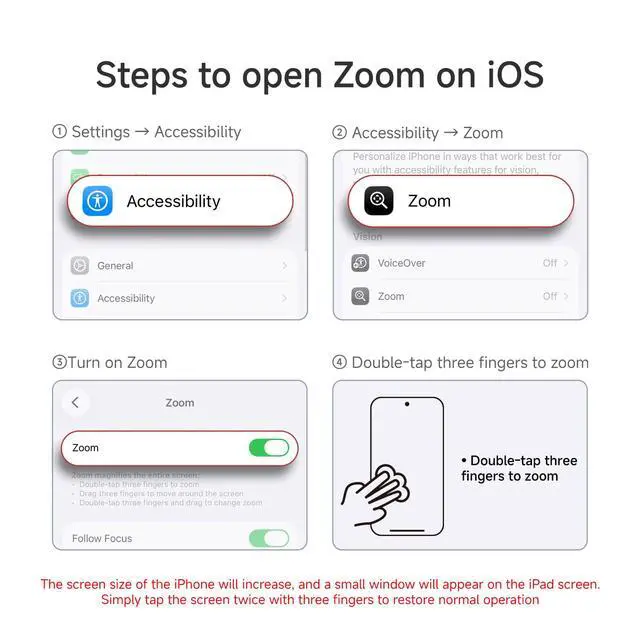
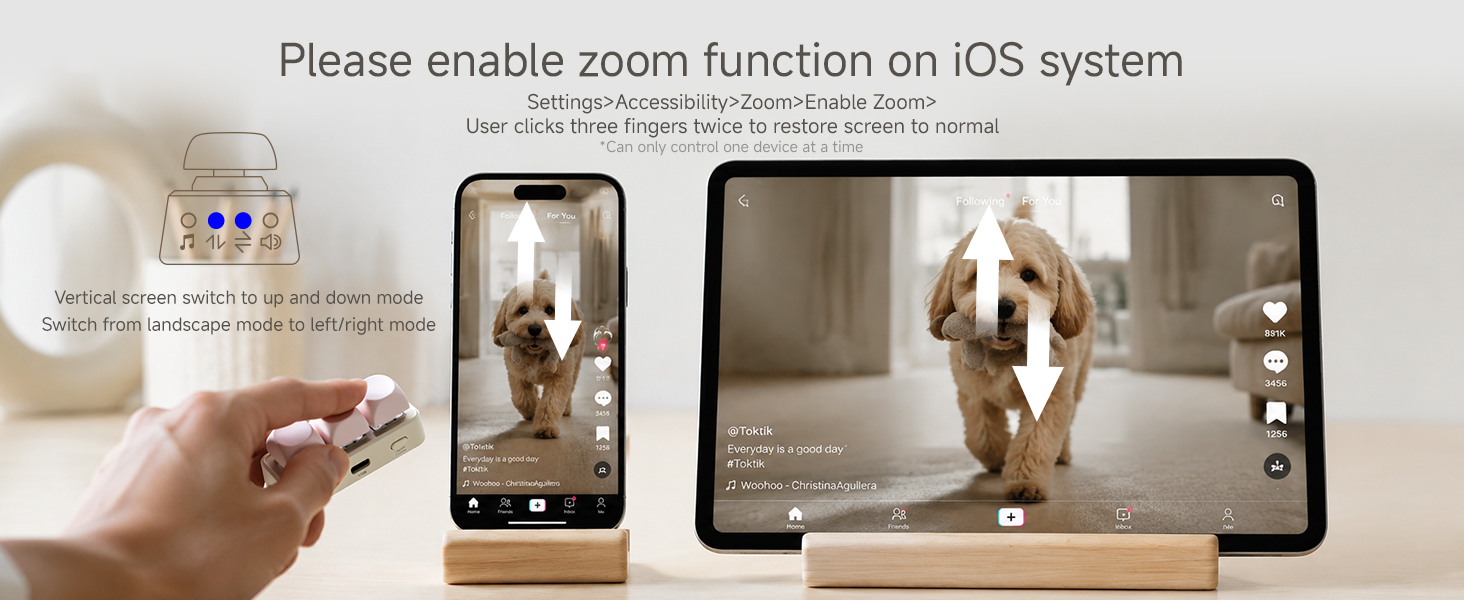
Enable zoom function in Apple settings. Then you need to adjust Free3 to M mode, press the power button once to put the indicator light in up and down mode
Why can't I control my Kobo reader?
Adjust Free3 to the P position, then press the switch to set the indicator light to the up and down mode. Connect the Bluetooth reader to it. Some products require the installation of plugins to use
Why can't I control my device
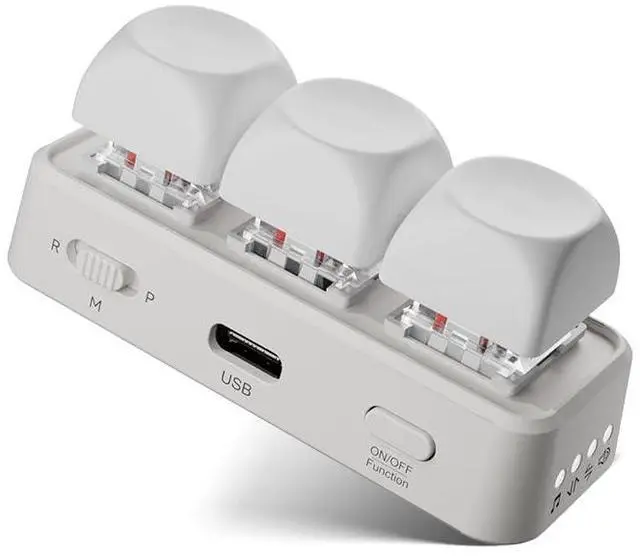
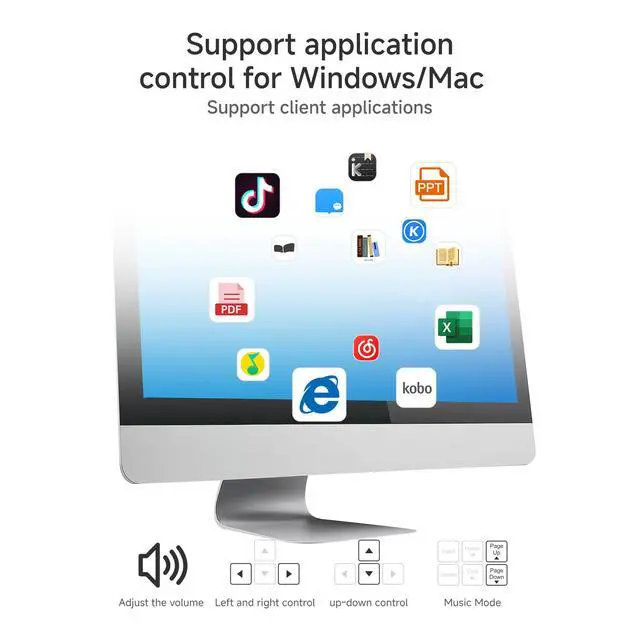
M-mode is connected to mobile phones and tablets for use, R-mode is connected to Android readers and XTEINK for use, P-mode is connected to computers and KOBO for use. Select the gear according to the device, otherwise it cannot be controlled
Why can't I switch modes?
In R mode, only volume and music modes can be switched, while in M and P modes, the first four modes can be switched. If unable to switch and long press the 30 second switch button to restore the device to factory settings
Devices supported by Free3

Support Android readers
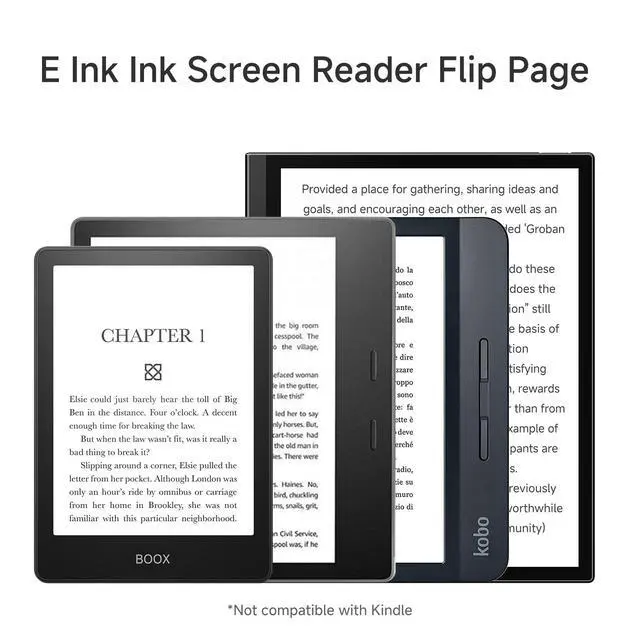
Connect to an Android reader or XTEINK remotely to control page flipping using the R gear

mobile support
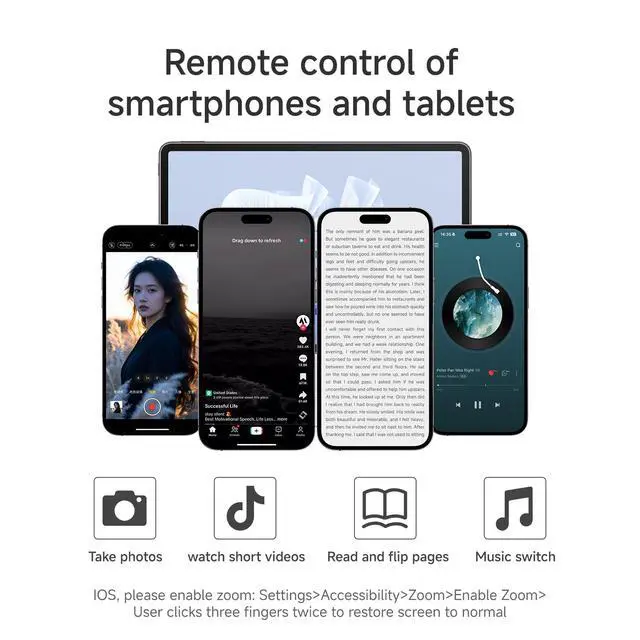
Connect your phone or tablet in M-mode to control short video switching and music functions

Support Kobo Reader
Remote control of page flipping after linking to Kobo reader using P gear

Support computer usage
Using the P gear to connect to a computer allows for remote control of work files or terminal applications
RGB Colorful Lighting Effects
Support RGB colorful lights
Supports RGB colorful lights, long press for 15 seconds to turn on and off the lights
RGB lighting effect
What remote operations can Free3 perform
Tiktok switching
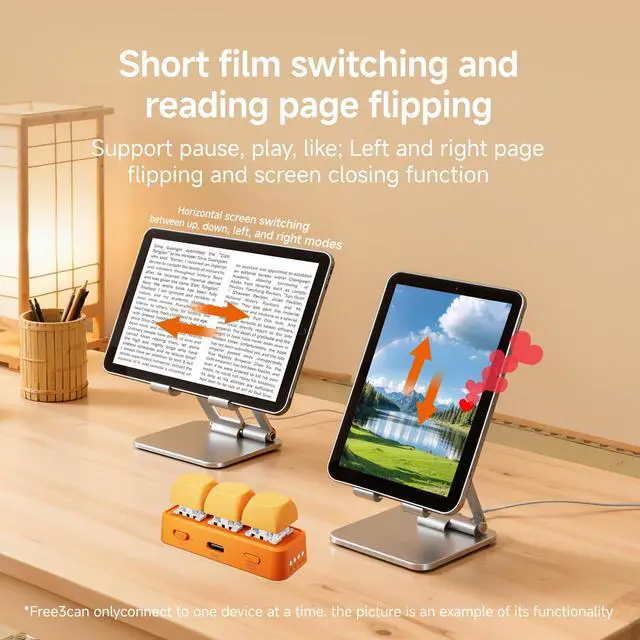
Support Tiktok remote switch of mobile phone or tablet, support up and down switch and pause like. In Apple system, zoom function must be turned on in settings to use
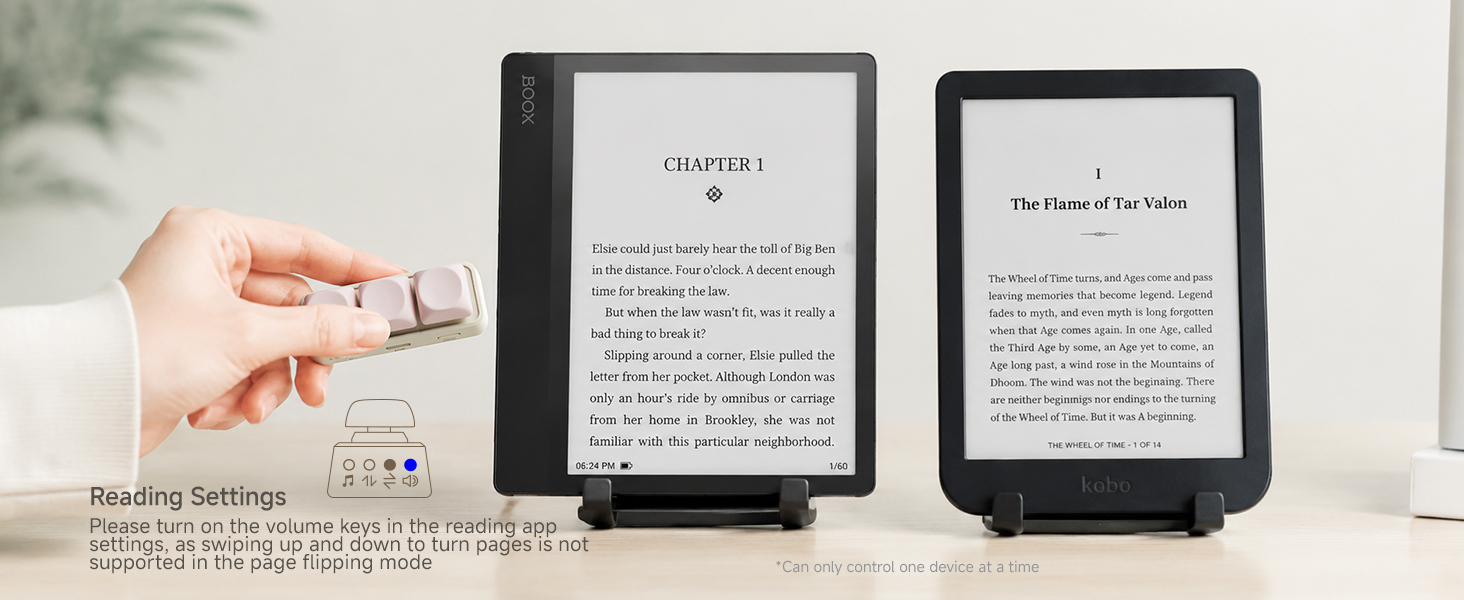
E-ink e-book remote page flipping
Using R gear connection, supports left and right page flipping of Android e-books, using P gear connection supports Kobo reader (does not support Kindle)
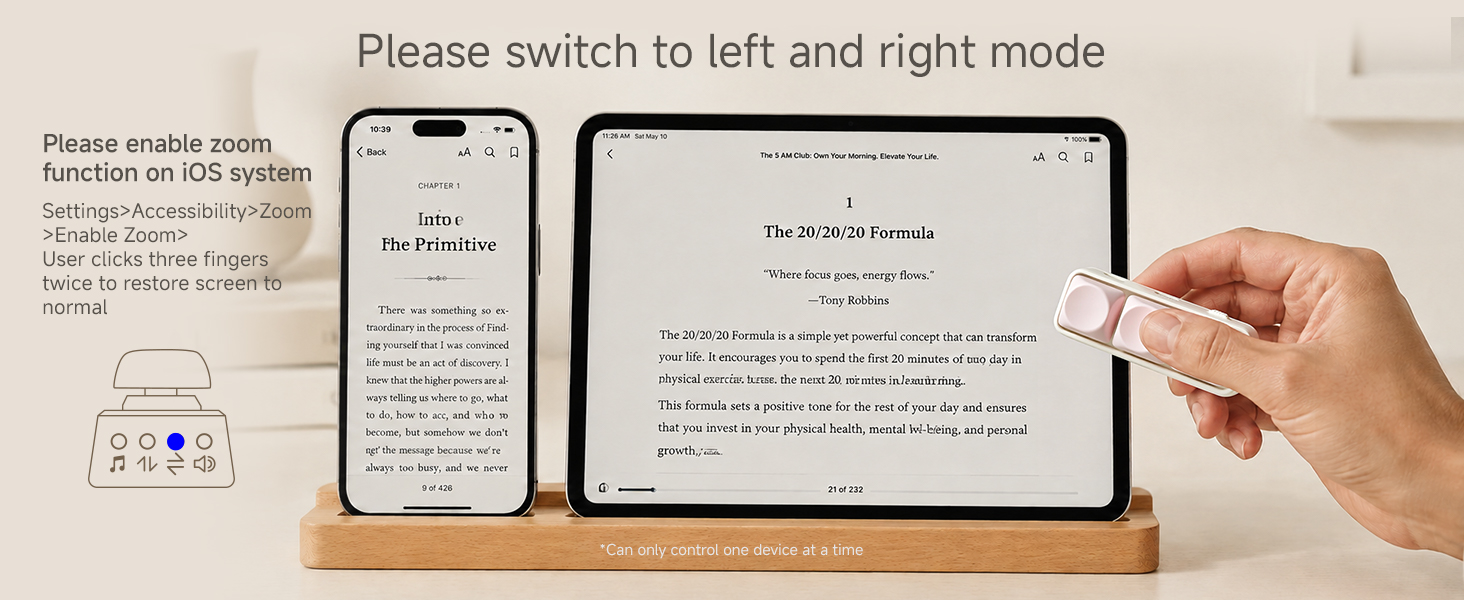
Mobile and tablet page flipping
Connect your phone or tablet to the M gear and then read the app to flip pages left and right. Apple devices must enable the zoom function in the settings, otherwise they cannot be controlled
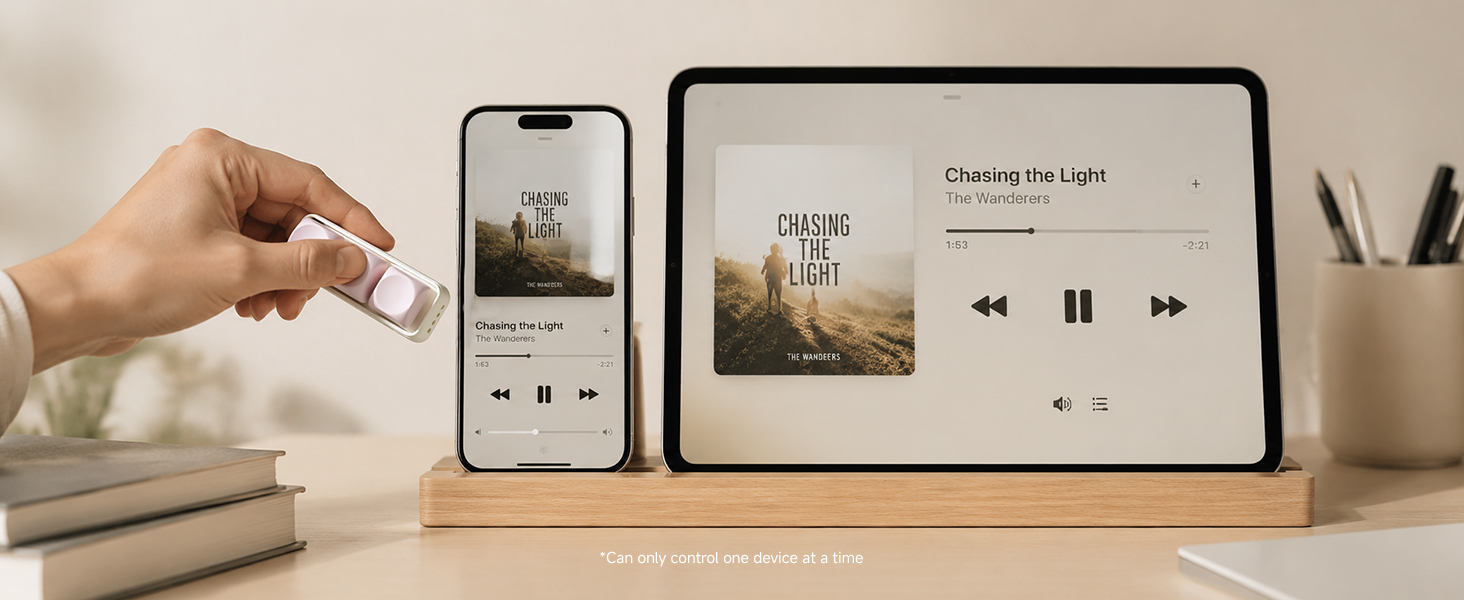
Music switching function
Connect your phone or tablet to the M gear and switch to music mode to remotely control the music up and down functions of your phone or tablet

remote photography
After connecting to a phone or tablet using the M gear, switching to volume mode allows for remote control of camera or video recording functions
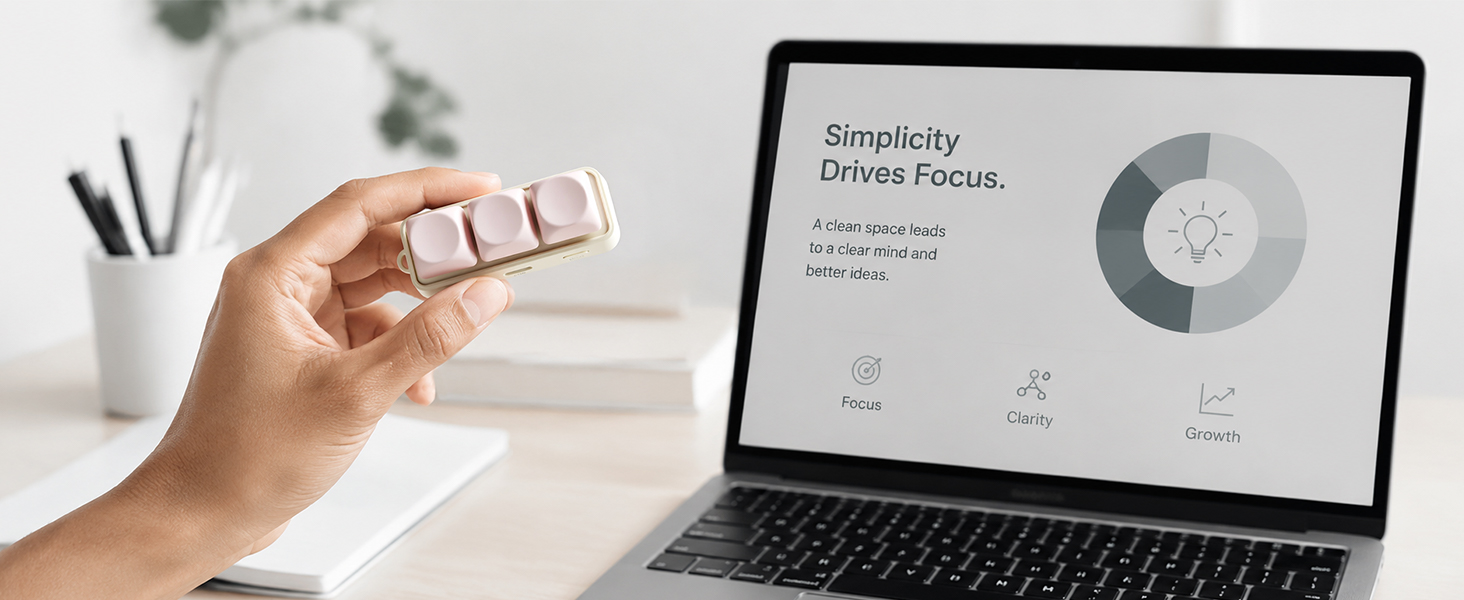
Computer office
Use the P gear to connect to the computer (requires a Bluetooth receiver on the computer). You can remotely operate functions such as PPT page turning, music and Tiktok up and down switching
This is a device with strong compatibility. R mode uses Android e-books, M mode uses a phone or tablet (Apple devices must enable zoom settings), and P mode connects Kobo and a computer for use. Don't confuse it, otherwise you won't be able to control it
DIY Playability

Support cute keycap replacement
You can freely change your favorite keycaps, as long as they are cross axis keycaps, they are supported

Support shaft replacement
You can change the shaft body you like yourself, whether it is a sound or silent shaft body. High shaft three legged or five legged shafts can be replaced
Function and Packaging List
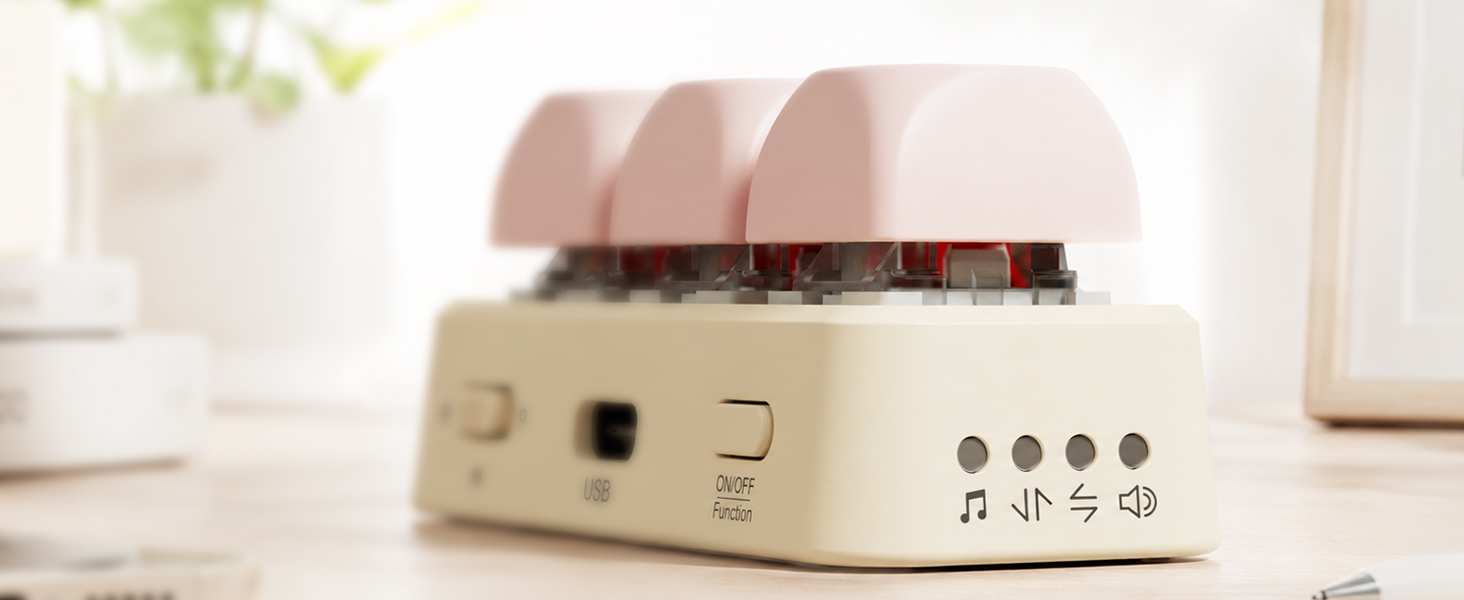
Functional Mode
After turning on, you can press the power button to switch between work modes, including volume, up and down, left and right, and music modes
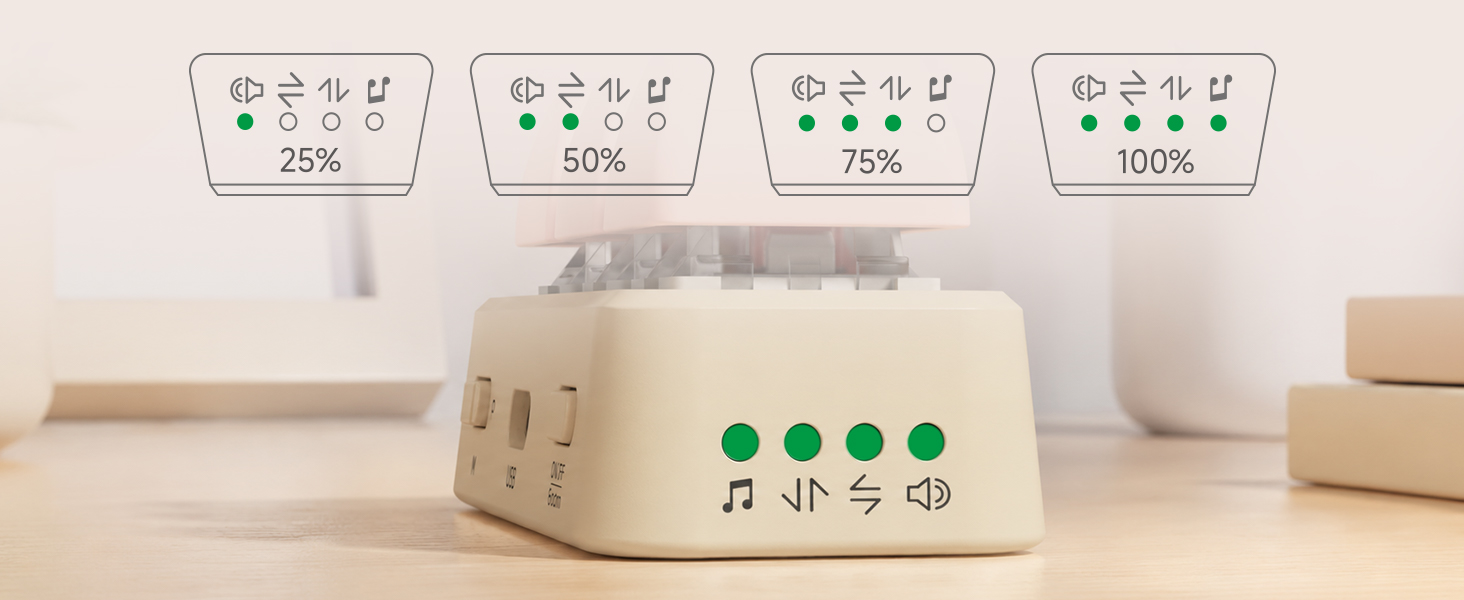
Battery Level Display
During the startup process, when the green lights flash together, it indicates battery level detection, and each indicator light represents 25% of the battery level
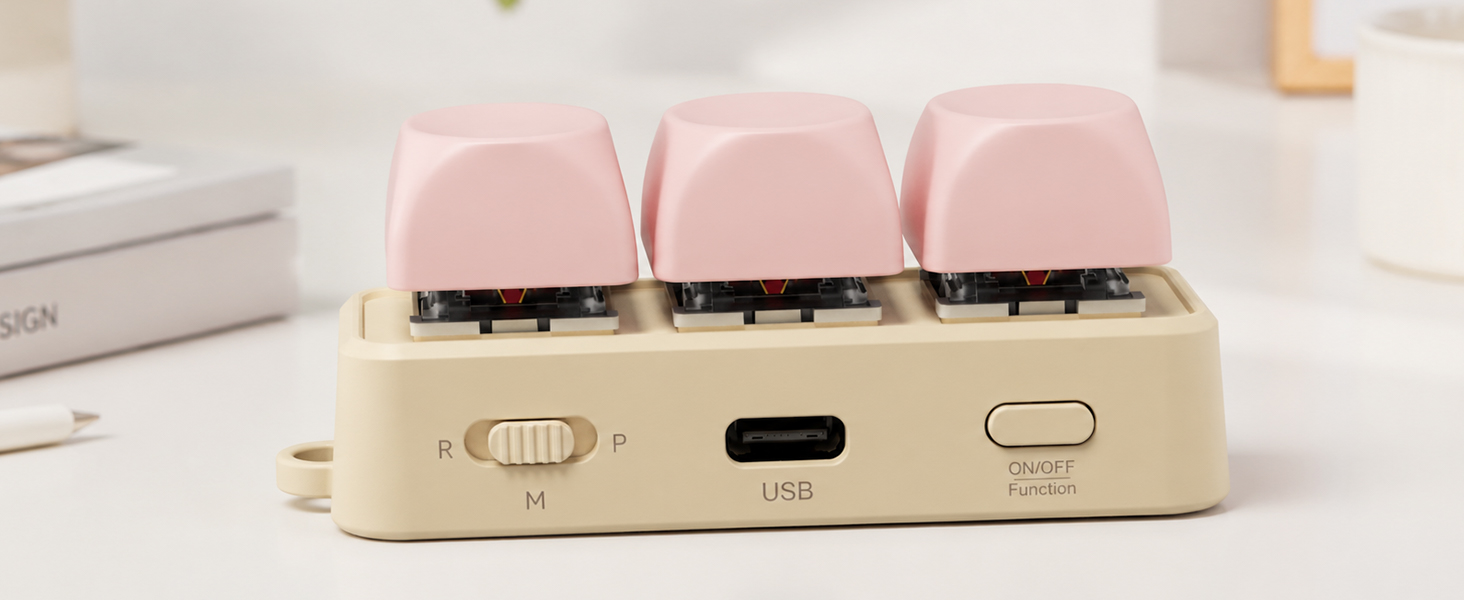
Type-C charging interface
Using the Type-C interface allows for fast charging and compatibility with commonly used data cables on the market

Wrist rope hole
The device comes with a wrist strap hole, so you only need to have a wrist strap to fix it on, which is very portable and anti lost
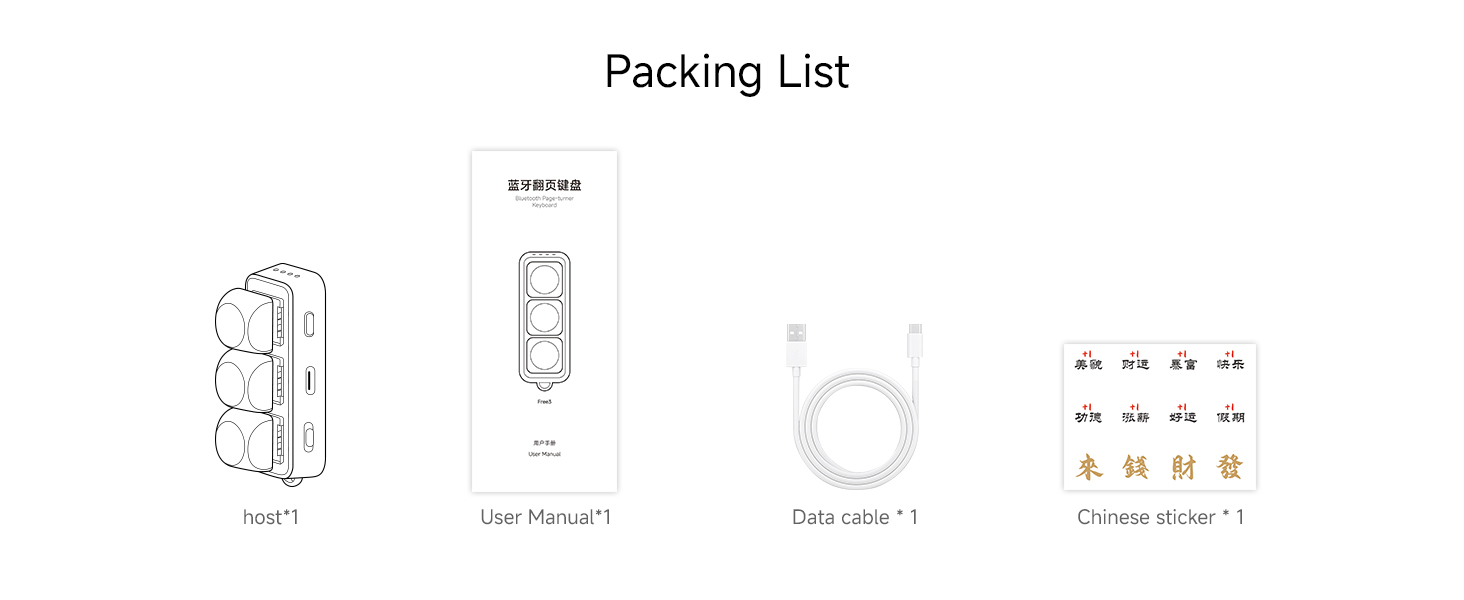
Packing List
Packing list:
Host * 1 data cable * 1 manual * 1 free Chinese sticker * 1
(The outer packaging can vary according to the batch)
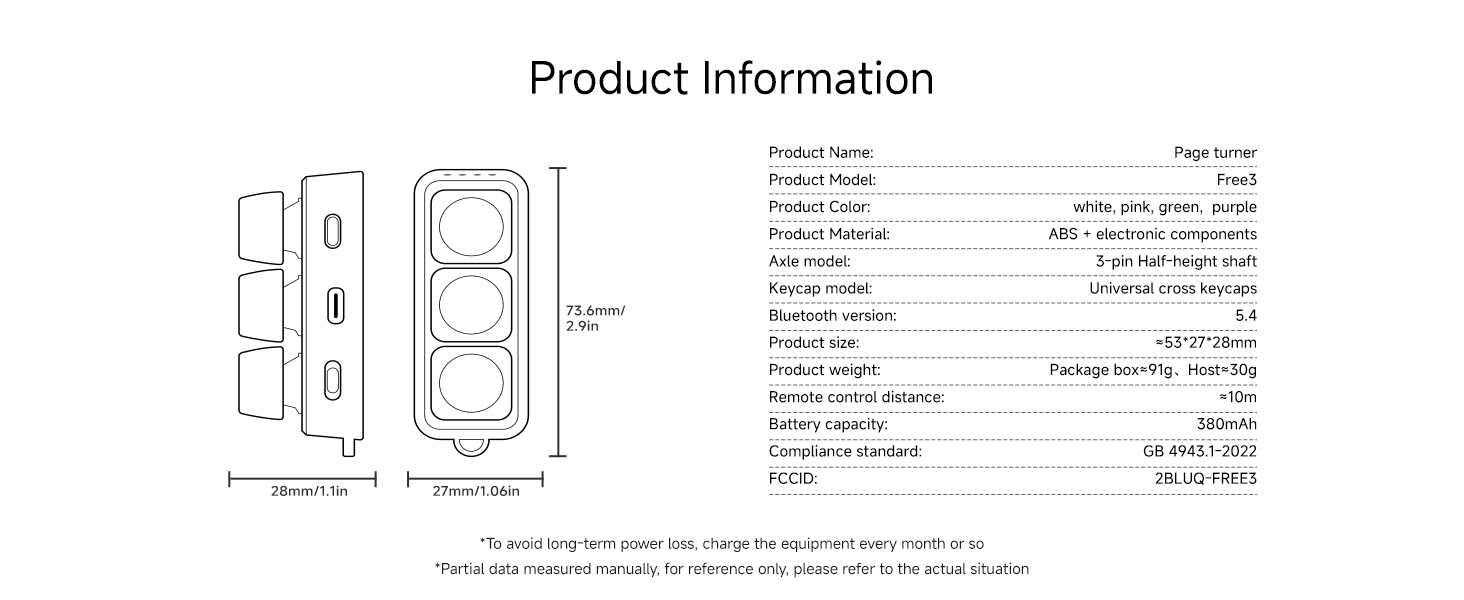
Product parameters
This device supports volume adjustment, up and down, left and right, as well as music switching function, making it easy to operate. Customizable button functionality

HanlinYue Free3 is a device compatible with multiple devices, offering a variety of youthful colors to choose from, which can meet functional needs or serve as a stress relieving device. If you encounter difficulties during use, you can refer to the tutorials in the user manual
What devices does Free3 support?
Connect devices via Bluetooth: compatible with smartphones, tablets, E-Ink e-readers (excluding Kindle) for page turning, and computers, as well as Kobo devices. It allows remote page turning and switching between videos, music, and photos
Why can't I switch to short videos on my iPhone?
Enable zoom function in Apple settings. Then you need to adjust Free3 to M mode, press the power button once to put the indicator light in up and down mode
Why can't I control my Kobo reader?
Adjust Free3 to the P position, then press the switch to set the indicator light to the up and down mode. Connect the Bluetooth reader to it. Some products require the installation of plugins to use
Why can't I control my device
M-mode is connected to mobile phones and tablets for use, R-mode is connected to Android readers and XTEINK for use, P-mode is connected to computers and KOBO for use. Select the gear according to the device, otherwise it cannot be controlled
Why can't I switch modes?
In R mode, only volume and music modes can be switched, while in M and P modes, the first four modes can be switched. If unable to switch and long press the 30 second switch button to restore the device to factory settings
Devices supported by Free3

Support Android readers
Connect to an Android reader or XTEINK remotely to control page flipping using the R gear
mobile support
Connect your phone or tablet in M-mode to control short video switching and music functions

Support Kobo Reader
Remote control of page flipping after linking to Kobo reader using P gear
Support computer usage
Using the P gear to connect to a computer allows for remote control of work files or terminal applications
RGB lighting effect
RGB Colorful Lighting Effects
Support RGB colorful lights
Supports RGB colorful lights, long press for 15 seconds to turn on and off the lights
What remote operations can Free3 perform
Tiktok switching
E-ink e-book remote page flipping
Mobile and tablet page flipping
Music switching function
remote photography
Computer office


Support Tiktok remote switch of mobile phone or tablet, support up and down switch and pause like. In Apple system, zoom function must be turned on in settings to use
Using R gear connection, supports left and right page flipping of Android e-books, using P gear connection supports Kobo reader (does not support Kindle)
Connect your phone or tablet to the M gear and then read the app to flip pages left and right. Apple devices must enable the zoom function in the settings, otherwise they cannot be controlled
Connect your phone or tablet to the M gear and switch to music mode to remotely control the music up and down functions of your phone or tablet
After connecting to a phone or tablet using the M gear, switching to volume mode allows for remote control of camera or video recording functions
Use the P gear to connect to the computer (requires a Bluetooth receiver on the computer). You can remotely operate functions such as PPT page turning, music and Tiktok up and down switching
This is a device with strong compatibility. R mode uses Android e-books, M mode uses a phone or tablet (Apple devices must enable zoom settings), and P mode connects Kobo and a computer for use. Don't confuse it, otherwise you won't be able to control it
DIY Playability
Support cute keycap replacement
You can freely change your favorite keycaps, as long as they are cross axis keycaps, they are supported
Support shaft replacement
You can change the shaft body you like yourself, whether it is a sound or silent shaft body. High shaft three legged or five legged shafts can be replaced
Function and Packaging List
Functional Mode
Battery Level Display
Type-C charging interface
Wrist rope hole
Packing List
Product parameters


After turning on, you can press the power button to switch between work modes, including volume, up and down, left and right, and music modes
During the startup process, when the green lights flash together, it indicates battery level detection, and each indicator light represents 25% of the battery level
Using the Type-C interface allows for fast charging and compatibility with commonly used data cables on the market
The device comes with a wrist strap hole, so you only need to have a wrist strap to fix it on, which is very portable and anti lost
Packing list:
Host * 1 data cable * 1 manual * 1 free Chinese sticker * 1
(The outer packaging can vary according to the batch)
This device supports volume adjustment, up and down, left and right, as well as music switching function, making it easy to operate. Customizable button functionality