

Your Browsing History

Best Sellers
 Top Rated
- $309.83
- + FREE SHIPPING
Top Rated- $323.99
- + FREE SHIPPING
Top Rated- $329.91


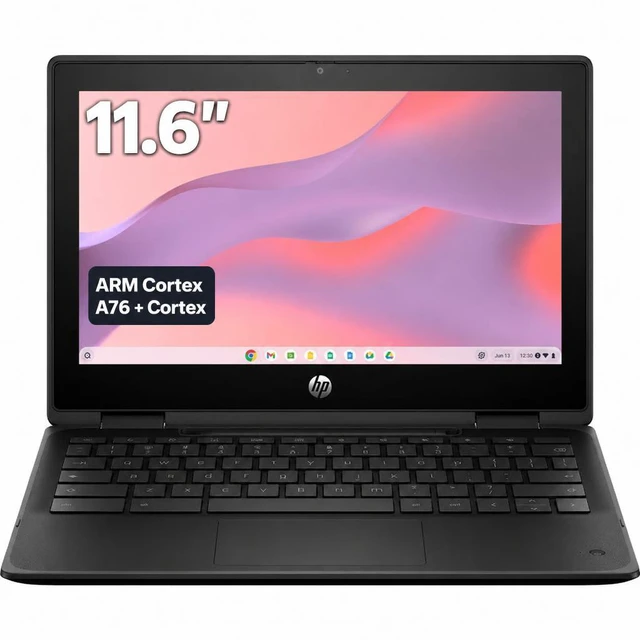
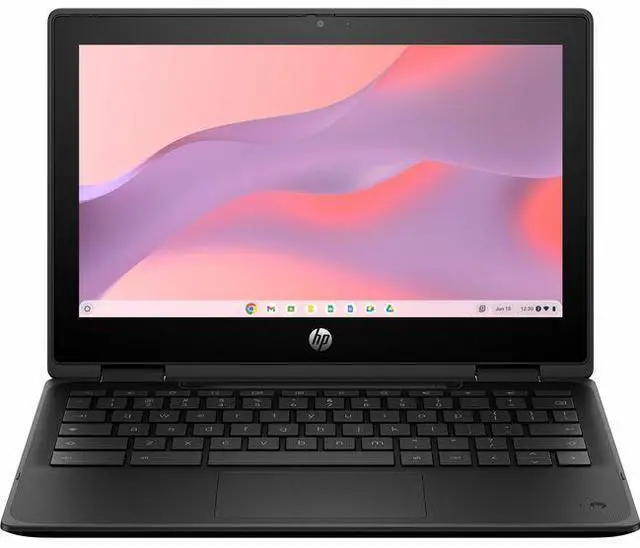
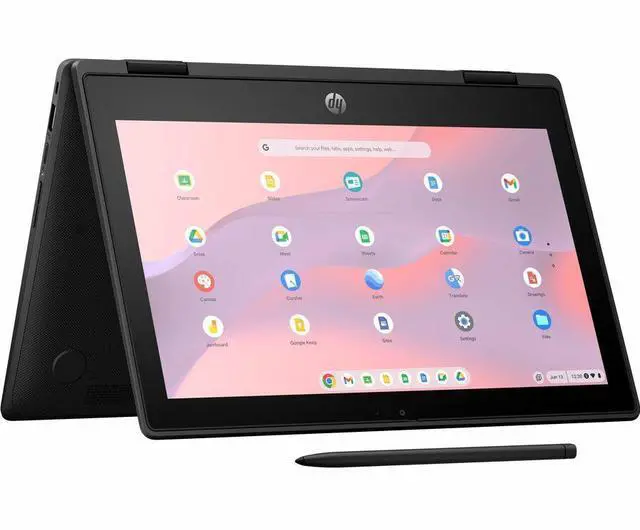
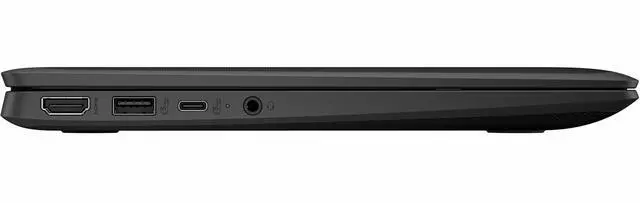
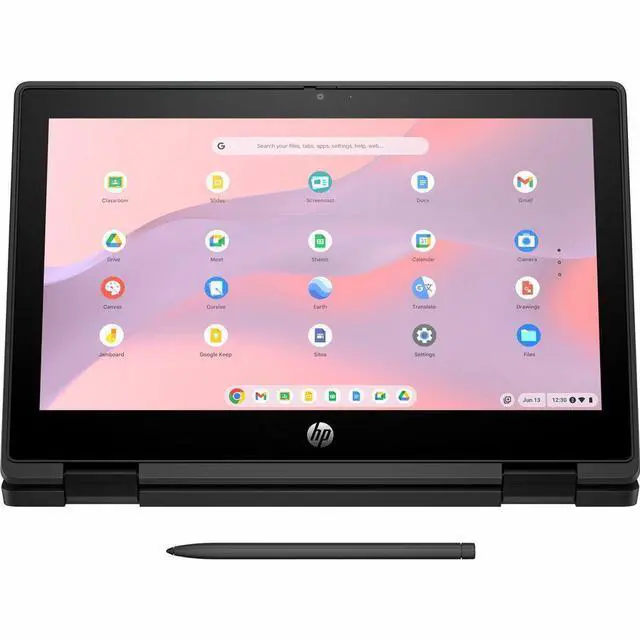
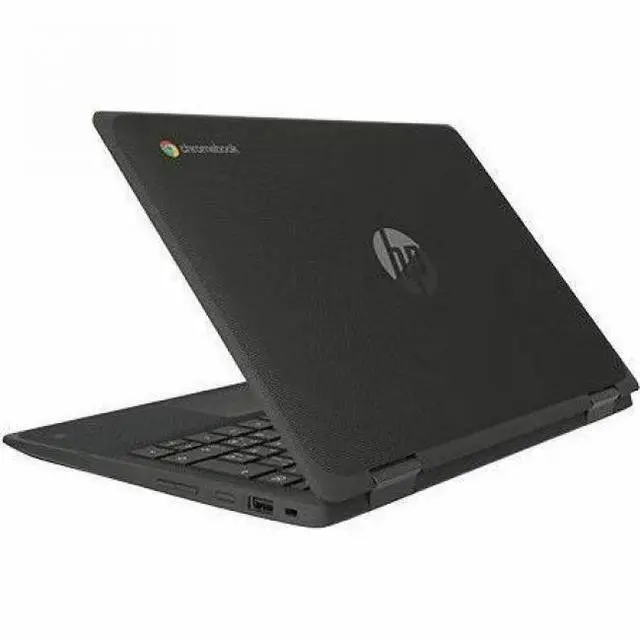
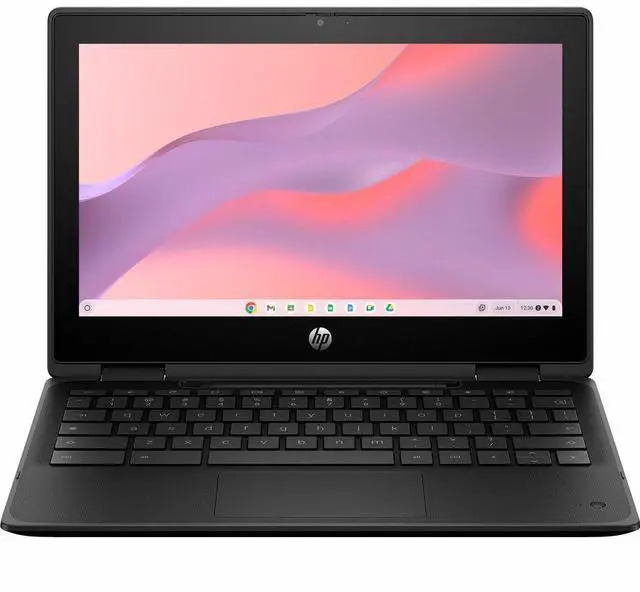
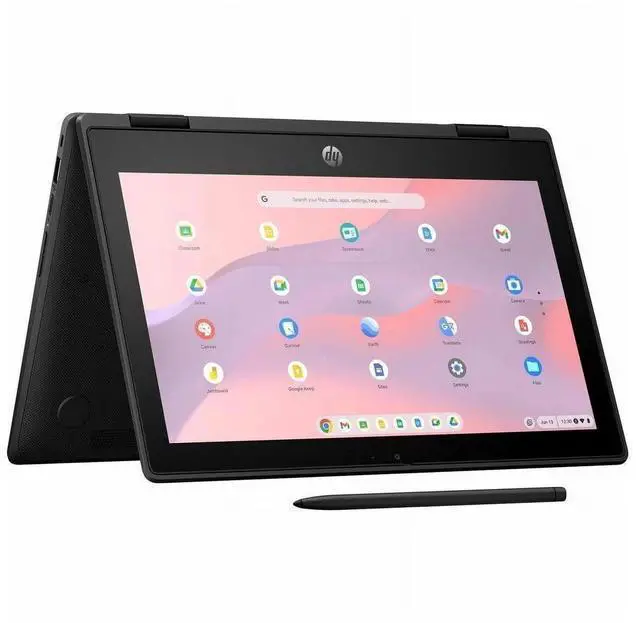
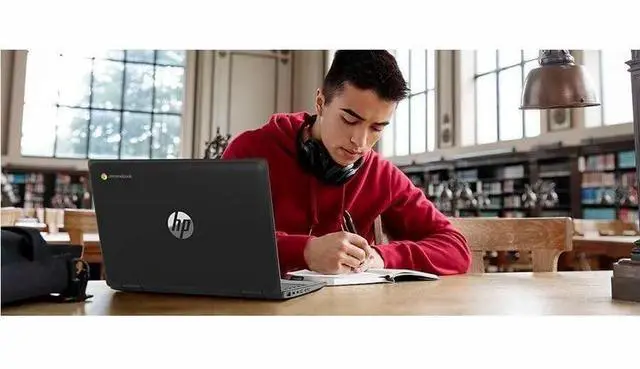
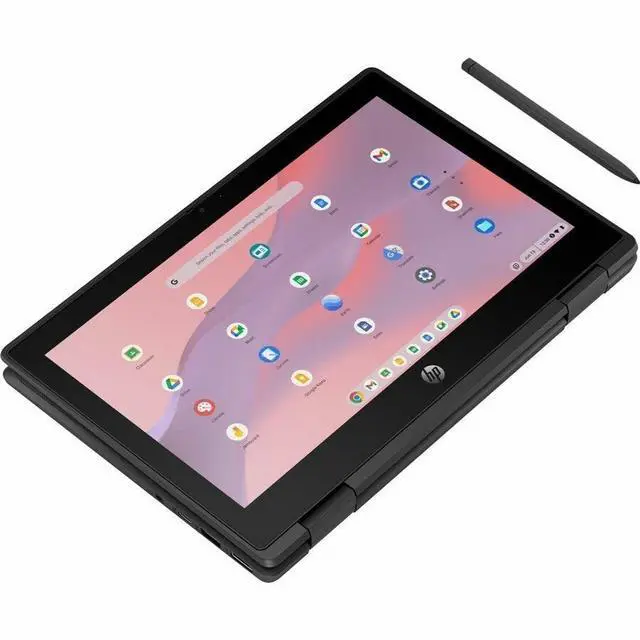
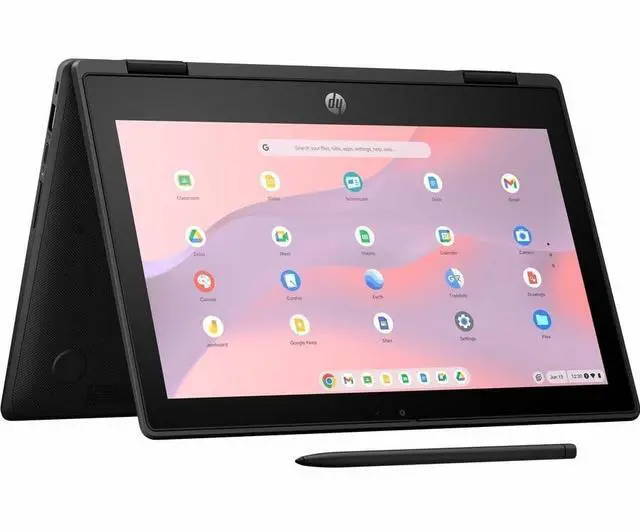


HP Fortis Flip G1m 11.6" Touchscreen Convertible 2 in 1 Chromebook - HD - Octa-core (ARM Cortex A76 + Cortex A55) - 32 GB Flash Memory - English Keyboard - Jet Black - MediaTek Kompanio 520 Chip
- HD
- Octa-core (ARM Cortex A76 + Cortex A55)
- 32 GB Flash Memory
- English Keyboard
- Jet Black
- MediaTek Kompanio 520 Chip
- 1366 x 768
- ChromeOS
- ARM Mali G52 MC2 2EE
- BrightView
- IEEE 802.11ax Wireless
+
+
Overview
Specs
Reviews
See all Q & A 
Any questions? Our AI mode will help you find out quickly.
Try me now
11 FFlipG1m11C MT8186 4G 32GB
Warranty & Returns
Warranty, Returns, And Additional Information
Warranty
- Limited Warranty period (parts): 1 year
- Limited Warranty period (labor): 1 year
- Read full details
Return Policies
- Return for refund within: 15 days
- Return for replacement within: 15 days
- This item is covered by Newegg.com's 15-Day Return Policy.
- Read full return policy for details.
Manufacturer Contact Info
- Manufacturer Website
- Support Phone: 1-800-474-6836
- Support Website
- View other products from HP
LOADING...
LOADING...
Learn about this product
The HP Fortis Flip G1m is an 11.6-inch touchscreen 2-in-1 Chromebook built for students, families, and everyday users who want a compact device for web browsing, schoolwork, streaming, and light app use with tablet-style flexibility.
Recommended For
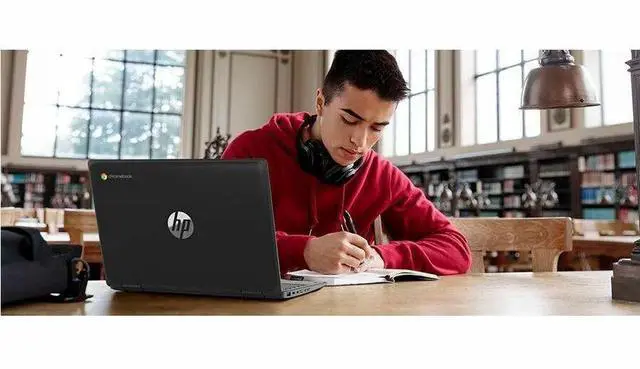
- Students in K-8 or school programs that need a spill-resistant, drop-tested Chromebook for daily classroom carry, shared carts, and rough handling.
- Users who mainly work in ChromeOS and Google apps—web browsing, Google Classroom, Docs, Slides, email, and streaming—with light multitasking rather than many tabs or heavy Android app use.
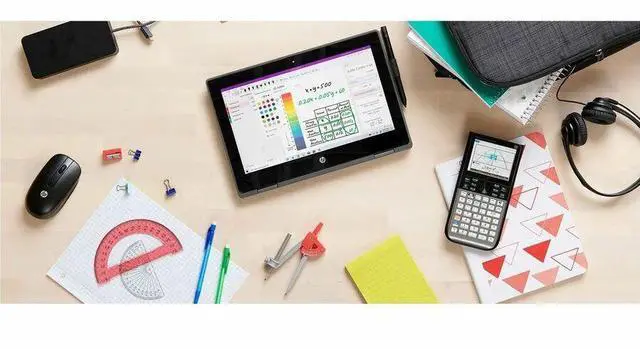
- Younger learners or note-taking users who benefit from a small 11.6-inch touchscreen and 360° modes for tablet, tent, and stand use in desks, reading corners, or compact spaces.
- Schools or families prioritizing long battery life, quiet fanless operation, and a long support window over display sharpness or higher-end performance.
Real-World Use Scenarios
- A student uses it for Google Classroom, Docs, web research, and YouTube lessons throughout the school day; the likely experience is smooth handling of basic Chromebook tasks with the flexibility to switch between laptop, tent, and tablet modes for reading or touch input.
- A family member uses it at home for email, web browsing, online shopping, and streaming classes or videos; the likely outcome is a simple, low-maintenance experience that feels fine for everyday tasks but not aimed at heavy multitasking or demanding desktop-style workloads.
- A younger student carries it between classes, opens it on small desks, and flips it into tablet or stand mode for worksheets, videos, or touch-based apps; the likely experience is good portability and easier handling in classrooms where a compact, rugged device matters more than screen size.
- A user joins browser-based video classes or meetings while keeping a few tabs open for notes and assignments; the likely outcome is acceptable performance for routine calls, but the 4GB/32GB configuration is better suited to lighter setups than large multitasking sessions.
- A user wants a couch-friendly secondary device for web apps, reading, and casual Android or touch-first use; the likely experience is convenient and quiet operation, while local storage limits mean it works best when most files and apps stay in the cloud.
Spec Summary
| Attribute | Value |
|---|---|
| Best For | Students, business, and home/personal users who need a compact 11.6" 2-in-1 Chrome OS convertible with a capacitive touchscreen and 360-degree hinge for tablet or laptop use |
| Processor And Core Count | MediaTek Kompanio 520 (ARM) processor — 4 cores at 2 GHz |
| GPU And VRAM | ARM Mali G52 MC2 2EE integrated GPU (no dedicated VRAM specified) |
| Display Spec | 11.6-inch BrightView capacitive touchscreen with native 1366 x 768 resolution, 60 Hz refresh rate, 250 Nit maximum brightness and 50% NTSC color gamut |
| Memory Configuration | 4 GB DDR4 SDRAM installed (maximum 4 GB) |
| Storage And Expansion | 32 GB SSD internal storage |
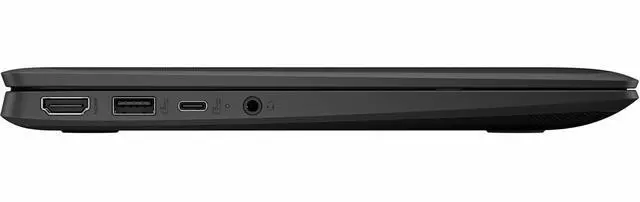
| High Speed I O | One HDMI port, USB Type-C video output, and three USB ports |
| Wired And Wireless Networking | Wi‑Fi 802.11ax and Bluetooth wireless connectivity |
| Webcam And Privacy | Built-in webcam |
| Keyboard And Control | Standard keyboard with touchpad plus capacitive touchscreen; 360-degree hinge enables tablet and laptop modes |
| Portability | 11.6-inch convertible in Jet Black, package weight 3.9 Pounds, dimensions 16.1 L x 10.1 W x 2.5 TH inches |
| External Display And Docking Fit | Pairs with external displays via HDMI or USB-C video output and supports USB-C and Bluetooth accessories (mice, keyboards, storage, printers, audio devices) |
| Operating System And Software | Chrome OS; internet security software included; no office productivity suite included |
| Model Identifiers | HP Fortis Flip G1m (model B61BHUT#ABA), manufacturer Hewlett Packard |
Reference Q&A
Q: Should I choose the HP Fortis Flip G1m or a Chromebook Plus model?
A: Choose the HP Fortis Flip G1m if you want a smaller 11.6-inch convertible Chromebook for basic web work, school tasks, touch use, and easy portability. Choose a Chromebook Plus model if you expect heavier multitasking, more local storage, more demanding Android or Linux use, or AI-focused ChromeOS features tied to Chromebook Plus hardware. The key trade-off is that the Fortis Flip G1m is built around an entry-level 4GB/32GB class configuration, while Chromebook Plus devices require higher hardware tiers such as at least 8GB RAM and 128GB storage.
Q: Is the HP Fortis Flip G1m better than a basic Intel Celeron or N-series Chromebook?
A: The HP Fortis Flip G1m is usually the better fit when battery life, fanless operation, and simple ChromeOS use matter more than raw x86 compatibility. Reviews of similar Kompanio 520 Chromebooks show this chip can compare well against older low-end Intel Chromebook processors for everyday browsing, streaming, and school workflows. A basic Intel model can still make sense if you specifically prefer an x86 platform or find a stronger Intel configuration with more memory and storage. In practice, the better buying decision often comes down to RAM, storage, and display quality rather than the entry-level processor alone.
Q: Should I buy the HP Fortis Flip G1m or a larger 14-inch Kompanio 520 Chromebook?
A: Choose the HP Fortis Flip G1m if you value a compact 11.6-inch convertible design, touch input, and a more school-friendly rugged form factor. Choose a 14-inch Kompanio 520 Chromebook if you want a roomier display for side-by-side tabs, documents, and longer desk use. Performance should be broadly similar when the larger model uses the same processor class, so the main trade-offs are screen size, portability, and whether you want a 2-in-1 design versus a more traditional laptop layout.
Q: Is the HP Fortis Flip G1m worth choosing over a lower-cost non-touch Chromebook?
A: The HP Fortis Flip G1m is the better choice if you specifically want touch input, a 360-degree hinge, and a device that can switch between laptop, tablet, tent, and stand modes. A lower-cost non-touch Chromebook is the simpler value option for typing, web browsing, and streaming when you do not need tablet-style use. The trade-off is straightforward: the Fortis Flip G1m adds flexibility and a more durable education-style design, while a basic clamshell Chromebook may offer similar everyday speed at a lower price if the processor and memory are comparable.
Q: Should I choose this 4GB RAM and 32GB storage version or a higher-memory Chromebook?
A: Choose this HP Fortis Flip G1m configuration if your use is light: browser-based schoolwork, email, video streaming, and a limited number of tabs or apps at once. Choose a higher-memory Chromebook if you keep many tabs open, rely on Android apps, use Linux features, or want more headroom for longer-term use. Community feedback around Kompanio 520 systems consistently points to memory capacity as a more important limiter than the chip itself, so moving from 4GB to 8GB usually matters more than small processor differences in this class.
Q: Is the HP Fortis Flip G1m a good fit for note-taking, web browsing, meetings, and basic office work?
A: Yes, for light Chromebook tasks it is a practical fit. The 11.6-inch touchscreen, 2-in-1 form factor, ChromeOS, 4GB memory, and 32GB storage are enough for browsing, Google Docs, email, video calls, and simple note-taking. The trade-off is headroom: 4GB RAM and 32GB storage are limiting for heavy multitasking, large offline files, or more demanding apps.
Q: Is it worth buying as a travel or grab-and-go work device?
A: It makes sense as a portable secondary device, especially if you want a small Chromebook for email, browser-based work, streaming, and travel use. Its 11.6-inch size and simple ChromeOS workflow favor portability, but the compact HD display and entry-level memory/storage make it less suitable as your only machine for all-day multitasking or large spreadsheets.
Q: Who is this Chromebook most suitable for?
A: It is best for students, families, and budget buyers who mainly use ChromeOS apps and web services. It is a better fit for schoolwork, web apps, email, and media than for power users. Buyers who need lots of local storage, many tabs open at once, or desktop-class creative software should look for a Chromebook with at least 8GB RAM and more storage.
Q: What are the main trade-offs versus a similar Chromebook with 64GB storage or 8GB RAM?
A: The main trade-off is longevity under heavier use. A comparable model with 64GB storage gives more room for Android apps and offline files, while 8GB RAM handles more tabs and multitasking with less slowdown. The Fortis Flip G1m still covers basic Chromebook use well, but its 4GB RAM and 32GB storage are the clearest constraints versus better-equipped alternatives.
Q: Is this a good alternative to a Windows laptop?
A: Only if your work already fits ChromeOS. It is a good alternative for browser-based tasks, Google Workspace, streaming, and lightweight personal use. It is not the best substitute for a Windows laptop if you need full desktop Windows software, complex file workflows, or specialized programs.
Q: Who is the HP Fortis Flip G1m 11 best suited for?
A: This model fits basic ChromeOS use: school portals, web browsing, Google Docs, email, video streaming, and light note-taking. Its 11.6-inch convertible design and touch screen make it more suitable for students or buyers who want a small, portable Chromebook than for users needing a larger screen or heavier multitasking.
Q: Is the HP Fortis Flip G1m 11 a good buy for schoolwork and everyday tasks?
A: Yes, if your needs are light. With ChromeOS, a MediaTek Kompanio 520, 4GB RAM, and 32GB storage, it is a practical fit for browser-based schoolwork, documents, and streaming. The trade-off is limited headroom for many tabs, heavier Android app use, or long-term performance expectations compared with 8GB models.
Q: Can the HP Fortis Flip G1m 11 replace a regular laptop for work or multitasking?
A: Only for lightweight work. It can handle web apps, writing, meetings, and basic cloud workflows, but the 4GB memory, 32GB storage, and 1366 x 768 11.6-inch display make it a weak replacement for a full laptop if you rely on many tabs, larger files, desktop software, or sustained multitasking.
Q: Is the 2-in-1 touch design worth it on this Chromebook?
A: It is worth it if you specifically want tablet-style use, touch input, or flexible positioning for reading and note-taking. The trade-off is that buyers and school IT discussions often flag touch and flip models as costlier to repair than non-touch clamshell Chromebooks, so durability and repair cost matter more here than on a basic non-touch model.
Q: Is the HP Fortis Flip G1m 11 a good choice for Android apps or light gaming?
A: It is acceptable for limited use, but it is not the best fit if Android apps or games are a priority. Community discussion around Kompanio 520 Chromebooks shows that simple games may run, but 4GB RAM is a common constraint, and Android apps can feel heavier on lower-memory ChromeOS devices.