Best Sellers
- $3,313.44
- + FREE SHIPPING
- $3,238.41
- + FREE SHIPPING
Sponsored Products
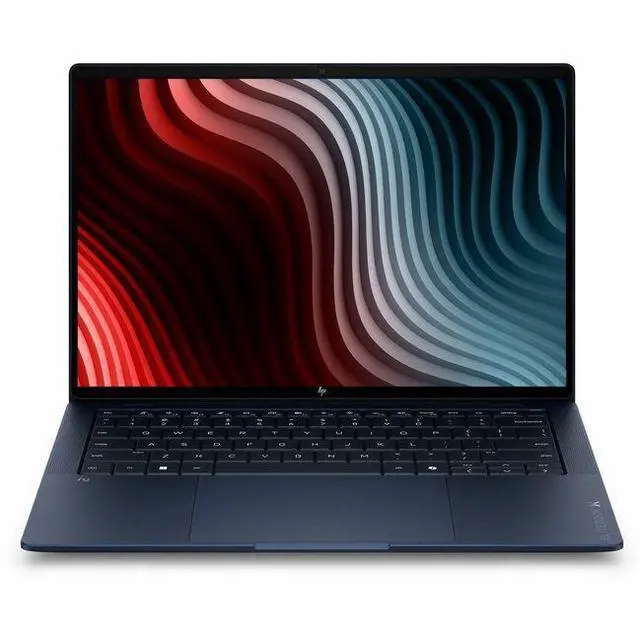
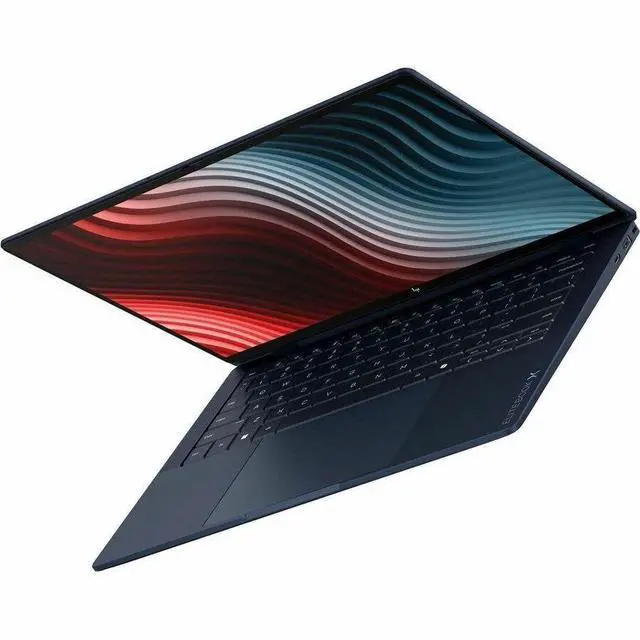
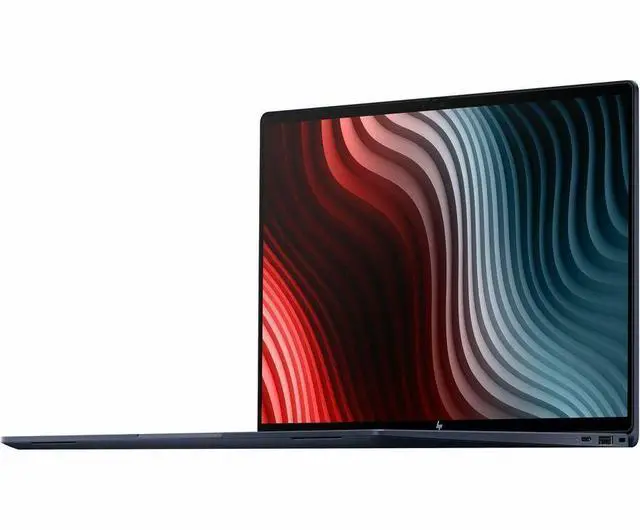
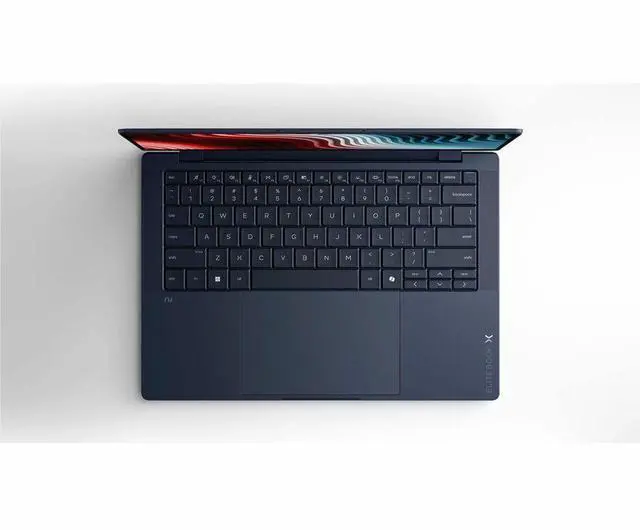
HP EliteBook X G2a 14" Copilot+ PC Notebook - AMD Ryzen AI 7 PRO 450 - 32 GB - 1 TB SSD - AMD Radeon 860M - Windows 11 Pro - Webcam - IEEE 802.11be Wireless LAN Standard - Wi-Fi 7 - D72WCUT#ABA
- 2.8K
- 120 Hz
- AMD Ryzen AI 7 PRO 450
- 32 GB
- 1 TB SSD
- English Keyboard
- Atmospheric Blue
- AMD Chip
- 2880 x 1800
- Windows 11 Pro
- AMD
- In-plane Switching (IPS) Technology
- Front Camera/Webcam
- IEEE 802.11be Wireless LAN Standard - Wi-Fi 7
Any questions? Our AI mode will help you find out quickly.
Warranty & Returns
Warranty, Returns, And Additional Information
Warranty
- Limited Warranty period (parts): 1 year
- Limited Warranty period (labor): 1 year
- Read full details
Return Policies
- Return for refund within: 15 days
- Return for replacement within: 15 days
- This item is covered by Newegg.com's 15-Day Return Policy.
- Read full return policy for details.
Manufacturer Contact Info
- Manufacturer Website
- Support Phone: 1-800-474-6836
- Support Website
- View other products from HP
Learn about this product
The HP EliteBook X G2a is a 14-inch Copilot+ business laptop for professionals who want a premium ultraportable with a sharp 2.8K 120Hz touch display, 32GB RAM, 2TB SSD, Wi‑Fi 7, and Windows 11 Pro for fast multitasking, travel, and AI-assisted productivity.
Recommended For
- Mobile professionals who spend most of the day in meetings, on the road, or between offices and want a light 14-inch business laptop with long battery life, fast charging, a strong webcam, and enterprise-focused features.
- Corporate users, consultants, and managers who need a premium Windows work laptop for document-heavy work, browser multitasking, spreadsheets, video calls, and security-sensitive workflows rather than gaming or studio-class rendering.
- Users who want a high-resolution touch display for reading, presentations, web apps, and side-by-side office work in a compact chassis, especially if they value a taller productivity-first screen more than a large 15- or 16-inch workspace.
- Early enterprise adopters of Copilot+ and local AI features who specifically want an NPU-equipped Windows Pro laptop for on-device camera effects, AI-assisted productivity, and longer-term fleet readiness.
Real-World Use Scenarios
- Hybrid work and travel: carrying it between meetings, working in hotel lobbies, and finishing a full day of email, documents, browser tabs, and video calls feels practical because the chassis is very light for a 14-inch business laptop and reviews describe day-to-day performance as consistently responsive.
- AI-assisted office work: using Copilot-style features to summarize meeting transcripts, turn emails into task lists, draft documents, and prepare project updates is a core fit for this model, with vendor-linked testing centered on exactly these workflows and showing noticeably faster completion than doing them manually on older PCs.
- Large multitasking sessions: keeping many browser tabs, Office apps, chat, PDF files, and cloud tools open at once should feel smooth for typical business users, and the 32 GB memory / fast SSD setup matches how reviewers describe the machine handling simultaneous workloads without feeling slow.
- Frequent video meetings: for remote work with Zoom or Teams, the expected experience is clear framing, a sharper-than-basic laptop camera, and enough headroom to keep conferencing, note-taking, and browser research running together without the system feeling bogged down.
- Light creative and visual work: editing presentations, reviewing high-resolution assets, basic photo work, and light graphics-heavy productivity tasks should be comfortable, helped by the sharp 2.8K 120 Hz display and integrated Radeon 860M being described in reviews as suitable for low-to-mid graphics workloads rather than heavy 3D production.
- Occasional off-hours gaming or GPU-accelerated apps: it can handle lighter games or casual play at reduced settings, but the likely real-world outcome is that this works best as a business laptop first, with integrated graphics that are acceptable for occasional use rather than a replacement for a dedicated gaming or workstation notebook.
Spec Summary
| Attribute | Value |
|---|---|
| Best For | Mobile professionals, business users, and students who need AI-assisted productivity on a high-resolution 14" laptop with 32 GB RAM and a large NVMe SSD; suited for on-the-go productivity, collaboration, and AI workflows using Copilot+ PC |
| Processor And Core Count | AMD Ryzen AI 7 PRO 450 (Ryzen AI) up to 5.10 GHz turbo, 8-core processor with 16 MB L3 cache |
| Memory Configuration | 32 GB LPDDR5X installed RAM; reported maximum memory 64 GB |
| Storage And Expansion | 2 TB internal NVMe M.2 SSD (M.2 interface indicated) |
| Display Spec | 14.0" touch IPS display, 2880 x 1800 (2.8K) native resolution, 120 Hz refresh, In‑Plane Switching (IPS) technology and up to 500 nits brightness |
| GPU And VRAM | Integrated AMD Radeon 860M graphics with shared system memory |
| High Speed I O | Two Thunderbolt ports and two total USB ports including a USB Type‑C (10 Gbps signaling, USB Power Delivery, DisplayPort 2.1) plus one HDMI output |
| Battery And Power | 3‑cell lithium polymer battery (installed, 1 battery) ~4000 mAh energy content with fast charge to 50% in 30 minutes |
| Wired And Wireless Networking | Wi‑Fi 7 (802.11be) wireless LAN and Bluetooth connectivity |
| Webcam And Privacy | Front-facing 5 MP webcam (webcam capability present) |
| Dimensions And Weight | 0.56" H x 12.3" W x 8.5" D; item weight 2.45 lb |
| Operating System And Security | Windows 11 Pro; package references Wolf Pro Security Edition included in media/build |
| Additional Features | Copilot+ PC AI features (Ryzen AI), Low Blue Light / Eye Ease and anti‑glare coating reported, no optical drive information available |
| Model Identifiers | HP EliteBook X G2a (Series EliteBook), Model/Part D72WCUT#ABA; Manufacturer Hewlett Packard |
| Package Contents | Includes EliteBook X G2a 14 inch notebook (Next Gen AI PC Wolf Pro Security Edition) and power adapter |
Reference Q&A
Q: Should I choose the HP EliteBook X G2a or the Lenovo ThinkPad T14s Gen 6 AMD?
A: Choose the HP EliteBook X G2a if you want a sharper 2.8K 120 Hz touch display, a very light 14-inch design at about 2.45 lb, and a premium business configuration with 32 GB RAM and 2 TB SSD already included. Choose the ThinkPad T14s Gen 6 AMD if your priority is the ThinkPad keyboard ecosystem, traditional business-service familiarity, and a platform that reviewers commonly frame as a durable work-focused alternative. Both target premium commercial buyers with Ryzen AI PRO processors and Wi-Fi 7, so the decision is mainly display-and-portability preference versus ThinkPad input and fleet standardization.
Q: Is the HP EliteBook X G2a worth buying over a lower-spec Ryzen AI model?
A: Yes, if you expect heavier multitasking, larger local files, or longer ownership. This EliteBook X G2a uses the Ryzen AI 7 PRO 450, which AMD positions above Ryzen AI 7 445-class chips with more CPU threads and stronger integrated graphics, while this specific configuration also moves to 32 GB RAM and 2 TB SSD. A lower-tier Ryzen AI system is the more practical choice for routine office work and cloud-first use, but this model makes more sense when you want more headroom for local AI features, creative work, or running many apps at once.
Q: Should I step up from this EliteBook X G2a to a Ryzen AI 9 HX PRO configuration?
A: Step up only if GPU-heavy work, sustained compute, or extra AI headroom is part of your daily workload. AMD positions Ryzen AI 9 HX PRO 470-class chips above the Ryzen AI 7 PRO 450 with more CPU cores, more cache, and Radeon 890M graphics instead of Radeon 860M, so the upgrade is more meaningful for power users than for standard office use. For productivity, meetings, browser-heavy work, and travel, the EliteBook X G2a with Ryzen AI 7 PRO 450 is already a high-end business configuration and is the more balanced choice.
Q: Is the HP EliteBook X G2a better for portability or should I pick a performance-first 14-inch business laptop?
A: Pick the EliteBook X G2a if you want a travel-friendly premium business laptop that still has strong everyday performance. At about 2.45 lb with a 14-inch chassis, it is clearly positioned as a thin-and-light commercial system, not a mobile workstation. A performance-first 14-inch business laptop is the better fit if your workload leans toward heavier sustained CPU or GPU use, but this EliteBook is the smarter choice when mobility, display quality, and all-around office responsiveness matter more than peak throughput.
Q: Should I buy the HP EliteBook X G2a or wait for a Snapdragon-based EliteBook X G2q?
A: Choose the EliteBook X G2a if you want an x86 business laptop with strong compatibility for existing Windows applications, plus the balance of Ryzen AI PRO CPU performance and Radeon 860M graphics. Consider the EliteBook X G2q if battery-life priorities or ARM-based platform preferences are more important to you and your software stack is already verified for Snapdragon. The safer default for mixed enterprise software, local compatibility, and broader legacy workflow support is the G2a.
Q: Is this a good laptop for travel, meetings, and everyday office work?
A: Yes. This configuration is well suited for mobile office use because it combines a 14-inch touchscreen, low 2.45 lb carry weight, 32 GB RAM, a 2 TB SSD, Windows 11 Pro, and a built-in webcam. Those are the same factors that appear repeatedly in retail Q&A for business and mainstream laptops: buyers ask about portability, video meetings, and basic productivity readiness. The main caveat is that this model is positioned as a premium business laptop, so it makes more sense for users who value a lighter chassis, higher-resolution display, larger memory, and business-oriented OS than for buyers who only need basic web and document work.
Q: Is it good for note-taking and meetings?
A: Yes, for note-taking and meetings it is a strong fit. The touchscreen helps with quick navigation and annotation-style use, while the 5 MP webcam, Windows 11 Pro, and 32 GB RAM support video calls, multitasking, and typical productivity apps. A practical trade-off is that the provided product data does not mention a bundled stylus or 2-in-1 hinge, so it is better described as a touchscreen clamshell for typing, meetings, and light touch input rather than a pen-first tablet replacement.
Q: Who is this laptop best suited for?
A: It is best suited for professionals who want a premium 14-inch Windows business laptop for multitasking, hybrid work, and long-term everyday use. The combination of Ryzen AI 7 PRO, 32 GB memory, 2 TB storage, Windows 11 Pro, Wi-Fi 7, and a high-resolution 120 Hz display is more than most casual users need, but it fits buyers who keep many apps open, work with large files, join frequent video calls, or want newer AI PC hardware. It is less suitable for budget-focused shoppers who could accept less memory, less storage, and a lower-spec display.
Q: What are the main trade-offs versus a similar consumer or 2-in-1 alternative?
A: The main trade-off is business focus versus flexibility or value. Compared with many consumer laptops and 2-in-1 models discussed on retail Q&A pages, this EliteBook gives you more business-oriented specs out of the box, including Windows 11 Pro, very high memory and storage, Wi-Fi 7, and a premium 14-inch 2.8K 120 Hz touchscreen. In return, buyers who mainly want pen use, tablet mode, or a lower price may find better value in a convertible model. If your priority is work-first productivity, portability, and headroom for heavier multitasking, this EliteBook is the stronger fit. If your priority is stylus use or maximum versatility per dollar, a 2-in-1 alternative may be better.
Q: Is it better than a similar alternative for heavy multitasking?
A: For heavy multitasking, this configuration is stronger than many mainstream 14-inch alternatives because 32 GB RAM and a 2 TB SSD reduce the need to compromise on open apps, browser tabs, local files, and virtual meeting workloads. It is especially sensible for users choosing between premium business models and midrange consumer laptops with 16 GB RAM and smaller storage. The trade-off is cost: if your workload is mostly email, documents, streaming, and light browser use, similar laptops with lower memory and storage will often be sufficient for less money.
Q: Who is the HP EliteBook X G2a 14 best suited for?
A: It is best suited for professionals who want a very light 14-inch business laptop with high memory and storage, a sharp high-refresh display, touchscreen support, Windows 11 Pro, and modern wireless features like Wi-Fi 7. The listed 32GB RAM and 2TB SSD make it a better fit for heavy multitasking, office work, travel, video calls, and long-term business use than for budget buyers or people looking for a gaming-first laptop.
Q: Is the HP EliteBook X G2a 14 a good work and travel laptop?
A: Yes, for work and travel it is a strong fit on paper. It combines a 14-inch form factor, low 2.45 lb weight, touchscreen, 5 MP webcam, Windows 11 Pro, and fast charging, which are all practical for meetings, commuting, and remote work. The trade-off is that this configuration is more premium than necessary if your needs are limited to basic browsing or document editing.
Q: What are the main trade-offs of buying this model?
A: The main trade-offs are price, upgrade flexibility, and gaming value. This configuration prioritizes portability, business features, display quality, and large built-in memory/storage rather than dedicated graphics. That makes it sensible for productivity and general professional use, but less compelling if you want the best value for casual use, easy future RAM upgrades, or stronger gaming performance.
Q: Is the HP EliteBook X G2a 14 worth buying over a cheaper mainstream laptop?
A: It is worth buying if you specifically want premium business-laptop priorities: low weight, Windows 11 Pro, high RAM and SSD capacity, better conferencing features, and a sharper 120 Hz touchscreen. It is less worth it if your goal is simply the lowest-cost laptop for everyday tasks, because many cheaper models can handle basic school or home use without needing this level of specification.
Q: Is this a good choice if I want to run Linux?
A: It is not the safest choice if Linux compatibility is a top buying criterion. Community discussion around HP laptops and the upcoming EliteBook X G2a includes concern about Linux reliability and firmware behavior, even though that does not prove this exact configuration will have problems. If you plan to stay on Windows 11 Pro, this concern matters less. If Linux is essential, you may want to verify model-specific Linux reports before buying.