




 here!
here!
I’m your shopping assistant for PC builds, upgrades, and everything tech.
Got questions? Ask away!
Start a conversation
here!
I’m your shopping assistant for PC builds, upgrades, and everything tech.
Got questions? Ask away!
Start a conversation





Any questions? Ask CelesteSM will help you find out quickly.
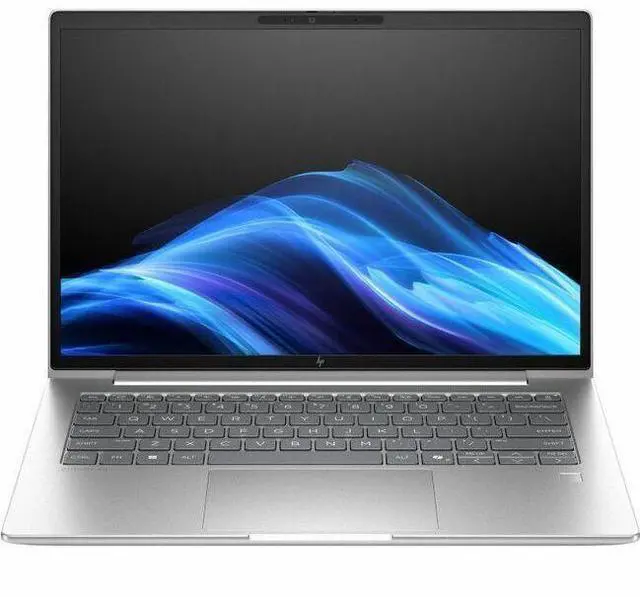
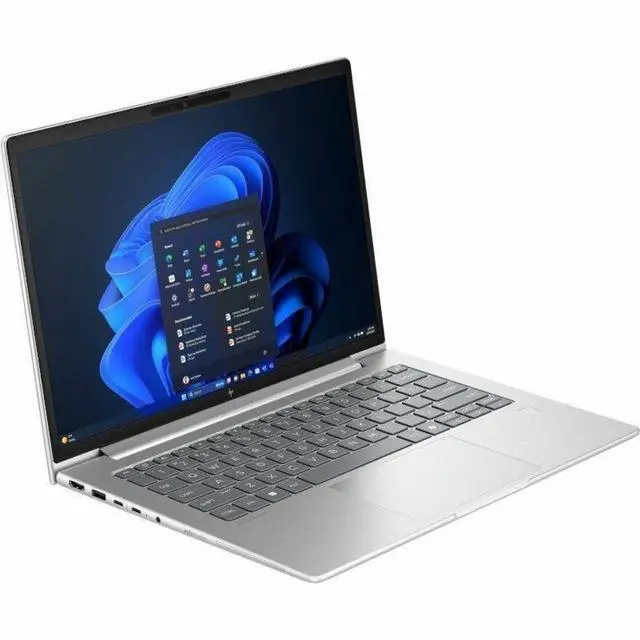
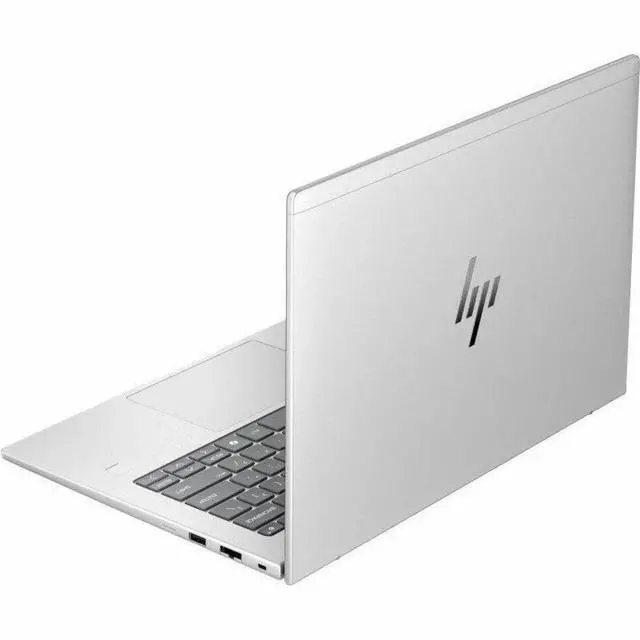
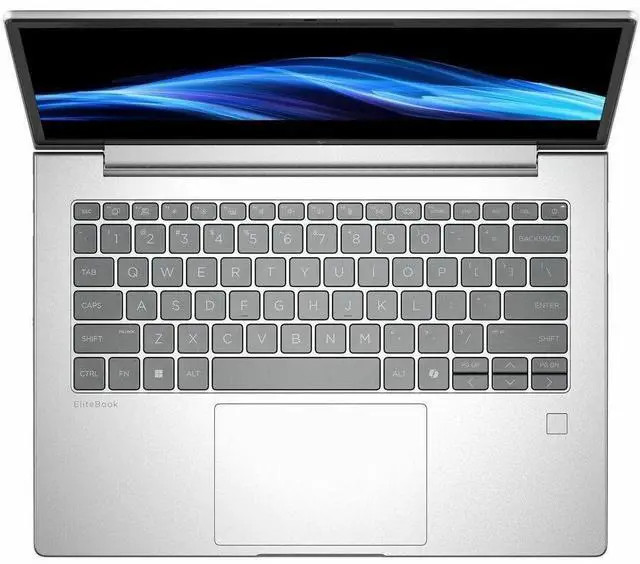
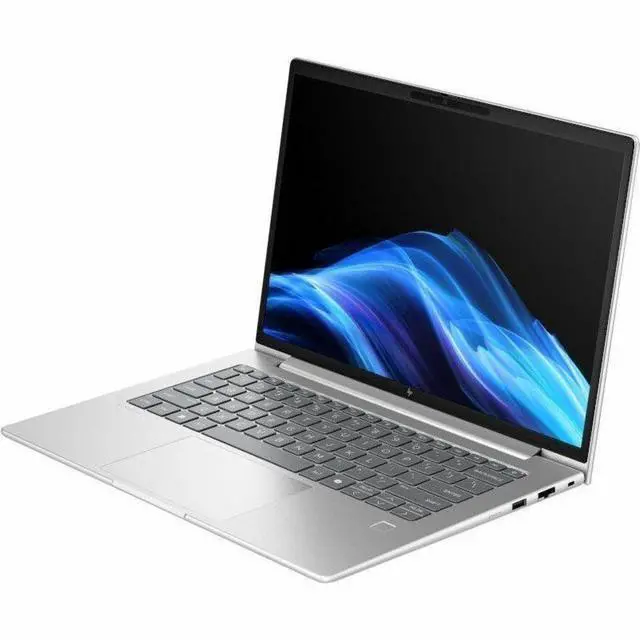
The HP EliteBook 6 G1i is a 14-inch business laptop with an Intel Core Ultra 7 265U, 16GB RAM, 512GB SSD, Windows 11 Pro, and Wi-Fi 7, making it a strong fit for professionals who need a portable system for office work, video calls, multitasking, and modern network connectivity.
| Attribute | Value |
|---|---|
| Best For | Business and student users who need a 14-inch Windows 11 Pro notebook with mid-range productivity hardware (16 GB RAM, 512 GB SSD) and Wi‑Fi 7 connectivity |
| Processor And Core Count | Intel Core Ultra 7 265U (Series 2) processor with up to 5.3 GHz turbo and 12 MB L3 cache |
| Memory Configuration | 16 GB installed DDR5 SODIMM (two slots) with up to 64 GB supported |
| Storage And Expansion | 512 GB solid-state drive in M.2 form factor |
| Display Spec | 14.0" WUXGA (1920 x 1200) IPS display, 60 Hz refresh, up to 300 nits brightness and ~62% sRGB color coverage |
| GPU And VRAM | Integrated Intel Graphics; graphics RAM type listed as DDR5 SDRAM |
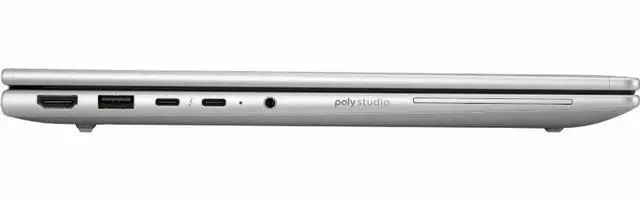
| High Speed I O | 2 Thunderbolt ports, 2 USB ports, 1 HDMI port and Gigabit Ethernet (RJ-45) for direct wired networking and peripheral connectivity |
| External Display And Docking Fit | Two Thunderbolt ports plus one HDMI output enable docking and external monitor connections |
| Wired And Wireless Networking | Wi‑Fi 7 (802.11be) wireless, Bluetooth support, and Gigabit Ethernet (RJ-45) |
| Battery And Power | 3-cell battery with fast-charge capability (50% in 30 minutes); battery weight listed as 7.34 oz |
| Webcam And Audio | 5 megapixel webcam and stereo audio |
| Security And Biometrics | Fingerprint reader for biometric sign-in |
| Keyboard And Control | Non-touch 14" display with standard keyboard input |
| Dimensions And Weight | 12.5" wide x 8.8" deep x 0.67" high, weight 3.09 lb |
| Model Identifiers | HP EliteBook 6 G1i, model/part D4EB2UT#ABA (Hewlett Packard) |
Q: Should I buy the HP EliteBook 6 G1i 14 or a Lenovo ThinkPad T14 Gen 6 for business work?
A: Choose the HP EliteBook 6 G1i 14 if you want a mainstream 14-inch business laptop with Intel Core Ultra 7 265U, vPro support, Wi-Fi 7, built-in Gigabit Ethernet, and a lighter baseline configuration around 3.09 lb. Choose the ThinkPad T14 Gen 6 if your priority is a more premium AI-ready platform with stronger integrated graphics and a much higher NPU tier in Lunar Lake configurations, since Lenovo positions many T14 Gen 6 variants with Intel Arc Xe2 graphics, 48 TOPS NPU capability, up to 32 GB on-package memory, and a 57 Wh battery. In short: the EliteBook 6 G1i fits traditional office, management, and docked enterprise use well, while the T14 Gen 6 is the better fit when local AI features, graphics headroom, and higher-end configuration options matter more.
Q: Is the Core Ultra 7 265U version worth it over a Core Ultra 5 235U business laptop?
A: Buy the Core Ultra 7 265U configuration when you expect heavier multitasking, larger spreadsheets, more browser tabs, or longer device life in a managed business fleet. External CPU comparisons show the Ultra 7 265U and Ultra 5 235U are in the same efficiency-oriented class, but the gap is not dramatic for basic office work. That means a Core Ultra 5 model is usually the better value for email, web apps, Teams, and document work, while this EliteBook 6 G1i with Ultra 7 265U makes more sense if you want extra headroom without moving into a heavier performance laptop category.
Q: Should I get the HP EliteBook 6 G1i 14 or move up to a higher-tier HP EliteBook model?
A: Choose the EliteBook 6 G1i 14 if you want the core enterprise features first: Intel vPro support, Windows 11 Pro, Wi-Fi 7, wired Ethernet, a 5 MP webcam, and a practical 14-inch 16:10 chassis. Move up to a higher-tier EliteBook such as the EliteBook Ultra or EliteBook 8 family if you want stronger graphics, more advanced AI hardware, larger battery options, or more premium display and memory configurations. HP positions the EliteBook 6 series as a mainstream business line, while EliteBook Ultra and many EliteBook 8 variants are positioned higher for users who want thinner premium designs or more advanced platform capabilities.
Q: Is the HP EliteBook 6 G1i 14 better for portability or should I choose a performance-first laptop instead?
A: The EliteBook 6 G1i 14 is the better choice when portability, battery-conscious office use, and enterprise connectivity matter more than peak performance. Its Core Ultra 7 265U is a U-series business chip designed for efficient daily workloads, and the system keeps practical features like RJ-45 Ethernet and a 14-inch 1920 x 1200 display in a 3.09 lb chassis. A performance-first laptop is the better choice if your workload regularly includes sustained compiling, heavy content creation, engineering apps, or GPU-accelerated work, because those use cases benefit more from H-series CPUs, stronger integrated graphics tiers, or discrete GPUs than this configuration is designed to provide.
Q: Is this a good laptop for office work, meetings, and everyday business multitasking?
A: Yes. This EliteBook 6 G1i is well-suited for office work, web apps, video meetings, note-taking, spreadsheets, and typical business multitasking. Its Core Ultra 7 265U, 16 GB RAM, 512 GB SSD, 14-inch 1920 x 1200 IPS display, Windows 11 Pro, 5 MP webcam, and Wi-Fi 7 align with the features shoppers repeatedly ask for in remote-work and business laptops. The main limit is graphics: Intel integrated graphics are fine for productivity and light media use, but not the best choice for heavier gaming, 3D work, or advanced video creation.
Q: Is it worth buying as a travel work laptop?
A: Yes, if you want a business laptop that balances portability and practical connectivity. At 3.09 lb with a 14-inch display, it is travel-friendly for commuting and meetings, while still offering features many thin laptops drop, including RJ-45 Ethernet and HDMI. That makes it a better fit for users who work in offices, hotels, classrooms, or conference rooms and may need wired networking or easy monitor/projector connections. It is less ideal if your top priority is the lightest possible chassis.
Q: Who is this laptop best suited for?
A: This model is best for business users, remote workers, students in office-heavy programs, and buyers who want a professional Windows laptop for documents, browser-based work, meetings, and general productivity. It is a stronger fit for practical work use than for gaming or creator workloads because it pairs a business-class Intel U-series processor with integrated graphics, 16 GB memory, Windows 11 Pro, and business-friendly ports.
Q: What are the trade-offs versus a gaming laptop or a laptop with dedicated graphics?
A: The trade-off is clear: this EliteBook is a better choice for business productivity, portability, and everyday efficiency, while a gaming laptop or creator laptop is better for demanding graphics workloads. Integrated Intel graphics are enough for office apps, streaming, and light visual tasks, but they are not the right match for modern AAA gaming, heavier 3D applications, or more intensive video editing. In return, business-focused laptops like this usually offer a more practical work-oriented design and connectivity.
Q: Is this better than a thin consumer laptop for work?
A: For business use, often yes. This model stands out if you value Windows 11 Pro, Intel vPro, a 5 MP webcam, Wi-Fi 7, HDMI, and built-in Ethernet in a 14-inch chassis. Many consumer laptops are thinner or more style-focused, but they often omit business features and full-size ports. The trade-off is that some consumer models may be lighter, cheaper, or offer touchscreens, while this EliteBook is more focused on dependable office and enterprise use.
Q: Is the HP EliteBook 6 G1i 14 a good buy for office work and everyday business use?
A: Yes, if you want a business-focused 14-inch laptop for productivity, meetings, web apps, and travel. The listed configuration has a Core Ultra 7 265U, 16 GB RAM, 512 GB SSD, Windows 11 Pro, Ethernet, Wi-Fi 7, and a 5 MP webcam, which fits typical office and remote-work needs well. Its main trade-off is that it is a mainstream business model, so buyers looking for premium display options, stronger graphics, or lighter designs may want a higher-tier model.
Q: Who is the HP EliteBook 6 G1i 14 best suited for?
A: It is best suited for business users, students with mainly productivity workloads, and anyone who values built-in enterprise features such as Windows 11 Pro, wired Ethernet, and a professional webcam setup more than gaming or creative performance. It is less suitable for buyers who need dedicated graphics, a high-refresh display, or a touch screen.
Q: Is the HP EliteBook 6 G1i 14 good for travel and working between home and office?
A: Generally yes. At 3.09 lb with a 14-inch 1920 x 1200 non-touch display, it is portable enough for commuting and travel, and it includes practical business features such as Wi-Fi 7, Gigabit Ethernet, HDMI, and USB ports. The trade-off is that it is not especially light for a 14-inch laptop, so ultra-mobile buyers may prefer thinner premium models.
Q: What are the main trade-offs of the HP EliteBook 6 G1i 14?
A: The main trade-offs are that this configuration uses integrated Intel Graphics, a 60 Hz non-touch IPS display, and 16 GB RAM, so it is aimed at productivity rather than gaming, 3D work, or display-sensitive creative tasks. Community discussion also shows that buyers often compare it against more premium EliteBook tiers, which suggests the 6-series is chosen more for practical business value than for flagship features.
Q: Is the HP EliteBook 6 G1i 14 a good replacement for an older office laptop?
A: Yes, if your current laptop is mainly used for office software, browser-based work, video calls, and general multitasking. This model adds a newer Core Ultra processor platform, 16 GB memory, 512 GB SSD storage, a 5 MP webcam, Windows 11 Pro, and modern connectivity including Wi-Fi 7 and Ethernet. It is a sensible replacement for aging business laptops, but not a major upgrade for users who specifically need workstation-class graphics or premium display features.


