here!
here!
I’m your shopping assistant for PC builds, upgrades, and everything tech.
Got questions? Ask away!
Start a conversation
here!
I’m your shopping assistant for PC builds, upgrades, and everything tech.
Got questions? Ask away!
Start a conversation Top Rated




Any questions? Ask CelesteSM will help you find out quickly.
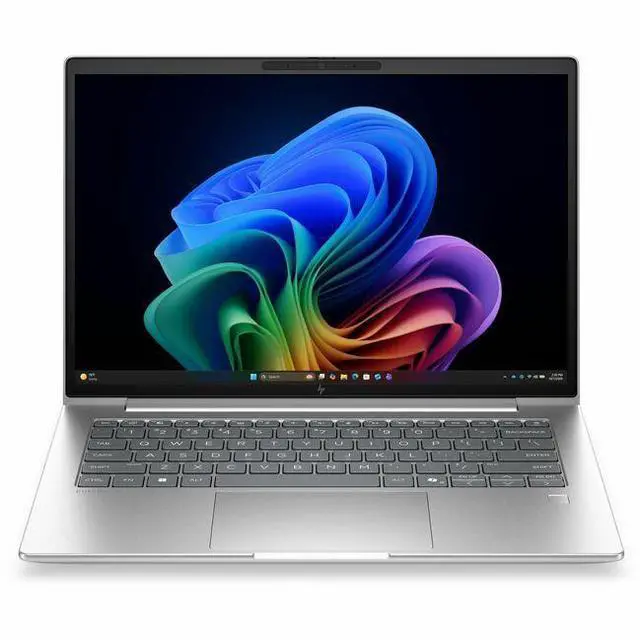
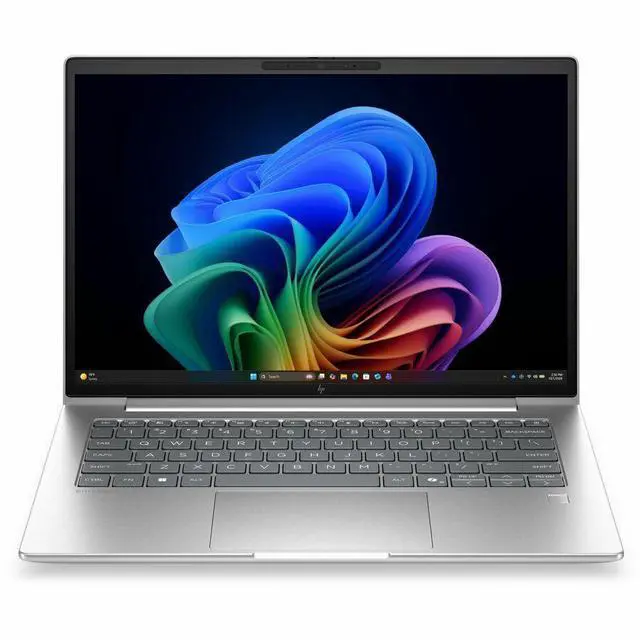
The HP EliteBook 6 G2i is a 14-inch Windows 11 Pro laptop with a WUXGA IPS display, Intel Core Ultra 5 Series 3 335, 16GB memory, and 512GB SSD, making it a strong fit for professionals, students, and home users who want a portable system for everyday productivity, video calls, and multitasking.
| Attribute | Value |
|---|---|
| Best For | Home/personal users as well as business and student use; 14-inch Windows 11 Pro notebook suited for general productivity and mobile workflows |
| Processor And Core Count | Intel Core Ultra 5 Series 3 (model 335) 4-core processor, up to 4.6 GHz boost with 12 MB L3 cache |
| GPU And VRAM | Integrated Intel graphics (integrated card) with DDR5 SDRAM listed as the graphics memory type |
| Display Spec | 14.0-inch WUXGA / 1920 x 1200 IPS LCD (native resolution 1920 x 1200), up to 300 nits brightness, anti‑glare coating and low blue‑light feature, non‑touch |
| Memory Configuration | 16 GB installed DDR5 memory; 2 RAM slots; supports up to 32 GB |
| Storage And Expansion | 512 GB solid‑state drive in M.2 form factor (512 GB SSD, M.2 interface) |
| High Speed I O | 2 Thunderbolt ports, 1 HDMI port and 2 total USB ports reported (no USB 2.0/3.0 ports listed); hardware interfaces include USB, HDMI and Ethernet |
| External Display And Docking Fit | External displays and docks supported via 2 Thunderbolt ports and the HDMI output |
| Battery And Power | Built‑in lithium‑ion battery (listed 4000 mAh), 3 cells, 1 battery included/installed; battery weight ~300 g and batteries packed with equipment |
| Wired And Wireless Networking | Wi‑Fi 7 and Bluetooth (true) with Gigabit Ethernet LAN; connectivity includes Wi‑Fi, Bluetooth, HDMI, USB, Thunderbolt and Ethernet |
| Webcam And Privacy | Front-facing webcam present; fingerprint recognition biometric security |
| Portability | Approximate weight 3.09–3.1 lb (package ~4.5 lb); notebook dimensions listed as 0.69" x 12.5" x 8.8" and package dimensions 10.8 x 18.7 x 2.5 inches |
| Model Identifiers | HP / Hewlett Packard model D9FX4UT#ABA, EliteBook 6 G2i edition (2026), notebook form factor; Windows 11 Pro included; sold for United States/North America |
| Additional Features | Pike Silver Aluminum color; display color gamut listed as 45 (ntsc); Low Blue Light and anti‑glare display treatment noted; integrated Intel video processor |
Q: Should I choose the HP EliteBook 6 G2i 14 or a mainstream business laptop like the Lenovo ThinkPad T14 Gen 6?
A: Choose the HP EliteBook 6 G2i 14 if you want a 14-inch business laptop focused on everyday office work, Windows 11 Pro, modern Copilot+ readiness, and serviceable business-laptop features such as integrated graphics, HDMI, and dual SODIMM memory support. Choose a ThinkPad T14 Gen 6-class alternative if your priority is a platform with broader third-party review coverage and easier direct comparison shopping. In practical buying terms, the EliteBook 6 G2i fits buyers who want a current HP commercial notebook with AI-PC positioning and standard productivity performance rather than a performance-led mobile workstation.
Q: Is the HP EliteBook 6 G2i 14 enough, or should I move up to a Core Ultra 7 configuration?
A: The Core Ultra 5 EliteBook 6 G2i 14 is the better fit for email, web apps, meetings, Microsoft 365, and general multitasking. Move up to a Core Ultra 7 configuration if you expect heavier sustained workloads, larger spreadsheets, more demanding multitasking, or want extra headroom for longer ownership. The trade-off is simple: Core Ultra 5 is the value-oriented business choice, while Core Ultra 7 is the better fit when performance margin matters more than keeping the configuration lean.
Q: Should I buy the HP EliteBook 6 G2i 14 or a lower-tier ProBook-style 14-inch business laptop?
A: Buy the EliteBook 6 G2i 14 when you want the step up into HP's commercial EliteBook line, including a more premium business positioning, Windows 11 Pro focus, and stronger fit for managed office deployment. A ProBook-style alternative makes more sense when budget matters more than tier placement and you mainly need standard office capability. In short, the EliteBook 6 G2i is the better choice for buyers who care about business-class positioning and longer-term fleet use, while a lower-tier model is the pragmatic choice for lighter-duty purchasing.
Q: Is the HP EliteBook 6 G2i 14 a better choice than an older non-Copilot+ business laptop?
A: Yes, the EliteBook 6 G2i 14 is the better choice if you specifically want a newer AI-PC generation with Copilot+ positioning and a current Intel platform. HP lists this model as a Next Gen AI PC, and HP support materials show Intel AI Boost capability on EliteBook 6 G2i variants, which makes it a more future-facing purchase than older business laptops that do not meet newer AI-PC requirements. An older model can still be reasonable if your needs are limited to basic office work and price is the main factor, but the G2i makes more sense for buyers who want current platform relevance.
Q: Should I choose the HP EliteBook 6 G2i 14 for portability, or pick a more performance-first laptop?
A: Choose the EliteBook 6 G2i 14 if your priority is a portable 14-inch business notebook for travel, meetings, browser-heavy work, and day-to-day productivity. Its integrated graphics and mainstream Core Ultra 5 configuration indicate a portability-first design rather than a creator or engineering focus. Pick a performance-first laptop if you need heavier multicore work, stronger graphics, or sustained workloads beyond normal office use. The EliteBook 6 G2i is the better fit when mobility, business features, and practical office performance matter more than raw throughput.
Q: Is this a good laptop for office work, video meetings, and everyday business tasks?
A: Yes. This configuration is well suited to office productivity, web apps, note-taking, email, spreadsheets, presentations, and video calls. The 16GB memory and 512GB SSD match the standard business-laptop setup commonly discussed on retail Q&A pages, and the 14-inch 1920 x 1200 IPS display is a practical fit for multitasking. It is a better match for work and communication than for heavy gaming or advanced creative workloads because it uses integrated graphics.
Q: Is it worth buying as a travel work laptop?
A: For business travel, yes if you want a compact 14-inch work laptop with a business-oriented feature set. A 14-inch chassis, built-in webcam, Bluetooth, HDMI, and a WUXGA IPS screen are the kinds of features shoppers repeatedly ask about on retail pages because they matter for remote work and hotel or conference-room use. The main trade-off is that this model is positioned for productivity, not for touch input, tablet-style use, or gaming-focused performance.
Q: Who is this laptop most suitable for?
A: It is most suitable for professionals, remote workers, students in business-style workflows, and buyers who want Windows 11 Pro on a 14-inch non-touch laptop. It fits users who mainly use Microsoft 365, browsers, meetings, document work, and general multitasking. It is less suitable for buyers who specifically want a touchscreen, 2-in-1 design, dedicated graphics, or a creator- or gaming-first laptop.
Q: What are the main trade-offs versus a consumer 2-in-1 or touchscreen laptop?
A: The trade-off is simplicity and work focus versus flexibility. This HP configuration gives you a business-style 14-inch IPS display, Windows 11 Pro, standard productivity specs, and practical ports, but it does not include touchscreen support. A consumer 2-in-1 is usually better for handwriting, tablet mode, and more casual media use, while this model is the better fit for users who prioritize keyboard-based office work and conventional laptop use.
Q: Is it better than a similar budget 14-inch laptop for work?
A: Usually yes if your priority is business use rather than lowest price. Compared with many budget 14-inch laptops that focus on basic consumer value, this HP EliteBook-class setup is closer to the business category: Windows 11 Pro, a 1920 x 1200 IPS display, 16GB RAM, 512GB SSD, HDMI, webcam, and Bluetooth are all decision points that commonly come up in retail Q&A. A cheaper model may still be enough for light use, but this one is the safer choice for regular meetings, multitasking, and longer-term office use.
Q: Is this HP EliteBook 6 G2i a good fit for office work and everyday business use?
A: Yes, it is a practical fit for office work, web apps, video calls, documents, and multitasking. The listed configuration pairs a 14-inch 1920x1200 IPS display with 16GB RAM, a 512GB SSD, integrated graphics, and Windows 11 Pro, which aligns with common business-laptop needs. The main limitation is that this configuration is not aimed at heavy GPU work, gaming, or advanced creative workloads.
Q: Who is this laptop most suitable for?
A: It is most suitable for users who want a compact 14-inch business laptop for work, travel, meetings, schoolwork, and general productivity. It makes more sense for buyers who value a business-class design, webcam, Bluetooth, HDMI, and Windows 11 Pro than for users who need a touchscreen, dedicated graphics, or a media-focused laptop.
Q: What are the main trade-offs of this configuration?
A: The main trade-offs are flexibility and performance headroom. This unit has 16GB RAM, 512GB storage, integrated graphics, and no touchscreen, so it is better for mainstream productivity than for demanding creative work or users who want more upgrade margin. Community discussion around current EliteBook lines also repeatedly focuses on thermals, fan behavior, docking reliability, and long-term serviceability, so those are reasonable points to verify before buying.
Q: Is it worth buying if I mainly care about value?
A: It can be worth buying if you specifically want a business-oriented 14-inch Windows laptop with Pro features and a balanced spec set, but it is not automatically the best value choice. Reddit discussions around recent Copilot+ and EliteBook models often question price-to-performance versus cheaper consumer or refurbished business alternatives. In value terms, this model makes the most sense when business features, build tier, and form factor matter more than getting the highest raw specs for the money.