Best Sellers
Sponsored Products
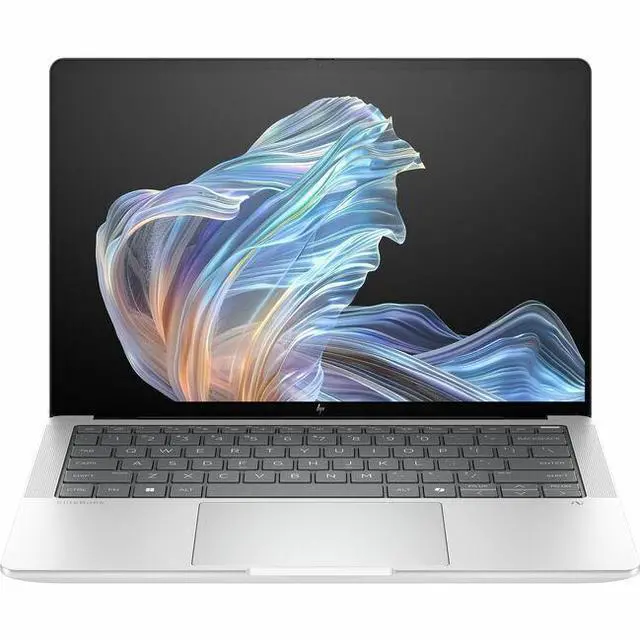
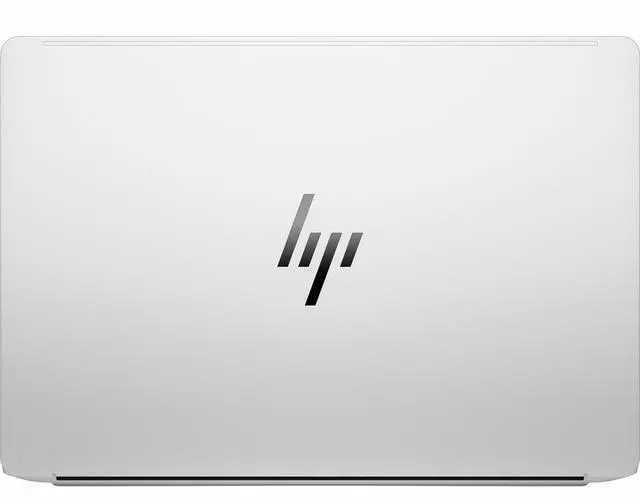
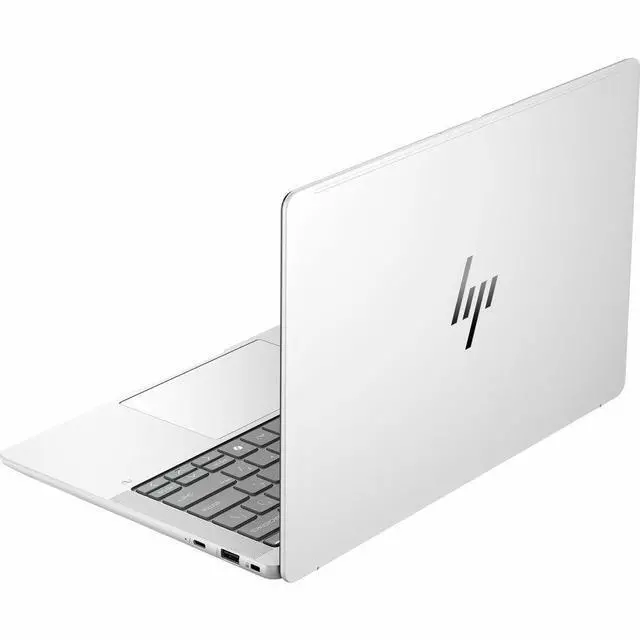
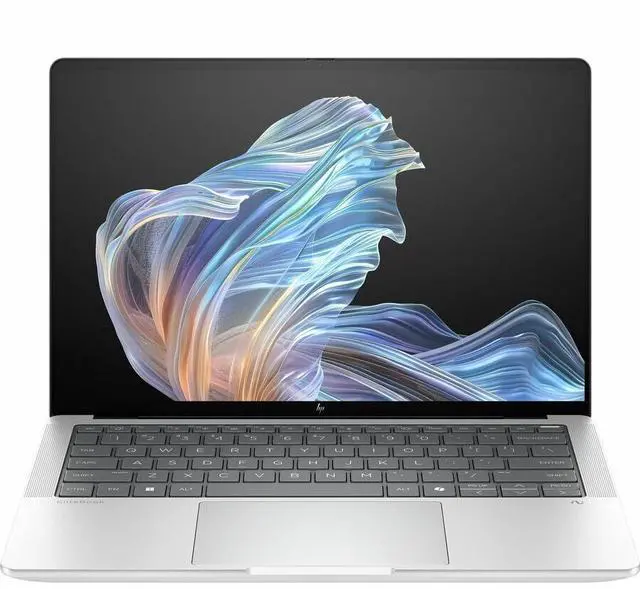
HP EliteBook X G1a 14" Notebook Next Gen AI PC - 2.8K - AMD Ryzen AI 7 PRO 360 Octa-core 2 GHz - 16GB - 512GB SSD - Windows 11 Pro - AMD Radeon Graphics - IEEE 802.11be - Glacier Silver B88DCUT#ABA
- 2.8K
- 2880 x 1800
- (AMD Ryzen AI 7 PRO 360 Octa-core (8 Core) 2 GHz)
- 16 GB Total RAM
- 16 GB On-board Memory
- 512 GB SSD
- Glacier Silver
- Smart Buy
- AMD Chip
- 2880 x 1800
- Windows 11 Pro
- AMD Radeon G
Any questions? Our AI mode will help you find out quickly.
Warranty & Returns
Warranty, Returns, And Additional Information
Warranty
- Limited Warranty period (parts): 1 year
- Limited Warranty period (labor): 1 year
- Read full details
Return Policies
- Return for refund within: 15 days
- Return for replacement within: 15 days
- This item is covered by Newegg.com's 15-Day Return Policy.
- Read full return policy for details.
Manufacturer Contact Info
- Manufacturer Website
- Support Phone: 1-800-474-6836
- Support Website
- View other products from HP
Learn about this product
The HP EliteBook X G1a is a 14-inch Windows 11 Pro laptop with a 2.8K display, AMD Ryzen AI 7 PRO 360 processor, 16GB RAM, and 512GB SSD, making it a strong fit for professionals and everyday users who want a sharp screen, fast responsiveness, and a portable AI-ready notebook for work, web, and multitasking.
Recommended For
- Hybrid professionals who want a compact 14-inch business laptop for Office work, video calls, browser-heavy multitasking, and frequent travel. HP positions the EliteBook X G1a as a premium business notebook, and reviews consistently describe it as portable with strong everyday productivity performance.
- Business users who need local AI features in a Windows Pro environment, especially for Copilot+ style workflows, on-device meeting tools, and privacy-sensitive tasks that benefit from the Ryzen AI NPU. HP’s official positioning and the Ryzen AI PRO platform both point to enterprise AI use rather than gaming-first use.
- Knowledge workers who value a sharper-than-standard 14-inch display for long writing sessions, spreadsheets, presentations, and light creative work like document layout or photo review. Review coverage repeatedly highlights the high-resolution panel as a practical upgrade for people staring at text and windows all day.
- IT-managed company buyers standardizing on premium Windows laptops with AMD PRO security, Wi‑Fi 7, and business support features. This model fits organizations that care more about deployment, remote management, and professional features than about upgradeability or gaming hardware.
Real-World Use Scenarios
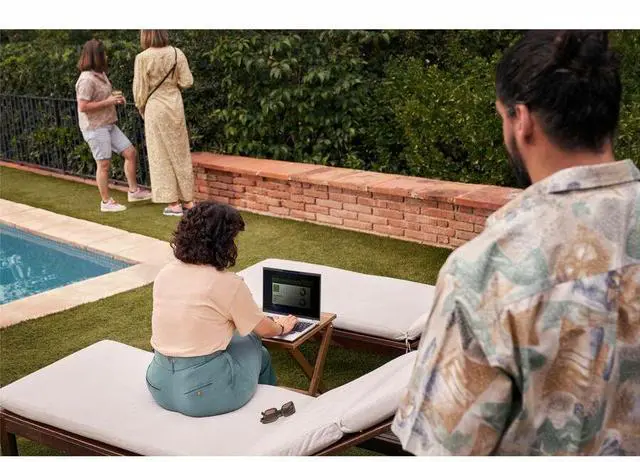
- For hybrid work and video calls, users can run Teams or Zoom, keep multiple Office apps open, and rely on the 5MP camera, mics, and privacy features for clear meetings; the tradeoff is that battery life is usually adequate rather than class-leading, especially on OLED configurations.
- For mobile office work, users can spend the day in email, web apps, documents, spreadsheets, and presentations with a crisp 14-inch high-resolution display and business-oriented port selection; in practice, it fits travel and client-site work well, though full-day unplugged use depends heavily on screen choice and workload.
- For heavier productivity such as large spreadsheets, many browser tabs, document work, and light coding, the laptop should feel quick and responsive for mainstream business tasks; however, the 16GB memory in this configuration is better suited to standard multitasking than to very large datasets or multiple heavy apps at once.
- For AI-assisted workflows, users can use Copilot-style features, meeting enhancements, and on-device AI features for writing, organization, and camera effects without needing a workstation-class setup; this aligns best with business productivity AI, not sustained local model development on a 16GB configuration.
- For light creative work or media consumption, users can edit photos, stream high-resolution video, and enjoy a sharper display than standard business laptops; it is less suited to demanding 3D creation or long export sessions than configurations with more memory or dedicated graphics.
- For casual gaming after work, older or lighter games should be playable at reduced settings using integrated Radeon graphics, but this is still a business laptop first, so buyers should expect compromise rather than console-like gaming performance.
Spec Summary
| Attribute | Value |
|---|---|
| Best For | Business and student productivity on a 14.0-inch Windows 11 Pro notebook with an AMD Ryzen AI 7 PRO 360 processor and integrated Radeon Graphics; suited for users who want a high-resolution 2.8K display and AI-enabled processor features |
| Processor And Core Count | AMD Ryzen AI 7 PRO 360 processor, nominal 2 GHz frequency with a listed maximum up to 5 GHz and 16 MB L3 cache |
| GPU And VRAM | Integrated AMD Radeon Graphics (integrated GPU; no discrete VRAM size listed) |
| Display Spec | 14.0-inch 2880 x 1800 (2.8K) display with BrightView listed and both In-plane Switching (IPS) and OLED referenced by sources, 120 Hz refresh, up to 400 nits max brightness and 100% sRGB color gamut |
| Memory Configuration | 16 GB RAM installed; sources list DDR5 and LPDDR5X memory types and show a maximum of 16 GB |
| Storage And Expansion | 512 GB solid-state drive (M.2 form factor, listed interface 'm2') |
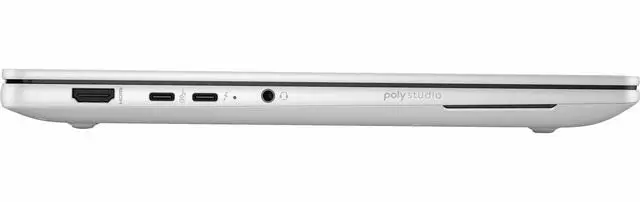
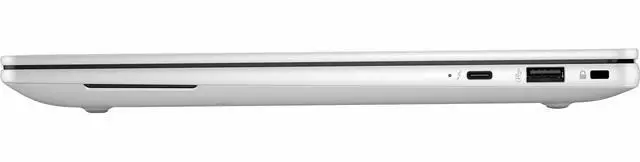
| High Speed I O | Physical connectors include 1 HDMI port, 2 USB ports and 2 Thunderbolt ports; sources also list USB Type-C and DisplayPort output |
| Wired And Wireless Networking | Wireless connectivity: IEEE 802.11be (listed) and Bluetooth support; wired Ethernet is not listed |
| Webcam And Privacy | Built-in webcam included |
| Keyboard And Control | Touch pad input |
| Battery And Power | AC adapter and power cord included; batteries not included and not required |
| Software And Security | Ships with Windows 11 Pro and Microsoft Copilot; HP Wolf Security included for internet security |
| Portability | Glacier Silver finish; item weight 6.05 Pounds and item dimensions reported as 15 L x 11 W x 3 TH inches |
| External Display And Docking Fit | Supports external displays via HDMI and DisplayPort (DisplayPort reported separately); includes 2 Thunderbolt ports suitable for docking or connecting monitors |
| Model Identifiers | HP EliteBook X G1a (Edition EliteBook X G1a), Model B88DCUT#ABA, Manufacturer Hewlett Packard, form factor: Notebook |
Reference Q&A
Q: Should I buy the HP EliteBook X G1a 14 or the higher-end EliteBook X G1a with Ryzen AI 9 HX PRO 375?
A: Choose this Ryzen AI 7 PRO 360 configuration if you want the EliteBook X platform, business features, and Copilot+ capability in a more balanced setup for office work, meetings, web apps, and general multitasking. Step up to the Ryzen AI 9 HX PRO 375 configuration if your workload includes heavier local AI tasks, more sustained multicore work, or you specifically want the stronger Radeon 890M graphics, 32GB+ memory options, and the 2.8K OLED touch display that HP pairs with higher-end SKUs. Reviews of the EliteBook X G1a consistently show that the platform scales up well with the HX PRO 375, but the main trade-off is cost and configuration weight toward performance rather than baseline business use.
Q: Is the HP EliteBook X G1a 14 worth it over the HP EliteBook 8 G1a 14?
A: Buy the EliteBook X G1a if you want HP's more premium 14-inch business design and access to higher-tier Ryzen AI configurations, including models with a 2.8K OLED display and stronger integrated graphics on upper SKUs. Choose the EliteBook 8 G1a if your priority is dependable business performance at a lower tier, because reviews show it still handles productivity workloads well and HP positions it as the more mainstream enterprise option. In short: EliteBook X is the better fit for buyers who want a more premium chassis and broader high-end configuration ceiling, while EliteBook 8 is the better fit for value-focused business deployment.
Q: How does the HP EliteBook X G1a 14 compare with the Lenovo ThinkPad T14s Gen 6 AMD?
A: Choose the EliteBook X G1a if you want HP's premium AI-PC interpretation of a 14-inch business laptop, especially if display quality and higher-end EliteBook configurations matter more to you. Choose the ThinkPad T14s Gen 6 AMD if you want a close alternative built around the same Ryzen AI 7 PRO 360 class of processor but prefer Lenovo's ThinkPad ecosystem, keyboard style, and enterprise fleet familiarity. This is less a raw performance decision and more a platform choice, because both target premium commercial buyers using similar AMD AI Pro positioning.
Q: Should I choose the HP EliteBook X G1a 14 or the HP ZBook Ultra G1a 14?
A: Choose the EliteBook X G1a if your main use is premium business productivity and you want a thinner line between mobility, collaboration, and enterprise features. Choose the ZBook Ultra G1a if your work is more performance-first, such as heavier creation, GPU-leaning workloads, or specialized professional applications where the workstation positioning matters. Reviews consistently frame the ZBook Ultra G1a as the more aggressive performance machine, while the EliteBook X G1a is the more office-centered premium business option.
Q: Is this HP EliteBook X G1a 14 a better fit for portability-first work or performance-first work?
A: This configuration is the better fit for portability-first professional work. Its Ryzen AI 7 PRO 360, 16GB memory, and 512GB SSD are well aligned with travel, meetings, browser-heavy workflows, Microsoft 365, and general business multitasking. If your priority is performance-first work, the same chassis is available in stronger configurations with Ryzen AI 9 HX PRO processors, more memory, and better integrated graphics, and reviewers generally recommend those higher trims when buyers expect heavier local AI or sustained compute loads.
Q: Is this a good fit for travel, meetings, and everyday office work?
A: Yes. This configuration is well suited to mobile business use: it has a 14-inch size that is easier to carry than a 15- or 16-inch laptop, Windows 11 Pro for work environments, integrated Radeon graphics that are sufficient for office apps and video calls, and a sharp 2880 x 1800 display that is better for text clarity than standard FHD panels. The main trade-off is that it is not aimed at heavy 3D or workstation-class GPU workloads.
Q: Is 16GB RAM enough for business use, or should I look for a 32GB model?
A: For note-taking, web apps, Microsoft 365, Zoom or Teams, and moderate multitasking, 16GB is usually enough. If you keep many browser tabs open, run local AI features heavily, work with large spreadsheets, or want more headroom for longer ownership, a 32GB configuration is the safer buy. This specific model lists 16GB on-board memory, so buyers should assume less upgrade flexibility than older EliteBooks with user-upgradeable RAM.
Q: Who is this laptop best for?
A: It is best for professionals who want a premium 14-inch Windows business laptop for email, documents, browser-based work, presentations, meetings, and travel. It also fits buyers who prefer a higher-resolution screen over entry-level business displays. It is less ideal for gamers, CAD users, or anyone who needs a dedicated GPU or more than 16GB memory out of the box.
Q: What are the main trade-offs versus a similar consumer OLED laptop?
A: Compared with a consumer OLED laptop, this EliteBook-style configuration leans more toward business use: Windows 11 Pro, enterprise positioning, and a practical 14-inch form factor. The trade-off is value. Consumer alternatives at similar screen sizes often offer more memory, storage, or a convertible design for the same money, while business models usually prioritize manageability and work-focused features instead of maximum specs per dollar.
Q: Is the 512GB SSD enough, or will most buyers want more storage?
A: 512GB is enough for typical office use, cloud-first workflows, and standard local files. Buyers who keep large photo libraries, many offline files, VMs, or large creative apps may want 1TB instead. This is a common laptop buying question on retail Q&A pages because storage is usually fixed at purchase and affects long-term convenience more than short-term performance.
Q: Is the HP EliteBook X G1a a good choice for work and business use?
A: It can fit demanding office work if you want a 14-inch laptop with a high-resolution display, Windows 11 Pro, and solid CPU headroom. The main trade-off is reliability risk raised in Reddit discussions, especially around dock and USB-C behavior in business deployments. It is a better fit for an individual buyer who values performance and display quality than for a large standardized rollout where stability and support are the top priority.
Q: Who is the HP EliteBook X G1a best suited for?
A: It is best suited for users who want a compact business laptop with more performance than a typical thin-and-light, and who do not need dedicated graphics. Based on the listed configuration, it makes the most sense for productivity, multitasking, browser-heavy work, meetings, and general professional use. It is less ideal for buyers who prioritize the lightest chassis, maximum battery life, or simpler low-maintenance fleet deployment.
Q: Is the HP EliteBook X G1a worth buying if I care more about performance than battery life?
A: Yes, if your priority is CPU performance in a 14-inch business laptop, this model is a reasonable buy. Reddit comparisons repeatedly frame the EliteBook X G1a as the stronger performance option versus lighter, lower-power alternatives. The trade-off is that buyers often expect weaker battery life and more display-related compromises for mobile use, especially with a glossy 2.8K panel.
Q: Is the HP EliteBook X G1a a good alternative to ARM laptops for work?
A: For buyers who want fewer app-compatibility questions, yes. In Reddit work-laptop discussions, the x86 Ryzen version is favored over ARM alternatives when Adobe or other Windows software compatibility matters. If your workflow depends on standard Windows applications and you want the safer compatibility choice, this HP is easier to justify than an ARM-based work laptop.
Q: What are the main trade-offs of the HP EliteBook X G1a?
A: The main trade-offs are battery-life uncertainty, a glossy high-resolution display that may be less practical in bright environments, integrated graphics limits for heavier GPU workloads, and some buyer concern about drivers and dock behavior. In short: it offers a strong screen-and-performance package for office use, but it is not the safest pick if long unplugged runtime, outdoor visibility, or hassle-free enterprise support is your top concern.