• $2,243.99
  • Free 15-day Returns
  • Sold by Newegg

    Shipped by Newegg

    Price alert

    Best Sellers

    Top Rated
    4.5 (17,989 total ratings)
    • $2,342.91
    • + FREE SHIPPING
    Top Rated
    4.4 (8,586 total ratings)
    • $2,372.51
    4.4 (3,116 total ratings)
    • $2,510.69
    • + FREE SHIPPING
    Shop it at NeweggBusiness.

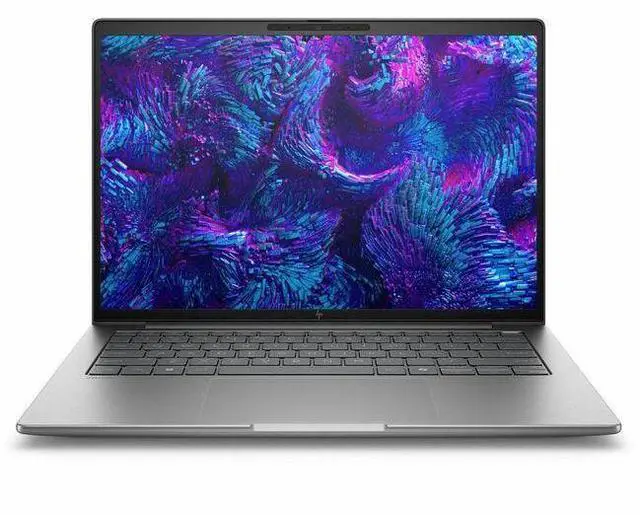
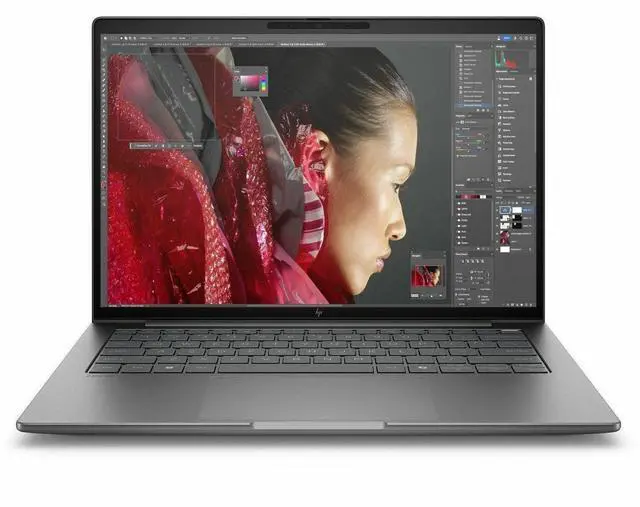
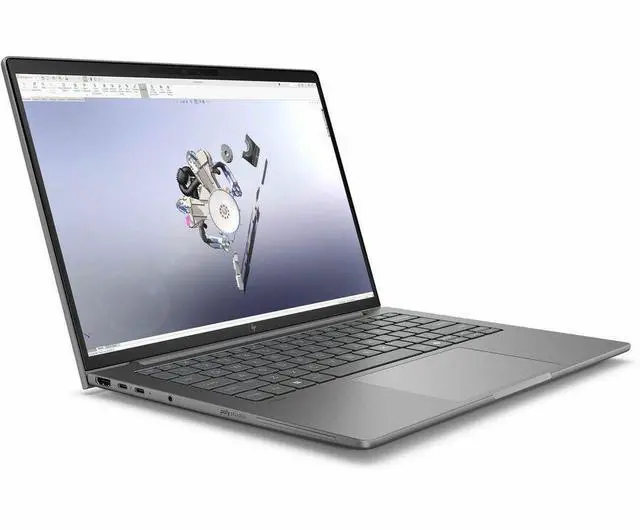
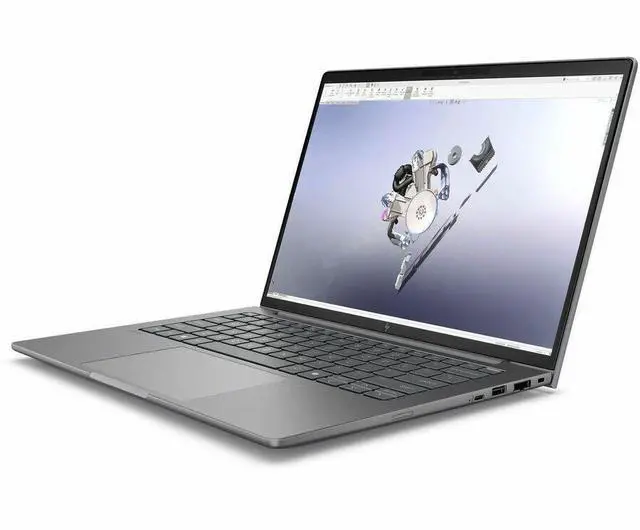
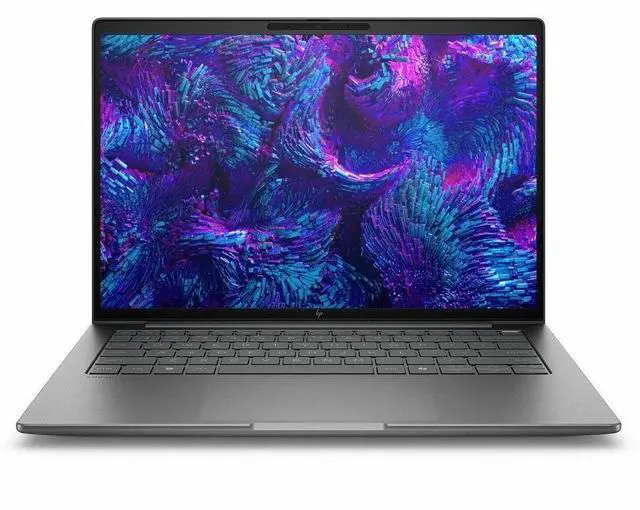
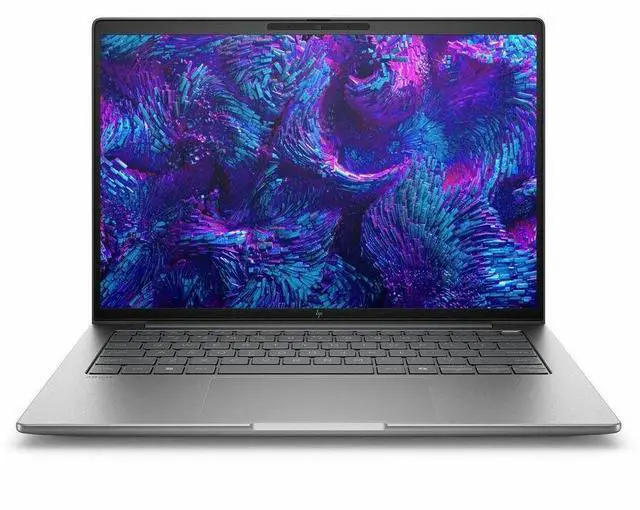
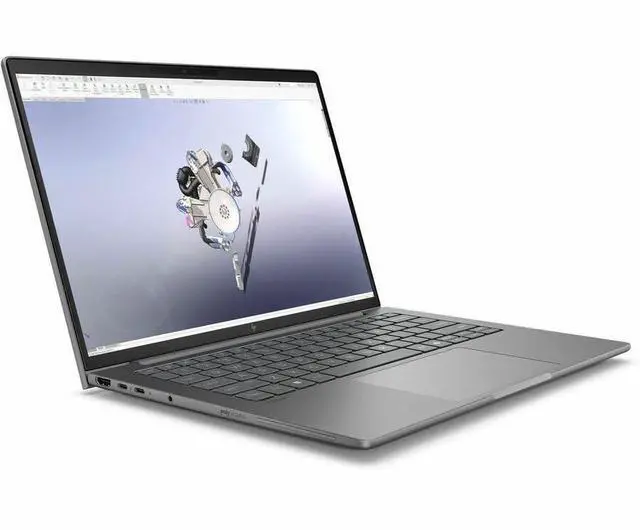
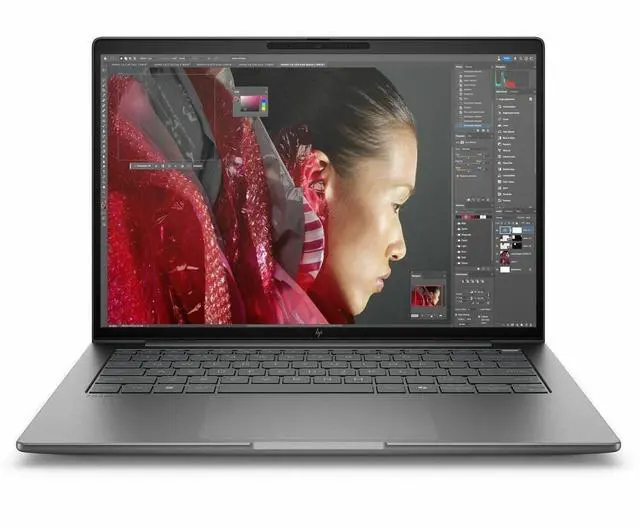
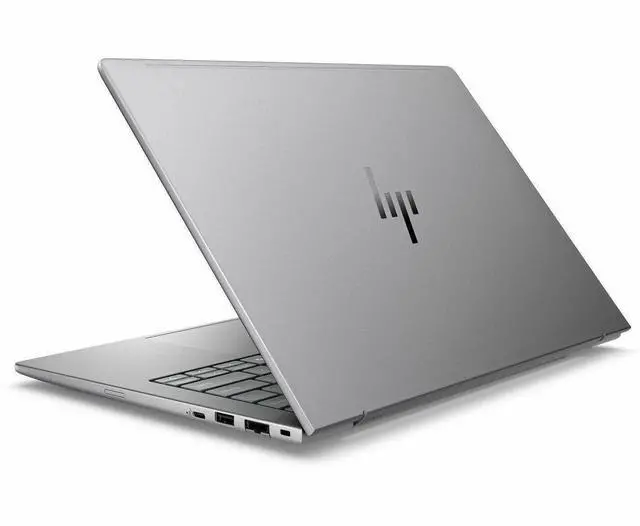
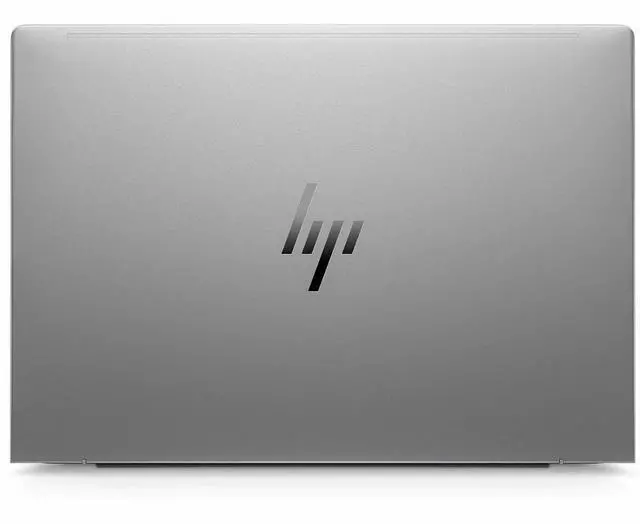
    HP ZBook 8 G1i 14" Mobile Workstation - Intel Core Ultra 7 255H - 16GB - 512GB SSD - Windows 11 Pro - Intel Arc 140T GPU - Webcam - IEEE 802.11be Wireless LAN Standard BP6J6UT#ABA

    • WUXGA
    • Intel Core Ultra 7 255H
    • 16 GB
    • 512 GB SSD
    • Meteor Silver
    • Intel Chip
    • 1920 x 1200
    • Windows 11 Pro
    • Intel Arc 140T GPU
    • In-plane Switching (IPS) Technology
    • Front Camera/Webcam
    • IEEE 802.11be Wireless LAN Standard
    +
    +
    Overview
    Specs
    Reviews
    See all Q & A
    avatar

    Any questions? Our AI mode will help you find out quickly.

    SMART BUY ZBOOK 8 G1I 14 U7 255H 14 16GB/512 PC

    Warranty & Returns

    Warranty, Returns, And Additional Information

    Warranty

    • Limited Warranty period (parts): 1 year
    • Limited Warranty period (labor): 1 year
    • Read full details

    Return Policies

    Manufacturer Contact Info

    LOADING...
    LOADING...

    Learn about this product

    The HP ZBook 8 G1i is a 14-inch mobile workstation built for professionals who need a portable Windows 11 Pro laptop for office workflows, business apps, light creative work, and everyday multitasking, with a WUXGA IPS display, Intel Core Ultra 7 255H, 16GB RAM, 512GB SSD, Wi‑Fi 7, and integrated Intel Arc 140T graphics.

    Recommended For

    • Mobile engineers, developers, or IT professionals who need a 14-inch business laptop with workstation features, strong CPU performance, wired Ethernet, Thunderbolt 4, and better repairability than most thin-and-light laptops.
    • Users running certified professional apps in a portable format—such as CAD, design, or technical workflows where ISV certification and workstation-class platform support matter more than having a large discrete GPU.
    • Traveling creators or technical users who prioritize a smaller workstation for photo work, UI work, code, and light-to-moderate visual workloads rather than a heavier 15- to 16-inch mobile workstation.
    • Buyers who care about keyboard quality, port variety, and serviceability for long-term business use, especially if they expect memory/storage access and standard enterprise connectivity options.

    Real-World Use Scenarios

    • For mobile office work with large spreadsheets, presentations, video calls, and many browser tabs open, users can expect a smooth day-to-day experience with low fan noise most of the time and enough battery life for a typical work session away from a desk.
    • For analysts, developers, or engineers who need a compact workstation for coding, data work, local testing, and multitasking across several professional apps, this model is better suited to CPU-heavy workflows than to graphics-heavy workstation jobs.
    • For light photo work, design review, and content editing, the experience depends heavily on the screen option: higher-end 100% sRGB or wide-gamut panels are suitable for color-aware work, while the base 300-nit 62.5% sRGB panel is more appropriate for general business use than color-critical editing.
    • For 2D drafting, light 3D viewing, and reviewing project files on the go, users should expect workable results in lighter professional graphics tasks, but more complex CAD or GPU-accelerated 3D workloads will run with clear limits on the Intel Arc 140T configuration.
    • For remote professionals who dock at the office but travel with the same system, this fits well as a portable business workstation for meetings, document work, and external-display setups, with workstation branding and business features mattering more than raw GPU output in this trim.

    Spec Summary

    AttributeValue
    Best ForMobile workstation for business and AI/pro-level graphics workflows and professional content work—14" 1920×1200 display with Intel Core Ultra 7 255H CPU and Intel Arc 140T graphics
    Processor And Core CountIntel Core Ultra 7 255H (13th Gen) up to 5.1 GHz with 24 MB L3 cache
    GPU And VRAMIntel Arc 140T integrated graphics using DDR5 SDRAM
    Display Spec14.0" LCD (IPS) 1920 x 1200 native resolution, 60 Hz refresh rate, ~300 nit maximum brightness, sRGB gamut ~62%
    Memory Configuration16 GB DDR5 SDRAM installed (DDR5 technology), 2 memory slots, supports up to 64 GB
    Storage And Expansion512 GB solid-state drive in M.2 form factor
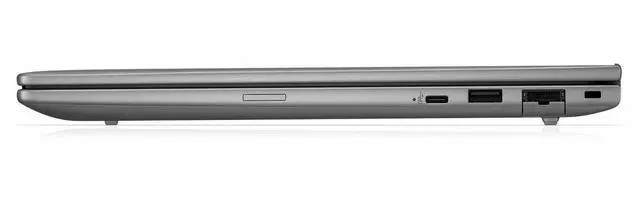
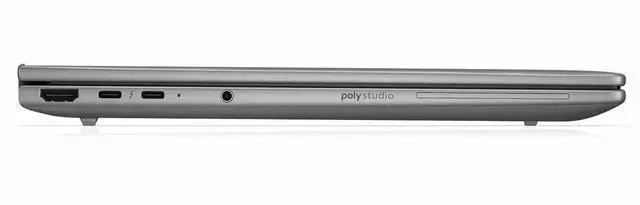
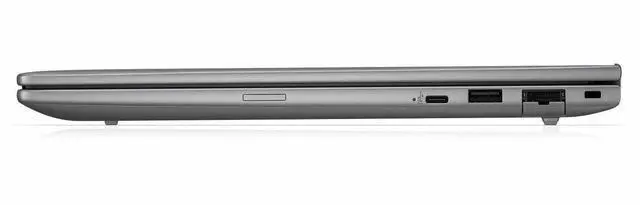
    High Speed I O2 Thunderbolt ports, 1 HDMI port and 2 USB ports (total 5 ports reported); supports video output via HDMI and Thunderbolt and includes USB Type-C and Ethernet connectivity
    Battery And PowerIncludes lithium polymer battery plus AC adapter and power cord; no separate batteries required
    Wired And Wireless NetworkingWi‑Fi and Bluetooth wireless connectivity plus wired Ethernet support
    Webcam And PrivacyBuilt-in webcam
    Keyboard And ControlStandard QWERTY keyboard with touch pad
    PortabilityMobile workstation weighing about 5.66 Pounds; item dimensions listed as 18 x 11 x 3 inches
    External Display And Docking FitSupports external displays via HDMI and Thunderbolt (2 Thunderbolt ports, 1 HDMI)
    Operating System And SoftwareWindows 11 Pro operating system with Microsoft Copilot included
    Special FeaturesAI-powered workstation capabilities and pro-level graphics for AI workflows
    Model IdentifiersHP ZBook 8 G1i mobile workstation, model BP6J6UT#ABA (Hewlett Packard)

    Reference Q&A

    Q: Should I buy the HP ZBook 8 G1i 14 or the HP ZBook Firefly 14 G11?

    A: Choose the HP ZBook 8 G1i 14 if you want a newer 14-inch HP mobile workstation with a stronger H-series platform and better CPU headroom for heavier multitasking, compiling, and sustained professional workloads. Notebookcheck positions the ZBook 8 G1i 14 as the Firefly successor and shows a clear uplift versus the Firefly 14 G11 in multi-core CPU results. Choose the Firefly 14 G11 if you prefer the older design direction and specifically want configurations with Nvidia RTX A500 discrete graphics, which can still be the more suitable fit for some light certified GPU workflows.

    Q: Is the HP ZBook 8 G1i 14 a better fit than a ThinkPad P14s Gen 6 for a 14-inch workstation?

    A: The HP ZBook 8 G1i 14 is the better choice if you want HP's newer mainstream mobile workstation approach with Intel Core Ultra H-series performance and Intel Arc 140T integrated graphics in a compact 14-inch chassis. A ThinkPad P14s Gen 6 is the better choice if you want a close direct competitor with stronger AMD integrated graphics options in higher trims, especially Ryzen AI 9 HX PRO 370 configurations with Radeon 890M. In practice, this comparison usually comes down to platform preference: HP for Intel-based workstation standardization, or Lenovo for buyers prioritizing AMD CPU and iGPU performance in the same size class.

    Q: Should I get this HP ZBook 8 G1i 14 configuration or step up to a ZBook with Nvidia graphics?

    A: This HP ZBook 8 G1i 14 configuration is the better choice if your work is mainly CPU-driven and mobility matters more than maximum GPU throughput. Its Core Ultra 7 255H and Intel Arc 140T are suitable for office-heavy technical work, code, light content creation, and lighter 3D or CAD tasks. Step up to a higher ZBook tier with Nvidia workstation graphics if your workflow depends on GPU acceleration, larger assemblies, heavier rendering, or software stacks that benefit from certified discrete GPU hardware.

    Q: Is the Core Ultra 7 version worth it over a lower-tier ZBook 8 G1i configuration?

    A: Yes, the Core Ultra 7 255H configuration is the better fit if you expect sustained multitasking or workstation-style CPU loads. HP's platform documentation shows that Ultra 7 and Ultra 9 H-series versions also pair with the stronger Intel Arc 140T graphics, while lower H-series or U-series configurations can come with lower graphics tiers. A lower-tier configuration makes more sense if your workload is mostly browser, Office, remote access, and general business apps, where the main benefit is lower cost rather than a different workstation experience.

    Q: Should I choose this 14-inch ZBook 8 G1i or move to a larger ZBook Power class system?

    A: Choose the 14-inch ZBook 8 G1i if you want a more portable workstation for travel, client meetings, and daily carry, while still getting business-grade workstation features. Move to a ZBook Power class model if performance-first use matters more than size, especially if you want more thermal headroom, more frequent discrete GPU options, and a larger chassis for heavier engineering or creator workloads. The trade-off is simple: the ZBook 8 G1i 14 favors mobility, while ZBook Power models favor expandability and sustained performance.

    Q: Is this a good laptop for office work, meetings, and everyday business use?

    A: Yes. This configuration is well suited for office work, video meetings, web apps, spreadsheets, documents, and general business multitasking. It has a 14-inch 1920 x 1200 display, a webcam, Windows 11 Pro, 16GB RAM, and a 512GB SSD, which fits the same usage patterns commonly asked about on retail Q&A pages. The main reason to buy this model over a standard business laptop is if you also want workstation-class flexibility for heavier apps; for basic office-only use, it may be more machine than necessary.

    Q: Is it worth buying as a travel work device?

    A: Yes, if you want a portable 14-inch work laptop with stronger business features than a mainstream consumer model. The size is travel-friendly, and the built-in webcam, Bluetooth, HDMI, and Wi-Fi 7 support make it practical for commuting, client visits, and hybrid work. The trade-off is that a mobile workstation is usually chosen for capability first, not minimum cost, so travelers who only need email, notes, and meetings could save money with a lighter-duty business laptop.

    Q: Who is this laptop most suitable for?

    A: This model is best for professionals who want a compact Windows workstation for business use plus occasional heavier workloads, such as light creative work, coding, large spreadsheets, data-heavy multitasking, or professional apps that benefit from a stronger CPU and Intel Arc graphics. It is less ideal for buyers who only need a simple email-and-documents machine, and it is not the best fit for users expecting high-end 3D rendering or GPU-intensive workstation performance from a thin integrated-graphics system.

    Q: Can it handle creative work like photo editing, video editing, or CAD?

    A: It can handle lighter creative work and some accelerated apps better than a basic office laptop, but this specific configuration is not the strongest choice for demanding video editing, complex CAD, or heavy 3D workloads. The Intel Core Ultra 7 H-series processor and Intel Arc 140T integrated GPU give it more capability than entry-level business laptops, but buyers doing serious professional graphics work usually prefer a system with a dedicated workstation or gaming-class GPU and often more than 16GB RAM.

    Q: Is this better than a standard business laptop for most buyers?

    A: Only if your workload goes beyond standard office tasks. Compared with a mainstream business laptop, this ZBook makes more sense for buyers who want a faster H-series processor, workstation positioning, upgradeable memory support in the platform, and stronger graphics than basic integrated business systems. If your use is mostly email, browser work, Teams or Zoom, and documents, a regular business laptop is usually the better value.

    Q: Is this HP ZBook 8 G1i 14 a good fit for office work, development, and general productivity?

    A: Yes, it is a sensible fit for productivity-focused users who want a compact business workstation. The Core Ultra 7 255H, 14-inch 1920x1200 display, Windows 11 Pro, webcam, and Wi‑Fi 7 make it suitable for office work, coding, browser-heavy use, meetings, and multitasking. The main trade-off is that this specific configuration has 16GB RAM and integrated Intel Arc 140T graphics, so it is better for mainstream professional work than for heavier GPU or memory-intensive workloads.

    Q: Is it worth buying if I want a lightweight workstation-style laptop without a dedicated GPU?

    A: It can be worth buying if your priority is portability, business features, and stronger CPU performance in a 14-inch system rather than maximum graphics performance. This model gives you workstation positioning and pro-oriented features, but with integrated graphics and 16GB RAM it is not the best value for users who specifically need CAD, 3D, AI, or sustained creative workloads. In short: good for mobile professional use, less compelling if you expect true high-end workstation graphics.

    Q: Is the Intel Arc 140T graphics good enough for creative work or light GPU tasks?

    A: It is good enough for light creative work, media tasks, external displays, and some entry-level GPU-accelerated workloads, but it is still integrated graphics. Community discussion around Intel Arc 140T repeatedly centers on it being surprisingly capable for an iGPU, while also depending heavily on memory configuration and power limits. For buyers, that means it is fine for lighter graphics work, but not the right choice if GPU performance is a top requirement.

    Q: What are the main trade-offs of this specific 16GB / 512GB configuration?

    A: The main trade-offs are memory headroom, storage capacity, and graphics ceiling. For everyday work, 16GB RAM and a 512GB SSD are adequate, but users running large datasets, multiple virtual machines, heavier Adobe workflows, or more demanding engineering tools may outgrow this configuration quickly. The integrated Arc 140T also means better efficiency and simplicity than a discrete GPU, but lower peak graphics performance.

    Q: Who should skip this model?

    A: Users who need workstation-class GPU performance, large local storage, or more than 16GB RAM out of the box should skip this configuration. It is also a weaker fit for buyers comparing it with laptops that include Nvidia RTX professional graphics or higher-memory configurations. This model makes more sense for mobile productivity and light professional workloads than for buyers who need a true graphics-heavy workstation replacement.