Best Sellers
Sponsored Products
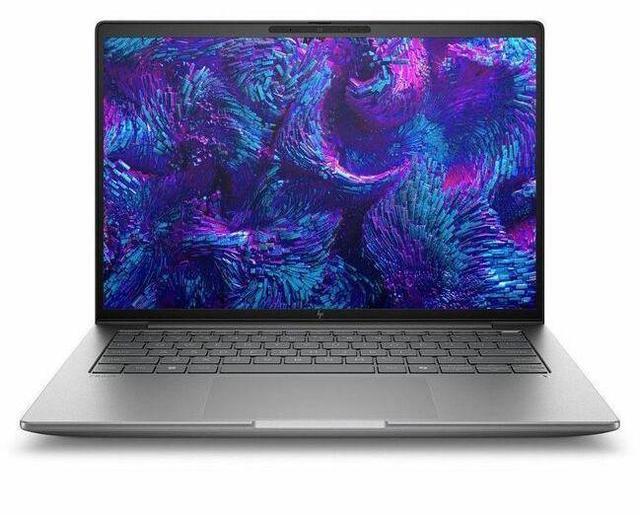
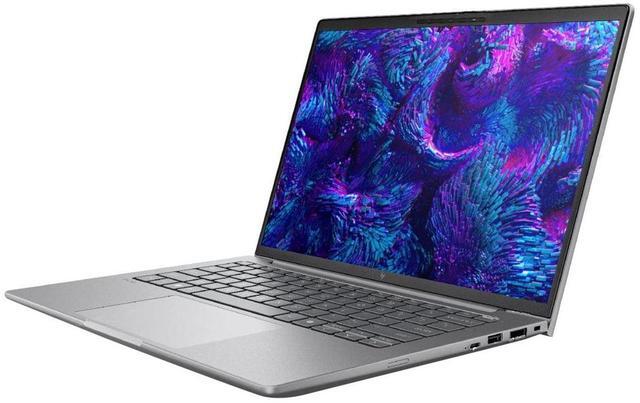
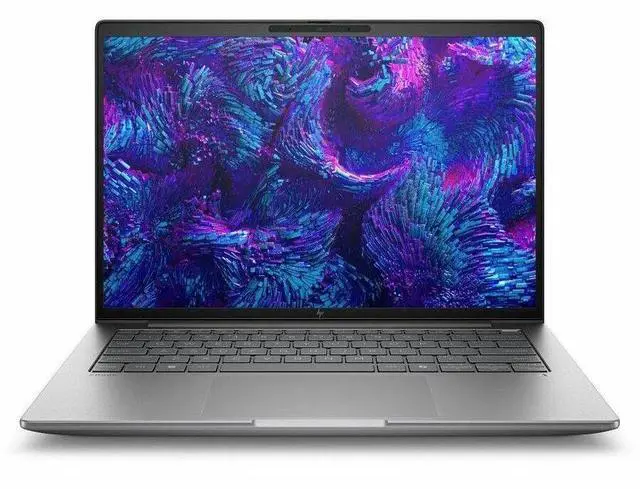
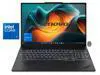
HP ZBook 8 G1i 14" Mobile Workstation - Intel Core Ultra 5 235U - vPro Technology - 16GB - 512GB SSD - Windows 11 Pro - Webcam - IEEE 802.11be Wireless LAN Standard BP6Z5UT#ABA
- WUXGA
- Intel Core Ultra 5 235U
- vPro Technology
- 16 GB
- 512 GB SSD
- Meteor Silver
- Intel Chip
- 1920 x 1200
- Windows 11 Pro
- Intel
- In-plane Switching (IPS) Technology
- Front Camera/Webcam
- IEEE 802.11be Wireless LAN Standard
Any questions? Our AI mode will help you find out quickly.
Warranty & Returns
Warranty, Returns, And Additional Information
Warranty
- Limited Warranty period (parts): 1 year
- Limited Warranty period (labor): 1 year
- Read full details
Return Policies
- Return for refund within: 15 days
- Return for replacement within: 15 days
- This item is covered by Newegg.com's 15-Day Return Policy.
- Read full return policy for details.
Manufacturer Contact Info
- Manufacturer Website
- Support Phone: 1-800-474-6836
- Support Website
- View other products from HP
Learn about this product
The HP ZBook 8 G1i is a 14-inch mobile workstation built for professionals who want a compact business laptop for office work, multitasking, and light creator or technical workflows, with a WUXGA IPS display, Intel Core Ultra 5 235U, 16GB RAM, 512GB SSD, Windows 11 Pro, and vPro features.
Recommended For
- IT-managed professionals who want a 14-inch business laptop with workstation branding, vPro, Windows Pro, and better serviceability than most thin consumer notebooks—especially for office-heavy workflows, coding, analysis, remote meetings, and docking at work and home.
- Developers, analysts, and spreadsheet-heavy users who need strong CPU performance in a portable chassis but do not rely on heavy GPU acceleration. Independent testing specifically found the integrated-graphics configuration best suited to CPU-led work such as programming.
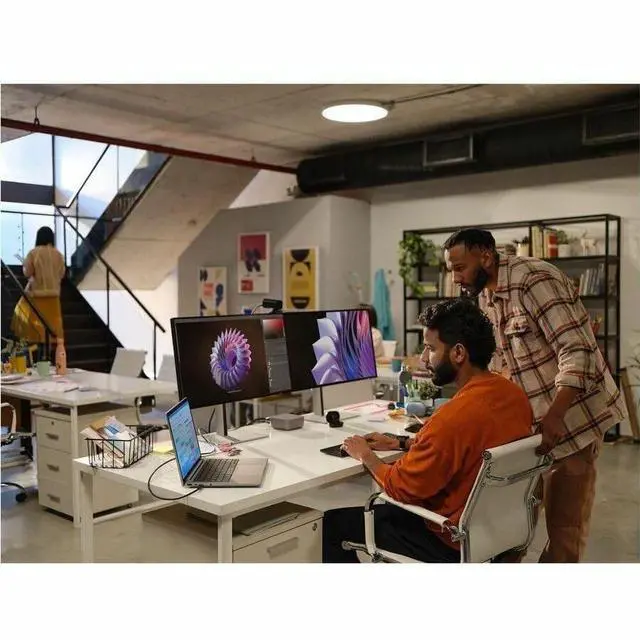
- Consultants, field staff, and hybrid workers who carry their laptop daily and want a more durable, business-first 14-inch machine with modern connectivity, webcam, and easy desk setup rather than a consumer ultrabook focused on style first.
- Users who open many business apps at once and need a compact machine for multitasking across documents, browsers, calls, and external displays, but whose workload is still closer to productivity and review work than full-time 3D production.
Real-World Use Scenarios
- For office work, browser-heavy multitasking, and large spreadsheets, it should feel responsive for everyday business use, but 16GB RAM can become the main limit if the user keeps many tabs, Teams, and data tools open at once.
- For mobile engineering, science, or creator coursework, it fits users who need a 14-inch laptop that is easier to carry than larger workstations while still covering professional apps and typical project work on campus or between meetings.
- For light CAD, 2D design, and review work in pro software, the workstation branding and ISV positioning make sense, but this integrated-graphics configuration is better for viewing, drafting, and smaller models than for complex 3D assemblies or GPU-heavy rendering.
- For travel, meetings, and hybrid work, users can expect enough battery life for a long work block away from an outlet in lighter tasks such as web apps, documents, and video calls, rather than sustained heavy workstation loads.
- For photo work, design review, and color-sensitive content tasks, higher-end ZBook 8 display options are used in practice for better color coverage, but this specific WUXGA listing points more toward general productivity than a creator-first display setup.
Spec Summary
| Attribute | Value |
|---|---|
| Best For | Mobile workstation users who need a portable 14" system for business and professional workflows — Intel Core Ultra 5 CPU, 16 GB DDR5, 512 GB M.2 SSD, integrated Intel graphics and Windows 11 Pro; fits office, engineering and content-creation tasks that require security features and on-the-go connectivity |
| Processor And Performance | Intel Core Ultra 5 235U (13th Gen) single-processor design, up to 4.9 GHz maximum turbo frequency with 12 MB L3 cache |
| Memory Configuration | 16 GB DDR5 SDRAM installed; 2 memory slots and supports up to 64 GB total |
| Storage And Expansion | 512 GB solid-state drive, M.2 form factor with PCIe interface reported |
| Display Spec | 14.0" LCD IPS panel, native 1920 x 1200 (WUXGA) at 60 Hz, up to 300 nits brightness and ~62% sRGB gamut |
| Graphics And Video | Integrated Intel graphics (integrated/video processor) that uses DDR5 system memory |
| Ports And Expansion | 2 Thunderbolt ports, 1 HDMI output and 2 total USB ports (no USB 3.0/2.0 counts reported); lists USB Type-C, HDMI and Gigabit Ethernet connectivity |
| Battery And Power | Single built-in lithium-ion battery (3 cells) installed, 4000 mAh energy rating and ~300 g battery weight; batteries included and required |
| Networking And Wireless | Wi‑Fi (802.11ax) and Bluetooth wireless support plus Gigabit Ethernet for wired connections |
| Camera And Biometrics | Front-facing webcam and fingerprint recognition hardware for biometric login |
| Physical Dimensions And Weight | Listed size 0.74" x 12.4" x 8.7" with item weight around 3.15 lb (item display weight 3.1 lb); package and packaging dimensions also provided |
| Security And Other Features | Includes Wolf Pro Security Edition media, spill-resistant keyboard, touch pad, Miracast support and anti-glare coating; ships with AC adapter and power cord |
| Model Identifiers | HP ZBook 8 G1i model BP6Z5UT#ABA by Hewlett Packard (2025), North America / United States version, Windows 11 Pro |
Reference Q&A
Q: Should I buy the HP ZBook 8 G1i 14 or an HP EliteBook 14 for office-focused work?
A: Choose the HP ZBook 8 G1i 14 if you want workstation positioning, ISV-oriented ZBook branding, and a clearer upgrade path to higher-performance ZBook configurations later. Choose an HP EliteBook 14 if your workload is mainly email, web, meetings, and general business apps, because the EliteBook line is positioned more as a mainstream business notebook than a mobile workstation. For this specific Core Ultra 5 235U / 16GB / 512GB configuration with integrated graphics, the ZBook 8 G1i makes the most sense when you value workstation platform features and expect professional app use more than raw GPU performance.
Q: Is this HP ZBook 8 G1i 14 configuration enough, or should I move up to an RTX 500 version?
A: This Core Ultra 5 235U model is the better fit for CAD viewing, Office, browser-heavy work, light photo editing, and general professional mobility. Move up to an RTX 500 configuration if your workflow includes heavier 3D modeling, GPU-accelerated rendering, larger Adobe projects, or applications that benefit from dedicated graphics and separate VRAM. Reviews of higher-end ZBook 8 G1i models show that the platform scales meaningfully when paired with stronger H-series CPUs and discrete RTX graphics, so the main decision is whether you need certified workstation GPU headroom rather than just a ZBook chassis.
Q: How does the HP ZBook 8 G1i 14 compare with the previous HP ZBook Firefly 14 generation?
A: The HP ZBook 8 G1i 14 is effectively the newer path for buyers who would previously have looked at a ZBook Firefly 14-class machine. It is the better choice if you want the newer ZBook platform and newer Intel Core Ultra options. Based on review comparisons, newer ZBook 8 G1i configurations can deliver higher CPU performance than Firefly 14 G11 systems, while the trade-off depends on the exact GPU choice: an older Firefly with discrete RTX graphics can still be preferable for GPU-bound work versus a ZBook 8 configuration that only uses integrated graphics. In short, choose this ZBook 8 model for a current-generation lightweight workstation platform; choose a Firefly-class system only if you are finding a better-equipped discrete-GPU configuration at a stronger value.
Q: Should I choose this 14-inch ZBook or a larger performance-first mobile workstation?
A: Choose this 14-inch HP ZBook 8 G1i if portability, travel, desk flexibility, and everyday battery-conscious use matter more than maximum sustained performance. Choose a larger performance-first workstation if you need stronger cooling, more consistent heavy-load performance, or higher-end discrete graphics for rendering, simulation, and complex content creation. This specific integrated-graphics configuration is much more portability-oriented than performance-maximized, even though it carries ZBook workstation branding.
Q: Is the Core Ultra 5 235U version a better buy than a higher-tier H-series ZBook 8 G1i?
A: Choose the Core Ultra 5 235U version if you want lower upfront cost, lighter-duty thermals, and a configuration aimed at business productivity with workstation features. Choose an H-series ZBook 8 G1i if your work includes code builds, heavier multitasking, engineering tools, media creation, or longer sustained CPU loads. Review data on H-series ZBook 8 G1i models shows a clear step up in compute performance, so this U-series version is the practical choice when your priority is efficiency and professional basics rather than pushing the platform.
Q: Is this a good laptop for meetings, note-taking, and everyday office work?
A: Yes. This configuration is well suited to meetings, web apps, Microsoft 365 work, note-taking, and general multitasking. The 14-inch 1920x1200 display, 16GB RAM, 512GB SSD, webcam, Wi-Fi 7, and Windows 11 Pro match the features buyers commonly ask for in business-use laptops. The main limit is graphics power: this model uses integrated Intel graphics, so it is better for office productivity than heavy visual or GPU-focused workloads.
Q: Is it worth buying as a travel work device?
A: Yes, if your priority is a compact business laptop for work on the go. A 14-inch chassis, integrated graphics, webcam, Bluetooth, Wi-Fi 7, and Windows 11 Pro make it a practical travel-work setup for email, documents, video calls, and browser-based workflows. It is a better fit for mobile productivity than for buyers who need gaming-class graphics or frequent heavy rendering.
Q: Who is this HP ZBook configuration best for?
A: It is best for business users, hybrid workers, IT-managed deployments, and professionals who want workstation branding with mainstream productivity hardware. The Intel Core Ultra 5 235U, vPro support, 16GB memory, 512GB SSD, and Windows 11 Pro make it a sensible fit for office apps, secure business use, conferencing, and light professional workflows. It is less suitable for users who need a discrete GPU for advanced 3D, CAD, or intensive creative production.
Q: Can it handle creative work or is it mainly for business productivity?
A: It can handle light creative tasks, but this specific configuration is mainly a business-productivity machine. The key reason is graphics: the Ultra 5 235U version uses integrated Intel graphics, not a discrete workstation GPU. That is fine for presentations, photo touch-ups, and routine content work, but buyers doing heavier design, 3D, CAD, or sustained video editing should compare it with ZBook variants or competitors that include stronger graphics.
Q: What is the main trade-off versus a more powerful alternative?
A: The trade-off is portability and business efficiency versus graphics and peak performance. This model gives you a 14-inch WUXGA screen, modern wireless, webcam, 16GB RAM, 512GB SSD, and business features such as vPro and Windows 11 Pro. A stronger alternative with H-series silicon and higher-end graphics will usually be better for GPU-heavy workloads, but it may cost more, run hotter, or be less focused on everyday travel and office use.
Q: Is the HP ZBook 8 G1i 14 a good fit for office work, coding, and general professional use?
A: Yes, if you want a 14-inch business workstation for office apps, browser-heavy work, meetings, and light-to-moderate coding. Reddit discussion around the ZBook 8 G1i repeatedly focuses on quiet operation, battery life for light workloads, and general usability rather than gaming or high-end graphics. This specific configuration has an Intel Core Ultra 5 235U, 16GB RAM, integrated graphics, a 1920x1200 IPS display, and Windows 11 Pro, so it fits professional productivity better than GPU-heavy workstation tasks.
Q: Who is this ZBook 8 G1i configuration actually suitable for?
A: It is best suited to business users who want workstation-class branding and manageability in a compact 14-inch laptop, but do not need dedicated graphics. With 16GB RAM, a 512GB SSD, integrated graphics, and a 1920x1200 display, this model makes more sense for consultants, engineers with light workflows, IT staff, analysts, and mobile office users than for 3D rendering, CAD-heavy work, or video production.
Q: What are the main trade-offs of buying this model instead of a lighter ultrabook or a stronger workstation?
A: The main trade-off is that this model sits in the middle. Compared with a typical ultrabook, it is likely thicker and heavier for a 14-inch laptop. Compared with stronger workstation configurations, this listing gives up dedicated graphics and ships with only 16GB RAM. That means it is easier to carry than a larger workstation, but not as light as many non-workstation 14-inch laptops, and not as capable for GPU-intensive professional workloads.
Q: Is this configuration worth buying if you mainly want portability and battery life?
A: It can be, but only if you value business features and workstation positioning more than minimum weight. Reddit discussion around the ZBook 8 G1i suggests the platform can be reasonable for light-use battery life, especially in non-GPU configurations, but buyers also call out that the chassis feels thicker and heavier than expected for a 14-inch machine. If your top priority is the lightest travel laptop, a mainstream ultrabook may be a better fit.
Q: Should you buy this if you plan to use high-resolution external displays or more demanding graphics workflows?
A: Only with caution. Community discussion around ZBook G1i systems includes external-display and display-output questions, and this specific listing uses integrated graphics rather than a dedicated GPU. For standard office monitors it should be fine, but if your setup depends on demanding high-resolution multi-display use, GPU acceleration, or heavier visual workloads, a higher-spec ZBook configuration with stronger graphics is the safer choice.