Best Sellers
- $3,890.73
- + FREE SHIPPING
- $3,931.16
- $4,141.17
- + FREE SHIPPING
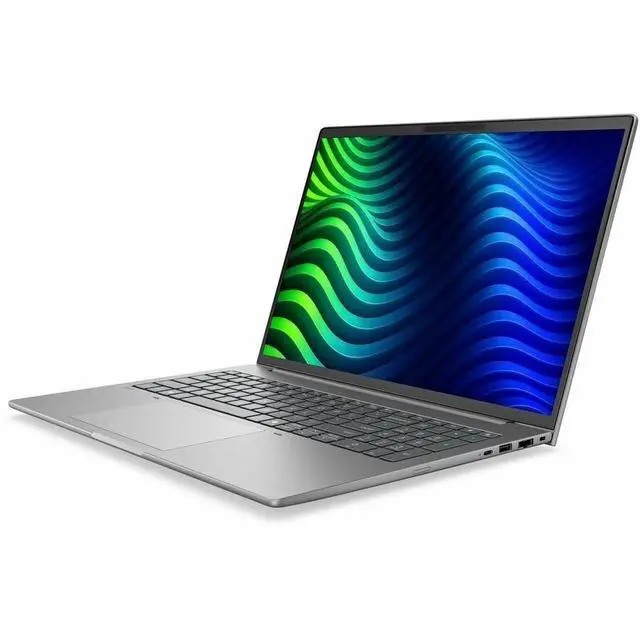
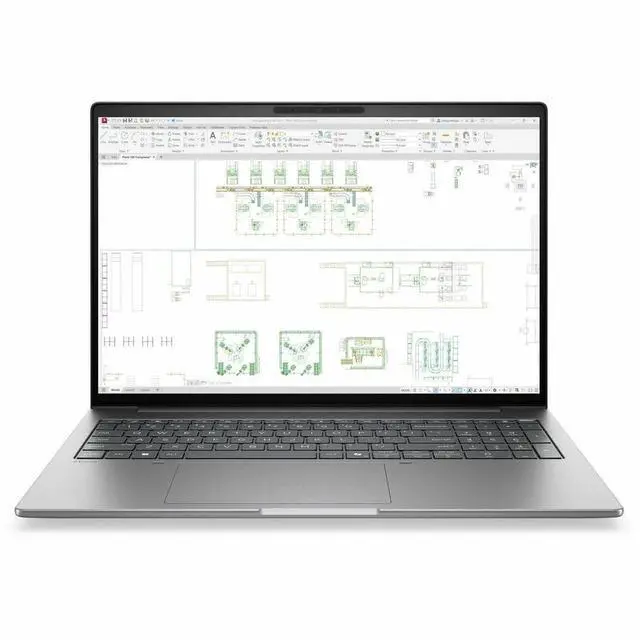
HP ZBook 8 G2i 16" Copilot+ PC Mobile Workstation - WUXGA - 60 Hz - Intel Core Ultra 7 Series 3 366H - 32 GB - 1 TB SSD - English Keyboard - Meteor Silver Aluminum - Intel Chip - 1920 x 1200 - Wi
Free game w/ purchase, limited offer
- WUXGA
- 60 Hz
- Intel Core Ultra 7 366H
- 32 GB
- 1 TB SSD
- English Keyboard
- Meteor Silver Aluminum
- Intel Chip
- 1920 x 1200
- Windows 11 Pro
- NVIDIA RTX PRO 500 Blackwell
- In-plane Switching (IPS) Te
Any questions? Our AI mode will help you find out quickly.
Warranty & Returns
Warranty, Returns, And Additional Information
Warranty
- Limited Warranty period (parts): 1 year
- Limited Warranty period (labor): 1 year
- Read full details
Return Policies
- Return for refund within: 30 days
- Return for replacement within: 30 days
- This item is covered by Newegg.com's 30-Day Return Policy.
- Read full return policy for details.
Manufacturer Contact Info
- Manufacturer Website
- Support Phone: 1-800-474-6836
- Support Website
- View other products from HP
Learn about this product
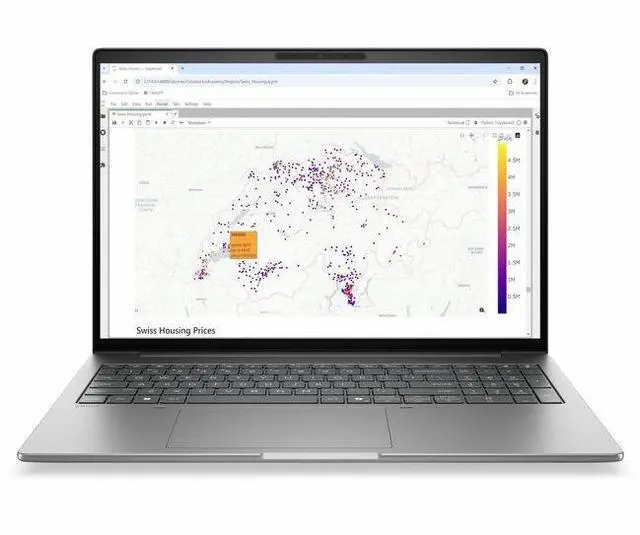
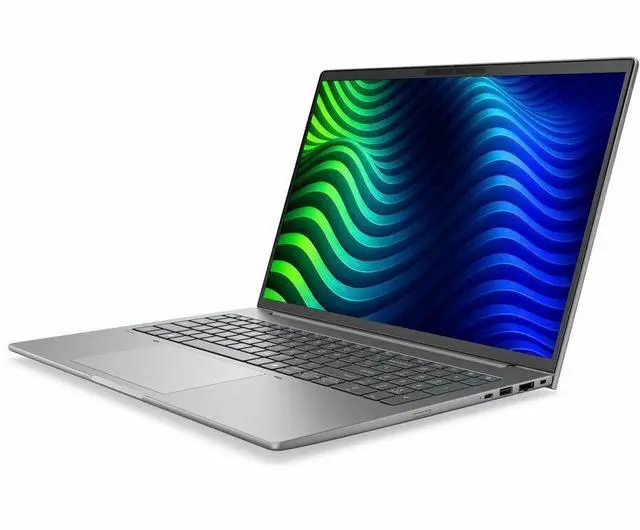
The HP ZBook 8 G2i is a 16-inch mobile workstation for professionals who need a large WUXGA display, 32GB of memory, 1TB SSD storage, and Windows 11 Pro in a portable laptop for office, engineering, and content-focused workflows.
Recommended For
- Mobile CAD, BIM, and engineering users who need ISV-class workstation features in a thinner 16-inch laptop for office, client-site, and hybrid work.
- Professionals running pro apps alongside large spreadsheets, browser tabs, meetings, and local AI features who want 32GB RAM, a 1TB SSD, and Windows 11 Pro in one work-issued machine.
- IT-managed corporate users who prioritize security, manageability, Wi‑Fi 7 connectivity, and standardized workstation deployment over gaming-style extras.
- Architects, designers, and technical consultants who present drawings, models, or project files on the go and prefer a larger 16-inch workspace without stepping up to a bulkier desktop-replacement workstation.
Real-World Use Scenarios
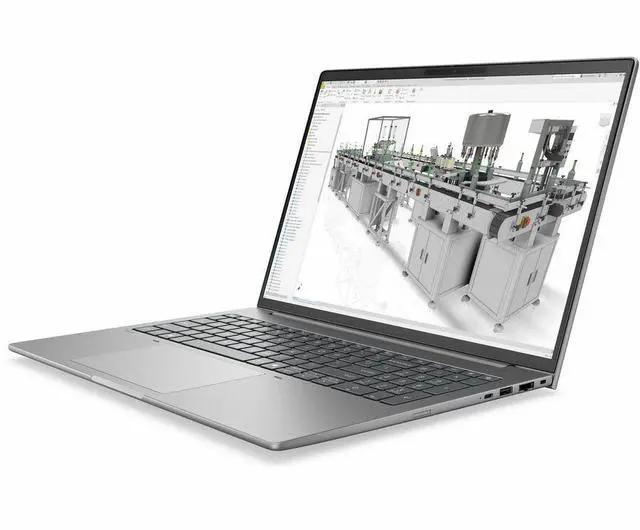
- Using CAD, design review, or architectural layout apps while traveling between job sites: the ZBook 8 G2i is positioned for light 3D modeling and review work, so users can make edits, inspect models, and present designs on location without needing a desk-bound workstation.
- Working in large office files with many apps open at once: for users building big PowerPoint decks, handling Excel pivot tables, and opening high-resolution documents side by side, the expected experience is smooth multitasking with fewer slowdowns than a standard business laptop.
- Reviewing 2D/3D creative assets or print and UX work away from the office: this model is aimed at designers and creative pros who need to open large visual files, check layouts, and make revisions from different locations with less waiting on file loads.
- Hybrid work with frequent video meetings in shared or noisy spaces: users can expect clearer calls and a more polished on-camera experience thanks to HP’s collaboration features, making it practical for project managers, consultants, and remote teams moving between home, office, and public spaces.
- Using pro software that benefits from certified graphics and workstation tuning: engineers, media users, and technical professionals are likely to get more predictable app behavior and fewer compatibility concerns than on a mainstream consumer laptop, especially for review, editing, and visualization workflows.
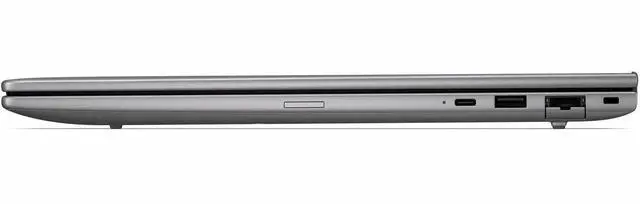
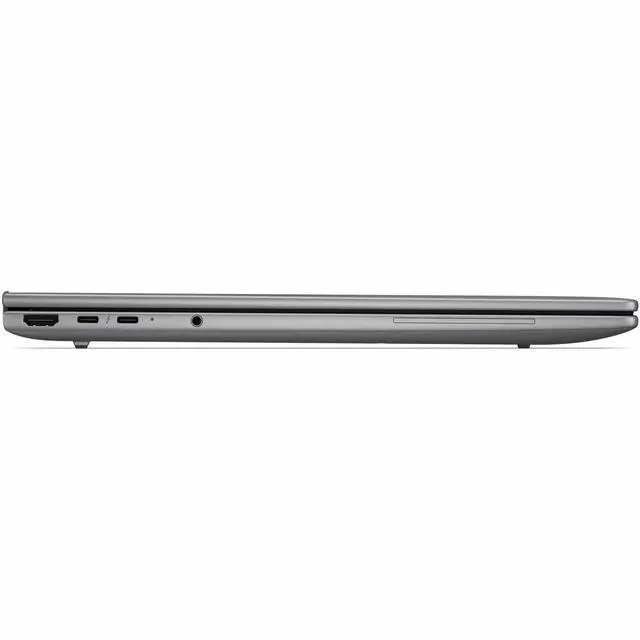
- Connecting to wired office networks, docks, external displays, and meeting-room gear without extra adapters: in day-to-day business use, the built-in Ethernet, HDMI, and Thunderbolt ports make it easier to move between desk setups, conference rooms, and client sites with less cable friction.
Spec Summary
| Attribute | Value |
|---|---|
| Best For | Professionals and power users who need a 16-inch mobile workstation with an Intel Core Ultra 7-series CPU, 32 GB of RAM and a 1 TB M.2 SSD for multitasking and workstation-class projects |
| Model Identifiers | HP ZBook 8 G2i — model DK2J5UT#ABA (ZBook 8 G2i edition) by Hewlett Packard |
| Processor And Core Count | Intel Core Ultra 7 series — model 366H, up to 4.8 GHz maximum turbo, 18 MB L3 cache |
| GPU And VRAM | Integrated graphics (internal listing); external attributes also reference NVIDIA RTX PRO 500 with 6 GB GDDR7 and Intel video processors |
| Display Spec | 16.0-inch IPS display with native 1920 x 1200 resolution, up to 300 nits brightness and ~62% sRGB coverage |
| Memory Configuration | 32 GB DDR5 SDRAM installed, 2 memory slots, expandable up to 64 GB |
| Storage And Expansion | 1 TB solid-state drive (M.2 form factor / M.2 interface) |
| High Speed I O | High-speed I/O includes 2 Thunderbolt ports, 1 HDMI port, 2 USB ports and USB Type-C support |
| Wired And Wireless Networking | Wi‑Fi and Bluetooth wireless connectivity, plus Ethernet for wired networking |
| Webcam And Privacy | Built-in webcam |
| Audio Setup | Stereo audio |
| Operating System | Windows 11 Pro |
| Form Factor | Mobile Workstation (workstation-class mobile form factor) |
| Dimensions And Portability | Item dimensions reported as 19.8 L x 2.5 W x 11.8 H/TH inches; package weight 6.95 Pounds |
| Color And Finish | Meteor Silver Aluminum finish |
| Package Contents | Package lists ZBook 8 G2i 16 inch Mobile Workstation PC, lithium polymer battery, AC adapter and power cord (package quantity: 1) |
Reference Q&A
Q: HP ZBook 8 G2i vs Dell Precision 3591: which is the better fit for mobile CAD and pro apps?
A: Choose the HP ZBook 8 G2i if you want a newer Copilot+ workstation platform with Intel Core Ultra Series 3, a built-in 50 TOPS NPU, and optional NVIDIA RTX PRO 500 Blackwell graphics in a relatively light 16-inch chassis. Choose the Dell Precision 3591 if you prefer a more established 15-inch workstation option based on Intel Core Ultra 100H and RTX Ada-class graphics. The HP is the stronger pick when AI readiness, newer platform positioning, and lighter travel-friendly workstation use matter more. The Dell is the safer pick if you are comparing against a mature platform with familiar enterprise buying patterns.
Q: Should I buy the HP ZBook 8 G2i or step up to a heavier performance-first workstation like Lenovo ThinkPad P16 Gen 2?
A: Buy the HP ZBook 8 G2i if you want workstation features in a machine that is easier to carry daily. Step up to a larger performance-first model like the ThinkPad P16 Gen 2 if your workload is centered on sustained rendering, larger GPU options, and maximum memory and thermal headroom. The ZBook 8 G2i fits users who split time between office, travel, and professional apps. A thicker 16-inch workstation is the better choice when portability is secondary to peak throughput.
Q: Is the HP ZBook 8 G2i worth it over a lower-tier integrated-graphics business laptop?
A: Yes, if your work includes certified professional apps, heavier multitasking, larger projects, or GPU-accelerated workflows. This ZBook 8 G2i configuration adds workstation positioning, 32GB of memory, 1TB of storage, Windows 11 Pro, and an NVIDIA professional GPU option that a standard business laptop often does not match. A lower-tier integrated-only laptop is the better value for office productivity, web apps, meetings, and light content work. The ZBook 8 G2i makes more sense when your software stack benefits from workstation validation and discrete graphics.
Q: HP ZBook 8 G2i vs older ZBook Firefly or similar previous-generation thin workstations: is it a meaningful upgrade?
A: It is a meaningful upgrade if you want the newer HP workstation platform with Copilot+ positioning, a built-in NPU for on-device AI workloads, and newer graphics options. HP has repositioned the lineup so ZBook 8 replaces the former Firefly tier, which signals a continuation of the thin-and-mobile workstation role with updated naming and newer silicon. If your current thin workstation already handles your CAD, Adobe, or engineering workflow comfortably, the upgrade is mainly about newer platform features and AI readiness rather than a category change. Upgrade sooner if you want better long-term platform support and newer GPU options.
Q: Should I choose this HP ZBook 8 G2i or move up to HP's higher-tier 16-inch workstation models?
A: Choose the ZBook 8 G2i if you want a balanced mobile workstation for daily travel, office docking, and mainstream professional workloads. Move up to HP's higher-tier 16-inch workstation range if your priority is more GPU headroom, more aggressive thermal capacity, or larger-scale rendering and simulation work. The ZBook 8 G2i is the better fit for users who want workstation credibility without jumping to a bulkier class. Higher-tier models make more sense when performance margin matters more than portability.
Q: Is this a good fit for office work, meetings, and heavy multitasking?
A: Yes. This configuration is well-suited for office work, video meetings, large spreadsheets, browser-heavy multitasking, and professional apps. The key reasons are the 32GB memory, 1TB SSD, 16-inch 1920 x 1200 display, webcam, Bluetooth, HDMI, and Windows 11 Pro. Compared with mainstream consumer laptops that often appear in retail Q&A with 8GB or 16GB RAM, this setup is better matched to users who keep many apps and tabs open at once.
Q: Is it worth buying as a travel work device?
A: It can work well for travel if your priority is workstation capability over maximum portability. The 16-inch screen, HDMI output, webcam, and business-ready specs make it practical for trips, client presentations, and hotel-desk work. The trade-off is that a 16-inch mobile workstation is usually less travel-friendly than a thin ultrabook, so buyers focused on lighter carry weight and longer unplugged use may prefer a consumer ultraportable instead.
Q: Who is this laptop most suitable for?
A: This model is best for business users, engineers, creators, and other professionals who need a larger screen, more memory, Windows 11 Pro, and workstation-class positioning. It is a stronger fit than a basic home or school laptop when the workload includes multitasking, external displays, larger files, or professional software. It is less ideal for buyers who mainly want the lowest price, a touch display, or a very light everyday notebook.
Q: Is it better than a mainstream 16-inch laptop for professional work?
A: For professional work, usually yes. This HP configuration offers 32GB RAM, 1TB SSD, Windows 11 Pro, HDMI, and dedicated NVIDIA graphics listed alongside Intel graphics, which makes it more suitable for demanding productivity and workstation use than many mainstream 16-inch consumer laptops that ship with 16GB RAM and consumer-focused positioning. The trade-off is that consumer alternatives may offer better value if your workload is mostly web, documents, streaming, and light office use.
Q: Can it handle an external monitor or desk setup well?
A: Yes. For a desk setup, the built-in HDMI port makes it straightforward to connect at least one external display, and this category of 16-inch productivity laptop is commonly used with docks, keyboards, mice, and monitors. That said, buyers who need multi-monitor support beyond a simple one-monitor setup should verify the exact USB-C and dock/display output limits before purchase, because retail Q&A often shows that monitor support varies by model.
Q: Is this HP ZBook a good fit for engineering, CAD, and other workstation workloads?
A: Yes, it is better suited to professional workstation use than to casual everyday use. The listed configuration combines a 16-inch 1920x1200 display, 32GB RAM, 1TB SSD, Intel Core Ultra 7, Windows 11 Pro, and NVIDIA graphics with 6GB VRAM, which aligns with the needs commonly discussed for CAD, modeling, Adobe, and technical multitasking. It makes more sense for users who run heavier desktop-class work than for buyers who only need web, office, and streaming.
Q: Is it worth buying if I mainly want a work laptop rather than a gaming laptop?
A: It can be worth buying if your priority is work stability, memory capacity, storage, and professional features rather than gaming value. This model is a mobile workstation, and its 32GB RAM, 1TB SSD, workstation branding, and Windows 11 Pro make more sense for development, content work, engineering, and business use than for buyers comparing frames-per-dollar. If gaming is the main goal, a consumer performance laptop is usually the better value.
Q: Is this a good travel laptop or desktop replacement?
A: It is closer to a desktop replacement than a light travel laptop. Community discussion around 16-inch ZBooks repeatedly highlights portability trade-offs such as higher weight, larger chargers, and less impressive battery life compared with thinner consumer laptops. This model can travel, but it is a better fit for users who need workstation performance on the go than for users who want an all-day lightweight machine.
Q: What are the main trade-offs of this configuration?
A: The main trade-offs are display and portability rather than core workstation capacity. This listing shows a 16-inch WUXGA 1920x1200 IPS panel at 60Hz and no touchscreen, so it is functional but not aimed at buyers who want higher refresh, touch input, or a premium creator display. The upside is a straightforward workstation setup with 32GB RAM, 1TB SSD, and discrete NVIDIA graphics; the downside is that it is likely less appealing for tablet-style note-taking, gaming-focused smoothness, or users who prioritize battery life and low carry weight.
Q: Who is this laptop most suitable for?
A: It is most suitable for users who need a 16-inch Windows workstation with strong multitasking headroom and dedicated graphics, such as engineers, architects, developers, technical creators, and business users running heavier software stacks. It is less suitable for buyers who want a thin campus laptop, handwritten note-taking, or the best battery-first travel experience.