Out of stock
This item is currently out of stock and it may or may not be restocked.
Sold by Newegg

Shipped by Newegg

Shop it at NeweggBusiness.

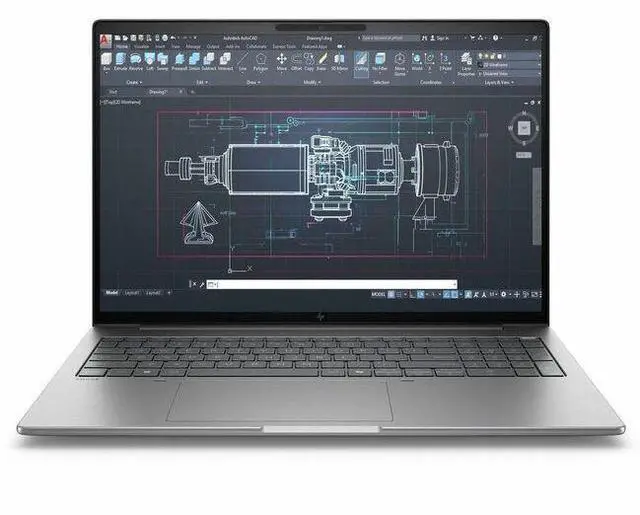
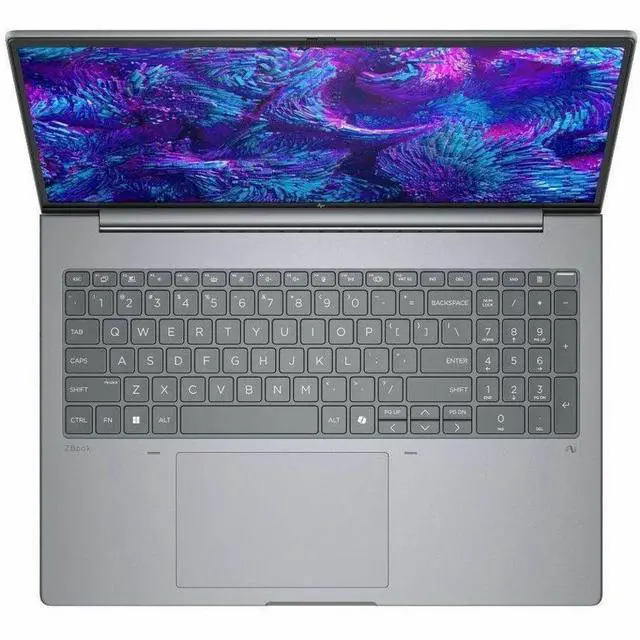
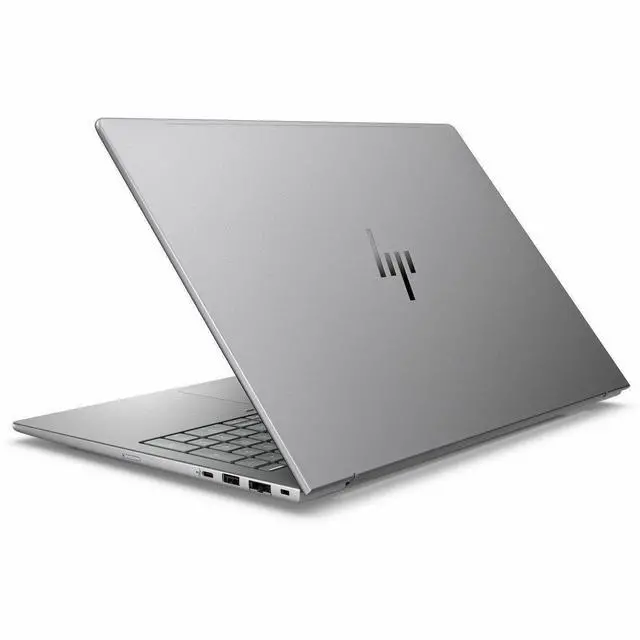
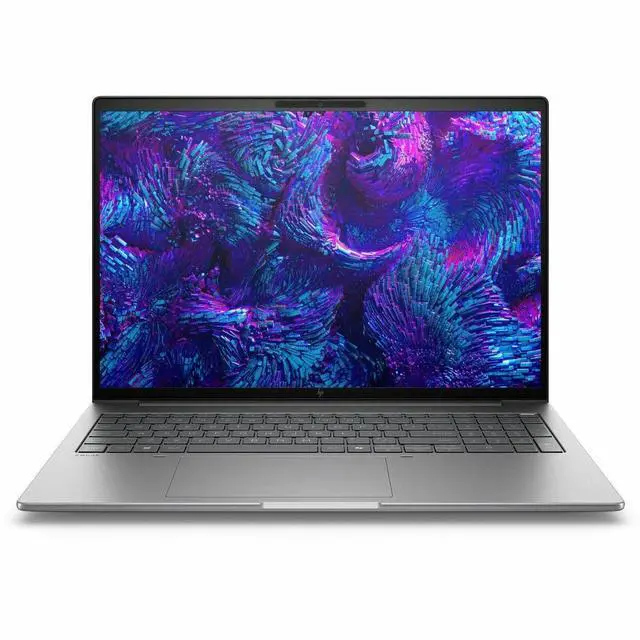
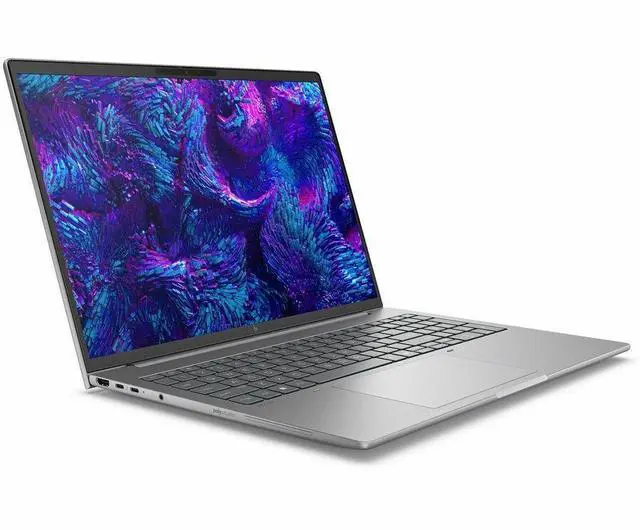
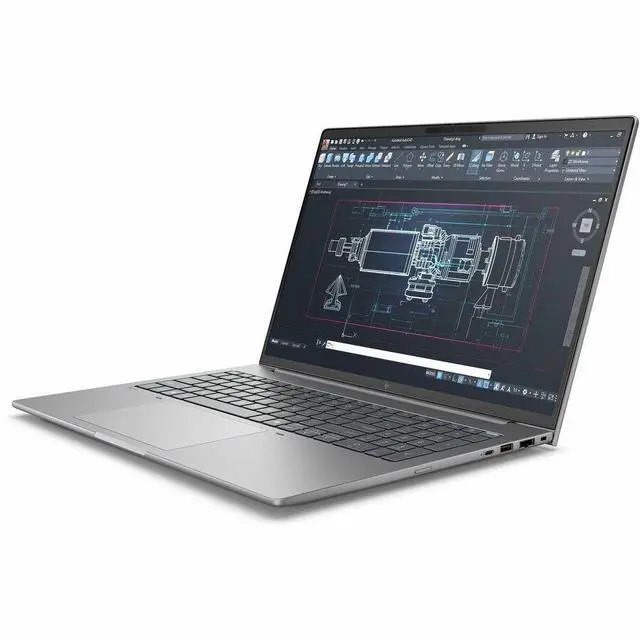
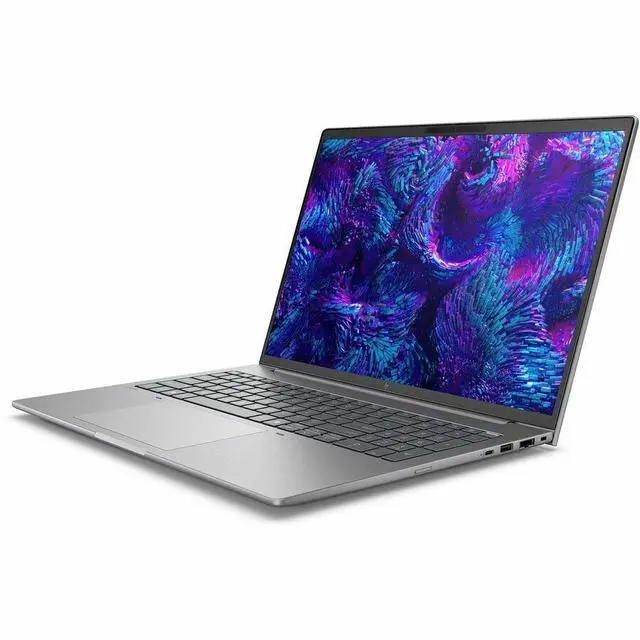
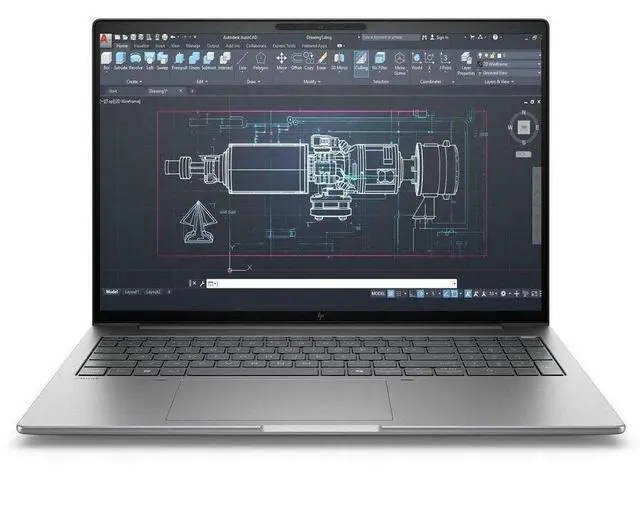
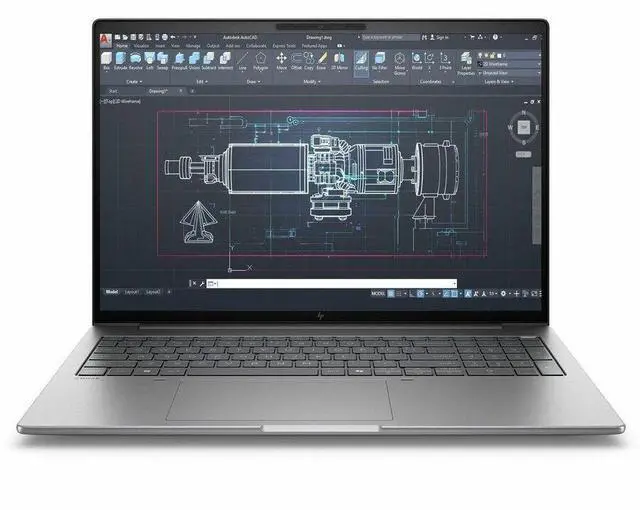
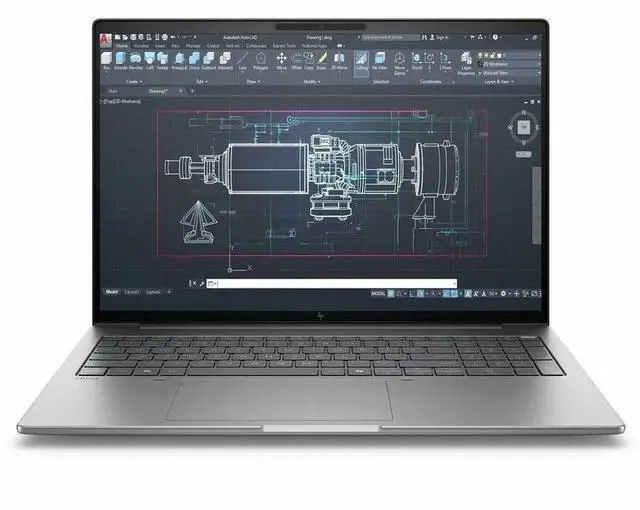
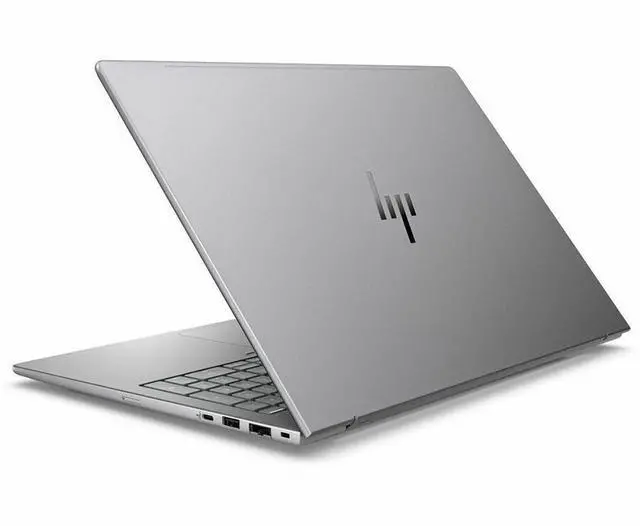
HP ZBook 8 G1i 16" Mobile Workstation - Intel Core Ultra 7 265H - 32 GB - 1 TB SSD - Windows 11 Pro - NVIDIA RTX 500 Ada Generation with 4 GB - Webcam - Wi-Fi 7 D06J3AT#ABA

  • WUXGA
  • 60 Hz
  • Intel Core Ultra 7 265H
  • 32 GB
  • 1 TB SSD
  • English Keyboard
  • Meteor Silver
  • Intel Chip
  • 1920 x 1200
  • Windows 11 Pro
  • NVIDIA RTX 500 Ada Generation with 4 GB
Overview
Specs
Reviews
See all Q & A
avatar

Any questions? Our AI mode will help you find out quickly.

16 ZB8G1i16 U7265H 32G 1TB

Warranty & Returns

Warranty, Returns, And Additional Information

Warranty

  • Limited Warranty period (parts): 1 year
  • Limited Warranty period (labor): 1 year
  • Read full details

Return Policies

Manufacturer Contact Info

LOADING...

Learn about this product

The HP ZBook 8 G1i is a 16-inch mobile workstation built for professionals who need a portable Windows 11 Pro system with Intel Core Ultra 7 performance, 32GB DDR5 memory, 1TB SSD storage, and NVIDIA RTX 500 Ada graphics for CAD, content creation, and technical workflows.

Recommended For

  • Mobile CAD and design-review users who need certified workstation graphics in a lighter 16-inch laptop. HP positions the ZBook 8 for light 3D modeling, design reviews, and architectural layouts, and review coverage consistently frames it as a portable workstation rather than a gaming machine.
  • Engineers, analysts, and technical professionals who keep large spreadsheets, browser tabs, hi-res documents, and pro apps open at the same time. HP explicitly highlights heavy multitasking workflows, and reviews praise the CPU, thermals, 32GB RAM class, and sustained load behavior.
  • Hybrid workers and consultants who want workstation features without carrying a bulky desktop replacement. The 16-inch model stays under 4 lb, keeps enterprise ports like RJ-45 and Thunderbolt, and HP markets it around getting demanding work done from office, home, and client sites.
  • Students or early-career users in engineering, sciences, architecture, or digital arts who need an ISV-oriented Windows workstation for class projects, internships, and entry-level pro software use. HP specifically calls out STEAM students as a target audience.
  • Remote professionals who spend long days in meetings and collaborative review sessions, and want better webcam, noise handling, Wi‑Fi 7, and business security than a typical creator or gaming laptop. HP's positioning leans heavily on collaboration features alongside workstation use.

Real-World Use Scenarios

  • Working in CAD or SolidWorks on the go: users can handle everyday modeling, drawings, and viewport work with the workstation GPU and certified-driver focus, with a smoother and more predictable experience than a consumer laptop, though very large assemblies or heavy GPU rendering will still be a step down from higher-tier mobile workstations.
  • For architecture, engineering, or design school workloads such as Revit, AutoCAD, Adobe apps, and multitasking across large project files, this configuration fits typical coursework and office use well; users should expect good responsiveness for class and project work, but not the fastest export times or rendering speeds in more demanding 3D scenes.
  • Editing photos, short-form video, and layered creative projects is a practical fit: the CPU and 32GB RAM support smooth timeline work and everyday export jobs, while the RTX 500 Ada helps with pro-app acceleration, but 4GB of VRAM makes this less suitable for heavier effects, large 4K timelines, or advanced GPU-heavy workflows.
  • As a mobile office workstation for consultants, engineers, or field teams, it is well suited to running many business apps, browser tabs, remote meetings, and external displays at once; users can expect a stable all-day work machine with enterprise ports and enough battery life for meetings and travel, even though peak performance work is best done plugged in.
  • Using local AI tools or GPU-heavy generative workloads is possible only at a basic level: users may run smaller on-device models or AI-assisted features inside professional apps, but the 4GB GPU memory and modest NPU mean larger local models, fine-tuning, and more demanding AI workflows are likely to feel limited or unsupported.

Spec Summary

AttributeValue
Best ForBusiness and professional mobile-workstation use — on-the-go productivity and professional workloads that benefit from a 16" WUXGA IPS display, NVIDIA RTX 500 (4 GB) plus Intel Arc 140T graphics, 32 GB RAM and a 1 TB SSD
Processor And Core CountIntel Core Ultra 7 265H (Series 2) processor, single-processor design, up to 5.30 GHz turbo and 24 MB L3 cache
GPU And VRAMNVIDIA RTX 500 Ada Generation with 4 GB GDDR6 VRAM plus Intel Arc 140T graphics (hybrid NVIDIA + Intel graphics listed)
Display Spec16.0" WUXGA (1920 x 1200) IPS display, 60 Hz refresh rate, non-touch, up to 300 nits brightness
Memory Configuration32 GB DDR5 installed (2 memory slots, user-upgradeable up to 64 GB)
Storage And Expansion1 TB solid-state drive in M.2 form factor (SSD), SD-compatible for removable flash expansion
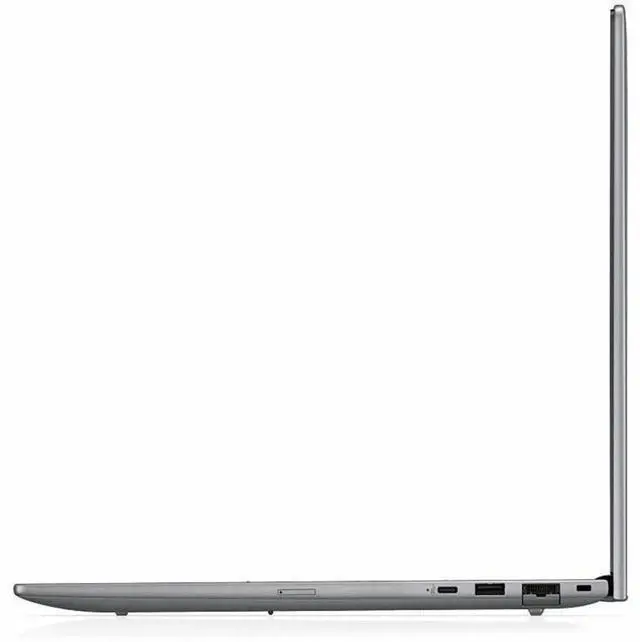
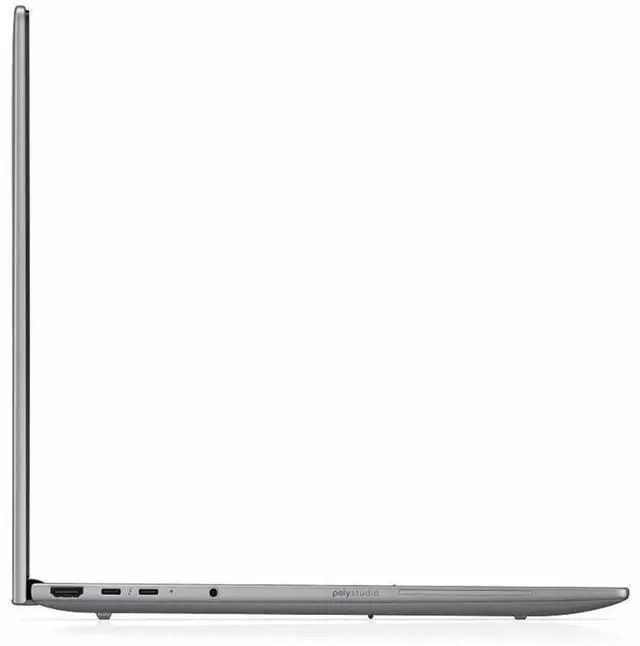
High Speed I O2 Thunderbolt 4 ports, 1 USB-C with 20 Gbps (USB Power Delivery + DisplayPort 1.4), 2 total USB ports, 1 HDMI port and Gigabit RJ-45 Ethernet
Battery And Power8-cell lithium-polymer battery (installed), fast-charge: 50% in 30 minutes, battery weight 10.58 oz, single battery included in package
Wired And Wireless NetworkingWi‑Fi 7 (802.11be) wireless LAN, Bluetooth support, and Gigabit Ethernet
Webcam And PrivacyBuilt-in 5 megapixel webcam
Keyboard And ControlStandard keyboard with touch pad
Audio SetupStereo audio
Portability14.1 x 9.8 x 0.76 inches (W x D x H), weighs 3.88 lb
External Display And Docking FitSupports external displays via HDMI and DisplayPort 1.4 over USB-C; two Thunderbolt 4 ports suitable for docking and multi-display connections
Model IdentifiersHP ZBook 8 G1i mobile workstation — Part Number / Model D06J3AT#ABA (Manufacturer: Hewlett Packard)

Reference Q&A

Q: Should I get the HP ZBook 8 G1i 16 or a business laptop with only Intel Arc graphics?

A: Choose the HP ZBook 8 G1i 16 if you need certified workstation graphics for CAD, 3D, or other professional GPU-accelerated apps. This configuration adds an NVIDIA RTX 500 Ada Laptop GPU with 4 GB GDDR6, while still keeping the Intel Core Ultra 7 265H platform and upgradeable memory. Professional benchmark coverage shows the RTX 500 Ada is meaningfully faster than integrated graphics for GPU compute and 3D workloads, so the ZBook 8 G1i 16 is the more practical choice when your work depends on viewport stability, certified drivers, or light-to-moderate rendering. A business laptop with only integrated graphics makes more sense when portability, battery life, and lower cost matter more than workstation GPU capability.

Q: Is the HP ZBook 8 G1i 16 worth it over the HP ZBook Firefly 16 G11?

A: Pick the HP ZBook 8 G1i 16 if you want HP's newer mainstream 16-inch mobile workstation platform with Intel Core Ultra Series 2 options, up to RTX 500 Ada graphics, and user-upgradeable memory in a system positioned for heavier multitasking and pro-app use. The ZBook Firefly 16 G11 is the lighter-duty alternative for users who mainly want a premium business-workstation hybrid and do not need the newer platform. In practical buying terms, the ZBook 8 G1i 16 is the better fit for users prioritizing newer CPU generation, workstation expandability, and discrete pro graphics, while the Firefly 16 G11 remains the better fit if lower weight and a more conservative performance target matter more.

Q: Should I buy this ZBook 8 G1i 16 or move up to a higher-tier mobile workstation GPU?

A: This ZBook 8 G1i 16 configuration is the right choice if your workflow centers on office-heavy engineering work, CAD, Adobe apps, code, analysis, and occasional GPU acceleration. Move up to a higher-tier mobile workstation only if your projects regularly involve larger assemblies, heavier rendering, complex simulation, or more VRAM-sensitive workloads. The trade-off is straightforward: this model offers a lighter and more travel-friendly workstation setup, while higher-tier GPUs deliver more sustained graphics performance and more headroom for demanding 3D and rendering tasks.

Q: How does the HP ZBook 8 G1i 16 compare with a Lenovo ThinkPad P16s Gen 3 or Dell Precision 3591?

A: The HP ZBook 8 G1i 16 is the better pick if you want a 16-inch workstation with a broad mix of enterprise features, newer HP ZBook positioning, dual SODIMM memory upgradeability, Thunderbolt 4, Ethernet, and RTX 500 Ada graphics in a relatively portable chassis. A ThinkPad P16s Gen 3 or Dell Precision 3591 is the better alternative if you prefer those vendors' keyboard, service ecosystem, or display/configuration mix. Across this class, the buying decision is usually less about raw category differences and more about vendor preference, display options, port layout, support terms, and price at the time of purchase, because these systems often target the same professional workloads.

Q: Is the HP ZBook 8 G1i 16 a better choice than a thinner portability-first laptop?

A: Yes, if your priority is workstation capability rather than minimum size. The HP ZBook 8 G1i 16 gives you features that portability-first laptops often skip, including RTX 500 Ada professional graphics, RJ-45 Ethernet, dual Thunderbolt 4, and upgradeable memory. A thinner laptop is the better choice when travel comfort, battery-focused use, and a smaller carry footprint matter more than certified graphics and workstation expandability. Community discussion around early ZBook 8 G1i ownership also points to this trade-off clearly: users see it as more substantial than an ultrabook, but better aligned with professional workloads.

Q: Is this a good choice for travel and hybrid work?

A: Yes, if you need workstation-class features on the go. At 3.88 lb with a 16-inch 1920 x 1200 display, Wi-Fi 7, Gigabit Ethernet, HDMI, two Thunderbolt 4 ports, and fast charging to 50% in 30 minutes, it fits hybrid office, client-site, and travel use better than a desk-bound workstation. The trade-off is that it is still a 16-inch mobile workstation, so it is less compact than a 14-inch business laptop and battery life will usually be shorter under GPU-heavy workloads.

Q: Is it good for meetings, office work, and multitasking?

A: Yes. For office work, video calls, spreadsheets, browser-heavy multitasking, and general business use, this configuration is more than sufficient. The Core Ultra 7 265H, 32GB RAM, 1TB SSD, 5MP webcam, Windows 11 Pro, and full port mix make it well suited for meetings and productivity. It is more machine than most users need for basic note-taking or email, but that extra headroom is useful if you also run engineering, design, or other heavier applications.

Q: Who is this laptop best suited for?

A: This model is best for professionals who need a real mobile workstation, not just a premium office laptop. It makes the most sense for CAD, 3D, light to moderate GPU-accelerated content creation, technical applications, and users who need business features like Windows 11 Pro, Ethernet, Thunderbolt 4, and a discrete NVIDIA RTX 500 Ada GPU. It is less suitable for buyers who only need web, documents, and meetings, because a lighter non-workstation laptop can do that for less money and with better portability.

Q: What are the main trade-offs versus a 14-inch mobile workstation or business laptop?

A: The main advantage of this 16-inch ZBook is workspace and connectivity: a larger 16-inch panel, discrete RTX 500 Ada graphics, RJ-45 Ethernet, HDMI, and Thunderbolt 4 make it better for professional workflows and external displays. The trade-offs are size and mobility. A 14-inch business laptop or 14-inch workstation is easier to carry daily and may feel better for frequent commuting, while this model is the better fit when screen size, ports, and workstation graphics matter more than minimum weight.

Q: Is it better than a similar RTX 500 Ada alternative like the Lenovo ThinkPad P16v Gen 2?

A: It depends on your priorities. This HP configuration stands out for newer platform details in the provided spec set, including the Core Ultra 7 265H, 32GB RAM, 1TB SSD, Wi-Fi 7, 5MP webcam, and fast charging. A comparable ThinkPad P16v Gen 2 is in the same class with a 16-inch 1920 x 1200 display and RTX 500 Ada graphics, so the decision is more about exact configuration, port needs, keyboard preference, service ecosystem, and price at the time of purchase than a clear category winner.

Q: Who is the HP ZBook 8 G1i 16 best suited for?

A: It is best suited for professional workstation users who need a portable 16-inch laptop for CAD, design, engineering, content creation, coding, and office work. The 32 GB RAM, 1 TB SSD, workstation-class ZBook platform, Ethernet, and RTX 500 Ada make more sense for professional apps and multi-app workflows than for gaming-first use. It is a better fit for users who value business features, ports, and reliability over high-refresh entertainment features.

Q: Is the HP ZBook 8 G1i 16 worth buying over a gaming laptop?

A: It is worth buying if your priority is professional workstation use, business features, and a more travel-friendly work machine. It is usually not the best value if your main goal is gaming performance per dollar. The RTX 500 Ada 4 GB GPU is a workstation-oriented entry GPU, so this model makes more sense for certified or professional software workflows than for users comparing it directly with gaming laptops at the same price.

Q: Is the RTX 500 Ada version good enough for heavy 3D or rendering work?

A: It is good enough for lighter professional GPU workloads, 2D/3D design, and general workstation use, but it is not the strongest choice for heavy rendering, large simulations, or GPU-intensive 3D work. The main trade-off in this configuration is that the laptop is relatively portable for a workstation, but the RTX 500 Ada with 4 GB VRAM is an entry-level professional GPU.

Q: Is the HP ZBook 8 G1i 16 a good travel or daily-carry workstation?

A: Yes, if you want a workstation-style laptop that is still manageable to carry. At 3.88 lb and 0.76 inches thick, it is lighter and slimmer than larger desktop-replacement workstations, but the trade-off is lower GPU headroom than thicker ZBook models. It is a sensible choice for users who need a 16-inch work machine for commuting, campus, or client-site use.

Q: What are the main trade-offs of this ZBook 8 G1i 16 configuration?

A: The main advantages are 32 GB RAM, 1 TB SSD, business connectivity including Thunderbolt 4 and RJ-45 Ethernet, Wi-Fi 7, and a workstation-focused design in a relatively light 16-inch chassis. The main trade-offs are a basic 1920 x 1200 60 Hz display and an entry-level RTX 500 Ada 4 GB GPU, so this configuration favors practical work use over top-tier visual, gaming, or rendering performance.