Out of stock
This item is currently out of stock and it may or may not be restocked.
Sold by Newegg

Shipped by Newegg

Shop it at NeweggBusiness.

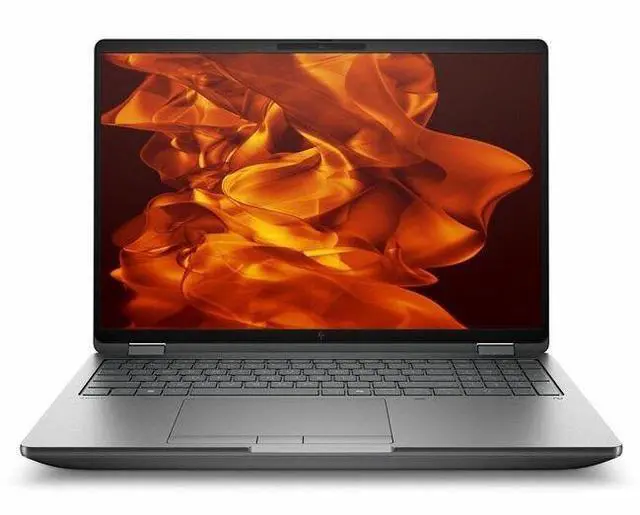
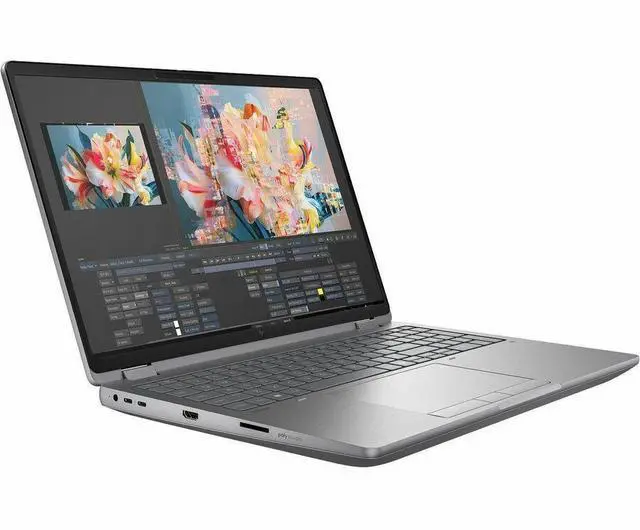
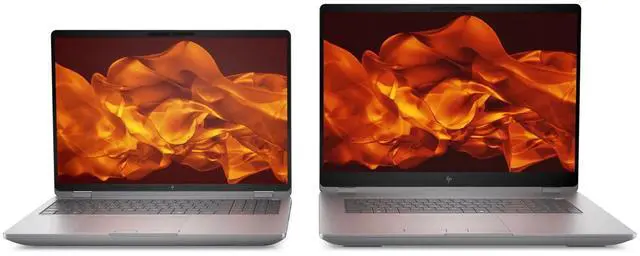
HP ZBook Fury G1i 16" Mobile Workstation - WQXGA - Intel Core Ultra 9 285HX - 32 GB - 1 TB SSD - Windows 11 Pro - NVIDIA RTX Pro 2000 Blackwell 8 GB - Webcam - Wi-Fi 7 (C94FBUT#ABA)

  • Intel Core Ultra 9 285HX
  • 32GB DDR5 Memory / 1TB SSD
  • NVIDIA RTX Pro 2000 Blackwell
  • 2560 x 1600
  • Windows 11 Pro
Overview
Specs
Reviews
See all Q & A
avatar

Any questions? Our AI mode will help you find out quickly.

SMART BUY ZBOOK G1I 16 U9 285HX 16 32GB/1T PC

Warranty & Returns

Warranty, Returns, And Additional Information

Warranty

  • Limited Warranty period (parts): 1 year
  • Limited Warranty period (labor): 1 year
  • Read full details

Return Policies

Manufacturer Contact Info

LOADING...

Learn about this product

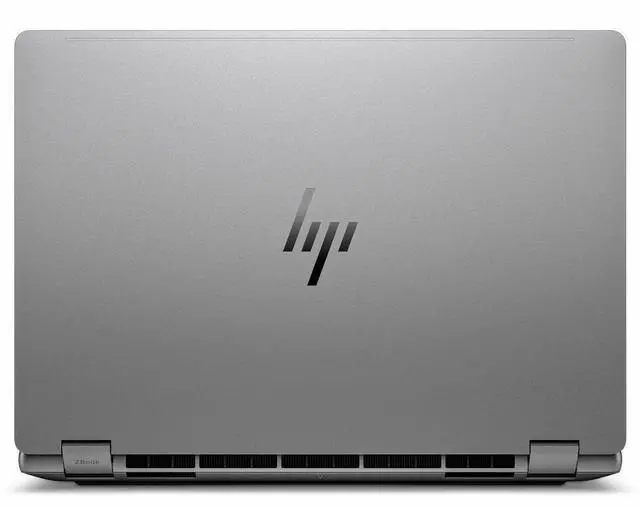
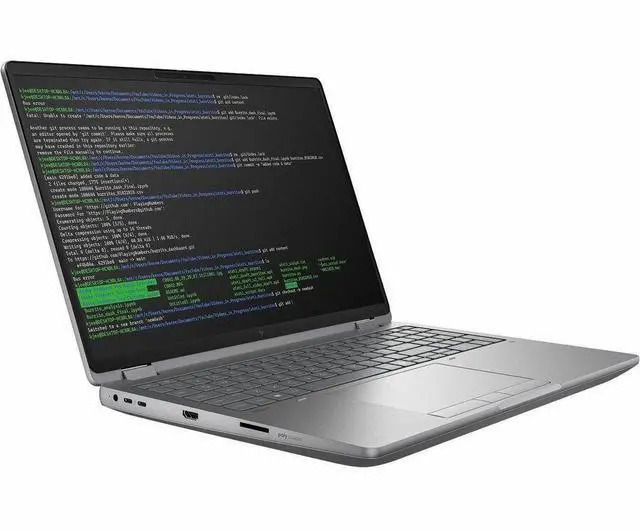
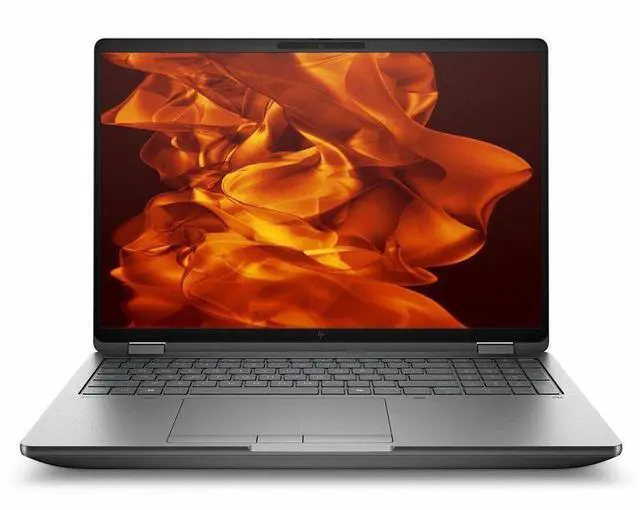
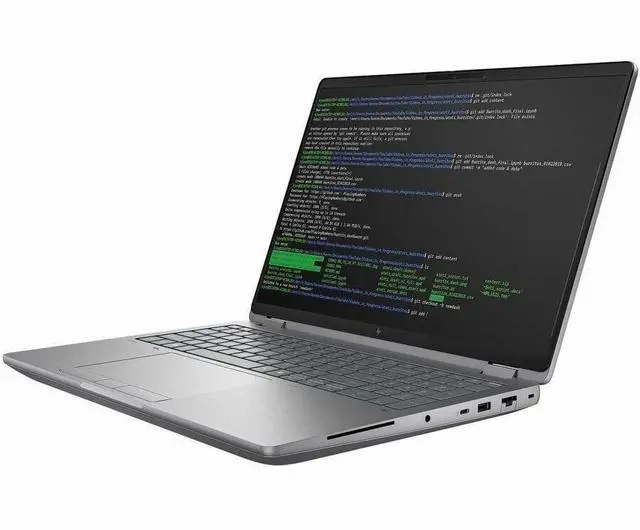
The HP ZBook Fury G1i is a 16-inch mobile workstation built for engineers, 3D creators, developers, and technical professionals who need desktop-class performance in a portable laptop, with an Intel Core Ultra 9 285HX, NVIDIA RTX Pro 2000 Blackwell graphics, 32GB DDR5 memory, and a 2560 x 1600 display.

Recommended For

  • Engineers, CAD users, and simulation-heavy professionals who need ISV-certified software support and workstation-class graphics in a laptop they can move between office, lab, and client sites.
  • 3D artists, visualization teams, and video professionals who work on large local projects and want a mobile system built for rendering, multitasking, and handling heavier creative workloads away from a desk.
  • AI developers and technical users who want to run local model testing, inferencing, or GPU-accelerated workflows on a portable workstation instead of relying only on a desktop or cloud instance.
  • IT buyers and enterprise teams standardizing on repairable, expandable mobile workstations with more upgrade headroom, wired networking, and broad port selection than thin-and-light creator laptops.

Real-World Use Scenarios

  • Running CAD and BIM applications like SolidWorks, Creo, AutoCAD, or Revit while traveling or moving between job sites: users can expect workstation-class stability, certified graphics support, and smoother handling of medium-to-large models than a typical consumer laptop.
  • Working on 3D product design, view manipulation, and model exports in apps such as Revit or Creo: the experience should feel responsive for professional workflows, with quicker view refreshes and fewer slowdowns during graphics-heavy design tasks.
  • Editing large Photoshop files alongside browser tabs, office apps, and project assets: users should be able to keep several work streams open at once without the system feeling easily overloaded, making it practical for design teams and technical creatives.
  • Running local AI-assisted workflows such as image analysis, model inferencing, or computer-vision experiments on proprietary data: this system is positioned for on-device work, so users can do smaller-to-midrange AI tasks locally instead of relying entirely on cloud compute.
  • Using the laptop as a desk-based replacement with external monitors, wired Ethernet, and high-speed docks or storage: the Fury line fits workflows where the machine is moved between office, lab, and home, then connected to a fuller workstation setup for long sessions.
  • For engineering students or professionals who mix CAD modeling with occasional simulation, slicing, photo work, or light video tasks: the laptop should handle varied technical workloads in one machine, though very large simulations or renders may still be better suited to higher-end GPU configurations or desktops.

Spec Summary

AttributeValue
Best ForMobile workstation users and creative/professional performance computing tasks that need a 16" WQXGA display, discrete NVIDIA RTX Pro 2000 GPU, and a high-memory 32 GB DDR5 configuration
Processor And Core CountIntel Core Ultra 9 285HX (Series 2) processor, single-socket system, up to 5.5 GHz turbo, 13th Gen model details and 40 MB L2 cache reported
GPU And VRAMNVIDIA RTX Pro 2000 (Blackwell) discrete GPU with 8 GB video memory, system also lists Intel integrated graphics/support for hybrid Intel+NVIDIA video processing
Display Spec16.0" WQXGA (2560 x 1600) IPS panel with 60 Hz refresh and up to 400 nit brightness, anti‑glare coating noted
Memory Configuration32 GB DDR5 installed (DDR5 SDRAM), 4 RAM slots, upgradable to a reported 192 GB maximum
Storage And Expansion1 TB solid‑state drive (M.2 form factor, M.2 interface) providing primary internal storage
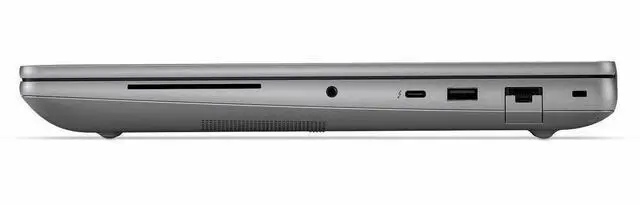
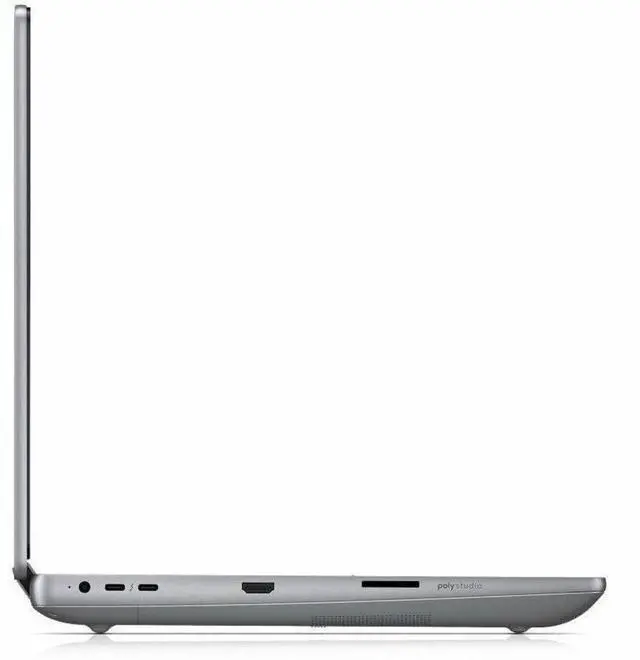
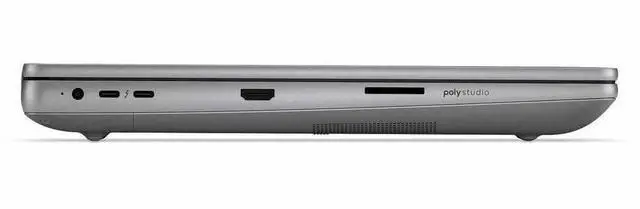
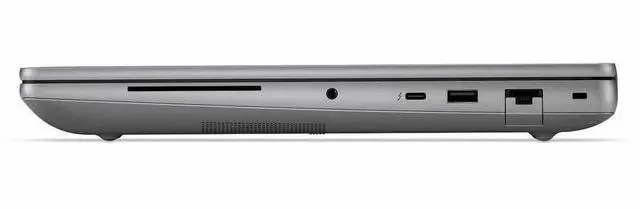
High Speed I OOne USB port reported plus 1× Thunderbolt 4 port and 2× Thunderbolt 5 ports, HDMI ×1 and RJ‑45 Ethernet for wired connectivity
Battery And PowerBuilt‑in 8‑cell Lithium Ion battery (battery included/installed), single battery; reported 8000 mAh capacity and 250 g battery weight
Wired And Wireless NetworkingWi‑Fi 7 (802.11be) wireless LAN with backward compatibility (802.11ax/802.11ac) and Bluetooth support, plus RJ‑45 Ethernet
Webcam And PrivacyFront webcam (5 megapixel) present and system lists webcam capability; fingerprint recognition biometric feature included
Keyboard And ControlChiclet keyboard with standard touch pad input
PortabilityMobile workstation dimensions ~14.1" W × 9.8" D × 1.06" H and weight ~5.36 lb for the unit (package dimensions/weight reported separately)
External Display And Docking FitSupports external displays and docking via HDMI port and multiple Thunderbolt ports (Thunderbolt 4 and Thunderbolt 5)
Model IdentifiersHP ZBook Fury G1i (Model/Part C94FBUT#ABA), Meteor Silver color, HP Inc. manufacturer, 2025 model/edition details

Reference Q&A

Q: Should I choose the HP ZBook Fury G1i 16 or a thinner 16-inch workstation like the Dell Precision 5690?

A: Choose the HP ZBook Fury G1i 16 if your priority is sustained workstation performance, upgrade flexibility, and legacy-friendly connectivity. HP positions the Fury G1i as a desktop-class mobile workstation with user-accessible memory and storage expansion, while thinner designs like the Dell Precision 5690 are positioned more around portability and premium compact design. The Dell is notably lighter at about 4.5 lb, while the listed ZBook Fury G1i configuration is 5.36 lb. In practice, the ZBook Fury is the better fit for CAD, simulation, rendering, or local AI workflows where cooling headroom, serviceability, Ethernet, and broader expansion matter more than carrying comfort. The Precision 5690 is the better fit when you want a more portable 16-inch workstation and can accept tighter upgrade limits.

Q: Is the HP ZBook Fury G1i 16 worth choosing over a lighter workstation with integrated graphics for engineering or 3D work?

A: Yes, if your software benefits from a professional discrete GPU. This ZBook Fury G1i configuration includes an NVIDIA RTX Pro 2000 Blackwell GPU with 8 GB of VRAM, which is the key difference versus portability-focused business laptops or workstation-adjacent models that rely on integrated graphics. Across current mobile workstation testing, RTX Pro 2000-class systems deliver a large step up in GPU-driven workloads and clearly outperform integrated graphics in rendering, viewport work, and GPU-accelerated content creation. Choose the ZBook Fury G1i 16 when your workflow includes CAD assemblies, GPU compute, visualization, or creator applications that scale with dedicated graphics. A lighter integrated-graphics system makes more sense for office work, coding, and travel-first use.

Q: Should I buy this HP ZBook Fury G1i 16 or move up to a higher GPU configuration in the same family?

A: Buy this RTX Pro 2000 configuration if you need a serious certified workstation for CAD, Adobe, modeling, and technical productivity, but do not regularly run very large GPU renders, complex simulation, or heavy local AI workloads. HP positions the Fury G1i line all the way up to RTX Pro 5000 Blackwell options, and those higher tiers are the better fit when GPU memory capacity and sustained graphics throughput are central to your workflow. This specific model is a balanced mid-to-upper configuration because it pairs a Core Ultra 9 285HX with 32 GB RAM and a professional 8 GB GPU, which is usually enough for mainstream workstation use. Moving higher is most justified when your projects are limited by VRAM, render time, or multi-app GPU concurrency rather than CPU speed.

Q: How does the HP ZBook Fury G1i 16 compare with the Lenovo ThinkPad P16 Gen 3 for a desktop-replacement workstation?

A: These two systems target the same buyer: users who want a true 16-inch mobile workstation rather than a thin creator laptop. Choose the HP ZBook Fury G1i 16 if you value HP's emphasis on expandability, tool-free service access, and a configuration strategy built around desktop-class components. Choose the ThinkPad P16 Gen 3 if you prefer Lenovo's platform and display options, including higher-tier OLED configurations seen in reviews. Both families support NVIDIA RTX Pro Blackwell graphics and HX-class Intel CPUs, so the decision is usually less about category differences and more about preferred chassis design, serviceability, display choice, and exact GPU tier. Community discussion around these models commonly treats them as direct alternatives for CAD, engineering, and workstation replacement use.

Q: Is the HP ZBook Fury G1i 16 a better choice than the previous ZBook Fury generation?

A: The G1i is the better choice if you want the newer platform features rather than simply replacing an older machine at the lowest cost. Compared with prior Fury generations, HP's current positioning highlights newer Intel Core Ultra HX processors, Blackwell-generation RTX Pro graphics, Thunderbolt 5, Wi-Fi 7, and stronger local AI messaging. That makes the G1i the more forward-looking option for buyers planning a longer refresh cycle or attaching high-speed external storage and displays. An older Fury can still make sense when budget matters more than platform updates, but the G1i is the more appropriate choice when you want newer I/O, newer GPU architecture, and more headroom for future workstation workloads.

Q: Is the HP ZBook Fury G1i a good choice for travel work, or is it more of a desk-first mobile workstation?

A: It is better suited as a desk-first mobile workstation than a light travel laptop. The main reason is weight: this configuration is listed at 5.36 lb, which is notably heavier than travel-oriented mobile workstations that are often closer to 3.0 to 3.6 lb. It should travel fine between home, office, and client sites, but it is not the best fit if you want something easy to carry all day.

Q: Is it overkill for note-taking, meetings, and normal office work?

A: Yes, for basic office use it is more machine than most people need. This ZBook Fury G1i is configured with a Core Ultra 9 285HX, 32GB DDR5, and NVIDIA RTX Pro 2000 graphics, which are aimed more at CAD, 3D, engineering, content creation, and other demanding professional workloads. It will handle meetings, documents, browser tabs, and multitasking very well, but those tasks do not require this class of CPU and GPU.

Q: Who is this laptop actually suitable for?

A: It is best for buyers who need true workstation-class performance in a portable form. That includes engineers, CAD users, 3D and rendering workflows, technical creators, developers running heavier local workloads, and professionals who want workstation ports like Thunderbolt, HDMI, and RJ-45 Ethernet in one system. It is less suitable for buyers whose priority is low weight, long hand-carried mobility, or simple office tasks.

Q: Is this a good laptop if I want a desktop-like setup with docks, monitors, wired Ethernet, and peripherals?

A: Yes. This configuration is strong for desk setups because it already includes 2 Thunderbolt 5 ports, 1 Thunderbolt 4 port, HDMI, and built-in RJ-45 Ethernet. That makes it better aligned with common retail buyer concerns around docking, external displays, wired networking, and single-cable workstation use than thinner laptops that depend more heavily on dongles.

Q: How does it compare with a lighter alternative like a Dell Precision 3490 or similar 14-inch workstation?

A: Choose the ZBook Fury G1i if performance, ports, and workstation headroom matter more than portability. Choose a lighter 14-inch workstation if you spend more time carrying the laptop than pushing heavy applications. Compared with lighter models in retail listings, the Fury-class design trades mobility for higher-tier CPU/GPU capability, a larger 16-inch 2560 x 1600 display, and more built-in connectivity.

Q: Who is the HP ZBook Fury G1i 16 best suited for?

A: It is best suited for users who need a true mobile workstation rather than a general-purpose laptop: CAD, 3D, engineering, GPU-accelerated creative work, virtualization, and heavy multitasking. Its Core Ultra 9 285HX, RTX Pro 2000 Blackwell GPU, 32GB RAM, and workstation-class port selection make more sense for desk-heavy professional use than for light everyday travel.

Q: Is the ZBook Fury G1i 16 a good choice if I travel a lot?

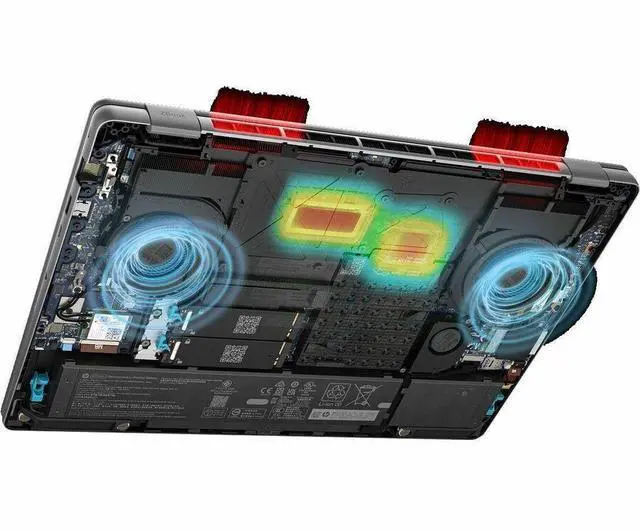
A: Only if you need workstation performance on the go. At 5.36 lb with an 8-cell battery and large cooling-focused chassis, it is portable for its class but not ideal for frequent light travel, commuting, or lap use. It fits buyers who occasionally move between offices or job sites better than buyers who want a thin everyday carry laptop.

Q: Is the ZBook Fury G1i 16 worth buying over a thinner high-end laptop?

A: Yes if your priority is sustained performance, professional GPU capability, upgrade-friendly workstation features, and full-size connectivity. No if your priority is low weight, quieter casual use, or simpler everyday portability. Community discussion around the Fury G1i repeatedly centers on it being a more complete workstation package, but with trade-offs in size, fan behavior, and price.

Q: What are the main trade-offs of the HP ZBook Fury G1i 16?

A: The main trade-offs are weight, potential fan noise, and workstation-first design choices. Reddit discussions mention erratic or constant fan behavior on some units, and the system is clearly optimized for performance and connectivity rather than silence or minimal size. Buyers should expect a heavier machine that favors power, cooling, and ports over sleekness.

Q: Can the ZBook Fury G1i 16 replace a desktop for professional work?

A: For many professional workflows, yes. Its high-end HX-class CPU, dedicated RTX Pro graphics, 32GB DDR5 memory, 1TB SSD, RJ-45, HDMI, Thunderbolt 4, and dual Thunderbolt 5 ports make it practical as a docked primary workstation. The trade-off is that it still behaves like a large performance laptop, so it is best as a movable workstation rather than a lightweight all-day portable.