


Your Browsing History
Best Sellers
 Top Rated
- $1,586.61
- + FREE SHIPPING
Top Rated- $1,609.86
- + FREE SHIPPING
Top Rated- $1,662.81
- + $9.99 Shipping




+
+
Overview
Specs
Reviews
See all Q & A 
Any questions? Our AI mode will help you find out quickly.
Try me now
16 PB4G2i16AI U5325 16G 256GB
Warranty & Returns
Warranty, Returns, And Additional Information
Warranty
- Limited Warranty period (parts): 1 year
- Limited Warranty period (labor): 1 year
- Read full details
Return Policies
- Return for refund within: 30 days
- Return for replacement within: 30 days
- This item is covered by Newegg.com's 30-Day Return Policy.
- Read full return policy for details.
Manufacturer Contact Info
- Manufacturer Website
- Support Phone: 1-800-474-6836
- Support Website
- View other products from HP
LOADING...
LOADING...
Learn about this product
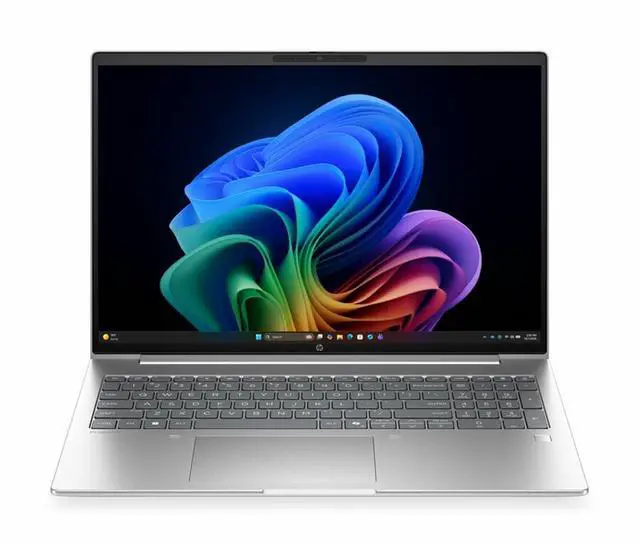
This HP 16-inch laptop is a practical everyday notebook for home and personal use, offering 16GB of memory, a 1920 x 1200 display, integrated graphics, and essentials like Bluetooth, a webcam, and HDMI for users focused on web work, streaming, school tasks, and general productivity.
Recommended For
- Students or home users who mostly work in browser tabs, documents, video calls, and spreadsheets, and want a 16-inch screen with 16GB RAM instead of a smaller ultraportable. Reviews consistently frame this class of HP 16/Pavilion 16 model as a general-use, lightweight-task laptop rather than a specialist machine.
- People who want a large-screen everyday laptop for mixed home use such as streaming, email, budgeting, web browsing, and light photo edits. Multiple reviews describe the 1920x1200 16-inch panel as well-suited to media, spreadsheets, and routine productivity.
- Users who value a roomier display and full-time desk-to-sofa portability more than maximum graphics speed. Coverage of this HP 16-inch line highlights a relatively thin large-laptop design and positions it as an all-rounder for day-to-day use.
- Remote workers who need a conventional non-touch laptop for meetings and office apps, and prefer mainstream features like webcam, Bluetooth, HDMI, and integrated graphics over creator or gaming extras.
- Buyers who prioritize battery-conscious everyday use over peak performance. Review testing on comparable HP 16/Pavilion 16 configurations points to long runtimes for web and office-style workloads.
Real-World Use Scenarios
- Daily office work with many browser tabs, email, Word, Excel, and video meetings: this configuration fits routine productivity well, and users should expect smooth multitasking for standard business or home-office workloads rather than demanding creative or gaming use.
- Remote work or online classes with frequent Zoom or Teams calls: the built-in webcam, microphones, and 16:10 display make it practical for meetings, note-taking, and side-by-side documents, so users can comfortably handle communication-heavy days without extra accessories.
- Writing, research, budgeting, and general home use on a larger screen: the 16-inch 1920x1200 panel gives more vertical room than a standard 1080p laptop, so reading documents, comparing spreadsheets, and browsing feels less cramped than on smaller budget notebooks.
- Docked desk setup with an external monitor, keyboard, mouse, and wired internet: this type of HP 16-inch business laptop is commonly used as a simple workstation replacement, and users should expect it to handle everyday desk productivity reliably, though community feedback suggests dock behavior can vary depending on the dock used.
- Light photo editing, web-based design tools, and basic content work: integrated graphics and a 256GB SSD are enough for occasional edits and everyday media handling, but users will likely run into storage limits and slower performance if they move into large photo libraries, heavy video editing, or 3D workloads.
- Casual entertainment such as streaming, web browsing, and simple games: it should be fine for video playback and low-demand games, but buyers should not expect the same experience as a gaming laptop for newer 3D titles or graphics-heavy workloads.
Spec Summary
| Attribute | Value |
|---|---|
| Best For | Business and student users seeking a 16-inch Windows 11 Pro notebook with an Intel Core Ultra 5 processor and 16 GB of DDR5 memory for everyday productivity and mobility |
| Processor And Core Count | Intel Core Ultra 5 (model 325) single-processor configuration, up to 4.5 GHz peak speed with 12 MB L3 cache |
| GPU And VRAM | Integrated Intel graphics (integrated interface) using system DDR5 memory (no dedicated VRAM listed) |
| Display Spec | 16.0" display, native 1920 x 1200 resolution, listed as OLED with IPS referenced, up to 300 nit brightness, non-touch with anti-glare, low-blue-light and Miracast support |
| Memory Configuration | 16 GB DDR5 installed, upgradable to a maximum of 64 GB across 2 memory slots |
| Storage And Expansion | 256 GB M.2 solid-state drive (SSD) internal storage |
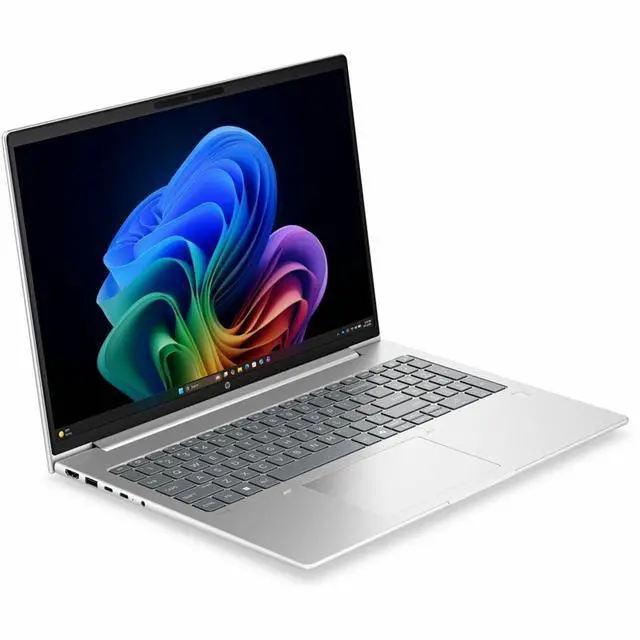
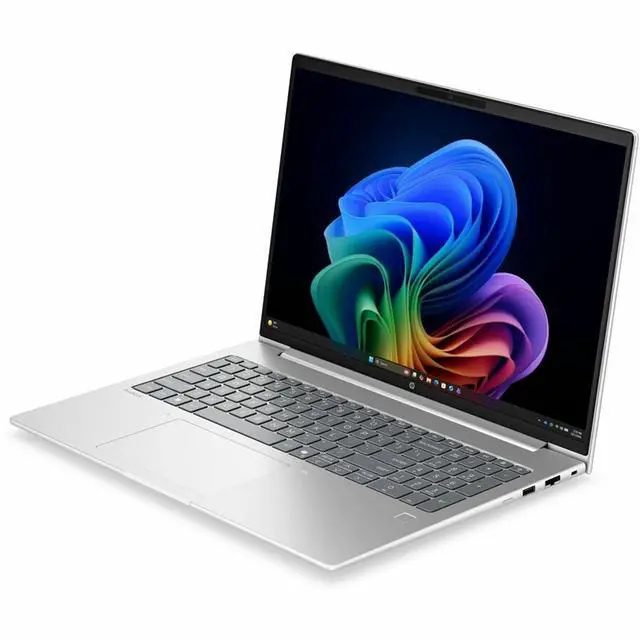
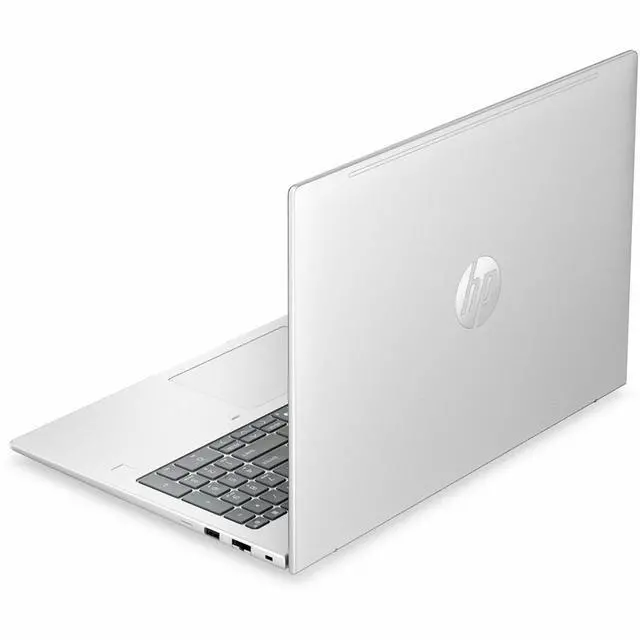
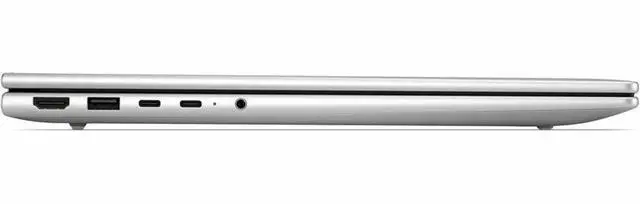
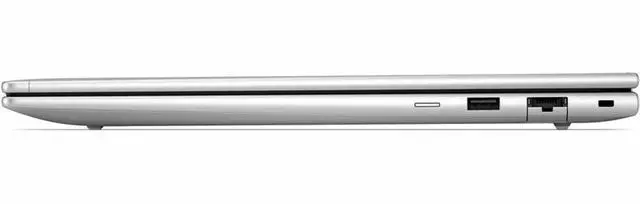
| High Speed I O | One HDMI output, four total USB ports including USB‑C, no USB 2.0 or USB 3.0 ports reported, no Thunderbolt ports, one Gigabit Ethernet port (5 total physical ports reported) |
| Battery And Power | Integrated 3-cell lithium‑polymer battery (3 cells) with 4000 mAh capacity, batteries included and installed, battery weight ~250 g |
| Wired And Wireless Networking | Wi‑Fi and Bluetooth wireless connectivity with wired Gigabit Ethernet available |
| Webcam And Privacy | Front-facing webcam included and capable, plus built-in fingerprint recognition for biometric security |
| Audio Setup | Stereo audio |
| Portability | Approximately 3.73 lb package/item weight with reported chassis dimensions of 0.69" x 14.1" x 9.9" (multiple dimension entries provided) |
| External Display And Docking Fit | HDMI output for external displays and Miracast support for wireless display; no Thunderbolt ports reported |
| Model Identifiers | HP ProBook 4 G2i edition, model DG5K0UT#ABA (Hewlett Packard), Pike Silver, 2026 model year, United States / North America region |
Reference Q&A
Q: Should I get this 16GB/256GB HP 16-inch laptop or an 8GB budget 16-inch model?
A: Choose this HP configuration if you expect regular multitasking in Windows, such as many browser tabs, Office apps, video calls, and light everyday work at the same time. The main advantage here is the 16GB memory, which is a more comfortable fit for current Windows use than 8GB. An 8GB 16-inch laptop can still work for lighter browsing and streaming, but it is the better fit only when budget matters more than multitasking headroom.
Q: Is this HP 16GB/256GB setup better than a 16GB/512GB version?
A: Pick this 256GB version if your workload is mostly web apps, documents, and cloud storage, and you want to keep initial cost lower. A 512GB version is the more practical choice if you plan to keep large local files, install many applications, or want more storage flexibility over time. The comparison is mainly about capacity, because 16GB memory is already a solid baseline for general home use.
Q: Should I choose this HP 16-inch laptop or step up to a higher-tier 16-inch model with a faster CPU or stronger integrated graphics?
A: Choose this HP model if your priority is a large-screen laptop for browsing, productivity, streaming, and general home use. Step up to a higher-tier 16-inch model if you expect heavier multitasking, longer sustained workloads, or light creative and graphics-sensitive work. Across reviews, higher-tier chips in this size class deliver more performance headroom, while mainstream 16-inch configurations remain the value-oriented choice for everyday use.
Q: Is this HP 16-inch laptop a better fit than a thinner 14-inch laptop?
A: This 16-inch HP is the better choice if you want more screen space for side-by-side documents, spreadsheets, streaming, and at-home comfort. A 14-inch laptop is the better choice if you carry your laptop often and want easier day-to-day portability. This comparison is mostly about form factor: the 16-inch size favors workspace and viewing comfort, while 14-inch systems favor mobility.
Q: Should I buy this HP 16-inch laptop for light everyday use or choose a performance-first laptop instead?
A: Buy this HP laptop if your use is centered on web browsing, schoolwork, office tasks, video calls, and media on a larger 16-inch display. Choose a performance-first laptop if you need faster rendering, heavier photo or video work, or gaming beyond integrated-graphics expectations. The trade-off is straightforward: this type of configuration emphasizes everyday usability and screen size, while performance-first models prioritize compute and graphics headroom.
Q: Is this a good laptop for note-taking, meetings, and everyday office work?
A: Yes for basic productivity. Based on the listed specs, this HP model has 16GB RAM, a 16-inch 1920 x 1200 display, Bluetooth, a webcam, and integrated graphics, which fits common needs like web browsing, documents, video calls, spreadsheets, and multitasking. The main limitation is that the product data does not clearly confirm a higher-performance processor, so it is a safer choice for general office use than for demanding creative or technical workloads.
Q: Is it worth buying as a travel work device?
A: It can work as a travel productivity laptop if you want a larger screen, but it is not the most travel-friendly choice. A 16-inch non-touch laptop is usually better for comfortable multitasking than for maximum portability. This model makes more sense for users who travel occasionally and want a bigger workspace, rather than people who want the lightest daily-carry laptop.
Q: Who is this HP laptop best suited for?
A: It is best suited for home users, students, and general business users who mainly need a large-screen laptop for browsing, office apps, streaming, and video calls. The listed integrated graphics and lack of touch support suggest it is aimed more at mainstream productivity than gaming, pen input, or creator workflows.
Q: What are the main trade-offs versus a similar 16-inch competitor laptop?
A: The likely trade-off is simplicity versus flexibility. This HP model gives you a 16-inch 1920 x 1200 screen, 16GB memory, webcam, Bluetooth, and HDMI, which are solid basics. But compared with similarly sized alternatives, the visible product data does not show extras like touch input, dedicated graphics, or larger storage. That means it looks better positioned for standard productivity than for gaming, advanced creative work, or users who need more built-in storage.
Q: Is 256GB of storage enough, or should I choose a similar laptop with 512GB?
A: 256GB is enough for light use, but 512GB is the safer choice for most buyers. If the laptop will mainly hold documents, web apps, and a modest number of files, 256GB can work. If you expect to keep large photo libraries, offline media, many apps, or school and work files over time, a 512GB alternative will usually be the better long-term decision.
Q: Is this HP 16 a good fit for everyday work, web use, and school tasks?
A: Yes. Based on the listed specs, it is suitable for typical home, school, and office use such as web browsing, documents, video calls, note-taking, and media playback. The 16GB memory is a practical strength for multitasking, and the 16-inch 1920 x 1200 display gives more vertical workspace than standard 1080p screens. The main limit is that this configuration is not aimed at graphics-heavy workloads.
Q: Who is this laptop best suited for?
A: It is best suited for buyers who want a large-screen HP laptop for general productivity, study, remote work, and everyday personal use. It fits users who value 16GB RAM and a 16-inch display more than gaming or creator-class graphics. It is less suitable for users who need strong GPU performance, a touchscreen, or large local storage out of the box.
Q: What are the main trade-offs with this configuration?
A: The main trade-offs are storage and graphics. 16GB RAM is solid for current everyday use, but the 256GB SSD is small by current standards if you keep lots of files, apps, or games locally. Integrated graphics are fine for basic visuals, streaming, and light casual use, but they are a clear trade-off versus laptops with dedicated GPUs for gaming, 3D work, or heavier video editing.
Q: Is 256GB of storage enough for most buyers?
A: It depends on use, but for many buyers 256GB is the first likely constraint. It can work for web-based work, school use, and light local storage, but it leaves less room for large apps, offline media, and games. If you prefer keeping a lot of files on the laptop, this spec is a trade-off and may require cloud storage or external storage sooner than a 512GB model would.
Q: Is this a good choice if I want gaming or heavier creative performance?
A: No, not as a primary use case. The listed integrated graphics indicate this model is better matched to productivity and general use than to modern gaming, 3D workloads, or more demanding creative tasks. It may handle light or older games, but buyers focused on gaming or GPU-accelerated work should usually look for a model with dedicated graphics and more storage.