


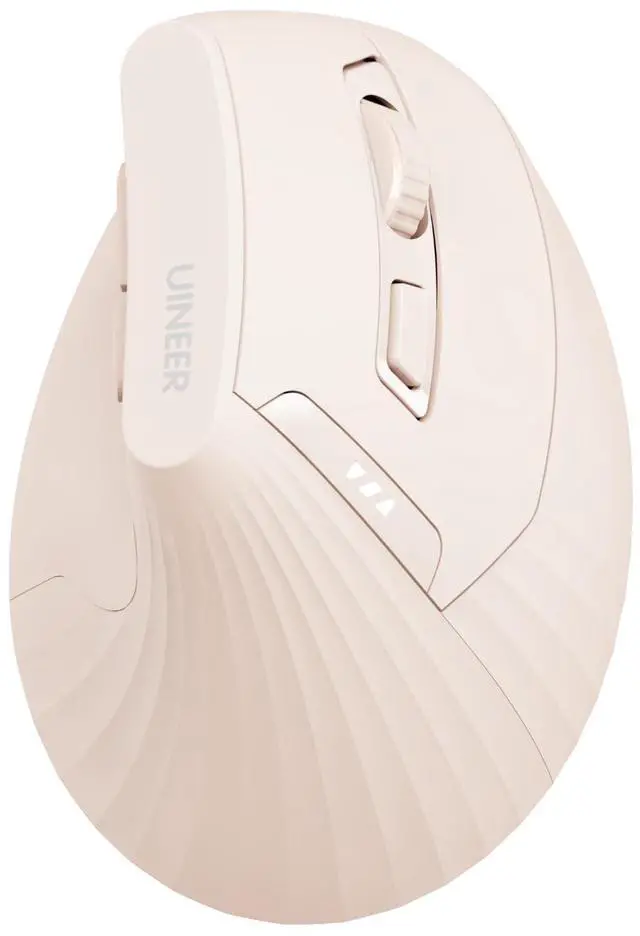






UINEER Pink Ergonomic Vertical Mouse

VERTICAL ERGONOMIC MOUSE


Compare with these mouses
 Ergonomic Mouse-PINK |  Bluetooth Mouse-Purple |  Ergonomic Mouse-2.4GHz |  Wireless Mouse-Yellow |  Wireless Mouse-White&Blue |  Bluetooth Mouse-Black |  Wireless Mouse-2.4GHz | |
|---|---|---|---|---|---|---|---|
Customer Reviews | — | — | — | — | — | — | — |
Price | — | — | — | — | — | — | — |
Connections | 2.4GHz USB/BT5.0/BT4.0 | 2.4GHz USB/BT5.0/BT4.0 | 2.4GHz USB Wireless | 2.4GHz USB Wireless | 2.4GHz USB Wireless | 2.4GHz USB/BT5.0/BT4.0 | 2.4GHz USB Wireless |
DPI | 800-1200-1600-2400 | 800-1200-1600-2400 | 800-1200-1600-2400 | 800-1200-1600-2400 | 800-1200-1600-2400 | 800-1200-1600-2400 | 800-1200-1600-2400 |
Rechargeable | ? | ? | ? | ? | ? | ? | ? |
Battery Level Indicator | ? | ? | ? | ? | ? | ? | ? |
Number of buttons | 6 | 6 | 6 | 6 | 6 | 6 | 6 |
My mouse sometimes loses connection, what should I do?
The mouse will enter sleep mode after 8 minutes of inactivity.press any key to wake it up, and then click again to use it normally. Note: This is not a disconnection, it's just entering power-saving mode.
The package includes a USB receiver, but the link mentioned a Bluetooth mouse. Is this a Bluetooth mouse or a USB mouse?
This mouse offers USB-A receiver and Bluetooth connection. The BT mode supports devices with Bluetooth connection functions such as Mac Book/Chrome Book/tablet/phone, and the USB-A mode supports devices with a USB-A port such as desktops/laptops
The mouse pointer is too slow or too fast, how can I adjust it?
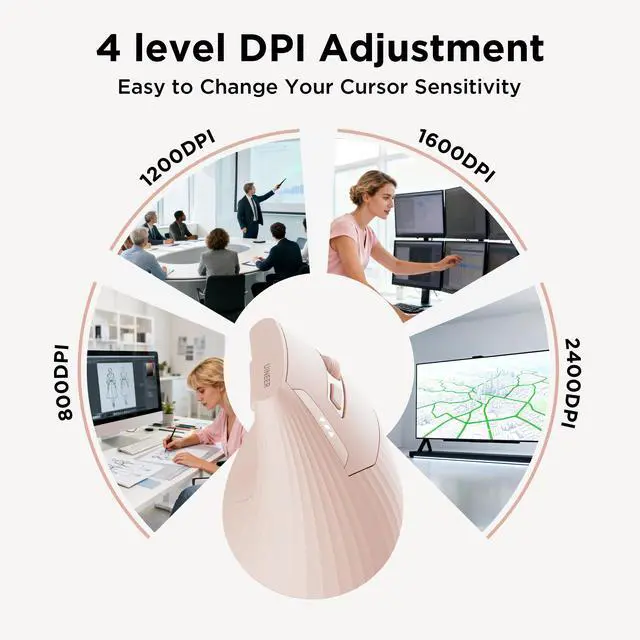
This wireless mouse has 4 levels of DPI adjustable: 800-2400DPI. It is recommended to use 800/1200 for browsing and 1600/2400 for precision. You can adjust the appropriate DPI by pressing the button below the scroll wheel
The Bluetooth mouse includes a USB receiver, but I cannot find the receiver in the package I received. what should I do?
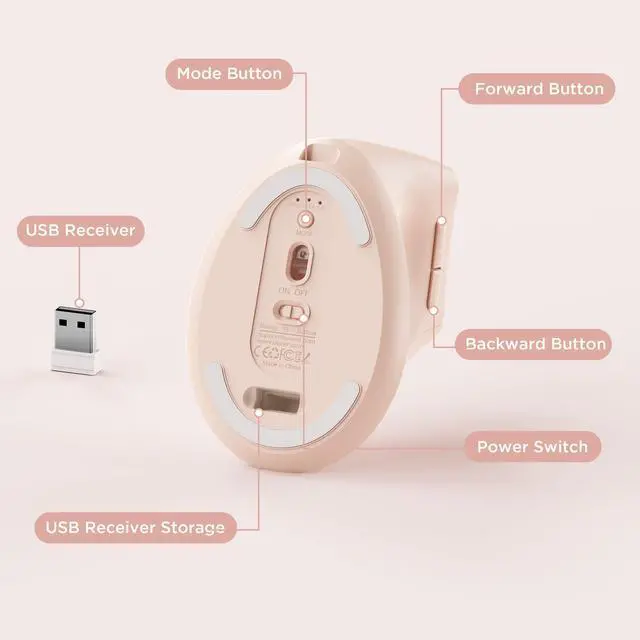
The USB receiver of the mouse is stored at the bottom of the mouse.
UINEER Pink Ergonomic Vertical Mouse

VERTICAL ERGONOMIC MOUSE

3-Mode Stable Wireless Connection
Switch seamlessly between BT4.0, BT5.0 and 2.4G USB. no messy cables.


Compare with these mouses
Ergonomic Mouse-PINK | Bluetooth Mouse-Purple | Ergonomic Mouse-2.4GHz | Wireless Mouse-Yellow | Wireless Mouse-White&Blue | Bluetooth Mouse-Black | Wireless Mouse-2.4GHz |
|---|---|---|---|---|---|---|
| Customer Reviews | ||||||
| — | — | — | — | — | — | — |
| Price | ||||||
| — | — | — | — | — | — | — |
| Connections | ||||||
| 2.4GHz USB/BT5.0/BT4.0 | 2.4GHz USB/BT5.0/BT4.0 | 2.4GHz USB Wireless | 2.4GHz USB Wireless | 2.4GHz USB Wireless | 2.4GHz USB/BT5.0/BT4.0 | 2.4GHz USB Wireless |
| DPI | ||||||
| 800-1200-1600-2400 | 800-1200-1600-2400 | 800-1200-1600-2400 | 800-1200-1600-2400 | 800-1200-1600-2400 | 800-1200-1600-2400 | 800-1200-1600-2400 |
| Rechargeable | ||||||
| ? | ? | ? | ? | ? | ? | ? |
| Battery Level Indicator | ||||||
| ? | ? | ? | ? | ? | ? | ? |
| Number of buttons | ||||||
| 6 | 6 | 6 | 6 | 6 | 6 | 6 |
My mouse sometimes loses connection, what should I do?
The mouse will enter sleep mode after 8 minutes of inactivity.press any key to wake it up, and then click again to use it normally. Note: This is not a disconnection, it's just entering power-saving mode.
The package includes a USB receiver, but the link mentioned a Bluetooth mouse. Is this a Bluetooth mouse or a USB mouse?
This mouse offers USB-A receiver and Bluetooth connection. The BT mode supports devices with Bluetooth connection functions such as Mac Book/Chrome Book/tablet/phone, and the USB-A mode supports devices with a USB-A port such as desktops/laptops
The mouse pointer is too slow or too fast, how can I adjust it?
This wireless mouse has 4 levels of DPI adjustable: 800-2400DPI. It is recommended to use 800/1200 for browsing and 1600/2400 for precision. You can adjust the appropriate DPI by pressing the button below the scroll wheel
The Bluetooth mouse includes a USB receiver, but I cannot find the receiver in the package I received. what should I do?
The USB receiver of the mouse is stored at the bottom of the mouse.