




The Mouse is recommended for ?????????? ???? ???????????? ??????????.


How do I know if this ergonomic mouse fits my hand size?
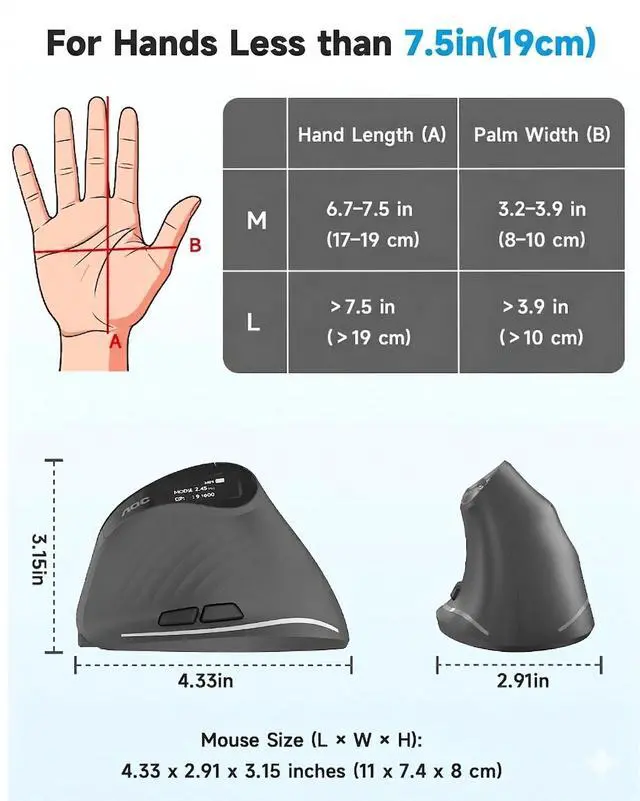
We recommend checking your hand size before purchasing. This vertical mouse is perfectly contoured for small to medium hands, but might not be the ideal fit for extra-small or extra-large hands. ( Wrist to finger tip = 19cm/7.5inches )
I’ve never used a vertical mouse before. Is there a learning curve?
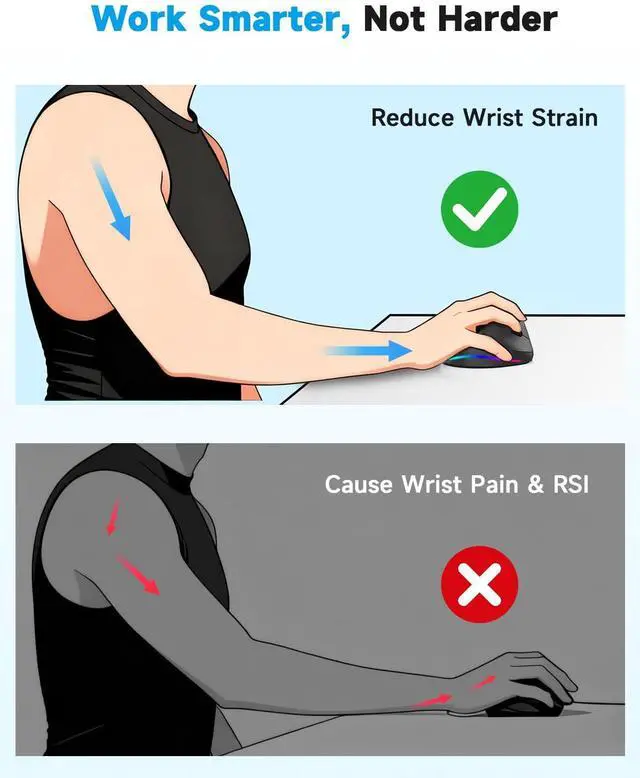
We recommend using it for 1–2 weeks to fully adapt. Tip: Keep your forearm supported on the desk and move your arm (rather than just twisting your wrist) to experience the true ergonomic benefits.
How do I customize the programmable buttons and RGB lighting?
You can easily download our customization software (link provided in the quick user guide). Once installed, navigate to 'Button Settings' or 'Lighting Settings' to personalize your workflow. (available for Windows only)
How do I switch seamlessly between multiple devices?
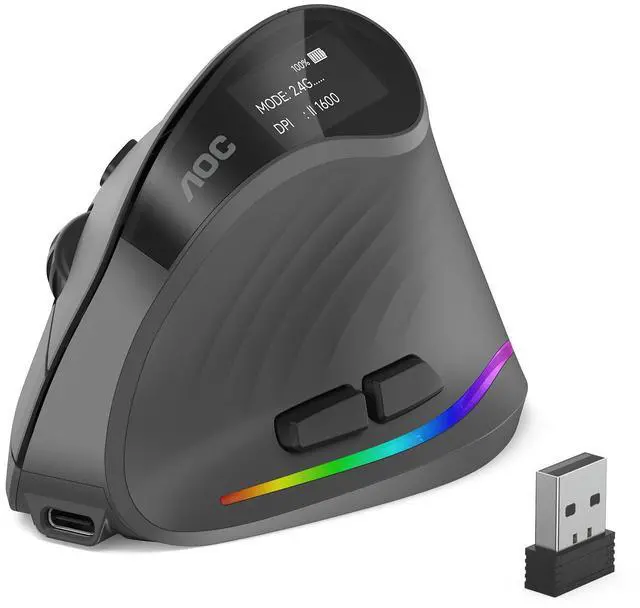
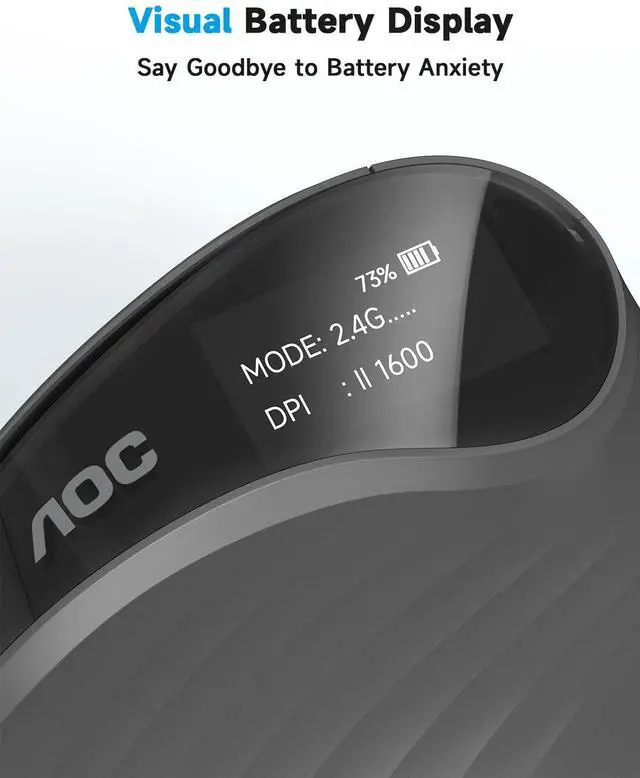
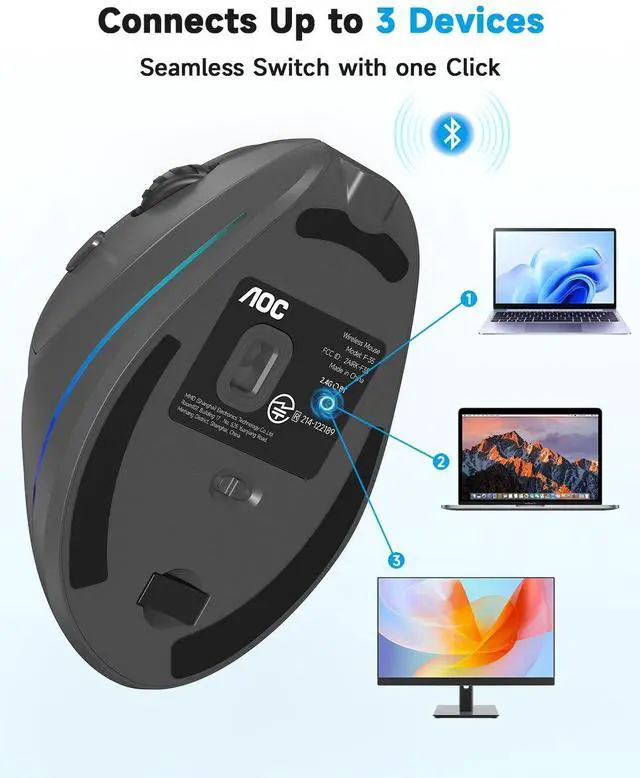
Press the mode switch button on the bottom of the mouse to toggle between connected devices (e.g., 2.4G USB receiver, Bluetooth 1, and Bluetooth 2). The built-in LED screen will instantly display your current connection mode so you never lose track.
Which operating systems is this mouse compatible with?
It is widely compatible with Windows XP and above, as well as Mac OS X10.5 and above. Please note: The forward/backward side buttons are optimized for Windows and are not supported on Mac devices.


The Mouse is recommended for ?????????? ???? ???????????? ??????????.


How do I know if this ergonomic mouse fits my hand size?
We recommend checking your hand size before purchasing. This vertical mouse is perfectly contoured for small to medium hands, but might not be the ideal fit for extra-small or extra-large hands. ( Wrist to finger tip = 19cm/7.5inches )
I’ve never used a vertical mouse before. Is there a learning curve?
We recommend using it for 1–2 weeks to fully adapt. Tip: Keep your forearm supported on the desk and move your arm (rather than just twisting your wrist) to experience the true ergonomic benefits.
How do I customize the programmable buttons and RGB lighting?
You can easily download our customization software (link provided in the quick user guide). Once installed, navigate to 'Button Settings' or 'Lighting Settings' to personalize your workflow. (available for Windows only)
How do I switch seamlessly between multiple devices?
Press the mode switch button on the bottom of the mouse to toggle between connected devices (e.g., 2.4G USB receiver, Bluetooth 1, and Bluetooth 2). The built-in LED screen will instantly display your current connection mode so you never lose track.
Which operating systems is this mouse compatible with?
It is widely compatible with Windows XP and above, as well as Mac OS X10.5 and above. Please note: The forward/backward side buttons are optimized for Windows and are not supported on Mac devices.