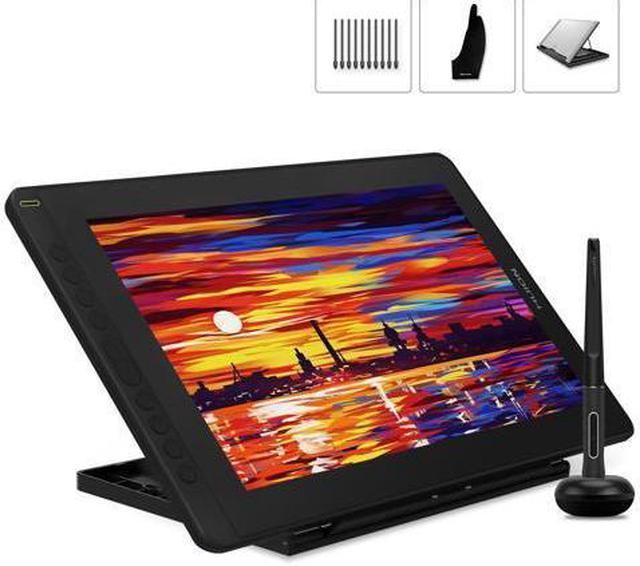
Kindly note that Kamvas 16 is NOT a standalone product. It needs to be connected to a computer/laptop to work.
Easy and Quick Connection
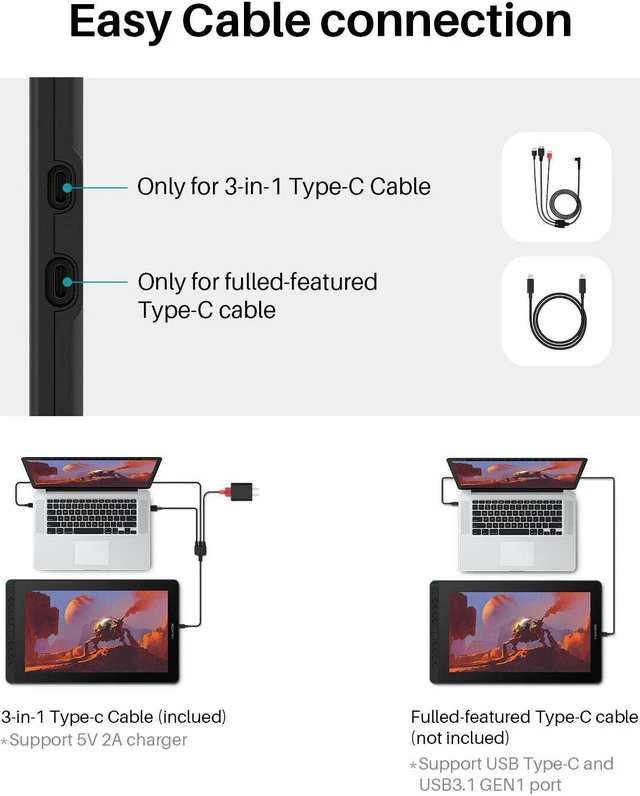
The Kamvas 16 drawing tablet monitor boats 2 USB-C ports, which support both 3-in-1 USB-C connection (HDMI Signal) and full-featured Type-C connection(DP Signal). You can easily connect Kamvas 16 art tablet with screen with any device that supports USB-C interface via a full-featured Type-C cable(Included), whcih can be used for transmitting data, power and video signal.
Start Your Creation with Mobile Devices
The Kamvas 16 supports connectivity with the mobile devices via a full-featured Type-C cable(not included). Launch Huion Sketch and express your ideas with your cell phone wherever and whenever you want.
Note: Mobile device like Huawei, Samsung that support desktop operating system for PC mode or DEX mode will have better performance.
Outstanding Color Display
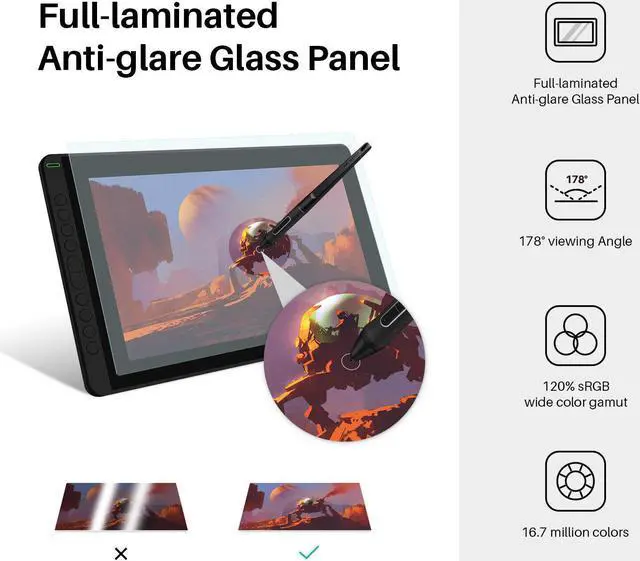
- The 120% sRGB wide color gamut presents 16.7 million colors vividly. Thanks to the wide color gamut, Kamvas 16 graphics drawing monitor has an outstanding color display effect and can greatly reduce the color difference.
- 1920x1080 HD drawing monitor to lively display every details, anti-glare glass panel to keep your screen clear even bright light, 178°wide viewing angle ensure the image quality.
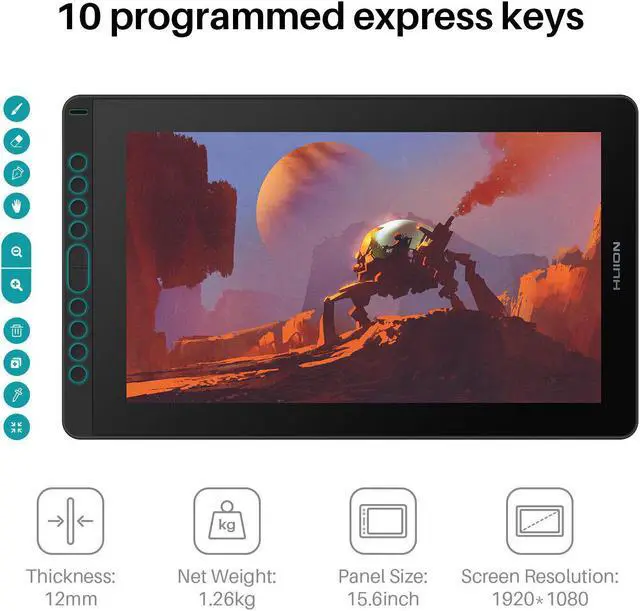
8 Programmed Express Keys
Eight user-defined express keys are set on the left side of the screen. Setting the express keys in the light of your preference, you can easily access your favorite settings. Make good use of these settings, you will improve your work efficiency dramatically.
More Space to Draw
- The full-laminated anti-glare screen offers a paper-like feel when you draw on the screen. 178°wide viewing angle enables you to enjoy the artworks clearly in all viewing position.
- The 15.6 inch screen not only satisfies your expectation for sufficient working area but also offers you great convenience as it is easy to be carried around.
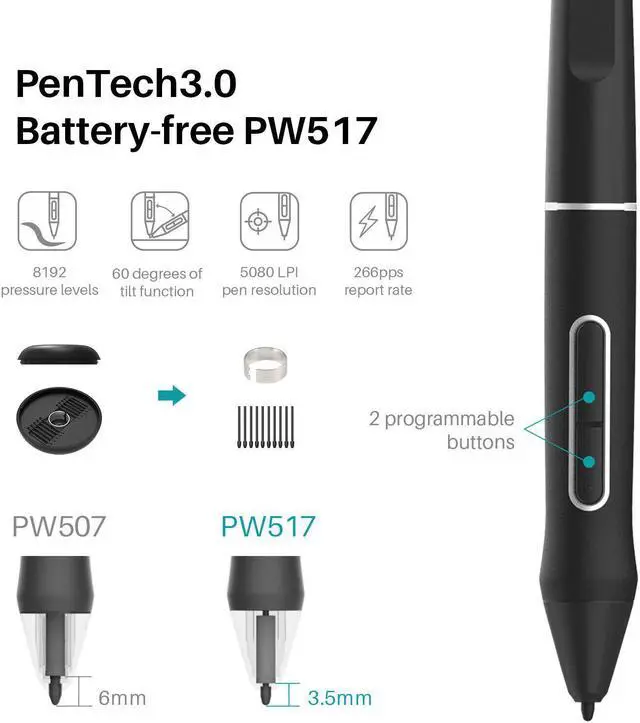
Updated Battery-free PenTech 3.0
- Comes with 8192 pen pressure and ±60 degrees of natural tilt recognition. Provide a more accurate and natural drawing experience and almost without offset.
Multi-angle Adjustable Stand
The multi-angle adjustable stand is sturdy and reliable. You are free to adjust the angle within the range of 20°~ 80° easily to make your drawing much more comfortable.
Package Content
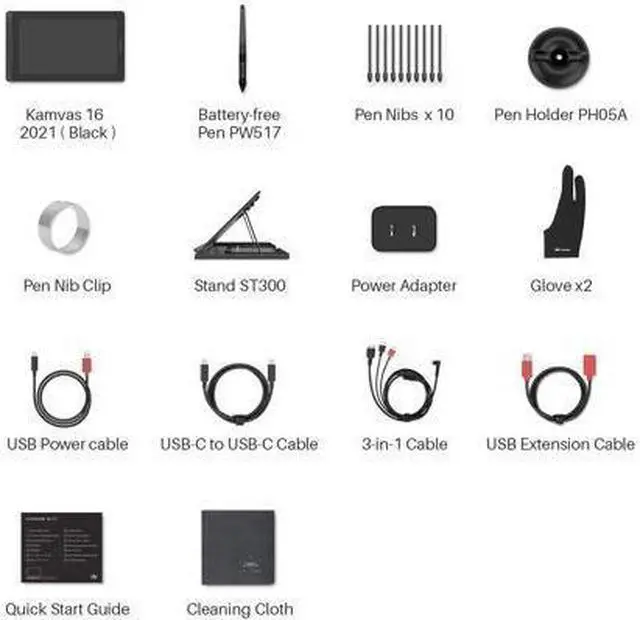
- Kamvas 16 Screen Graphics Tablet & Adjustable Stand
- Digital Pen PW517 & Pen Holder
- 3-in-1 Cable & Power Adapter &Plug
- Pen Nibs x 10 & Nib Clip (inside the pen holder)
- Cleaning Cloth & Quick Start Guide
- Glove & USB-C to USB-C Cable
More Flexible Cable Connection.
USB-C to USB-C cable or the three-in-one cable can be used for connection between Kamvas 16(2021) and devices like PCs, Android phones/tablets and Switch, etc.
Full-featured Type-C cable included
Full lamination, btter visual presentation Seamlessly combining the glass and screen technology to bring precise cursor positioning for your stylus and the lowest parallax. It is coming with a replaceable anti-glare film that is scratch resistant and could offer a fairly clear picture under bright light and effectively reduces the glaring damage to human eyes. Featuring a 1920x1080 FHD display W/ 16.7 million colors, a 120%sRGB gamut, and a 178° viewing angle, it could present every detail of your creation on the screen. PenTech 3.0 Battery-free Stylus PW517 Huion Kamvas 16 is equipped with the latest digital pen-PW517 that with 8192 levels of pressure sensitivity provides you amazing precision and control.
60° tilt function and 266 report rates make PW517 immediately reacts to the tilt and each movement of your hand. Convenient 10 Express Keys Kamvas 16 features 10 fully customized shortcut keys to bring more user-defined options at your fingertips, optimizing your workflow and improving efficiency. Strong Compatibility Kamvas 16 is compatible with Windows 7 or later, macOS 10.12 or later, and Android devices. You could draw with Kamvas 16 in any creative software including Illustrator, Photoshop, Painter, SAI, Krita, Mediband, and so on! Easy and quick connection Besides PC and laptop, Kamvas 16 also supports connectivity with Android devices and Switch via a full-featured Type-C cable.
Also, you could play the Switch game on the 15.6 -inch screen. You can start your creation on Kamvas 16 whenever and wherever you want. For Online Teaching&Working and
Web Conference Use: Huion tablets are well compatible with office software like Microsoft Office Word, Excel, PowerPoint. It is ideal for online teaching, remote work, web conference, presentation, and so on.
Important Notices: 1. Kindly note that Kamvas 16 is NOT a standalone product. It needs to be connected to a computer/laptop to work. 2.
Connection Tips: The Kamvas 16 is coming with 2 UB-C ports, which support both a 3-in-1 USB-C connection (HDMI Signal) and a full-featured Type-C connection (DP Signal). USB-C on the device should at least support USB 3.1 GEN1 data transfer protocol and DP 1.2. Huion full-featured cable could work for Kamvas 16. 1) For the 3-in-1 USB-C cable, your computer needs to have HDMI and USB ports available for the connection, if not, you need an adapter to convert for the connection. Please be assured the USB cable & HDMI cable securely plug into your computer. No need for a power adapter anymore. The 3in1 cable supports a 5V 2A charger, Any universal mobile charger can be used for power supply. 2) For the full-featured Type-C cable, It is included in the package content. supports Type-C to Type-C connection to power Kamvas 16. No need to have an HDMI port or HDMI adapter. The type-c port of your PC or phone needs to support USB 3.1 GEN1 and DP 1. 3) Connection with Android devices, A full-featured Type-C cable is needed if you want to connect Kamvas 16 with Android devices.
The extra power supply is needed underconnectivity with the Android device. Android devices should support desktop operating systems for PC mode or DEX mode. List of
Compatible Android Devices: SamsungGalaxy Note 8/9/10/10+/10+5G/20/20 Ultra 5G, Samsung Galaxy S8/S8+/S9/S9+/S10/S10+/S10e/S20/S20+/S20 Ultra, Galaxy Fold, Galaxy A90 5G, Samsung Tab S4/S5e/S6/S7/S7+, Huawei P20/P20 Pro/P20RS/P30/P30 Pro/P40/P40 Pro/P40 Pro Plus, Huawei Mate 10/Mate10 Pro/20/Mate20 Pro/Mate20 X/30/30Pro, HONOR Note 10, HONOR V20, HONOR 30Pro+ 3.
Driver Installation Tips: Huion driver will be regularly updated, so please go to Huion official web to download the newest driver, and install it on your computer. Before installation, please uninstall Other Brands Driver and reboot your computer. And please close all drawing program when installing the driver. For Mac Mojave ( 10.14 ) Users, please Add the TabletDriverAgent into the whitelist first after installing the driver on your computer. Please be sure that Huion driver is compatible with the newest Mac OS 10.15 Catalina. 4. Huion PenTech 3.0 adpots Capacitive Pressure Sensor and stable pen nibs to provide real pen-writing feeling. 5. Huion Tech Support If you have any problems, please check the Quick Guide and search Huion online to find a way for further assistance, If the problems are difficult to solve, please find us free feel via amazon message!