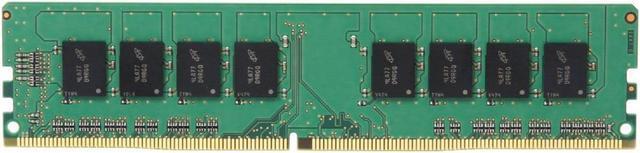
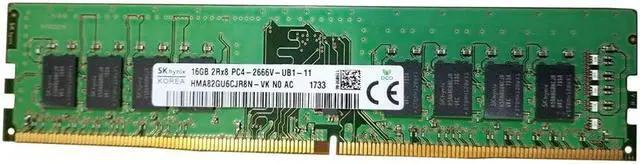
The Hynix HMA82GU6CJR8N-VK is a 16GB, 288-pin DDR4-2666 unbuffered, non-ECC DIMM for users upgrading compatible systems that require this memory type and speed.
Recommended For
- Desktop or workstation owners upgrading a compatible 288-pin DDR4 UDIMM system that needs a 16GB, 2666 MT/s, non-ECC unbuffered module; ASUS lists this exact part number on the P11C-I memory QVL.
- Owners of an ASUS P11C-I server or workstation board who need a listed 16GB DDR4-2666 non-ECC, unbuffered DIMM for a compatible memory configuration.
- People replacing a matching 16GB DDR4-2666 UDIMM in a system that supports non-ECC, unbuffered memory and the module’s rank and capacity.
Real-World Use Scenarios
- When a compatible DDR4 desktop runs short on memory with many browser tabs, office apps, and a video call open, adding this 16GB module can give those tasks more room and reduce slowdowns caused by memory pressure. The improvement depends on the PC’s current memory and configuration.
- For a supported workstation used for everyday productivity or light creative work, installing this module can expand available memory so more applications can stay open at once. Check the workstation’s memory list and capacity limits before buying.
- When repairing or refurbishing a compatible DDR4 desktop or workstation, this module can replace a failed stick or add capacity; the system’s supported memory type and settings determine whether it will work at its rated speed.
- In an older DDR4 gaming PC, adding memory can help when a game and background apps together exceed the system’s current capacity. It is a capacity upgrade, not a guaranteed increase in frame rate; confirm motherboard compatibility and memory-channel configuration first.




 here!

 Hot Seller