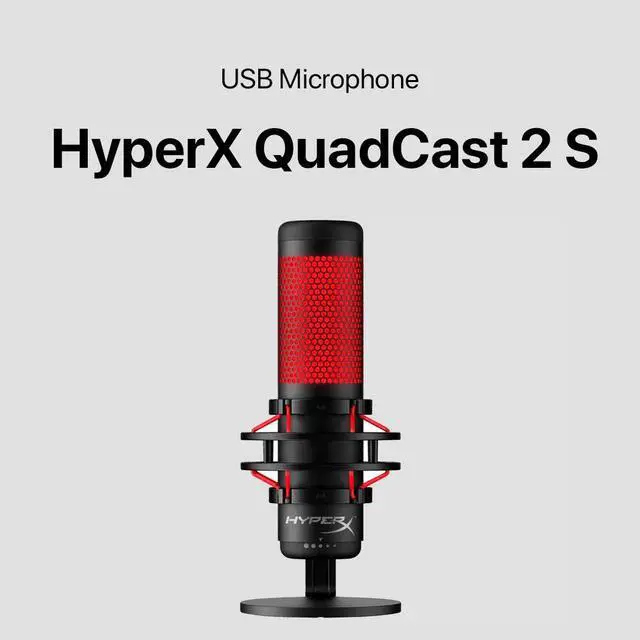
The HyperX QuadCast 2 S is a black USB microphone suited to streamers, podcasters, and other creators who want a plug-in mic with a mute function and a 20 Hz–20 kHz frequency response.
Recommended For
- Desk-based streamers and gaming creators who want clear voice capture, visible customizable RGB, and a quick tap-to-mute control during live sessions.
- Creators recording at a fixed desk who want to adjust mic gain, headphone volume, monitoring mix, or pickup pattern from the microphone rather than relying on a separate audio interface.
- Small podcast or interview setups recording multiple people around one stationary mic, where switching among omnidirectional, bidirectional, and other pickup patterns is useful.
- Home voiceover and content creators who want a plug-in USB mic for clear spoken-word recording without building an XLR-based setup.
Real-World Use Scenarios
- When streaming gameplay or chatting with friends on a PC, users can connect the QuadCast 2 S over USB and adjust mic gain on the microphone itself; reviewers found its out-of-box voice capture clear, while the on-mic mute control makes it easy to silence the mic between moments.
- For remote meetings from a desk, users can use the QuadCast 2 S as a USB microphone and tap the top to mute when they need to speak privately; a reviewer found it usable for video conferences, though keyboard sounds may still be audible.
- For recording a solo podcast or voiceover at home, users can select a voice-focused pickup pattern and monitor or adjust levels on the mic; a reviewer reported clear voice recordings, with higher-resolution local recording offering more flexibility for later editing.
- For a two-person interview or conversation recorded at one desk, users can switch to the bidirectional pickup pattern; this lets the microphone capture voices from opposite sides, making it more suitable for a face-to-face setup than a single-speaker pattern.
- When recording in a room with a keyboard or other nearby sounds, users should position the mic toward their voice and manage its gain; testing found that keyboard clacks could remain audible, so the QuadCast 2 S should not be treated as a guaranteed background-noise remover.




 here!