In 2026, the monitor story is not only about resolution or refresh rate. It is also about how light, color, and contrast are rendered. High Dynamic Range (HDR) is a key part of that story, but it is often misunderstood. HDR can mean richer highlights, deeper shadows, and more lifelike color, yet it can also mean inconsistent experiences across different models. Panel technology, from OLED to QLED and advanced LCD backlights, determines whether HDR is a marketing badge or a real improvement.
This article explains what HDR really means in 2026 monitors, how panel technology affects it, and what you should look for if you want a display that delivers cinematic or professional-grade contrast. For shopping references, Newegg provides HDR-focused listings and OLED/QLED options that reflect current market availability: HDR gaming monitors and OLED/QLED gaming monitors.
HDR in Plain Terms
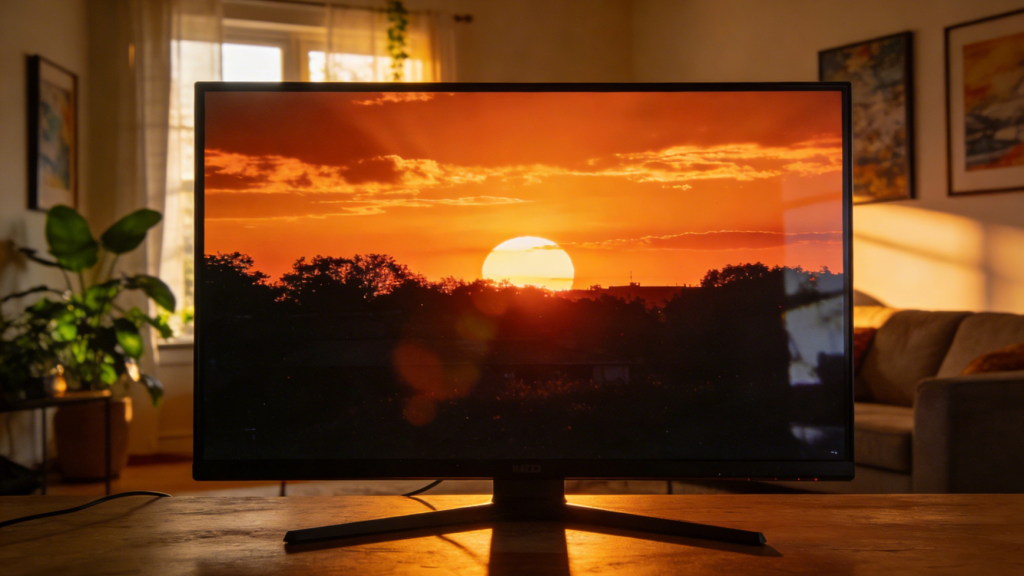
HDR expands the range between the darkest black and the brightest highlight. In practical terms, it makes a sunset look more like a sunset, and it makes bright UI elements or reflections appear more realistic. The key is not only peak brightness, but also how well a panel controls light in dark areas.
In 2026, HDR support is widespread, but the quality of HDR implementation still varies. Some monitors can accept an HDR signal but do not have the brightness or local dimming needed to show real contrast. Others pair high peak brightness with poor black levels, which makes HDR look washed out in dark scenes.
 Panel Types and Why They Matter
Panel technology determines how a monitor produces light and color. The most common types are:
- LCD with LED backlight: The default for most monitors. HDR quality depends on backlight control (edge-lit vs. full-array local dimming).
- OLED: Each pixel emits its own light, enabling very deep blacks and strong contrast.
- QLED (quantum dot enhanced LCD): Uses quantum dots to improve color and brightness, still relies on LCD backlight control.
In 2026, OLED and QLED models have expanded into more price tiers, making them relevant to a broader audience. The OLED/QLED category on Newegg is a useful overview if you want to compare options quickly: OLED/QLED category.
HDR Standards and Certifications
You will often see labels like HDR400, HDR600, HDR1000, or VESA DisplayHDR. These indicate different minimum brightness and performance requirements. Higher numbers generally mean better potential HDR performance, but the label alone is not enough. Real-world HDR depends on local dimming zones, tone mapping, and panel contrast.
A practical rule: if you want a noticeable HDR effect, look for solid peak brightness and meaningful local dimming or self-emissive OLED pixels. HDR400 can still look better than SDR, but the jump is modest. HDR600 or higher starts to deliver a more “true HDR” experience, especially in darker content.
HDR for Different Use Cases
Not everyone needs the same HDR experience. Here are common scenarios:
- Movie and streaming: HDR can be transformative if your monitor has strong contrast and brightness.
- Gaming: HDR adds realism in titles that support it, but only if the panel can do the highlights and deep shadows.
- Creative work: HDR is useful for color grading and content review, but accuracy matters more than raw brightness.
- Office and productivity: HDR is often less important, and in some cases SDR is easier on the eyes for long sessions.
If HDR is a priority, browsing monitors designed with HDR in mind can save time. Newegg’s HDR category filters help you focus on models that emphasize that feature: HDR category filters.
 The OLED and QLED Trade-Offs
OLED panels deliver excellent contrast and fast response times, which is why they are popular for premium gaming and creator displays. Their strengths are deep blacks and precise lighting control, making HDR content pop. The trade-offs include higher cost and potential image retention if you display static content for very long periods.
QLED displays focus on brightness and color volume, which can make HDR highlights look impressive. They are less likely to show image retention, but they still depend on LCD backlights, which can limit black levels. The result is often brighter but less deep contrast compared to OLED.
In 2026, the market has enough options that you can pick based on your usage pattern rather than brand hype. That is the main benefit of having a broader OLED/QLED market: you can choose a panel type that matches how you work.
HDR and the “Spec Gap” Problem
One challenge in 2026 is the gap between advertised HDR specs and actual results. Two monitors may both claim HDR600, but one might have far better local dimming. This is why reviews and measured performance matter. Look for real contrast ratios, zone counts, and tone mapping behavior.
 Calibration and Content Reality
HDR performance depends on both the display and the content pipeline. Even a strong HDR panel can look flat if the source content is poorly mastered or if the operating system is not set up correctly. In 2026, most OSes include HDR calibration tools that guide you through peak brightness and shadow detail. Running those tools helps ensure that highlights are not clipped and that dark scenes retain detail.
For creators, consider whether your workflow uses HDR-aware software. Color grading tools and HDR video players often provide better control over tone mapping. For everyday users, the practical tip is simple: enable HDR only when the content benefits from it. For long office sessions, SDR can still be more comfortable, while HDR shines for games and movies built for it.
Buying Tips for 2026
- Decide whether HDR is a main goal or a secondary bonus.
- Prioritize panel type that fits your usage: OLED for contrast, QLED for brightness.
- Check for local dimming quality or self-emissive panels for real HDR performance.
- Consider your room lighting; HDR looks best in moderate or dim environments.
Summary
HDR is one of the most visible improvements in 2026 monitors, but the quality depends on panel technology and backlight control. A good HDR monitor offers bright highlights, deep shadows, and accurate colors. A weak HDR monitor just accepts the signal and delivers a modest improvement over SDR.
If you want a confident starting point, explore HDR-specific listings and OLED/QLED options to see what is available and how those choices align with your needs. When HDR and panel tech are matched to your workflow, the result is a monitor that feels more lifelike, more comfortable, and more future-ready.