


High refresh rate monitors used to be a niche for competitive gamers. In 2026, smooth motion has become mainstream across work and play. Scrolling through long documents, panning across timelines, or just moving windows feels different at 120Hz or 144Hz compared to 60Hz. The question is no longer whether high refresh is useful, but how to balance it with resolution, color quality, and budget. Just as important is the sync technology that keeps frames and refresh cycles aligned, reducing stutter and tearing.
This article focuses on refresh rate and adaptive sync trends in 2026: how they work, why they matter, and how to choose between ecosystems. For quick access to current options, Newegg groups G-Sync displays and FreeSync displays in dedicated collections. If you are matching monitors to GPUs, the NVIDIA brand page and AMD brand page are useful starting points.

Why Refresh Rate Matters Beyond Gaming
Refresh rate is how many times per second a display updates. At 60Hz, each frame persists longer than at 120Hz or 165Hz. The result is a more continuous sense of motion. For office use, that means smoother cursor movement and clearer text while scrolling. For video, a higher refresh rate can help with mixed frame content and reduce judder. For creative work, timeline scrubbing feels more responsive.
In 2026, more midrange monitors offer 120Hz or 144Hz by default, and some push beyond 240Hz for competitive play. While ultra-high refresh rates are impressive, most people feel the biggest jump moving from 60Hz to 120Hz. That jump improves daily comfort without demanding the absolute fastest GPU.
Adaptive Sync in Simple Terms
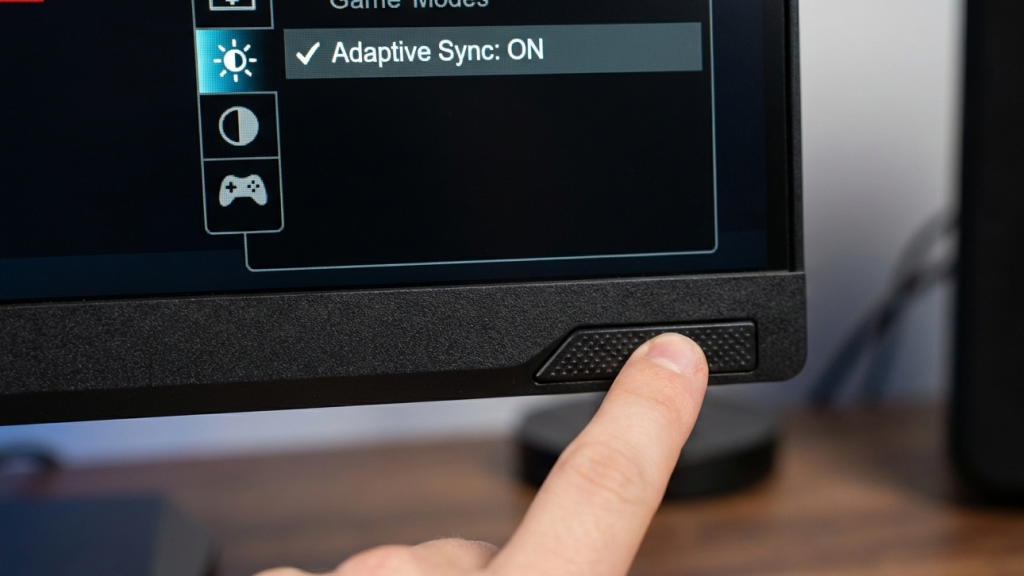
Adaptive sync technologies align the monitor’s refresh cycle with the GPU’s frame output. Without sync, the GPU may deliver frames mid-refresh, producing tearing. With sync, frames are displayed cleanly and evenly, improving perceived smoothness.
Two major ecosystems dominate:
- NVIDIA G-Sync and G-Sync Compatible displays, which are tuned for NVIDIA GPUs.
- AMD FreeSync displays, tuned for AMD GPUs but often compatible across brands.
In practice, many 2026 monitors are built to support adaptive sync broadly. Still, it is smart to verify the match between your GPU and monitor class. If you use an NVIDIA GPU, the G-Sync collection and NVIDIA brand page on Newegg make it easy to align your options. For AMD users, FreeSync displays and the AMD brand catalog are the most direct path.

The 2026 Trend: Balanced Performance Modes
A key trend is the rise of multi-mode monitors. Many 2026 models offer a “performance mode” for competitive gaming and a “color-accurate mode” for creative tasks. This flexibility is important because high refresh can sometimes trade off with color depth or overdrive artifacts. The best new models reduce those compromises, but the modes still matter.
In everyday use, the most practical goal is steady refresh between 120Hz and 165Hz with reliable sync support. That range is easy for midrange GPUs to sustain at 1440p and workable at 4K with optimized settings. Ultra-high refresh rates like 240Hz or 360Hz are impressive, but they shine mainly in esports where frame rates stay consistently high.
How to Evaluate a High Refresh Monitor
When comparing monitors, go beyond the maximum refresh rate on the spec sheet. In 2026, buyers should look for:
- Variable refresh range: how low and how high the adaptive sync works.
- Overdrive quality: whether motion looks clean without ghosting.
- Input latency: total delay from input to pixel change.
- Consistency across modes: whether your monitor can be fast and accurate at the same time.
Reviews often provide these measurements, but you can also infer by understanding the target audience of the monitor. A display marketed for creators often prioritizes color over the highest refresh. A display marketed for esports prioritizes speed but may compromise contrast.
The GPU Connection
Refresh rate and sync are deeply tied to GPU capability. If your system cannot consistently hit the refresh rate at your chosen resolution, the benefits are reduced. Adaptive sync helps smooth this out, but extreme dips still show. That is why matching a monitor to a GPU is essential.
If you are planning a new build or upgrade, it is useful to browse GPUs alongside monitors. Newegg’s GPU category can help align expectations about what frame rates a given card will deliver. Pairing a midrange GPU with a 1440p 144Hz monitor is still one of the most balanced options in 2026.
Everyday Scenarios
To make the choice practical, here are common scenarios and how refresh rate matters:
- Office and productivity: A 120Hz monitor improves scroll clarity and reduces fatigue. Sync is less critical but still helpful.
- Casual gaming: 144Hz with adaptive sync gives smooth, tear-free play without heavy GPU demands.
- Competitive gaming: 240Hz or higher can reduce reaction time if you can sustain the frame rate.
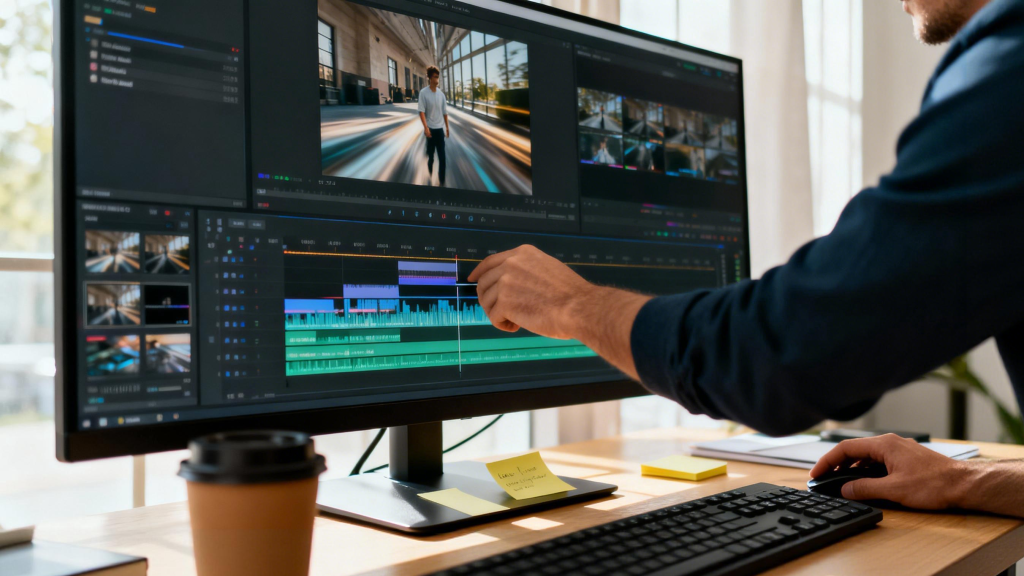
- Creative work: High refresh can be helpful for editing video and motion graphics, but color accuracy still rules.
How to Choose Your Target Refresh Rate
If you are unsure which refresh rate to prioritize in 2026, start from your main task and work backward. For office and mixed use, 120Hz is often the comfort upgrade that most people immediately notice. It improves scrolling and mouse tracking without raising system requirements too much. For gaming, 144Hz remains the all-around balance between smoothness and achievable frame rates. You can run many modern games at this level without forcing the highest-end GPU.
Higher refresh rates like 240Hz and beyond are best treated as specialized tools. They shine when you play esports titles at very high frame rates, but they provide diminishing returns for slower games or work tasks. A simple decision rule is to choose the highest refresh rate your system can sustain most of the time at your preferred resolution, then rely on adaptive sync to smooth the gaps.
Closing Takeaways
In 2026, high refresh rate monitors are no longer specialized gear. They are a quality-of-life upgrade for work, entertainment, and gaming. Adaptive sync technologies make those smooth refresh rates actually usable across a wide range of frame rates, and they reduce the visual distractions that used to be common.
The smart path is simple: choose a refresh rate that matches your typical tasks, verify your GPU can sustain it, and pick the sync ecosystem that fits your hardware. With that foundation, a 2026 monitor will feel fast and comfortable for years.