Polling rate used to be a non-issue. Almost every gaming mouse reported its position 1,000 times a second, and that was that. Now 8000Hz, or 8K, is showing up on more and more wireless mice, and Newegg Studios even made a video called "The 8000Hz Gimmick." So is it a gimmick? My answer is that it's real but small, and it matters more for some setups than others.
Why it matters (a little)
At 1,000Hz, your mouse sends an update every 1 millisecond. At 8,000Hz, it's every 0.125 milliseconds. That trims a fraction of a millisecond off input delay and makes cursor movement smoother on very high refresh displays, because each frame gets more up-to-date position data. On a 360Hz or 480Hz monitor, some players notice smoother tracking. On a 144Hz monitor, most won't.
The costs are real too. Higher polling uses more CPU time, which can cost frames in CPU-limited games on older processors. And wireless mice burn through battery faster at 8K than at 1K.
What to look for
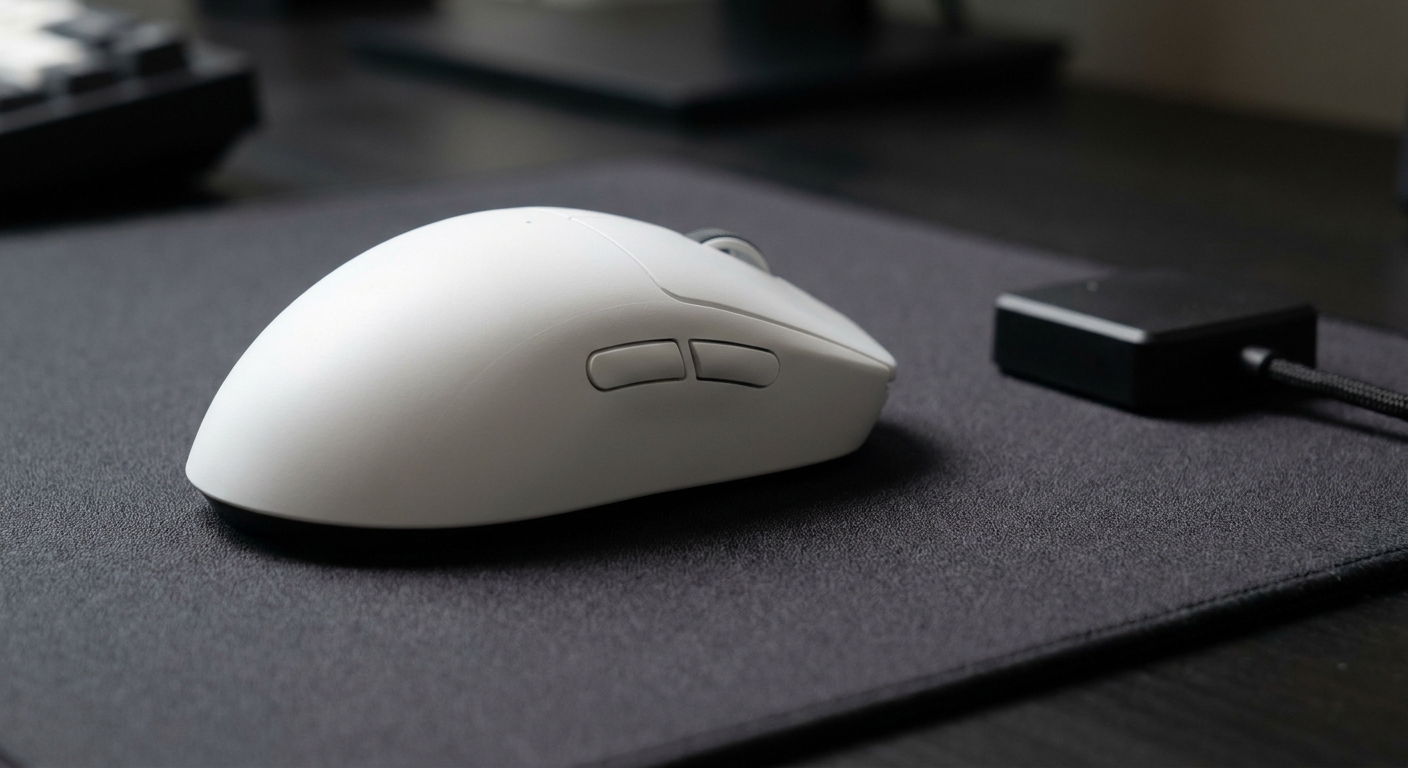
Wireless 8K, not just wired. Some mice only hit 8K over a cable or with an extra dongle. Weight and shape first. A mouse that fits your hand matters far more than polling rate. Battery life. Check the rated hours and remember that they're usually quoted at lower polling rates. Software. You want to be able to drop to 1K or 2K easily if a game stutters.
Comparison
| Mouse | Shape | Weight | Max polling |
|---|---|---|---|
| Razer Viper V3 Pro | Symmetrical | 54g (55g white) | 8,000Hz with HyperPolling dongle |
| Razer DeathAdder V4 Pro | Ergonomic | 56-58g by color | 8,000Hz wireless |
| Corsair Sabre V2 Pro | Symmetrical | 36g | 8,000Hz |
| MSI Versa 300 Wireless 8K | Ergonomic | Not listed | 8,000Hz |
| DAREU Ultra 07 | Ergonomic, modular | Not listed | 8,000Hz wired and wireless |
| CHERRY MW5500 | Ergonomic, tri-mode | Not listed | 8,000Hz |
| ASUS ROG Keris II WL Ace | Ergonomic | 54g | 4,000Hz wireless |
My picks
Best symmetrical: the Razer Viper V3 Pro is popular with esports players for a reason. It's light, uses Razer's Focus Pro 35K Gen-2 sensor, and Razer rates it for up to 95 hours of battery. Its 8K mode runs through Razer's HyperPolling wireless dongle.
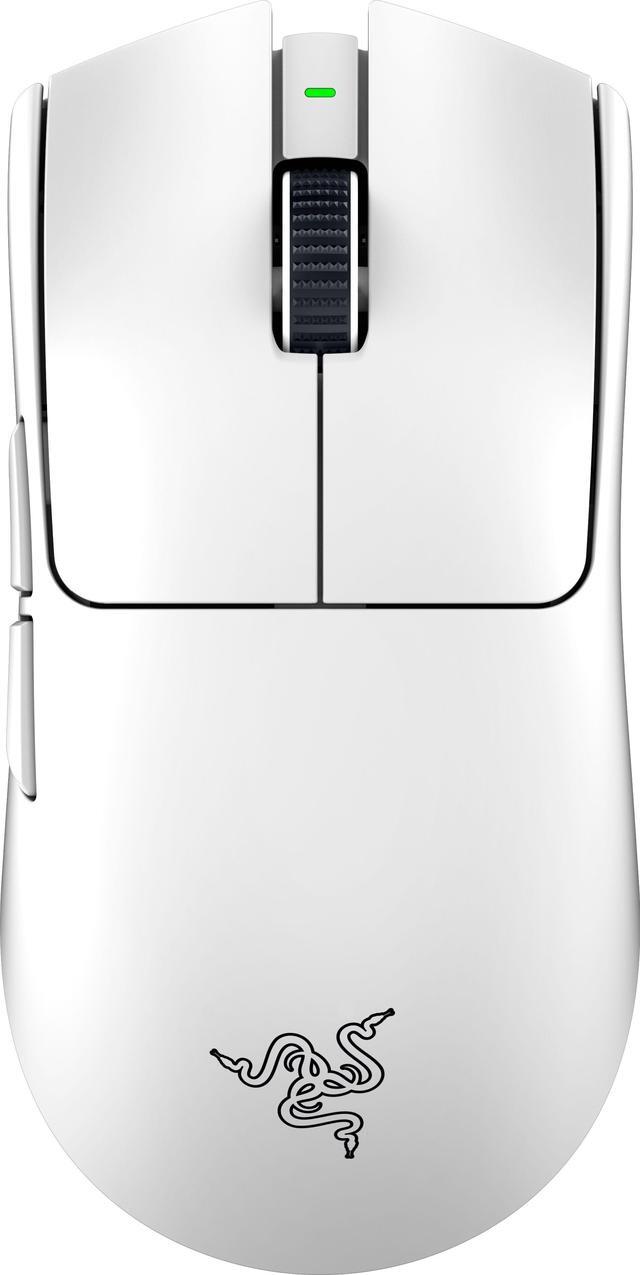
Best ergonomic: the Razer DeathAdder V4 Pro supports 8K over its HyperSpeed Wireless Gen-2 dongle, uses the Focus Pro 45K sensor and is rated for up to 150 hours of battery with current firmware.

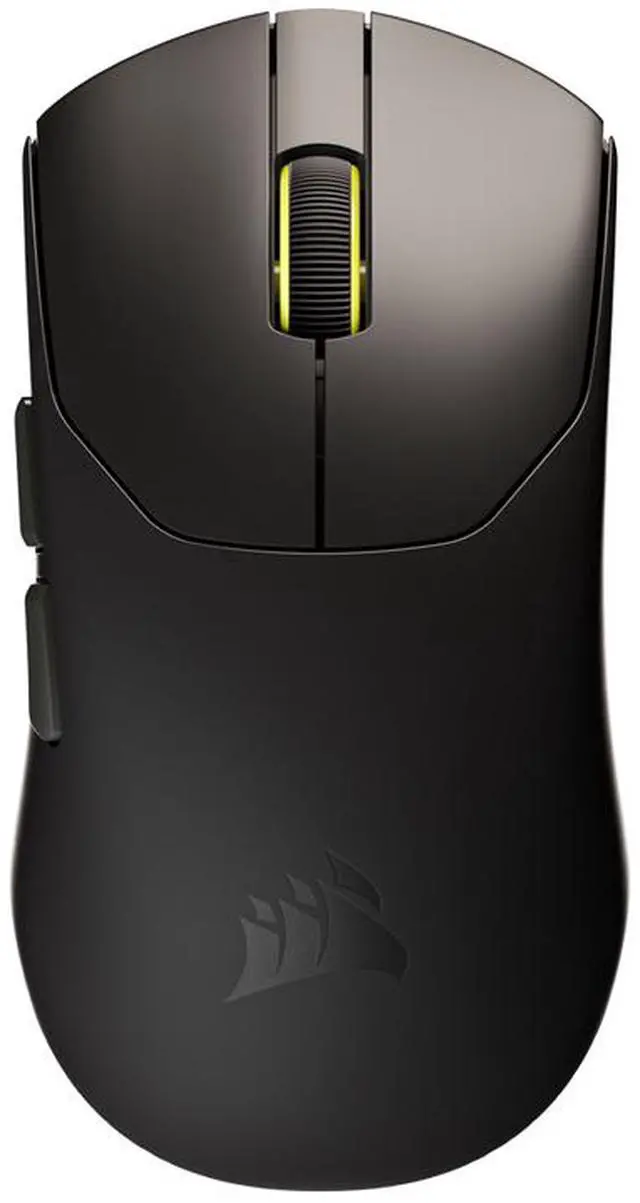
Lightest: Corsair lists the Sabre V2 Pro at 36 grams with a 33,000 DPI Marksman sensor and 8,000Hz polling, and up to 70 hours of battery. If you flick a lot, the low weight is the real selling point here.
Value ergonomic options: the MSI Versa 300 Wireless 8K uses a PixArt PAW3395 sensor and supports 2.4GHz, Bluetooth and wired modes. The DAREU Ultra 07 is modular, with an adjustable rear shell, and supports 8K in both wired and wireless modes. The CHERRY MW5500 is a tri-mode option with a PAW3950-class sensor and a 460-hour battery rating, though I'd expect that figure at lower polling.
A note on 4K
Not every great mouse needs 8K. The ASUS ROG Keris II WL Ace tops out at 4,000Hz wirelessly and weighs 54 grams. In practice, 2K to 4K captures most of the benefit with less battery drain, which is why plenty of players leave their 8K mouse set lower.
Don't skip the pad
A consistent surface changes how a mouse feels more than polling rate does. The ASUS ROG Sheath extra-large pad covers both mouse and keyboard and has stitched edges that hold up.
Setting up an 8K mouse properly
Plug the receiver into a USB port directly on the motherboard's rear panel, not a hub or a front-panel port, and keep it close to the mouse. Several makers ship a small dock with a cable so the receiver can sit near your pad. Then set the polling rate in the mouse software, since many ship at 1,000Hz by default.
After that, play a game you know well and watch for stutter or lower frame rates. If you see either, step down to 4K or 2K and test again. Some older games and some systems don't handle very high polling rates gracefully, and there's no shame in running a lower setting that feels smooth.
Here's the rough guide I'd use: on a 144Hz or 165Hz monitor, 1K to 2K is plenty. On 240Hz, 2K to 4K is a good balance. On 360Hz and up, 4K to 8K is where you might notice smoother tracking, especially in fast-moving shooters. Battery life drops as you go up, so if you forget to charge your mouse, that alone is a reason to stay lower.
Final verdict
If you have a 360Hz or faster monitor and a modern CPU, an 8K mouse is a nice upgrade at the margins. If you're on 144Hz or 240Hz, buy the shape and weight you like, set polling to 1K or 2K, and spend the difference on a better monitor. The best mouse is still the one that fits your hand.
Frequently Asked Questions
What does 8000Hz polling rate mean? The mouse reports its position 8,000 times per second, or every 0.125 milliseconds, compared with every 1 millisecond at 1,000Hz.
Will I notice 8K polling on a 144Hz monitor? Probably not. The benefit is most visible as smoother tracking on very high refresh displays such as 360Hz or 480Hz.
Does 8000Hz polling affect performance? It uses more CPU time than 1,000Hz, which can reduce frame rates slightly in CPU-limited games on older processors.
Does 8K polling drain battery faster? Yes. Wireless mice use noticeably more power at 8,000Hz, so rated battery life is usually lower than at 1,000Hz.
Is a 4000Hz mouse good enough? For most players, yes. 2K to 4K captures much of the smoothness benefit with less battery drain and CPU load.
Read More
- Razer: Viper V3 Pro - Official specs, including HyperPolling details.
- Razer: DeathAdder V4 Pro - Official specs and 8K wireless details.
- TechPowerUp: Razer Viper V3 Pro review - An in-depth review with sensor and latency testing.
- TechPowerUp: Corsair Sabre V2 Pro review - A detailed look at the 36-gram 8K mouse.
- RTINGS: Mouse latency testing - How click latency is measured and what affects it.