
You will spend more hours touching your keyboard than any other piece of tech you own this school year. Every essay, problem set, lab report and late-night chat runs through it, so a keyboard that feels good and holds up is a genuine quality-of-life upgrade, not a luxury. Mechanical keyboards deliver crisper feedback, far better durability and a level of customization that mushy membrane boards cannot touch. The best part is that 2026 prices are friendly: a great wireless mechanical board starts under $50, and even enthusiast-grade custom decks are within reach. Below is how to choose one, followed by the best picks on Newegg from budget to premium. All prices were checked on Newegg on August 15, 2026.
Why a Mechanical Keyboard for Students
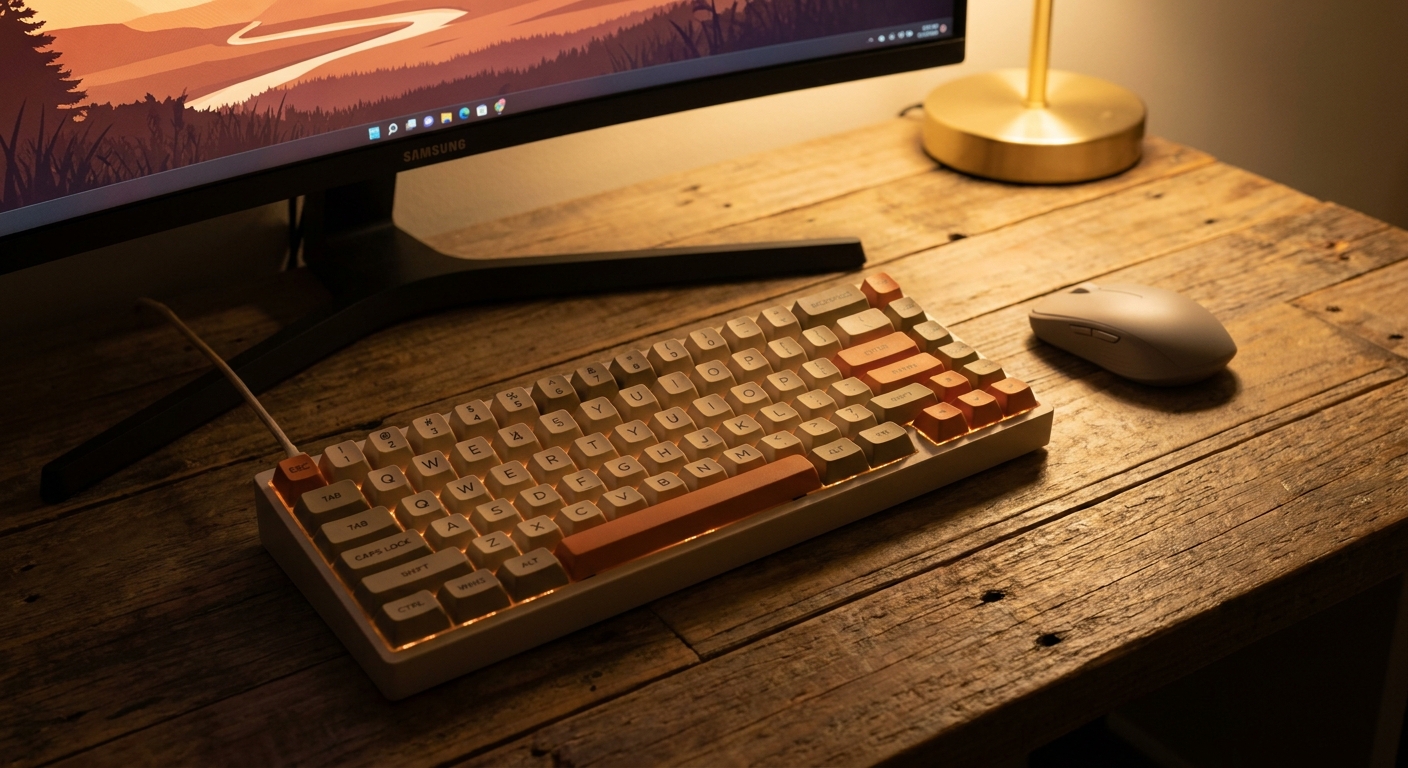
A membrane keyboard uses a single rubber sheet under the keys, which is why cheap boards feel spongy and vague. Mechanical keyboards put an individual switch under every key, so each press gives a clear, consistent response and you always know when a keystroke has registered. That precision means fewer typos and less finger fatigue during a three-hour writing session. Mechanical switches are also rated for tens of millions of presses, so the board that survives your freshman year will still feel new at graduation. And because most modern boards let you swap keycaps, remap keys and tweak lighting, your keyboard becomes something you actually enjoy sitting down to.
How to Choose
Four decisions shape how a keyboard fits your desk and your hands.
Size and layout. A 60% or compact board drops the number pad, arrows and function row to save maximum desk space, which is ideal for a cramped dorm desk. A TKL (tenkeyless) board keeps the arrows and function row but loses the number pad, striking a popular balance. A full-size board keeps everything, including the number pad that accounting, engineering and spreadsheet students will miss otherwise. A 75% layout is a clever middle ground that packs arrows and function keys into a compact footprint.
Switch type. Linear switches press straight down smoothly and quietly, favored for a fast, uninterrupted feel. Tactile switches have a small bump partway down that confirms the keystroke, which many typists prefer for accuracy. There is no wrong answer here, only preference, so try both if you can.

Wired vs wireless. Wired keyboards never need charging and have zero latency. Wireless boards keep your desk clean and let you tuck the keyboard away, and modern 2.4GHz and Bluetooth connections are fast enough that you will not notice a delay. Hot-swap sockets let you change switches by hand with no soldering, so you can refine the feel later. Low-profile boards use shorter switches and keycaps for a slim, laptop-like typing height that is easier on the wrists.
The Field at a Glance
| Keyboard | Price | Layout | Connection | Best for |
|---|---|---|---|---|
| MCHOSE ACE 68 | $49.99 | 60% / compact | Wireless | Tightest budget |
| MSI FORGE GK600 | $74.99 | TKL | Wireless | Wireless value |
| ASUS TUF Gaming K3 Gen II | $94.99 | Full-size | Wired | Number-pad users |
| Keychron Q7 | $128.99 | Compact custom | Wired | Custom build feel |
| Logitech G515 LIGHTSPEED | $129.99 | TKL low-profile | Wireless | Slim desk setup |
| MONTECH MKey Pro | $149.99 | Full-size | Wired | Enthusiast typing |
| Keychron V1 | $183.33 | 75% custom | Wired | Compact custom |
| Keychron K10 | $218.39 | Full-size | Wireless | Hot-swap flagship |
Best on the Tightest Budget: MCHOSE ACE 68, $49.99
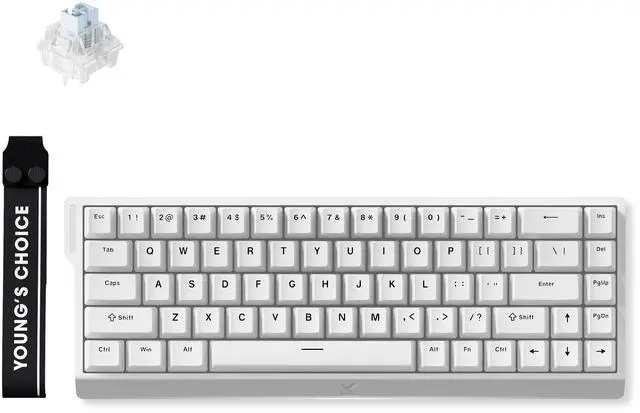
For a first mechanical keyboard on a student budget, the MCHOSE ACE 68 is hard to beat at $49.99. Its 60%-style 68-key layout frees up desk space, it connects wirelessly to keep cables off your desk, and it still packs the crisp feel and RGB lighting you expect from a proper mechanical board. It is the easy recommendation for anyone dipping a toe in.
Best Wireless Value: MSI FORGE GK600, $74.99
If you want the arrow keys and function row back without the number pad, the MSI FORGE GK600 at $74.99 is a tenkeyless wireless board that balances a compact footprint with everyday usability. It is a great fit for students who move between the library and the dorm and want a clean, cable-free desk in both places.
Best for Number-Pad Users: ASUS TUF Gaming K3 Gen II, $94.99
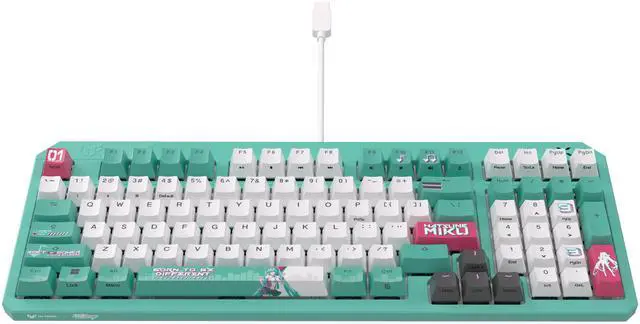
Accounting, engineering and data students who live in spreadsheets should look at the ASUS TUF Gaming K3 Gen II at $94.99. This full-size wired board keeps the dedicated number pad, adds durable TUF build quality, and gives you the reliability of a plug-in connection that never needs charging before an exam.
Best Compact Custom Feel: Keychron Q7, $128.99
Stepping into enthusiast territory, the Keychron Q7 at $128.99 brings a gasket-mounted, custom-grade typing feel in a compact wired body. Its solid aluminum construction and refined sound set it apart from mainstream boards, making it a joy for anyone who types all day and cares how it feels.
Best Slim Setup: Logitech G515 LIGHTSPEED, $129.99
If you prefer a low, laptop-like typing height, the Logitech G515 LIGHTSPEED at $129.99 is a low-profile TKL board with fast LIGHTSPEED wireless. Its slim frame is gentle on the wrists during long sessions and looks tidy on a minimalist desk.
Best Enthusiast and Flagship Picks
For students who want the very best typing experience, three boards stand out. The MONTECH MKey Pro at $149.99 is a full-size enthusiast board with pre-lubed switches and a premium sound profile out of the box. The 75% Keychron V1 at $183.33 packs a custom, hot-swappable layout into a compact wired deck for those who want to tinker. And at the top, the Keychron K10 at $218.39 is a full-size wireless board with hot-swap sockets, letting you change switches by hand and go cable-free at once.
Summary
For most students, the $49.99 MCHOSE ACE 68 is the smart starting buy, delivering a real mechanical feel and wireless freedom for the price of a textbook. Number-pad users should grab the $94.99 ASUS TUF Gaming K3 Gen II, while anyone chasing the best typing experience should stretch to the hot-swap Keychron K10 at $218.39. You can compare current models and prices across the full range in Newegg’s mechanical keyboard listings.
Read More
- RTINGS: Best Mechanical Keyboards — Independent lab testing of switches, build quality and latency.
- Mechanical Keyboard Switches Explained — A clear breakdown of linear, tactile and clicky switch types.
- Keychron Official Page — Manufacturer specifications for the Q7, V1 and K10 boards.
- Tom’s Hardware: Best Keyboards — Hands-on buying guide across budgets and layouts.
- Newegg: Mechanical Keyboards — Browse and filter current boards by layout, switch and price.