
I replaced a router last spring that had been working fine, which is the worst reason to replace anything. What actually pushed me was a 2.5 gigabit connection sitting behind a gigabit WAN port, which meant I was paying for bandwidth the router physically could not pass through.
That is the useful frame for Wi-Fi 7 in 2026. The wireless part is a nice upgrade. The wired ports are often the reason you actually need a new box, and they are the spec people skim past.
What Wi-Fi 7 Changes
Three things matter in practice. The 6GHz band gets 320MHz channels, which is where the very large numbers on the box come from. 4096-QAM packs more data into each transmission, which helps at close range. And Multi-Link Operation lets a device use more than one band at once, which is the feature most likely to improve how your home feels rather than how it benchmarks.
Everything else is marketing arithmetic. A BE19000 rating is the sum of three bands nothing will ever use simultaneously.
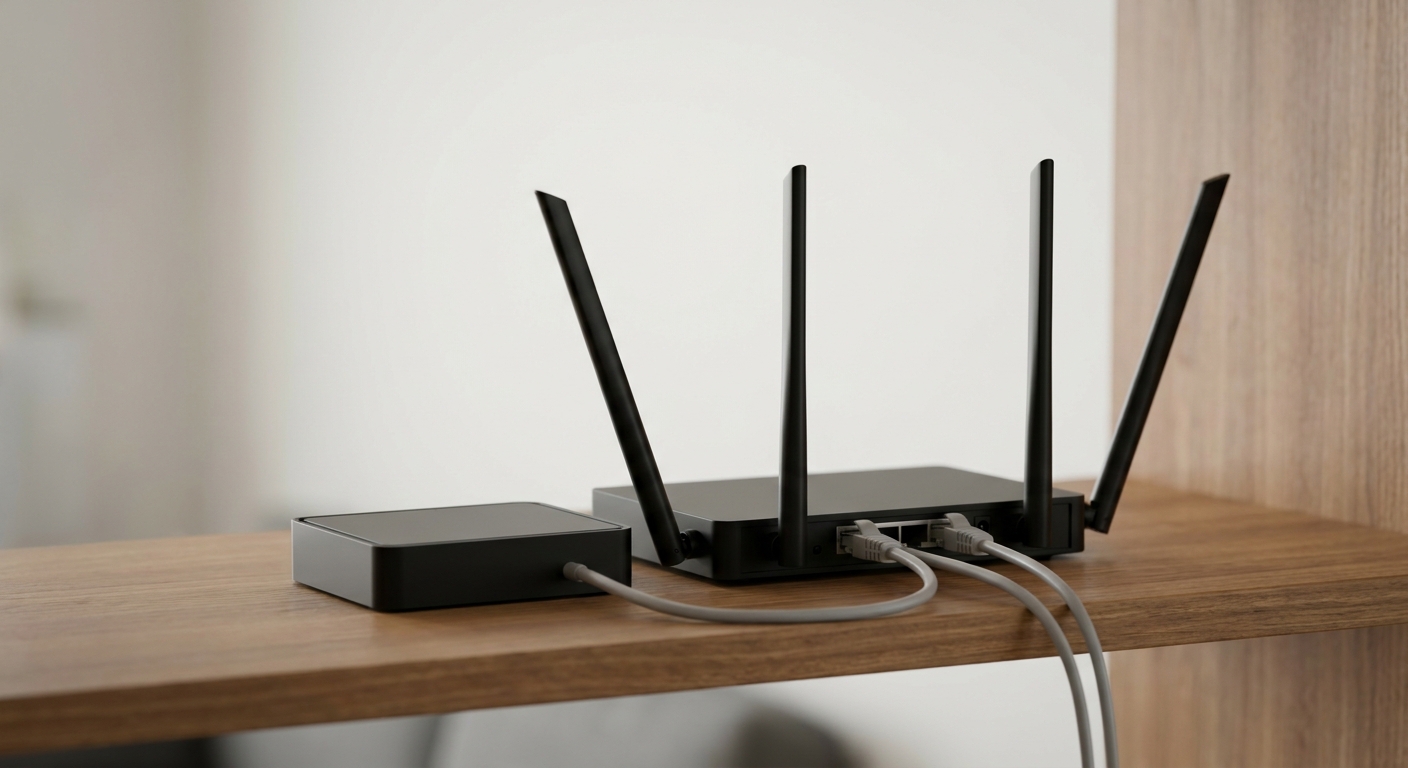
Step 1: Check Your Internet Speed First
If your connection is under a gigabit, the WAN port on any router here is enough and you can choose on wireless features alone. Above a gigabit, the port speed becomes the limiting factor and you should shortlist by it.
The TP-Link Archer BE550 is the straightforward answer for a multi-gigabit connection: a 2.5 Gbps WAN port and four 2.5 Gbps LAN ports, so every wired device gets the faster link rather than just one.
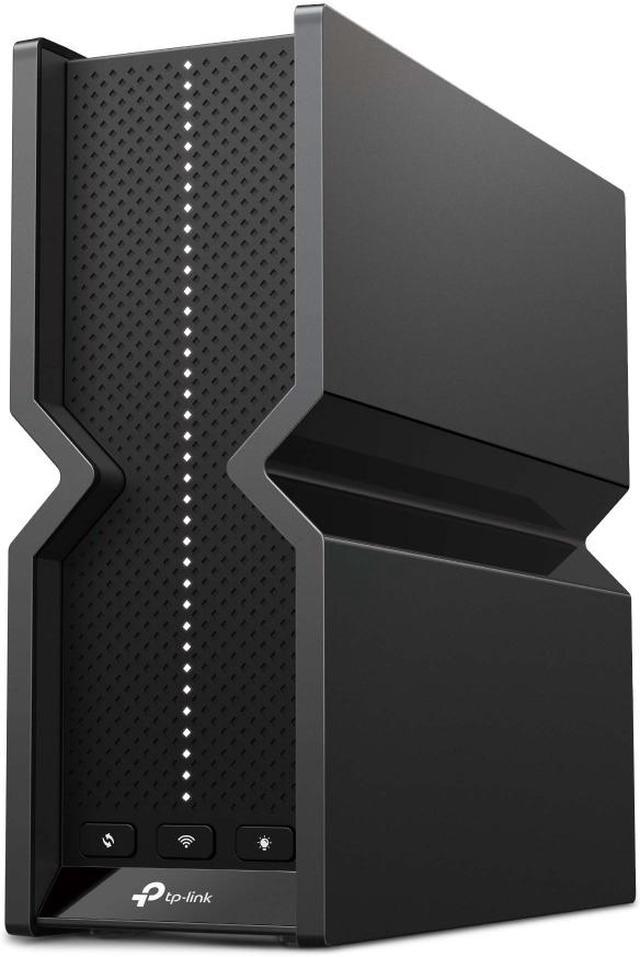
It is a tri-band BE9300 design: 5760 Mbps on 6GHz, 2880 Mbps on 5GHz, 574 Mbps on 2.4GHz, six internal antennas, a USB 3.0 port, EasyMesh support and coverage rated to about 2,000 square feet, in a 2.44 lb tower.
Step 2: Count Your Bands
Tri-band adds a 6GHz radio. It is genuinely faster at short range and genuinely worse at going through walls, so it helps in an apartment or a single floor and does less in a large house.
The ASUS RT-BE92U is the tri-band option with serious wired connectivity: up to 5764 Mbps on 6GHz, 2882 Mbps on 5GHz and 1032 Mbps on 2.4GHz, a 10 Gbps WAN/LAN port, a 2.5 Gbps WAN/LAN port and three 2.5 Gbps LAN ports, with four external antennas and AiMesh support.
Dual-band is not a downgrade if your devices are close. The ASUS RT-BE88U skips 6GHz entirely and spends the budget on wiring: dual 10G ports plus SFP+, four 2.5G ports and four 1G ports, 34G of combined WAN and LAN capacity, 2GB of RAM, and up to 5764 Mbps on 5GHz. For a home with a wired backbone that is a better trade than a third radio.
Step 3: Match the Router to the House
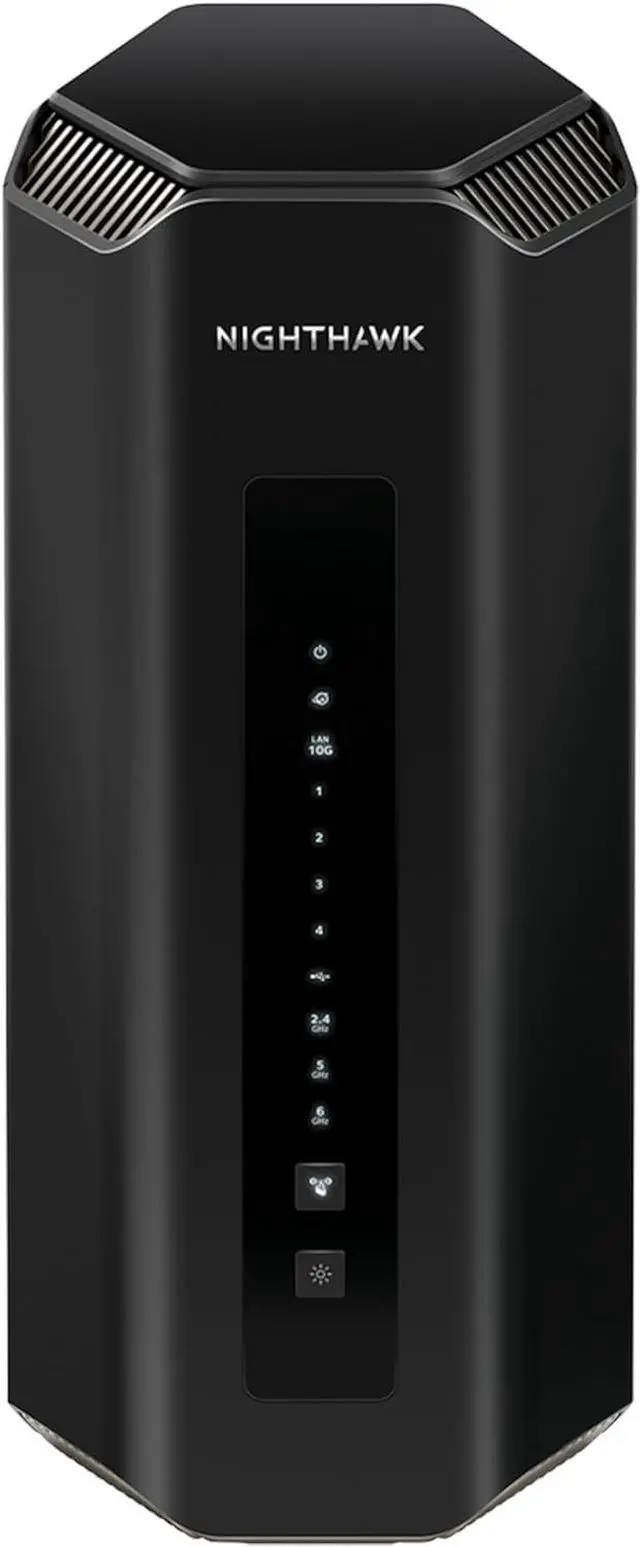
For a larger home, the Netgear Nighthawk RS700S is the heavyweight: tri-band BE19000 rated up to 19 Gbps, two 10 Gbps ports, four gigabit LAN ports, eight internal antennas with high-powered amplifiers, 2GB of RAM and a USB 3.0 port, at 3.61 lbs.
Its smaller sibling, the Netgear Nighthawk RS200, is dual-band BE6500 with a 2×2 2.4GHz radio and a 4×4 5GHz radio reaching 5.8 Gbps, 4K-QAM support, one 2.5 Gbps internet port, one 2.5 Gbps LAN port and three gigabit ports. For an apartment with a gigabit line that is a sensible amount of router.
The ASUS RT-BE58U covers the same ground with four external antennas, up to 2882 Mbps on 5GHz and 688 Mbps on 2.4GHz, a 2.5G WAN/LAN port and four gigabit ports, with AiMesh so you can add a second unit later. The TP-Link Archer BE230 is the simplest of the group: dual-band BE3600, 2882 Mbps on 5GHz, a 2.5 Gbps WAN port and a 2.5 Gbps LAN port alongside three gigabit ports.
Step 4: Decide How Much You Want to Manage
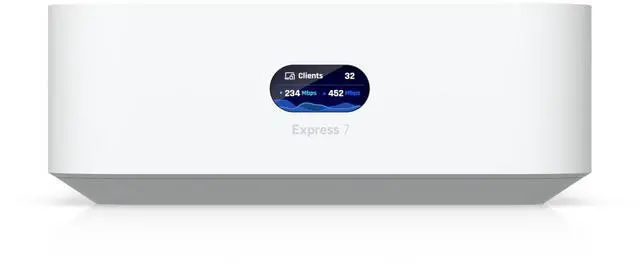
The Ubiquiti UniFi Express 7 is the outlier and the one I would pick for myself. It is a 10G cloud gateway with integrated Wi-Fi 7 in a 117 x 117 x 42.5mm box, delivering 5.7 Gbps on 6GHz, 4.3 Gbps on 5GHz and 688 Mbps on 2.4GHz, and it scales into a mesh by adding UniFi access points later.
The trade is the software. UniFi gives you far more visibility and control than a consumer router, and expects more from you in return. If network settings are something you would rather set once and forget, one of the TP-Link or ASUS boxes is the happier choice.
Summary
Multi-gigabit connection, want every wired device fast: Archer BE550. Wired backbone and 10G equipment: ASUS RT-BE88U. Large house, fast line, no interest in tinkering: Nighthawk RS700S. Apartment on a gigabit line: Nighthawk RS200, RT-BE58U or Archer BE230. Tri-band with strong wired ports: RT-BE92U. Willing to learn a proper network interface: UniFi Express 7.
And the advice I keep repeating: if your internet plan is 500 Mbps, none of these will make browsing feel different. Replace a router because of coverage, device count or port speed, not because of the number on the box. The current range is in Newegg’s Wi-Fi 7 router listings.
Frequently Asked Questions
Do I need Wi-Fi 7 devices to benefit from a Wi-Fi 7 router? Partly. Wi-Fi 7 features such as 320MHz channels and Multi-Link Operation require compatible client devices. Older laptops and phones still connect and often perform a little better, because newer routers have faster processors, more memory and better radios, but the headline features need both ends to support them.
Is the 6GHz band worth paying for? It depends on your home. 6GHz offers the widest channels and the least interference, and it is the reason a tri-band router like the Archer BE550 or Nighthawk RS700S can post such high numbers. It also travels through walls poorly. In an apartment or on a single floor it helps; across a large multi-storey house, a dual-band router with strong 5GHz performance often serves you better.
What does a BE19000 or BE9300 rating actually mean? It is the sum of the theoretical maximum throughput across all bands. The Nighthawk RS700S is rated BE19000 from combining its 2.4GHz, 5GHz and 6GHz radios; no single device will ever see that figure. Use the per-band numbers instead, such as 5764 Mbps on 6GHz, when comparing routers.
How many 2.5G ports do I actually need? One for the internet connection if your plan exceeds a gigabit, and one for each wired device that can use it, which usually means a desktop PC or a NAS. Routers here range from a single 2.5G WAN port up to the RT-BE88U’s dual 10G plus four 2.5G configuration. Count your wired devices before paying for ports you will not fill.
Should I buy a mesh system instead of one router? If a single unit cannot cover your home, yes. Several routers here support expansion, with EasyMesh on the TP-Link models, AiMesh on the ASUS models, and the UniFi Express 7 scaling by adding access points. Starting with one capable router and adding a node later is usually cheaper than buying a full mesh kit up front.
Read More
- Tom’s Hardware: Networking Reviews and Buying Guides — Router reviews and coverage testing across Wi-Fi 6E and Wi-Fi 7 hardware.
- Wi-Fi Alliance: Wi-Fi CERTIFIED 7 — The standards body’s explanation of Multi-Link Operation, 320MHz channels and 4K-QAM.
- TP-Link: Archer BE550 — Manufacturer specifications including per-band rates and port configuration.
- ASUS: Wi-Fi Routers — Official pages for the RT-BE92U, RT-BE88U and RT-BE58U, including AiMesh support details.
- Newegg: Wi-Fi 7 Routers — Compare current models by band count, WAN port speed and antenna configuration.