Artificial intelligence development in 2026 demands more than a powerful gaming rig with extra RAM. Training large language models, running real-time inference pipelines, processing massive datasets, and rendering neural graphics all share a common requirement: purpose-built hardware optimized specifically for AI workloads. ABS AI Workstations represent a category of computing systems engineered from the ground up to meet these demands, combining enterprise-grade components with configurations tested and validated for AI research, machine learning engineering, and professional creative workflows.
What Is an ABS AI Workstation?
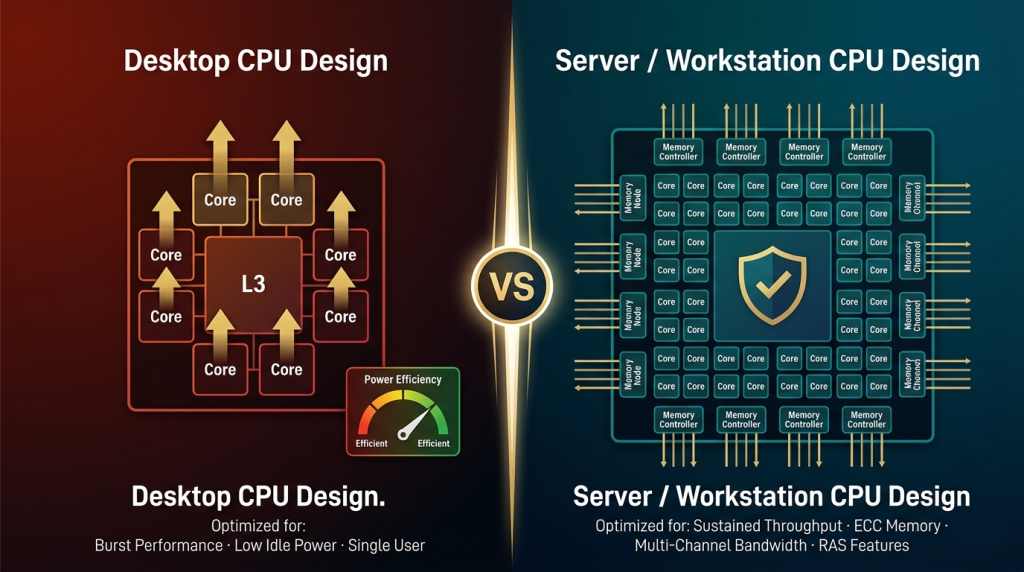
An ABS AI Workstation is a pre-configured, professionally assembled computing system designed to handle computationally intensive AI tasks. Unlike consumer gaming desktops, these workstations use server-class CPUs, ECC memory for error correction, professional-grade GPUs with significantly larger VRAM pools, and storage subsystems optimized for high-throughput data streaming. The ABS aiOne and ABS Zaurion Aqua Tower represent the current flagship models, featuring Intel Xeon W-series processors, NVIDIA RTX Professional GPUs with up to 96GB of VRAM, and support for multi-GPU configurations that scale AI training performance linearly.
These systems ship with Ubuntu or other Linux distributions commonly used in AI development, pre-installed drivers for CUDA and cuDNN, and validated hardware compatibility for frameworks like PyTorch, TensorFlow, and JAX. For organizations and individual researchers who need to begin work immediately rather than spending days troubleshooting driver conflicts and dependency issues, this integration is a meaningful advantage.
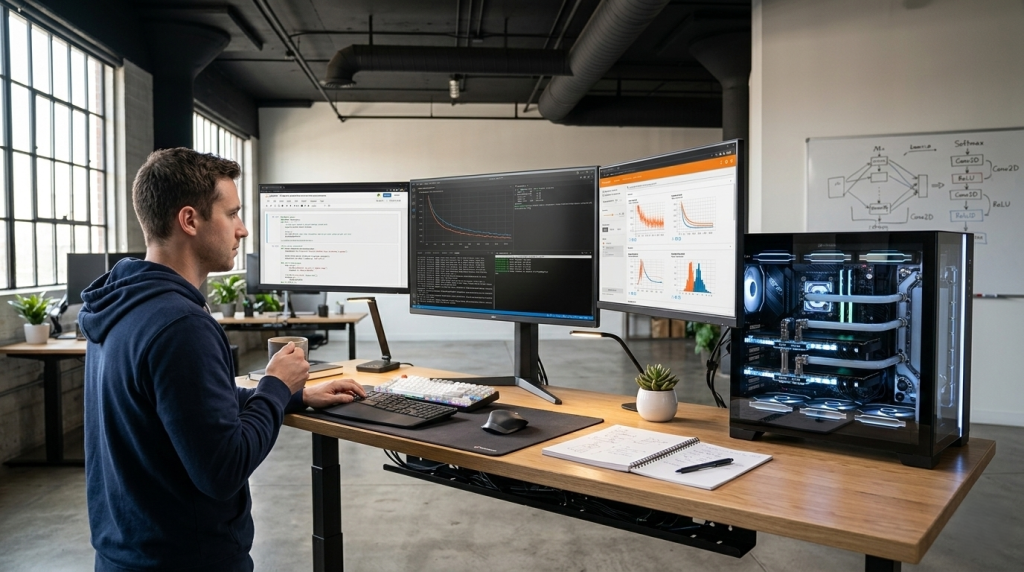 Who Needs an AI Workstation in 2026?
AI workstations serve a distinct set of professional users whose workloads exceed what consumer hardware can reliably handle. Machine learning engineers training transformer models with billions of parameters need the memory bandwidth and VRAM capacity that only professional GPUs provide. Data scientists working with terabyte-scale datasets require storage subsystems capable of sustained sequential read speeds above 10,000 MB/s and ECC memory to prevent silent data corruption during long-running compute jobs.
Creative professionals in the film and game industries increasingly rely on neural rendering, AI-assisted compositing, and generative content tools. These workflows benefit from RTX Professional GPUs' hardware-accelerated ray tracing and Tensor Cores optimized for inference workloads. Researchers in computational biology, climate modeling, and financial simulation run weeks-long jobs where system stability and error correction are non-negotiable. Even small startups building AI-first products often discover that cloud compute costs for continuous development quickly exceed the capital cost of an on-premise workstation.
If your work involves training models locally rather than relying exclusively on cloud infrastructure, processing proprietary data that cannot leave your network, or running inference workloads where per-query latency matters, an ABS AI Workstation offers capabilities and cost efficiency that consumer hardware cannot match.
GPU: The Heart of AI Performance
The GPU defines an AI workstation's performance ceiling. While consumer gaming GPUs like the RTX 5090 offer impressive CUDA core counts, professional workstation GPUs prioritize different metrics: VRAM capacity, memory bandwidth, ECC memory support, and driver stability for long-duration workloads.
The NVIDIA RTX Pro 6000 Blackwell, available in ABS Zaurion configurations, provides 96GB of GDDR7 ECC memory with 1,792 GB/s bandwidth. This capacity allows models with parameter counts well into the tens of billions to fit entirely in VRAM, eliminating the performance penalties of offloading layers to system memory. The 24,064 CUDA cores and 5th-generation Tensor Cores deliver 4,000 TOPS (trillion operations per second) of AI compute, with native support for lower-precision formats like FP4 and FP6 that accelerate inference without sacrificing accuracy.
Multi-GPU scaling is another critical consideration. The ABS aiOne supports up to four RTX 6000 Ada GPUs in a single chassis with NVLink bridges for high-bandwidth inter-GPU communication. Training large models across multiple GPUs using data parallelism or model parallelism can reduce training time from weeks to days. Even two-GPU configurations deliver near-linear scaling for most training workloads. Explore Newegg's professional GPU selection to compare specifications and see current availability.
 CPU and Memory: Supporting the AI Pipeline
AI training is GPU-bound, but CPU and memory architecture still matter significantly. Data preprocessing, batch loading, augmentation pipelines, and model checkpointing all run on the CPU while the GPU executes forward and backward passes. A CPU bottleneck manifests as GPU utilization dropping below 100% during training, wasting expensive compute cycles.
Intel Xeon W-series processors in ABS workstations provide 16 to 56 cores with high memory bandwidth and support for up to 2TB of DDR5 ECC memory. The W5-3535X in the ABS aiOne offers 32 cores and 64 threads with 64 PCIe Gen 5 lanes, ensuring that multi-GPU configurations and high-speed NVMe arrays receive full bandwidth without contention. AMD Threadripper PRO options in the Zaurion Aqua Tower offer similar core counts with slightly different memory channel configurations.
ECC memory is standard across all ABS AI workstations. Unlike consumer RAM, ECC memory detects and corrects single-bit errors automatically, preventing data corruption during multi-day training runs. For workloads processing financial data, medical imaging, or scientific research, this reliability is essential. Memory capacity of 128GB to 512GB enables large datasets to remain resident in RAM, eliminating repeated disk reads during epoch iterations. Check Newegg's server memory options for capacity and speed tiers.
Storage and Cooling: Infrastructure That Matters
Storage architecture in AI workstations diverges sharply from consumer desktop norms. A typical configuration includes a fast OS drive, a larger data drive for datasets, and optionally a third drive dedicated to model checkpoints and logs. The ABS aiOne introduces aiDAPTIVCache, a Phison-developed SSD technology that acts as an extension of GPU VRAM, using high-speed PCIe Gen 5 storage to offload less-frequently accessed model layers and effectively increase available VRAM capacity.
PCIe Gen 5 NVMe SSDs with sequential read speeds exceeding 10,000 MB/s eliminate storage bottlenecks during dataset streaming. Large image datasets, video training data, and tokenized text corpora can be loaded from disk fast enough to keep GPUs saturated. Redundant storage with RAID configurations or multiple SATA SSDs ensures that multi-week training runs are protected against single-drive failures.
Cooling is the other infrastructure element that separates workstation-class systems from desktop builds. Multi-GPU configurations can generate 1,200 watts or more of sustained heat output. ABS workstations use a combination of large tower chassis with optimized airflow, high-capacity all-in-one liquid coolers for CPUs, and blower-style GPU coolers that exhaust heat directly out of the case rather than recirculating it internally. This thermal design ensures stable clock speeds under sustained load.
Pre-Built vs. Custom: Why ABS Workstations Win
Building a custom AI workstation from individual components is possible, but the hidden costs and complexity make pre-built systems more compelling for most users. Component compatibility becomes critical when mixing server CPUs, professional GPUs, and ECC memory. A motherboard that technically supports the CPU may lack sufficient PCIe bifurcation to properly allocate lanes across four GPUs. BIOS updates and firmware revisions for multi-GPU setups often require manufacturer-specific knowledge that is not well-documented in consumer channels.
Driver stability and software integration represent another challenge. NVIDIA's professional GPU drivers follow a different release cadence than GeForce drivers, and certain CUDA toolkit versions require specific driver versions. Pre-built ABS systems ship with tested, validated driver and firmware combinations that are certified to work with popular AI frameworks. The time savings of avoiding troubleshooting and compatibility research translates directly into productive work hours.
Warranty and support are the final consideration. ABS AI Workstations include comprehensive warranty coverage with direct technical support from engineers familiar with AI workloads. If a component fails during a critical project deadline, replacement parts and support are available through established channels. Custom builds require managing warranties across multiple vendors, each with different RMA processes and support quality.
 Real-World Applications
AI workstations enable specific workflows that cloud infrastructure cannot efficiently serve. A research team fine-tuning a 30-billion-parameter language model on proprietary legal documents needs local compute to maintain data confidentiality and avoid egress costs. A visual effects studio rendering neural radiance fields for a feature film processes terabytes of footage that would be prohibitively expensive to upload and process in the cloud.
Startups building AI products benefit from on-premise workstations during rapid prototyping and development cycles. The cost of renting cloud GPUs for 12 hours per day for six months exceeds the purchase price of a mid-tier ABS workstation, and ownership eliminates per-hour cost anxiety that can constrain experimentation. Once a model reaches production and needs to scale to thousands of users, cloud deployment makes sense — but during the research phase, local compute offers unmatched flexibility and cost predictability.
Academic researchers, independent developers, and small studios all share a common need: access to professional AI compute without enterprise-scale budgets or long-term cloud commitments. ABS AI Workstations fill this gap by delivering enterprise-grade hardware at pricing that individuals and small teams can justify.
How to Choose Your ABS AI Workstation
Selecting the right configuration depends on your specific workload profile. For fine-tuning smaller models (under 10 billion parameters), a single RTX Pro 6000 Blackwell with 96GB VRAM, 128GB system RAM, and a mid-tier Xeon W processor provides excellent performance. This configuration handles most deep learning research, computer vision projects, and inference serving for production applications.
For training larger models or running multi-model experiments in parallel, a dual-GPU configuration doubles throughput with near-linear scaling. The ABS Zaurion Aqua Tower supports dual RTX Pro 6000 GPUs with NVLink, 256GB RAM, and dual NVMe drives for OS and data separation. This tier suits machine learning engineering teams, research labs, and studios with multiple concurrent projects.
The flagship ABS aiOne with four RTX 6000 Ada GPUs and 512GB ECC memory targets organizations training state-of-the-art models at the frontier of current research. Four-GPU configurations enable distributed training strategies that reduce wall-clock training time by factors of three to four, critical when iterating on model architectures or hyperparameter tuning.
Visit ABS Workstation's configurator to explore options, compare specifications, and find a system matched to your workload requirements. For users building broader infrastructure, Newegg's workstation category offers complementary components, networking equipment, and storage expansion options that integrate with ABS systems.