For robots, inspection systems, retail analytics, and smart cameras, sending every image to the cloud can add latency, consume bandwidth, and raise privacy concerns. An edge AI computer processes data where it is captured, helping applications respond faster while keeping more sensitive information on-site.
The ASUS NUC 16 Pro with Intel Core Ultra X7 358H is worth a close look if you need a compact, general-purpose computer for local inference. Its 16-core hybrid processor, integrated Intel Arc B390 graphics, AI-focused NPU architecture, dual NVMe storage, dual 2.5Gbps Ethernet, and 5.67 x 4.61 x 1.65-inch chassis give it the flexibility of a PC in a compact edge-ready design.
This guide breaks down what the system offers, how to prepare it for AI workloads, and where it fits against NVIDIA Jetson platforms. Instead of comparing accelerator numbers alone, evaluate the software stack, camera connections, power requirements, deployment tools, and models your project will actually use.
1. Start by Defining the Edge AI Workload
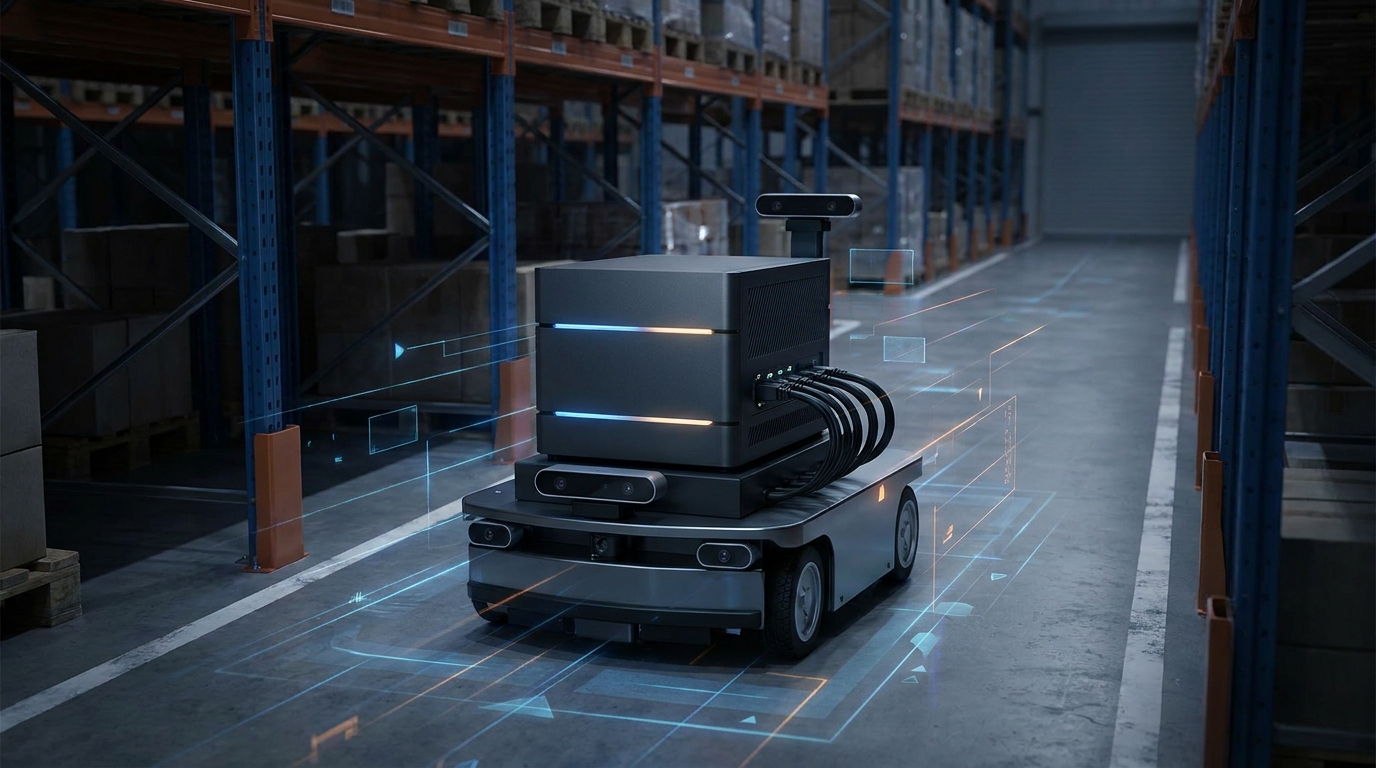
The best edge computer depends on more than the AI model. A warehouse robot may need to run object detection while controlling motors, communicating with a fleet server, recording sensor data, and maintaining a secure connection. An inspection station may need to manage multiple camera feeds, image storage, a touchscreen or dashboard, and a consistent response time.
The Intel platform is a natural fit for applications built for Windows or Linux on x86, as well as teams planning to use Intel OpenVINO for inference optimization. It can run standard x86 applications alongside AI workloads, potentially reducing integration work for industrial middleware, databases, browser-based interfaces, and existing enterprise management tools.
Document each camera's resolution, frame rate, quantity, and interface.
Separate AI inference from robotics control, visualization, database, and networking workloads.
Set targets for latency, throughput, startup time, and sustained operation.
Confirm whether the application needs x86 binaries, Windows, Linux containers, or a particular robotics framework.
Define the power budget, enclosure temperature, network layout, and maintenance plan.
2. Understand What the ASUS NUC 16 Pro Provides
The configuration featured here pairs the Intel Core Ultra X7 358H with 16 cores: 4 performance cores, 8 efficiency cores, and 4 low-power efficiency cores. It also includes 32GB of onboard LPDDR5X-8533 memory. Since that memory is built in, capacity should be part of the initial purchasing decision. Make sure 32GB can accommodate the operating system, containers, camera buffers, application software, and AI models before you commit to a larger deployment.
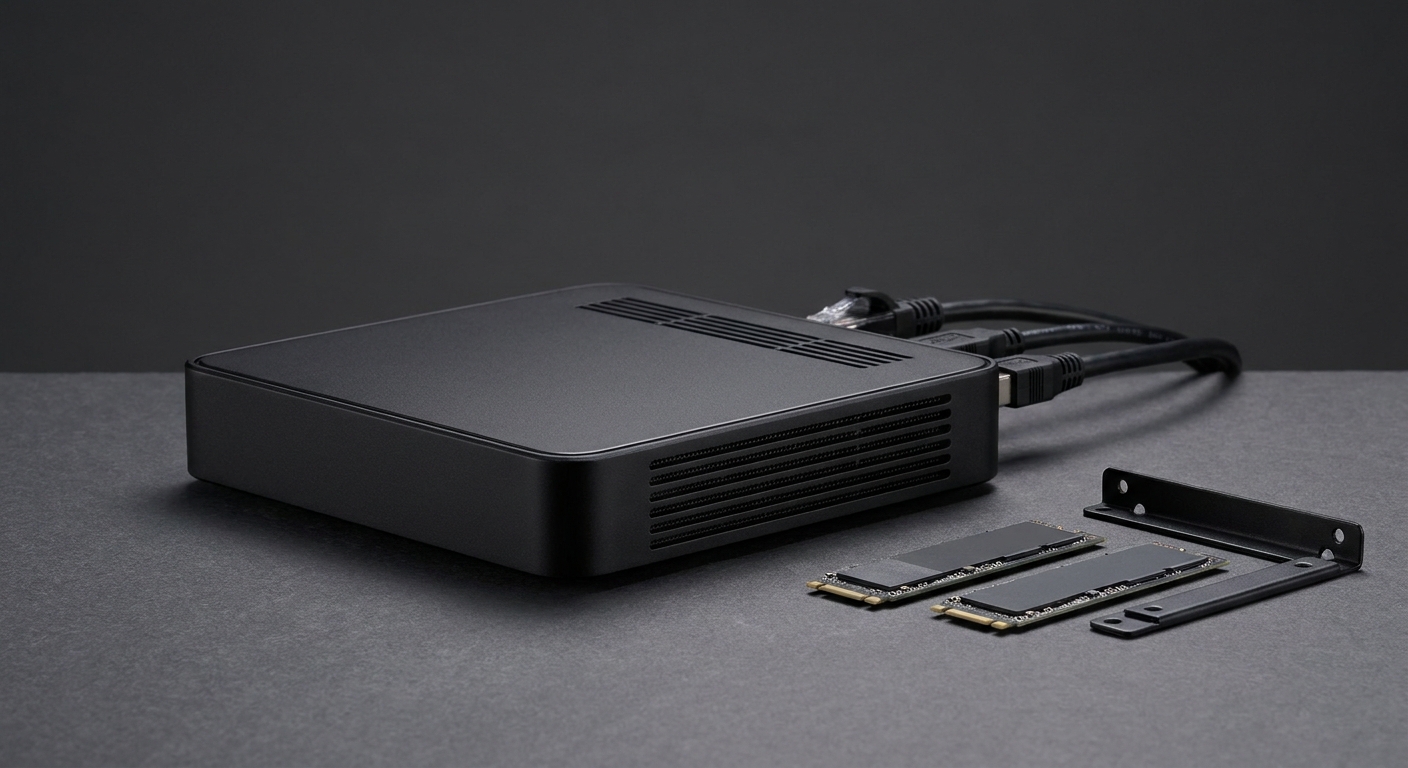
Storage is another advantage for edge installations. The chassis includes one M.2 2280 PCIe Gen5 x4 NVMe slot and one M.2 2280 PCIe Gen4 x4 NVMe slot. Each supports capacities from 128GB to 8TB according to the supplied specifications. Use one drive for the operating system and application image, then dedicate the other to captured images, logs, or locally cached model data.
Integrated graphics: Intel Arc B390 GPU.
Networking: two Intel 2.5Gbps LAN ports using Intel i226V controllers.
Display and expansion: two HDMI 2.1 ports supporting up to 4K at 60Hz and two Thunderbolt 4 ports with DisplayPort 2.1 and USB4 support.
USB connectivity: front USB-C at 10Gbps, two front USB-A ports at 10Gbps, and two rear USB-A ports at 10Gbps.
Wireless: Wi-Fi 7 and Bluetooth 6.0.
Physical installation: included VESA mount, a 1.51-pound chassis, and dimensions of 5.67 x 4.61 x 1.65 inches.
3. Prepare the Software Stack with OpenVINO
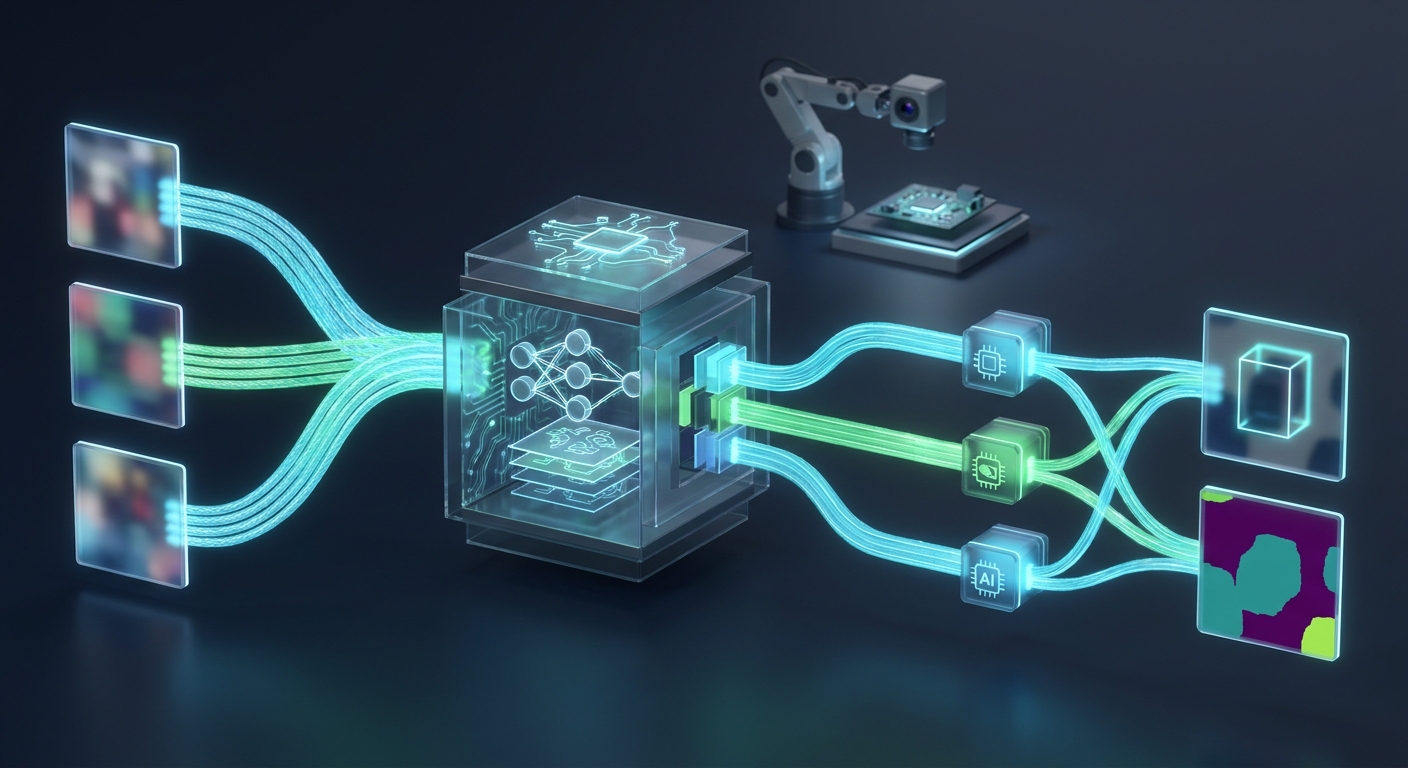
OpenVINO is the key Intel software path to investigate for this system. It is designed to optimize and deploy deep-learning models across Intel CPU, GPU, and NPU resources. A typical workflow starts with a model from a supported framework, converts it to an OpenVINO representation, and then tests the available processing units to find the right balance of latency, power, and throughput.
Plan to validate the complete model pipeline rather than assuming every model will automatically use every engine. Check operator support, precision modes, preprocessing, postprocessing, and concurrent streams with the exact model version you intend to deploy. Object detection, vision-language, and segmentation models can place very different demands on the CPU, Arc GPU, and NPU. Include image decoding and camera transfer in your benchmarks—not just the neural-network execution time.
Install the supported operating system, graphics drivers, OpenVINO runtime, and device plugins.
Convert or import the selected model and confirm that all required operators are supported.
Test CPU, GPU, and NPU execution using the target input resolution and batch size.
Measure end-to-end latency from camera capture through application output.
Stress the system with networking, storage, display, and inference workloads running together.
The supplied product description states that the broader platform can reach up to 180 Platform TOPS and supports hybrid XPU processing. That figure applies to configurations up to Intel Core Ultra 9 and should not be treated as the guaranteed inference rating for this specific Core Ultra X7 358H configuration. For a purchase decision, rely on results from the exact ASUS model and software stack you plan to use.
4. Build Power-Sensitive Robotics and Vision Deployments
The NUC 16 Pro makes sense when a microcontroller or small single-board computer cannot provide enough general-purpose computing power. A mobile robot can use its two 2.5Gbps Ethernet ports for separate or redundant network paths, while Thunderbolt 4 and USB provide options for high-speed peripherals. In a fixed inspection station, the two NVMe slots can separate the system image from inspection records.
Power planning remains essential. A compact chassis is not automatically low-power during continuous CPU and GPU workloads. Measure idle consumption, model warm-up, sustained inference, and worst-case peripheral activity. A sealed cabinet or vehicle can also create thermal conditions that are very different from those in an open test environment.
For AMRs, measure inference latency while navigation, wireless traffic, and sensor logging are active.
For industrial inspection, verify that cameras, lighting controllers, triggers, and storage work concurrently.
For retail analytics, establish video retention and privacy policies before enabling local recording.
For smart cameras, compare the cost and power of one centralized NUC with smaller processors distributed across each camera.
For unattended installations, take advantage of the VESA mounting hardware, cable-locking arm, remote monitoring, and controlled software updates.
5. Compare the Intel Platform with NVIDIA Jetson
NVIDIA Jetson is a familiar choice for embedded vision and robotics. Its platforms center on NVIDIA GPUs and the CUDA ecosystem, with software commonly built around CUDA, TensorRT, NVIDIA DeepStream, and related embedded tools. Jetson can be especially compelling when your team already has CUDA experience, the model is tuned for TensorRT, or the project depends on a Jetson-specific camera and robotics workflow.
The Intel NUC takes a different approach. The ASUS NUC 16 Pro is a compact x86 computer rather than an ARM-based developer module. Existing x86 applications, Linux packages, Windows tools, container images, device drivers, and enterprise management processes may need fewer changes. It also offers conventional PC-style connectivity, including two NVMe slots, dual 2.5Gbps Ethernet, Wi-Fi 7, Bluetooth 6.0, HDMI 2.1, and Thunderbolt 4.
Choose Intel when: your application is already x86-based, relies on PC-class peripherals, or needs a straightforward Windows or Linux deployment.
Choose Intel when: OpenVINO can optimize the model and you want to compare CPU, integrated GPU, and NPU execution in one software framework.
Choose Jetson when: your team is already invested in CUDA, TensorRT, DeepStream, or NVIDIA-specific robotics tools.
Choose Jetson when: the required camera, model, or acceleration workflow has been validated specifically on a Jetson module.
Compare both platforms by: measured frames per second, end-to-end latency, watts per completed inference, memory use, deployment cost, and long-term software support.
Neither platform is the universal winner. Jetson may provide a more specialized embedded GPU software path, while the Intel NUC can reduce porting work for x86 applications and deliver broader PC-style expansion. For a meaningful comparison, run the same model, input stream, preprocessing, postprocessing, and application logic on both systems.
6. Select and Deploy the ASUS NUC 16 Pro
If your workload fits the Intel software ecosystem and power envelope, the ASUS NUC 16 Pro Barebone Mini PC with Intel Core Ultra X7 358H and 32GB LPDDR5X is a strong platform for a pilot deployment. Memory is already installed, but you will need to select and install storage. Before field deployment, define the drive layout, recovery process, operating system image, and model-update workflow.
Give the dual LAN ports a clear role in your design. Depending on the operating system and application configuration, they can support network separation, redundancy, or distinct control and data links. Wi-Fi 7 is useful for high-throughput wireless environments, while wired networking is generally easier to control for fixed industrial equipment.
Install the selected M.2 Gen5 and Gen4 NVMe drives and document each drive's role.
Configure the operating system, secure boot policy, fTPM, user access, and network segmentation.
Install approved graphics, chipset, wireless, and OpenVINO deployment packages.
Run the target cameras and models continuously under expected ambient conditions.
Record performance, power, temperature, error rates, and recovery behavior.
Complete a small pilot before standardizing the image across the full fleet.
7. Make the Final Decision
Choose the Intel Core Ultra X7 358H NUC when x86 compatibility, compact PC expansion, and flexible local AI processing matter more than a specialized NVIDIA embedded workflow. Its 16-core hybrid CPU, Intel Arc B390 graphics, NPU-oriented Core Ultra architecture, dual-drive design, dual 2.5Gbps networking, and Thunderbolt 4 connectivity make it a capable option for edge gateways, inspection stations, retail systems, and robotics controllers.
Jetson is the better fit when CUDA and TensorRT already anchor the project, or when a particular NVIDIA camera and inference pipeline delivers a clear performance advantage. Whichever direction you take, base the decision on a complete deployment test instead of a headline accelerator figure. For the Intel system, prioritize OpenVINO compatibility, real camera throughput, sustained power use, thermal behavior, and the value of reusing x86 software.
Summary
Define the entire workload before selecting an edge AI computer.
Use OpenVINO to test CPU, Arc GPU, and NPU execution on the Intel platform.
Remember that the stated up-to-180-Platform-TOPS figure applies to platform configurations up to Core Ultra 9, not automatically to the X7 358H model.
Choose Intel for x86 compatibility, PC-style I/O, dual NVMe storage, and flexible enterprise deployment.
Choose Jetson for established CUDA, TensorRT, DeepStream, and NVIDIA-specific embedded workflows.
Validate latency, watts per inference, thermals, software compatibility, and fleet management with the exact production workload.
Frequently Asked Questions
Is the ASUS NUC 16 Pro compatible with common AI and robotics software?
Yes, its x86 platform can run Windows or Linux applications, containers, enterprise tools, and many standard robotics packages. For AI inference, verify that your model and operators are supported by Intel OpenVINO and test the exact camera, preprocessing, and postprocessing pipeline.
Is the ASUS NUC 16 Pro a better value than an NVIDIA Jetson?
It can be a better value when your project already uses x86 software, PC peripherals, Windows, or Linux infrastructure, because it may reduce porting and integration work. Jetson can offer better value when your team already depends on CUDA, TensorRT, DeepStream, or Jetson-specific camera and robotics tools.
How well does the Core Ultra X7 358H perform for edge AI?
The processor combines 16 hybrid CPU cores with Intel Arc B390 graphics and an AI-focused NPU, giving applications several potential inference paths. Actual performance depends on model support, precision, input resolution, camera transfers, thermal conditions, and whether the workload runs on the CPU, GPU, NPU, or a combination.
What warranty should buyers expect for the ASUS NUC 16 Pro?
Warranty coverage can vary by region, configuration, and seller, so confirm the exact terms before purchasing a fleet of systems. Check the ASUS product documentation and the retailer listing for the included warranty period, advance replacement options, service location, and whether barebone components are covered separately.
Is the ASUS NUC 16 Pro with the Core Ultra X7 358H readily available?
Availability can change because this configuration may be sold as a barebone system or as a completed mini PC with different memory and storage options. Before ordering, verify the exact processor, 32GB onboard memory configuration, storage contents, delivery date, and return policy shown by the seller.
Read More
ASUS NUC 16 Pro Product Brochure — Review ASUS specifications and platform features for the NUC 16 Pro family, including processor, graphics, networking, storage, and AI capabilities.
ASUS NUC 16 Pro Barebone Mini PC with Core Ultra X7 358H — Check the featured barebone configuration, current retailer information, included memory, and storage requirements.
ASUS NUC 16 Pro Review — Read an independent review covering the NUC 16 Pro design, cooling, dual M.2 storage, dual 2.5GbE networking, and Core Ultra X7 358H performance.
Get Started with the OpenVINO Toolkit — Use Intel's official OpenVINO resources to optimize and deploy deep-learning models across Intel CPUs, GPUs, and supported AI accelerators.
NVIDIA Jetson SDKs — Explore the Jetson software stack, including CUDA, TensorRT, cuDNN, DeepStream, and other tools used in embedded AI and robotics deployments.