"B850 or X870?" is a common question for anyone planning an AM5 build. The names suggest a big gap. In practice, for most gaming builds, the difference comes down to one feature: USB4.
Here's what actually separates the chipsets, followed by the eight boards I'd consider, ranked from the best value up to the high end.
What AMD actually requires
AMD's own chipset table is the clearest place to start.
| Feature | B850 | X870 | X870E |
|---|---|---|---|
| USB4 | Optional | Standard | Standard |
| Graphics slot (baseline) | PCIe 4.0 | PCIe 5.0 | PCIe 5.0 |
| NVMe | 1x4 PCIe 5.0 | 1x4 PCIe 5.0 plus 4 GPP lanes | 1x4 PCIe 5.0 plus 4 GPP lanes |
| Usable PCIe lanes (total / PCIe 5.0) | 36 / 4 | 36 / 24 | 44 / 24 |
| CPU and memory overclocking | Yes | Yes | Yes |
Two things stand out. B850 still allows CPU overclocking and memory overclocking, so it isn't a cut-down chipset for gamers. And B850's PCIe 4.0 graphics is a minimum, not a ceiling: many B850 boards add a PCIe 5.0 x16 slot. The MSI B850 GAMING PLUS WIFI and the GIGABYTE B850 AORUS ELITE WIFI7 both list one.
So the question becomes simple: do you need USB4, more PCIe 5.0 lanes, or a lot of M.2 slots?
My picks, ranked
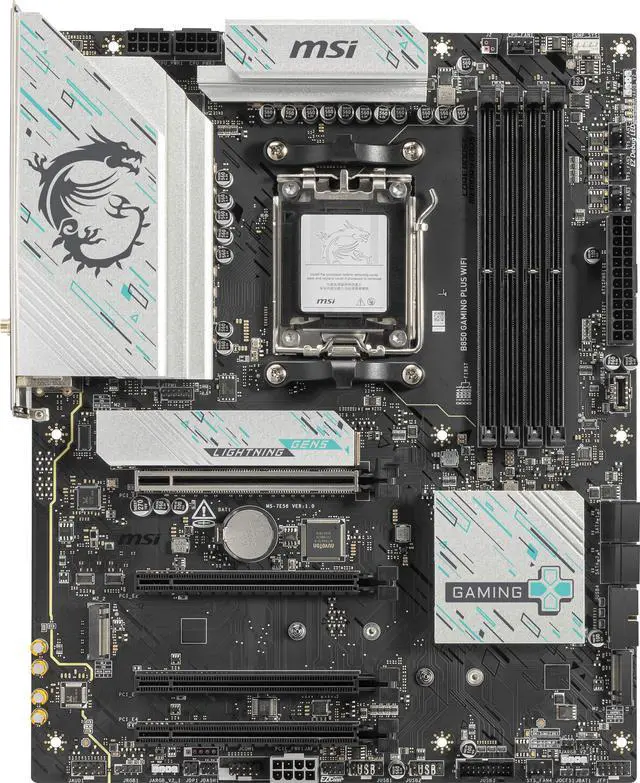
1. MSI B850 GAMING PLUS WIFI: the best value for most builds
Four DDR5 slots with support for up to 256GB, a PCIe 5.0 x16 slot, three M.2 slots (one PCIe 5.0), Wi-Fi 7 and 5G LAN. For a gaming PC with one GPU and a couple of SSDs, this is all I'd want.
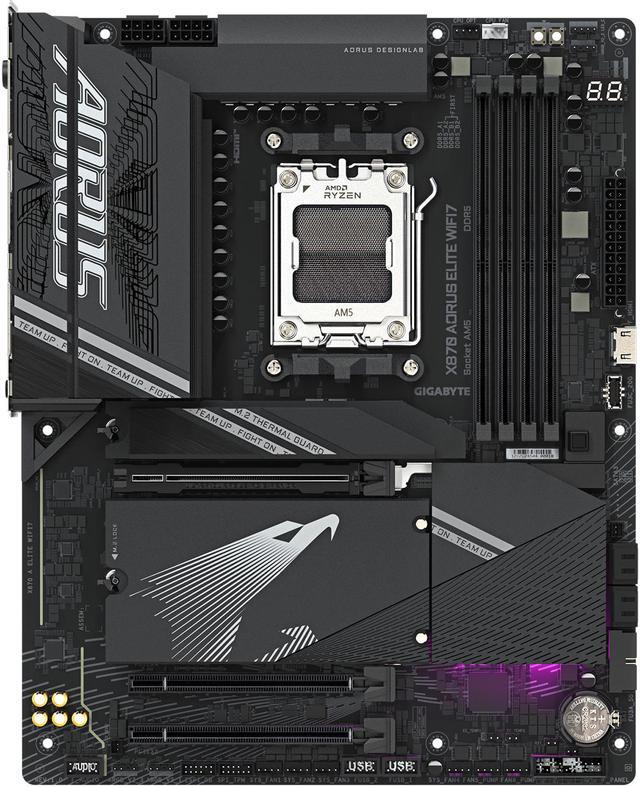
2. GIGABYTE B850 AORUS ELITE WIFI7: the GIGABYTE alternative
Three M.2 slots, PCIe 5.0, Wi-Fi 7 and 2.5GbE. It's the board I'd pick if you prefer GIGABYTE's BIOS and EZ-Latch features without paying for USB4.
3. MSI MAG B850 TOMAHAWK WIFI: the MAG-line option
The MSI MAG B850 TOMAHAWK WIFI also lists 5G LAN and Wi-Fi 7. It's an alternative if you prefer MSI's MAG line.
4. ASUS TUF GAMING B850M-E WIFI: the micro-ATX pick
For a smaller case, the ASUS TUF GAMING B850M-E WIFI fits three M.2 slots and an 8+2+1 80A power stage design on a micro-ATX board.
5. ASRock X870 PRO RS: an entry-level route to USB4
The ASRock X870 PRO RS gets you X870's USB4 and PCIe 5.0 baseline in a clean design. Its listing also shows ECC support for unbuffered memory, which is useful if you're building a home server on AM5.
6. GIGABYTE X870 AORUS ELITE WIFI7: the well-rounded X870
The GIGABYTE X870 AORUS ELITE WIFI7 adds a fourth M.2 slot, USB4, Wi-Fi 7, 2.5GbE and GIGABYTE's EZ-Latch features for easier GPU and SSD installs. This is the X870 board I'd recommend to most people who need USB4.
7. MSI MAG X870 TOMAHAWK WIFI: X870 with strong power delivery
The MSI MAG X870 TOMAHAWK WIFI uses 80A smart power stages and supports up to 256GB of DDR5. It's a solid board if you plan to run a 16-core Ryzen 9 hard.
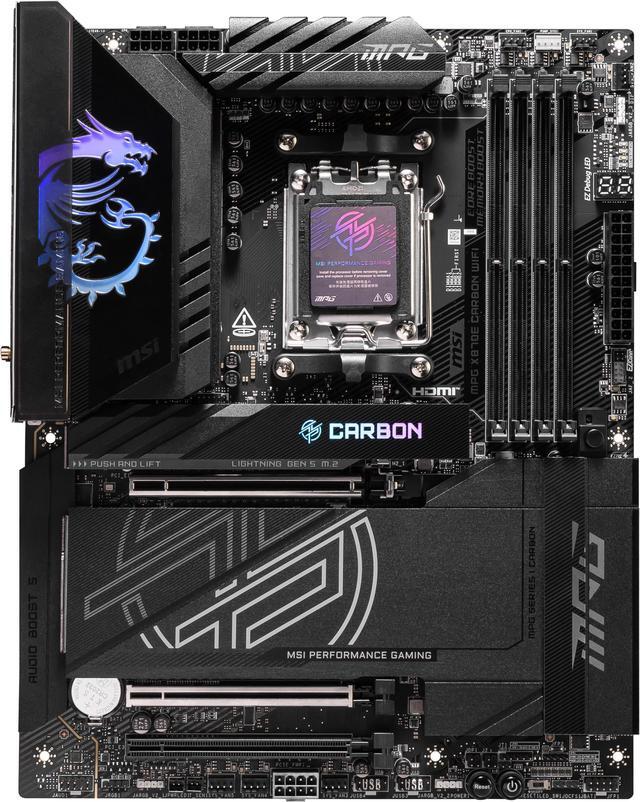
8. MSI MPG X870E CARBON WIFI: for lots of drives and expansion
X870E uses two chipsets, which raises the usable PCIe lane count to 44. The MSI MPG X870E CARBON WIFI pairs that with 110A smart power stages. I'd only go here if you're filling multiple M.2 slots and expansion cards, or doing heavy overclocking.
What about B650 and X670?
Older AM5 boards still run Ryzen 9000 chips after a BIOS update, and many are still on sale. The main things you give up are the newer boards' Wi-Fi 7, more consistent PCIe 5.0 storage and USB4 on X870. If you find a well-reviewed B650 board with the features you need, it's still a valid choice. I'd just check that its BIOS supports your CPU out of the box, or that it has BIOS Flashback so you can update without a compatible processor.
Memory on any of these boards
All of these boards support up to 256GB, but for gaming I'd still use two sticks of DDR5-6000. Four sticks of high-capacity memory usually run at lower speeds, and that's true on X870E just as much as on B850. The chipset doesn't change memory performance.
How I'd choose
- Gaming PC with one GPU: B850. Spend the difference on the GPU or a better CPU.
- You use USB4 docks or fast external SSDs: X870.
- Workstation with many drives and cards: X870E.
Whatever you buy, update the BIOS before installing a new Ryzen chip, and check the board's QVL if you're using a high-capacity memory kit.
Frequently Asked Questions
What is the difference between B850 and X870? According to AMD, X870 makes USB4 standard and PCIe 5.0 for both graphics and NVMe, while B850 requires PCIe 5.0 for one NVMe slot and leaves USB4 optional. Both support Ryzen CPU and DDR5 memory overclocking.
Does B850 support PCIe 5.0 graphics cards? AMD's baseline for B850 graphics is PCIe 4.0, but many B850 boards add a PCIe 5.0 x16 slot. Check the specific board's listing.
Is X870E worth it over X870? X870E uses two chipsets, which gives more usable PCIe lanes and more high-speed USB. It's worth it if you need lots of M.2 drives and expansion cards; most gaming builds don't.
Will a B850 board run a Ryzen 7 9800X3D? Yes. B850 boards support Ryzen 7000, 8000 and 9000 series processors on AM5, including X3D chips, and support CPU overclocking.
Do I need USB4? Only if you use USB4 or Thunderbolt-style docks, fast external SSDs or certain displays. If you don't, a B850 board saves money for the CPU or GPU.
Read More
- AMD Socket AM5 Chipsets (AMD): AMD's official chipset comparison for X870E, X870, B850 and B840.
- DDR5-6000 or DDR5-8000? (Newegg Insider): The memory speed I'd pair with any of these boards.
- How Much Memory an AM5 Build Actually Needs in 2026 (Newegg Insider): 32GB or 64GB for a new AM5 system.
- AMD vs Intel CPU for a New Build (Newegg Insider): How I'd choose the processor that goes on the board.
- Buy a 9800X3D Now or Wait for Zen 6 and Nova Lake? (Newegg Insider): What AM5's upgrade path means for your board choice.