Nobody warned me about the panel thing.
I had been running a 4K display as my main screen for maybe a year when a friend brought his OLED over, we plugged it into the same machine, loaded the same save, and turned the lights off. Same resolution. Same refresh rate. Two completely different experiences. I sat there feeling slightly cheated by my own spec sheet, which is a strange emotion to have about a monitor.
So instead of ranking eight monitors from best to worst, I want to put them against each other on the things that actually separate them -- panel type, how they handle refresh, and which port standard they use to get the signal across.
The Contenders
Three groups, and the group matters more than the badge.
QD-OLED gives you per-pixel black levels and near-instant response, with colour that looks noticeably richer once the room goes dim. Tandem OLED is the newer variant, stacking emissive layers to push brightness higher and extend panel life. IPS is the pragmatic one: brighter in a sunlit room, no burn-in to think about, considerably easier on the wallet.
Side by Side
| Monitor | Size | Panel | Refresh | Video in |
|---|---|---|---|---|
| MSI MAG 321UPX | 32" | QD-OLED | 240Hz | DP 1.4a, 2x HDMI 2.1, USB-C |
| Samsung Odyssey G8 | 32" | OLED | 240Hz | DP 1.4, 2x HDMI 2.1 |
| ASUS ROG Swift PG32UCDM3 | 31.5" | Tandem QD-OLED | 240Hz | DP 2.1a, 2x HDMI 2.1, USB-C 90W |
| GIGABYTE MO27U2 SA | 27" | QD-OLED | 240Hz | DP 1.4, 2x HDMI 2.1, USB-C KVM |
| ASUS ROG PG27UCWM | 26.5" | Tandem RGB OLED | 240Hz / 480Hz dual mode | DP 2.1a, 2x HDMI 2.1, USB-C 90W |
| MSI MAG 275UPD E14 | 27" | IPS | 144Hz / 288Hz dual mode | DP 1.4a, 2x HDMI 2.1 |
| HP OMEN 27k | 27" | IPS | 144Hz | HDMI 2.1, DP, USB-C KVM |
| Z-EDGE S274K | 27" | IPS | 120Hz | 2x HDMI 2.1, 2x DP 1.4 |
QD-OLED Head to Head: MSI 321UPX vs GIGABYTE MO27U2
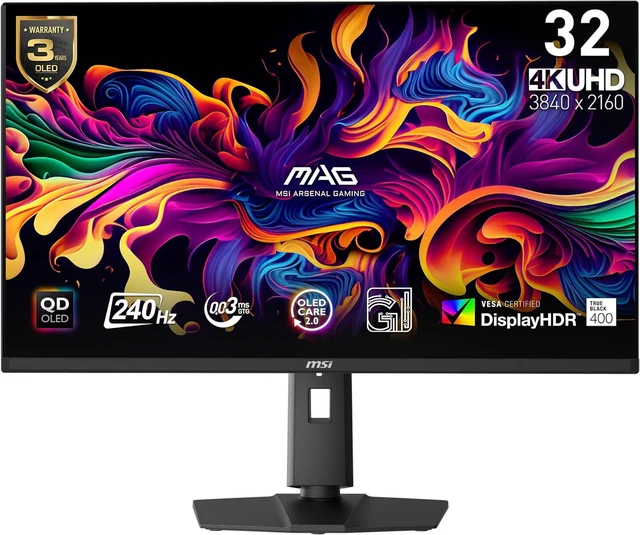
These two are the same idea at two sizes, and picking between them is mostly a furniture question.
The MSI MAG 321UPX is 32 inches of QD-OLED at 3840x2160 and 240Hz, 0.03ms grey-to-grey, 1,500,000:1 contrast, 99% of DCI-P3, VESA DisplayHDR True Black 400 with 1000 nits peak. DisplayPort 1.4a, two HDMI 2.1 ports, a USB-C input with 15W of power delivery, an anti-reflection coating, and a three-year burn-in warranty. The anti-reflection coating is the detail I would have skipped on a spec sheet and now check for first -- my desk faces a window and the difference between a glossy panel and this one is the difference between gaming at 4pm and not.
The GIGABYTE MO27U2 SA packs the same panel technology into 27 inches, so higher pixel density and text that stays sharp without scaling gymnastics. Same 240Hz, same 0.03ms, same DisplayHDR True Black 400 with a 1000-nit peak mode, plus a USB-C KVM so one keyboard and mouse can serve two machines. Both carry three-year burn-in coverage.
Pick by desk depth. 32 inches wants distance; 27 does not.
The DisplayPort 2.1 Question
This is the spec I would pay attention to this year, and I say that as someone who spent a decade insisting cables were cables.
Most 4K 240Hz monitors run DisplayPort 1.4 and lean on Display Stream Compression to fit the signal down the wire. It looks excellent. It is still compression. The ASUS ROG Swift PG32UCDM3 uses DisplayPort 2.1a at UHBR20 instead, which has the raw bandwidth to carry 4K at 240Hz with room to spare. It is a 31.5-inch tandem QD-OLED rated at 1000 cd/m2 and DisplayHDR True Black 500, with 90W USB-C power delivery and a scratch-resistant BlackShield coating.
The ASUS ROG PG27UCWM takes the same DisplayPort 2.1a UHBR20 link at 80Gbps and does something more fun with it: a 26.5-inch tandem RGB OLED that runs 4K at 240Hz, or flips to 1080p at 480Hz when you load a shooter. Dolby Vision support, 99% of DCI-P3, Delta E under 2. If your evenings split between story games and ranked, this is the most flexible panel here.
Best for a Console as Well as a PC: Samsung Odyssey G8
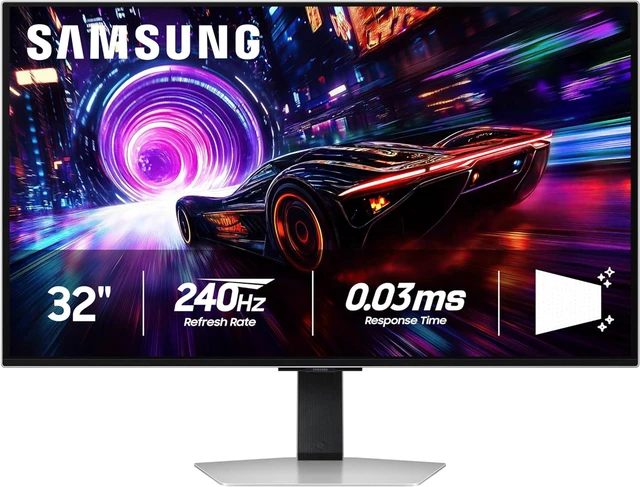
The Samsung Odyssey G8 (LS32FG810SNXZA) is a 32-inch OLED at 4K and 240Hz, 0.03ms response, 1,000,000:1 contrast, 99% of DCI. HDR10+ alongside DisplayHDR True Black 400, FreeSync Premium Pro and G-Sync compatible.
Two HDMI 2.1 ports is what makes it the console pick -- one for the PC, one for the box under the TV stand that migrated to your desk and never left. The stand does the full set too: 120mm of height, tilt, swivel, pivot, VESA 100x100.
The IPS Case: Brightness, Budget and No Burn-In
OLED is not automatically the right answer, and I will die on this hill. In a room with a window behind you, a bright IPS panel is simply easier to live with, and theres no low-level anxiety about the taskbar you have had open since March.
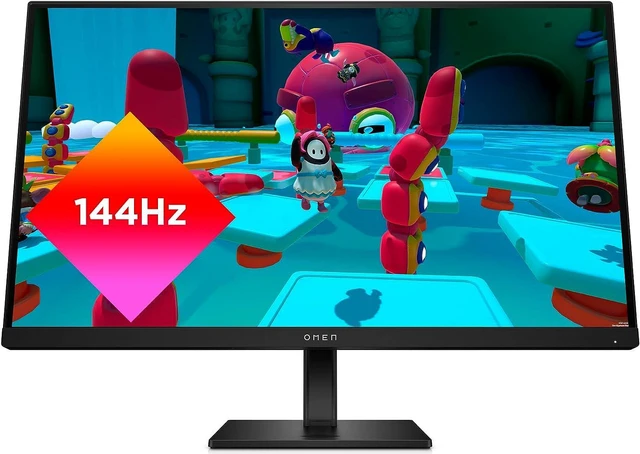
The HP OMEN 27k is a 27-inch 4K IPS at 144Hz with 1ms grey-to-grey, 99% sRGB and 95% DCI-P3, HDMI 2.1 for 4K120 on consoles, and a USB-C connection with a KVM built in.
The MSI MAG 275UPD E14 borrows the dual-mode trick at IPS money: 4K at 144Hz for detail, 1080p at 288Hz when frames matter more, with DisplayHDR 400, FreeSync Premium and a fully adjustable stand. And if you just want 4K on a desk without paying the gaming-monitor tax, the Z-EDGE S274K is a 27-inch 4K IPS at 120Hz with two HDMI 2.1, two DisplayPort 1.4, HDR10 and FreeSync.
Winner by Category
Best overall for a mixed desk: the MSI MAG 321UPX. Newest connection standard: the ASUS ROG Swift PG32UCDM3. Most flexible for competitive play: the ROG PG27UCWM and its 480Hz mode. Best console companion: the Samsung Odyssey G8. Best bright room and best value: the HP OMEN 27k and the Z-EDGE S274K, in that order.
Compare the current field in Newegg's 4K gaming monitor listings.
Frequently Asked Questions
Do I need DisplayPort 2.1 for a 4K 240Hz monitor? Not strictly. DisplayPort 1.4 carries 4K at 240Hz using Display Stream Compression, which is visually lossless in practice, and most monitors here do exactly that. DisplayPort 2.1a at UHBR20 -- used by the ASUS PG32UCDM3 and PG27UCWM -- has enough raw bandwidth to avoid leaning on compression and leaves headroom for higher modes later. Your graphics card has to support it too.
Should I worry about OLED burn-in? Less than you would have a few years ago, but it is still a real characteristic of the technology. Modern panels ship with pixel shifting, logo dimming and automated maintenance cycles, and both MSI and GIGABYTE include three-year burn-in coverage on the models here. If you leave static taskbars and spreadsheets on screen for eight hours a day, IPS is the calmer choice.
What is a dual-mode monitor? It switches the panel between two operating modes: full 4K at a lower refresh rate, or 1080p at a much higher one. The MSI MAG 275UPD E14 runs 4K144 or FHD288, and the ASUS PG27UCWM runs 4K240 or FHD480. It is a genuine hardware switch rather than upscaling, so the high-refresh mode really does drive every pixel at that rate.
Is 27 or 32 inches better for 4K? At 27 inches, 4K gives you very high pixel density and razor-sharp text, but display scaling is close to mandatory. At 32 inches the density is more relaxed, everything is readable at 100%, and games feel more immersive -- provided you have the desk depth to sit back. I would take 32 inches for a deep desk and 27 for a shallow one.
Read More
- RTINGS: Best Gaming Monitors -- Lab-measured response times, brightness and contrast, updated as new panels arrive.
- TFTCentral: OLED Monitor Panel Technologies Explained -- A technical breakdown of QD-OLED versus WOLED versus tandem structures.
- VESA: What Is DisplayPort -- The official explanation of DisplayPort versions, UHBR link rates and DSC.
- -- A multi-year burn-in test on desktop OLED panels with real usage patterns.
- Newegg: 4K Gaming Monitors -- Filter current models by size, panel type and refresh rate.