My UPS has saved exactly two things in six years: an unsaved document during a brownout, and a drive that was mid-write when the power flickered. Neither was dramatic. Both would have been annoying enough to make me wish I had one.
The part nobody explains well is why a modern PC specifically needs a sine wave unit, and why the cheap ones can make a power supply behave badly. That is the real dividing line in this category, so let me start there.
The Two Contenders
Pure sine wave. The unit reproduces the smooth waveform your wall socket delivers. Any power supply handles it. Every unit on this page that says sine wave in its description falls here.
Simulated or stepped approximation. A blocky approximation of that waveform, cheaper to produce. Power supplies with active power factor correction, which is essentially every quality PC supply made in the last decade, can react badly to it, sometimes shutting down at the exact moment you wanted the battery to help.
If the machine you are protecting is a desktop PC, buy sine wave. That single decision matters more than the capacity rating.
Side by Side
| Unit | Capacity | Runtime half / full load | Recharge | Outlets |
|---|---|---|---|---|
| CyberPower CP1000PFCLCD | 1000VA | 6 min / 2 min | 8 hours | 10 |
| CyberPower CP1350PFCLCD | 1350VA | 9 min / 3 min | 8 hours | 12 |
| CyberPower CP1500PFCLCD | 1500VA | 10 min / 2.5 min | 8 hours | 12 |
| CyberPower PR1500LCD | 1500VA / 1500W | 24 min / 8 min | 3 hours quick mode | 8 |
| APC BX1500M | 1500VA | 10.85 min / 2.8 min | 16 hours | 5 surge + 5 battery |
| APC BR1000MS | 1000VA | 12.2 min / 3.68 min | 16 hours | 4 surge + 6 battery |
| APC BR1500MS2 | 1500VA / 900W | 14.5 min / 4.1 min | 16 hours | 4 surge + 6 battery |
| Tripp Lite SMART1500LCD | 1500VA / 900W | 11.8 min / 4.4 min | Under 4.5 hours | 8 |
The CyberPower Case
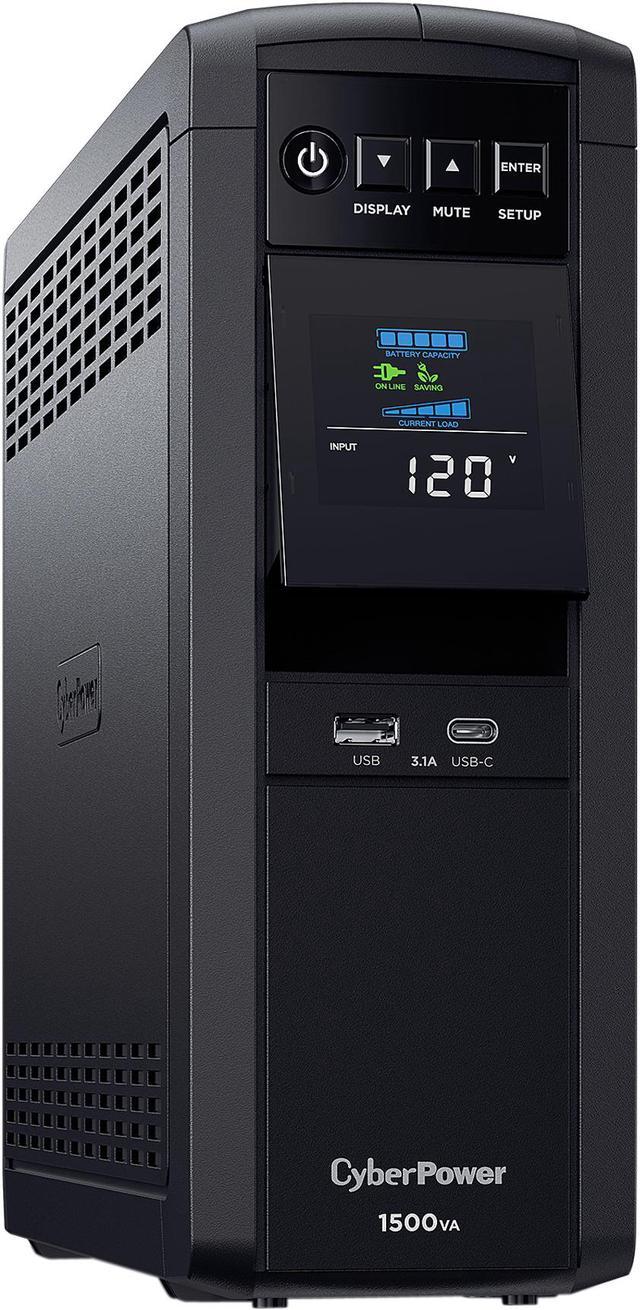
The CyberPower CP1500PFCLCD is the unit I see recommended most, and for good reason. A 1500VA PFC sine wave design with twelve NEMA 5-15R outlets, an LCD readout, USB and serial interfaces, a rated 10 minutes at half load and 2.5 minutes at full, and a sealed lead acid battery you can replace yourself. It weighs 24.90 lbs, which is normal for the category and worth knowing before you try to mount it on a shelf.
Step down and the CyberPower CP1350PFCLCD gives 1350VA with the same twelve outlets and eight-hour recharge, at 9 minutes half load and 3 minutes full. The CyberPower CP1000PFCLCD is the compact one at 1000VA and 18 lbs, with ten outlets, 6 minutes at half load, and a port arrangement that includes both USB Type-A and Type-C plus a dry contact.
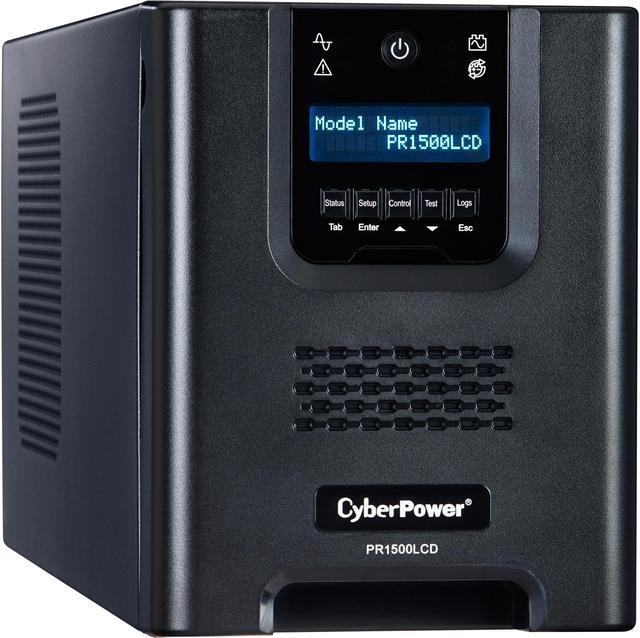
The CyberPower PR1500LCD is a different class of thing: 1500VA at a full 1500W, eight outlets, a rated 24 minutes at half load and 8 minutes at full, and a quick charge mode that refills in about three hours rather than eight. It also has an EPO port alongside USB and serial. The catch is 54 lbs and a much larger footprint at 8.70 x 6.70 x 17.00 inches.
The APC Case
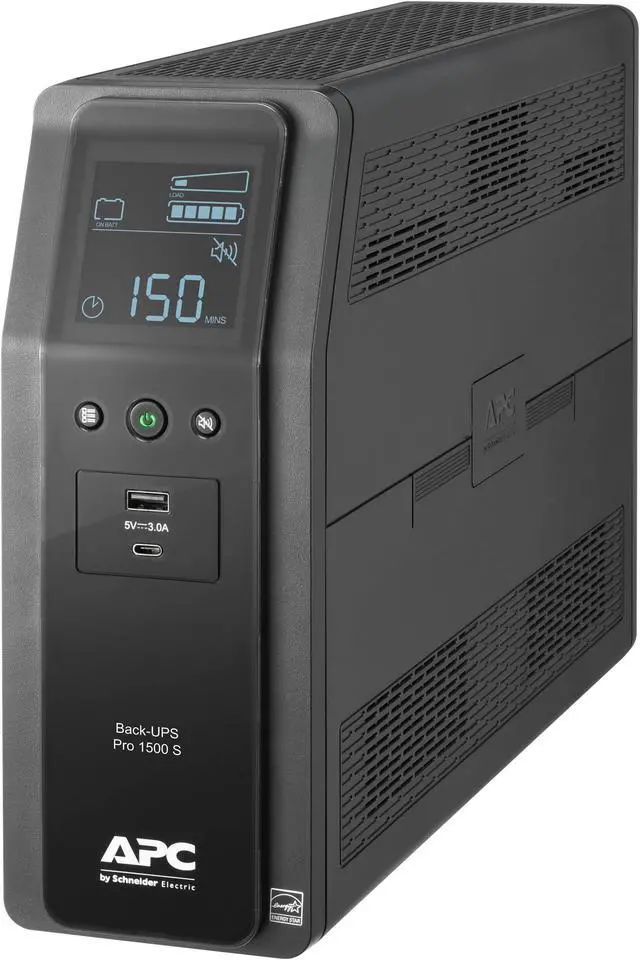
APC splits its outlets explicitly, which I have come to prefer. The APC BR1500MS2 gives four surge-only outlets and six on battery, rated 1500VA and 900W, with a rated 14.50 minutes at half load and 4.10 minutes at full, AVR, an LCD, a user-replaceable battery, and USB Type-A and Type-C ports on the front for charging phones. Recharge takes 16 hours.
The APC BR1000MS is the same design at 1000VA with pure sine wave output, four surge and six battery outlets, 12.2 minutes at half load and 3.68 minutes at full, and the APCRBC160 replacement battery.
The APC BX1500M is the simpler Back-UPS Pro at 1500VA with five surge and five battery outlets, AVR, an LCD, USB, and a rated 10.85 minutes at half load against 2.8 minutes at full.
The Third Option
The Tripp Lite SMART1500LCD is worth knowing about for one reason: it recharges in under four and a half hours from ten to ninety percent, where the APC units take sixteen. It is a line-interactive 1500VA and 900W unit with eight outlets, a rated 11.8 minutes at 450W and 4.4 minutes at 900W, DB-9 and USB interfaces, and a 2U rack or tower form factor at 30 lbs. If your power goes out repeatedly during a storm, recharge speed matters as much as runtime.
Winner by Category
Best all-round for a desktop. CP1500PFCLCD. Twelve outlets, sine wave, replaceable battery, reasonable size.
Longest runtime. PR1500LCD, by a wide margin at 24 minutes half load. You are paying for it in weight and desk space.
Best outlet layout. The APC BR models, because separating surge-only from battery-backed outlets stops you wasting battery on a monitor and a desk lamp.
Repeated outages. Tripp Lite SMART1500LCD, for the recharge time.
Small setup. CP1000PFCLCD or BR1000MS. A single PC and a monitor do not need 1500VA.
One thing worth saying plainly: none of these are meant to keep you working through a long outage. Runtime at full load is measured in minutes across the board. The job is to ride out a flicker and give you time to save and shut down properly. The current range is in Newegg's UPS battery backup listings.
Frequently Asked Questions
Why does sine wave output matter for a PC? Power supplies with active power factor correction expect a smooth waveform. Fed a blocky approximation, some of them misbehave or shut down when the UPS switches to battery, which defeats the purpose. Every unit on this list is a sine wave design, and that is the specification I would not compromise on for a desktop.
What size UPS do I need? Add up the draw of what you are plugging in, then choose a rating comfortably above it. A typical desktop and one monitor sit well inside a 1000VA unit; a high-end machine with a large graphics card is better matched to 1500VA. Bear in mind the VA and watt ratings differ, which is why the PR1500LCD at 1500VA and 1500W runs far longer than other 1500VA units.
How long will a UPS actually run my PC? Minutes, not hours. The figures here range from 2 to 8 minutes at full load and 6 to 24 minutes at half load. A UPS exists to cover a flicker and give you time to shut down cleanly, not to keep you working. If you need hours, you are looking at a generator, not a battery backup.
Can I replace the battery when it wears out? On these units, yes, and you should plan to roughly every three to five years. Each lists a replacement cartridge part number, such as RB1290X2 for the CP1500PFCLCD or APCRBC160 for the BR1000MS. Replacing the battery is far cheaper than replacing the unit, and a UPS with a dead battery is just an expensive power strip.
Should my monitor and peripherals be on battery too? Your monitor, yes, since you cannot shut down cleanly without seeing the screen. Printers, speakers and desk lamps, no. The APC units make this easy by splitting outlets into surge-only and battery-backed groups; on units where every outlet is on battery, be deliberate about what you plug in.
Read More
- PCGuide: Best Uninterruptible Power Supplies -- A consumer buying guide covering wattage, runtime, sine wave output and outlet layout.
- APC by Schneider Electric: Back-UPS Pro -- Manufacturer documentation and specifications for the Back-UPS Pro line.
- CyberPower: UPS Systems -- Official product pages for the PFC Sinewave and Smart App Sinewave lines.
- ENERGY STAR: Uninterruptible Power Supplies -- Background on UPS efficiency and how the ratings are measured.
- Newegg: UPS Battery Backups -- Compare current units by capacity, outlet count and runtime.