Updated November 2026
Black Friday server deals give homelab builders and small offices a rare chance to buy serious hardware on a smaller budget. Server parts rarely see the steep markdowns that gaming gear gets, so a seasonal sale is worth watching closely. This guide walks through the platform, memory, storage, chassis and power choices that matter most. In addition, it covers ready-made NAS appliances for anyone who would rather not build from scratch. Every pick comes from Newegg's Black Friday Sale, where fresh doorbuster deals drop daily at 9 a.m. PT. However, prices change daily, so treat this as a shortlist and confirm each price on the product page.

AMD EPYC 4545P — 16 server-class cores on the familiar AM5 socket at 65 watts
How to Shop the Black Friday Server Deals
The smartest way to shop Black Friday server deals is to define the workload first and then filter by part type. A file server, a virtualization host and a backup box each need a different mix of parts. Start with the list below before you add anything to your cart.
Workload: storage, virtual machines, containers, media streaming or backups
Drive count: how many drives you need today and in two years
Memory type: ECC registered, ECC unbuffered or standard desktop memory
Form factor: rackmount chassis, tower case or a compact NAS appliance
Power and noise: where the machine will live and how loud it can be
Next, open the Server & Components deals filter, which listed more than 60 items at press time. Some listings stack a promo code, so check each product page before checkout. In addition, compare the board's supported memory list before you buy RAM. In practice, that single step prevents most first-build headaches.
Homelab vs. Small-Business Servers: Which Build Do You Need?
A homelab server prioritizes flexibility and low running cost, while a small-business server prioritizes uptime and data safety. Both can use the same parts, but the priorities change what you buy first.
For a homelab, most people run a hypervisor such as Proxmox, a handful of containers and a media library. Idle power draw matters because the box runs around the clock. For example, a 65-watt processor and a few large hard drives usually cover it. Noise matters too, especially if the server sits in a closet or office.
On the other hand, a small business cares most about protecting files and keeping services online. That shifts the budget toward ECC memory, redundant drives, a backup target and an uninterruptible power supply. Simple management also saves time when nobody on staff is a full-time admin. For instance, a five-person office that only needs shared folders may be better served by a NAS appliance.
The rule of thumb is simple: build when you want control, but buy an appliance when you want convenience. The sections below cover both paths, starting with the platform that anchors a custom build.
Platform Picks: AMD EPYC 4005 on a Server-Class AM5 Board
The AMD EPYC 4545P paired with the ASRock Rack B650D4U is the standout platform among this year's Black Friday server deals. Together they bring server-focused hardware to the affordable AM5 socket.
The AMD EPYC 4005 4545P packs 16 cores and 64 MB of L3 cache into a 65-watt package. That combination suits always-on duty, because it delivers plenty of threads without a large power bill. However, the listing is an OEM tray pack, so plan to buy a separate cooler. In practice, 16 cores can host several virtual machines, many containers and a file share at once.
Next, the ASRock Rack B650D4U micro-ATX server motherboard is a server-class board with a single AM5 socket. According to its listing, it supports EPYC 4005 and 4004 processors as well as Ryzen 9000, 8000 and 7000 chips. Therefore, you can start with a Ryzen chip you already own and move to EPYC later. But its reviews are mixed, with 3.1 stars from 15 buyers, so read recent feedback before you commit.
Because both parts use AM5, the build relies on unbuffered DDR5 memory rather than registered modules. That detail matters a great deal, and the next section explains why.
Server Memory Explained: ECC RDIMM vs. ECC UDIMM vs. Desktop RAM
Server memory comes in three broad types, and the right one depends entirely on your platform. Buying the wrong type is the most common mistake in a first server build.
First, ECC stands for error-correcting code. ECC memory detects and fixes single-bit errors before they corrupt data, which helps file servers and databases. Second, registered DIMMs (RDIMMs) add a buffer chip that lets a platform support more memory per channel. As a result, high-end platforms such as Threadripper PRO and full-size EPYC use RDIMMs.
Unbuffered ECC DIMMs (ECC UDIMMs) skip the buffer chip but keep error correction. AM5 platforms, including the EPYC 4005 build above, use unbuffered memory. Therefore, ECC UDIMMs are the right choice there, provided the board and processor both support ECC. Standard desktop memory also works on AM5, but it gives up error correction entirely.
For example, the G.SKILL G5 Series 192GB ECC Registered DDR5 6000 kit ships as four 48 GB modules. It belongs in an RDIMM platform, such as a workstation board built for Threadripper PRO. However, it will not work in an AM5 board. For the AM5 build, browse the Black Friday memory deals and filter for ECC unbuffered DDR5. Finally, always check the motherboard's qualified memory list before you order.
Storage: Enterprise SSDs vs. NAS Hard Drives
Enterprise SSDs deliver speed and steady performance, but NAS hard drives deliver the lowest cost per terabyte. Most good server builds use both, with flash for active data and spinning drives for bulk storage.
Enterprise SSDs from Solidigm
The Solidigm D5-P5430 15.36 TB U.2 SSD is a data-center drive that uses PCIe 4.0 x4 and QLC flash. QLC stores more data per cell, so it offers high capacity but lower write endurance than TLC. That makes it best for read-heavy work such as media libraries and archives. Keep in mind that U.2 drives need a U.2-capable backplane, cable or PCIe adapter card. Meanwhile, the D5-P5336 7.68 TB model offers the same PCIe 4.0 and QLC design at half the capacity.
Instead, the Solidigm D3-S4520 960 GB SATA SSD uses TLC flash and a standard 2.5-inch SATA connection. It works well as a boot drive or a small cache, and nearly every board supports it. Next, compare more flash options in the Black Friday SSD deals.

Solidigm D5-P5430 — 15.36 TB of PCIe 4.0 flash for read-heavy server storage
NAS hard drives from WD Red
For bulk capacity, NAS-rated hard drives remain the value leader. The WD Red Plus 8 TB spins at 5,640 RPM with a 256 MB cache, which keeps heat and noise low. It holds 4.6 stars from more than 25 reviews. Meanwhile, the WD Red Pro 20 TB steps up to 7,200 RPM, CMR recording and a 512 MB cache. More options appear in the Black Friday hard drive deals.
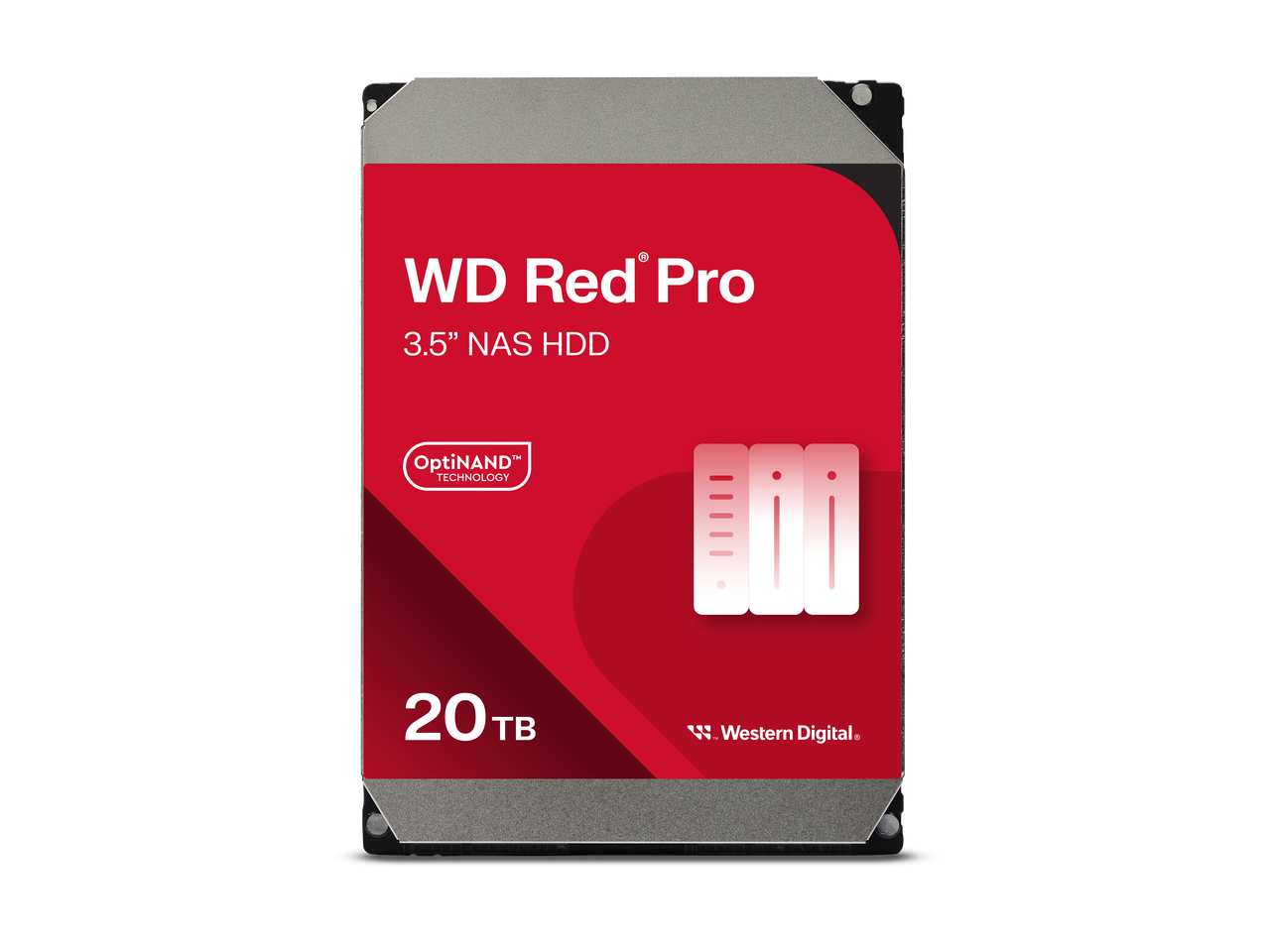
WD Red Pro 20TB — high-capacity CMR drive for multi-bay arrays
Server Chassis and Cases: Rackmount or Tower
Your chassis choice comes down to where the server will live and how many drives it must hold. Rackmount cases suit a network rack, but tower cases suit a desk or closet.
The Rosewill 4U Server Chassis with 12 hot-swap bays is a strong fit for storage-heavy builds. It accepts 3.5-inch and 2.5-inch SATA or SAS drives, supports E-ATX boards and ships with three front 120 mm fans. In addition, hot-swap bays let you replace a failed drive without opening the case. It holds 3.8 stars from 18 reviews. A smaller Rosewill 4U model offers seven 3.5-inch bays plus two 5.25-inch slots.

Rosewill 4U 12-bay chassis — hot-swap storage for a rack-based homelab
If you do not own a rack, a tower makes more sense. The Rosewill THOR NAS full tower supports up to 11 3.5-inch hard drives and 13 2.5-inch SSDs, plus E-ATX boards. It holds a perfect 5-star score, but from only four reviews. Alternatively, the THOR NAS Pro offers eight hot-swap 3.5-inch bays and four 2.5-inch SSD mounts. Finally, the Phanteks Enthoo Pro 2 Server Edition supports SSI-EEB motherboards and 11 PCI slots.
NAS Appliances: The Plug-and-Play Alternative
A NAS appliance is the fastest route to shared storage, because it bundles the hardware, operating system and apps in one box. It suits offices and families who want reliable storage without building a server.
The Synology DS425+ is a four-bay, diskless unit that holds 4.6 stars from a small set of reviews. Diskless means you add your own drives, such as the WD Red models above. For smaller needs, the Synology DS225+ two-bay NAS holds 4.8 stars and covers basic backups and file sharing. Next, the four-bay DS925+ adds headroom for growing teams.

Synology DS425+ — four bays and a mature software suite for small offices
Other brands add more raw hardware for the money. For instance, the UGREEN NASync DXP4800 GT pairs an AMD Ryzen Embedded R2514 with 10GbE networking and two M.2 NVMe slots. The MINISFORUM S5 instead takes an all-flash approach with five M.2 slots and 10GbE networking. On the other hand, the QNAP TR-004 is direct-attached storage, not a NAS. It connects over USB-C, adds hardware RAID and holds 4.2 stars from more than 35 reviews. Browse every option in the Black Friday NAS deals.
Power Protection: The Part Most Builders Forget
An uninterruptible power supply (UPS) protects a server from outages, surges and the data corruption they can cause. It is the cheapest insurance in any server build.
A sudden power loss can interrupt writes and damage a storage array. A UPS, however, keeps the system running long enough to shut down cleanly. Many units also connect over USB, so the server can trigger that shutdown on its own. Next, size the UPS for your full load, including drives and networking gear, and leave some headroom. You can find units in the Black Friday power protection deals.
Black Friday Server Deals Compared
This table summarizes the Black Friday server deals covered above, using specs from each product listing. Ratings reflect Newegg reviews at press time.
| Pick | Best for | Key specs | Rating |
|---|---|---|---|
| AMD EPYC 4545P | Efficient homelab or SMB host | 16 cores, 64 MB L3, AM5, 65 W | No reviews yet |
| ASRock Rack B650D4U | AM5 server platform | Micro-ATX, EPYC 4005/4004 and Ryzen support | 3.1 stars (15 reviews) |
| G.SKILL G5 192GB ECC RDIMM | RDIMM workstation platforms | 4 x 48 GB, DDR5 6000, registered ECC | No reviews yet |
| Solidigm D5-P5430 15.36 TB | Read-heavy flash storage | U.2, PCIe 4.0 x4, QLC | 5 stars (1 review) |
| WD Red Plus 8 TB | Quiet bulk storage | 5,640 RPM, 256 MB cache, SATA | 4.6 stars (25+ reviews) |
| WD Red Pro 20 TB | Busy multi-bay arrays | 7,200 RPM, CMR, 512 MB cache | 4.2 stars (5 reviews) |
| Rosewill 4U 12-bay | Rackmount storage server | 12 hot-swap bays, E-ATX, three 120 mm fans | 3.8 stars (18 reviews) |
| Synology DS425+ | Plug-and-play office NAS | Four bays, diskless | 4.6 stars (5 reviews) |
| QNAP TR-004 | Expanding a single PC | Four-bay USB-C DAS, hardware RAID | 4.2 stars (35+ reviews) |
Buying Tips and What to Avoid
The best Black Friday server deals only pay off when every part works together. A few checks before checkout prevent most returns.
First, confirm memory compatibility, because RDIMMs and UDIMMs are not interchangeable. Second, count your SATA ports and drive bays before buying a stack of hard drives. Third, remember that U.2 SSDs need a matching connector or adapter. In addition, OEM tray processors ship without a cooler, so budget for one.
Avoid mixing desktop-grade drives into a RAID array, since NAS-rated drives target multi-drive enclosures. Also, do not treat RAID as a backup. Instead, keep a separate copy on another device or offsite to guard against deletion and ransomware. Finally, check the Daily Doorbusters each morning, because new Black Friday server deals can appear daily at 9 a.m. PT.
Frequently Asked Questions
What are the best Black Friday server deals for a homelab?
The best Black Friday server deals for a homelab pair an efficient processor with large, quiet drives. For example, the AMD EPYC 4545P on an AM5 server board, plus WD Red Plus drives, makes a balanced always-on build.
Can I use desktop RAM in a home server?
Yes, AM5 server boards accept standard desktop DDR5. However, you lose error correction. For file servers and databases, ECC unbuffered memory is the safer choice on AM5.
Do I need ECC registered memory for an AMD EPYC 4005 build?
No. EPYC 4005 processors use the AM5 socket, which takes unbuffered memory. Instead, registered DIMMs suit platforms like Threadripper PRO and larger EPYC systems.
Should I build a server or buy a NAS appliance?
Build a server if you want virtual machines, containers and full control. But if you mainly need file sharing and backups with minimal setup, a NAS like the Synology DS425+ fits better.
Are QLC enterprise SSDs reliable for servers?
QLC drives such as the Solidigm D5-P5430 suit read-heavy work like media and archives. For write-heavy databases, however, a TLC drive such as the D3-S4520 offers higher endurance per gigabyte.
More from the series: Newegg Black Friday Sale 2026 Starts Now: Your Guide to Every Deal Category, Black Friday PC Component Deals 2026: CPUs, GPUs, RAM and SSDs Worth Buying, Black Friday Gaming PC and Laptop Deals 2026: How to Pick the Right System, Black Friday Monitor and Peripheral Deals 2026: OLED Monitors, Keyboards and More, Black Friday Gaming Deals 2026: Handhelds, Consoles, VR and Gaming Gear, Black Friday Wi-Fi 7 Router Deals 2026: Upgrade Your Home Network, Black Friday AI Hardware Deals 2026: AI Workstations, Pro GPUs and Local LLM Builds
Conclusion
Black Friday server deals reward buyers who plan around a clear workload. First, pick a platform like the EPYC 4545P and match it with the right memory type. Next, split storage between flash and NAS drives. Finally, protect the whole system with a UPS and a separate backup.
If you would rather skip the build, a NAS appliance delivers shared storage in an afternoon. Either way, the Black Friday server deals at Newegg cover every layer of the stack. Explore complete systems in the Black Friday servers and workstations deals, and confirm each price before checkout.