Grand Theft Auto VI is scheduled to arrive on PlayStation 5 and Xbox Series X|S on November 19, 2026. Digital pre-orders can begin preloading on November 12, giving you one week to download the game before launch. That makes storage planning an important part of getting your console ready—right alongside choosing an edition and checking your internet connection.
Rockstar has not announced an official GTA 6 install size, and no reliable storage requirement is available yet. A day-one update or future online content could also require more space. If you want to avoid deleting games at the last minute, now is a good time to check your available capacity and consider a compatible upgrade.
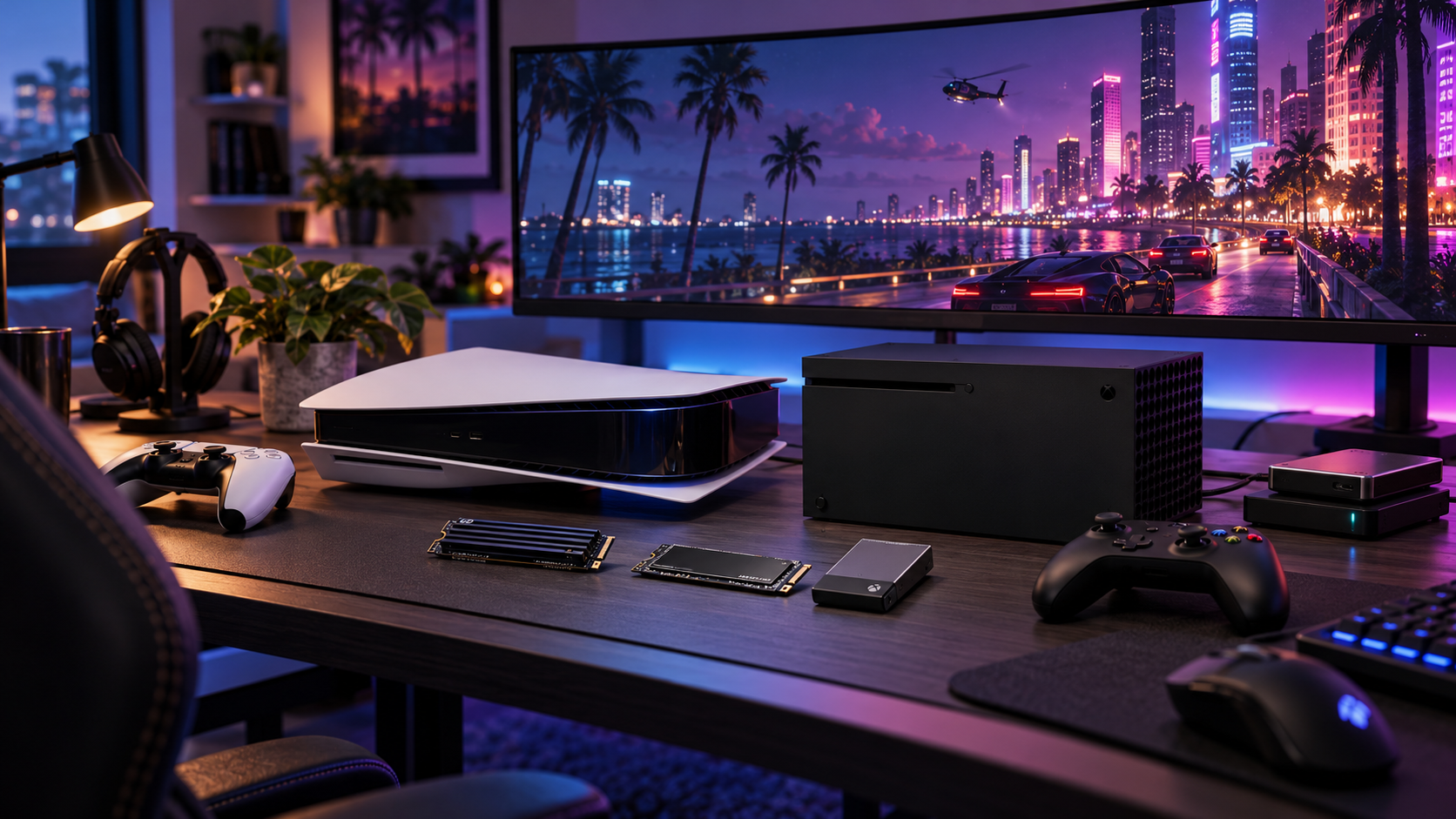
Why GTA 6 Could Require a Major Storage Upgrade
Today’s open-world games combine expansive environments, high-resolution textures, large audio libraries, and complex gameplay systems. GTA 6 is expected to feature a large version of Vice City and the surrounding state of Leonida, so its installation could be considerably larger than earlier Grand Theft Auto titles. We will not know the exact requirement until Rockstar publishes official system details or download information.
Your console also has less usable storage than the capacity printed on its box. System software and reserved space take up room, while large games such as Call of Duty, NBA 2K, and other open-world titles can quickly fill what remains. A substantial GTA 6 installation could use a significant portion of a standard console’s available capacity.
A 512 GB Xbox Series S has less usable space than its advertised capacity.
A 1 TB console also reserves capacity for system files and updates.
Large games may need temporary free space during installation or patching.
Future GTA Online content could increase the game's storage footprint.
The physical version of GTA 6 contains a download code rather than a disc, so it does not eliminate the need to download and install the game.
What Storage Does GTA 6 Need on PS5 and Xbox?
GTA 6 will need to run from high-speed storage built for current-generation games. On PS5, that means the console’s internal SSD or a compatible M.2 NVMe SSD installed in the expansion bay. Sony’s published PS5 expansion-storage guidance calls for a PCIe Gen4 x4 M.2 NVMe SSD with a recommended sequential read speed of at least 5,500 MB/s, along with suitable heat dissipation.
Xbox Series X|S uses a different upgrade solution. Current-generation optimized games can run from the internal SSD or a compatible Storage Expansion Card designed for Xbox Velocity Architecture. Standard USB hard drives and SSDs are still useful for storing games, but Xbox Series X|S optimized titles generally need to be moved back to internal or expansion storage before you can play them.
PS5 playable storage: Internal SSD or compatible M.2 NVMe expansion SSD.
Xbox playable storage: Internal SSD or compatible Xbox Storage Expansion Card.
External USB storage: Best for storing games and playing supported backward-compatible titles.
Recommended planning capacity: Keep at least 200 GB free, and consider 250 GB or more until the official install size is known.
Can You Play GTA 6 From an External Hard Drive?
External storage can make room for GTA 6, but it is not a replacement for high-speed playable storage. On PS5, PS5 games can be stored on a USB drive, but they must be moved to the internal SSD or a compatible M.2 SSD before you can play them. PS4 games can be played directly from compatible external storage.
Xbox Series X|S follows a similar approach. An external USB HDD or SSD can store Series X|S games and free up internal space, but optimized titles typically need to be transferred back before launching. Older Xbox One, Xbox 360, and original Xbox games that are backward compatible may be playable directly from external storage.
That still makes an external drive a useful part of your GTA 6 setup. Rather than permanently deleting games, you can archive titles you play less often and restore them when needed. Before buying, confirm the drive’s console compatibility, USB connection requirements, and capacity.
Use external storage to archive games you do not play every week.
Keep frequently played current-generation games on high-speed storage.
Choose a capacity that matches your library, such as 2 TB, 4 TB, or 6 TB.
Allow additional space for updates and temporary installation files.
What to Look For in a PS5 M.2 SSD
A PS5 M.2 SSD upgrade adds playable storage inside the console, so you can run PS5 games without relying on transfers from an external drive. Compatibility matters more than peak benchmark numbers. Look for an M.2 NVMe drive with a PCIe Gen4 x4 interface and NVMe protocol, plus a read speed that meets or exceeds Sony’s 5,500 MB/s recommendation. M.2 2280 is one supported size, although Sony also supports other M.2 lengths.
Cooling is another key consideration. Downloads, installations, and gameplay can generate heat, so a compatible heatsink is important. Some SSDs include a PS5-compatible heatsink, while others require a separate model. The complete drive must fit within the PS5 expansion bay’s dimensional limits, meaning not every high-performance M.2 SSD is suitable.
Interface: PCIe Gen4 x4 NVMe.
Form factor: M.2 2280 is one of the supported compatible sizes.
Read speed: At least 5,500 MB/s is Sony's recommended target.
Cooling: Use a compatible heatsink or heat-dissipating cover.
Capacity: Select 1 TB, 2 TB, 4 TB, or more according to your library and budget.
For a convenient starting point, browse PS5-compatible storage upgrades on Newegg. Before checkout, review the listing for capacity, sequential read speed, heatsink inclusion, and PS5 compatibility.
What to Look For in Xbox Series X|S Storage
Expanding Xbox Series X|S storage is straightforward because compatible expansion cards connect directly to the console’s dedicated port. These cards are designed to deliver performance comparable to the internal SSD, allowing supported games to run without the transfer limitations of a standard USB drive.
Capacity is the main buying decision. A 1 TB card can add meaningful room for GTA 6 and several other large games, while a 2 TB option is a better fit for players who keep a substantial library installed. Before purchasing, confirm that the product is specifically compatible with Xbox Series X|S and supports current-generation games.
Choose an officially licensed or explicitly compatible Xbox Expansion Card.
Compare usable capacity rather than relying only on the advertised number.
Use a dedicated expansion card for games that require internal SSD performance.
Keep a USB HDD or SSD as a lower-cost archive for older or infrequently played games.
Install or connect the card before preload begins so the console can recognize the available space.
PS5 and Xbox Storage Options Compared
There is no universal storage upgrade for every player. The best option depends on your console, game library, budget, and comfort with moving games between drives. Here is how each storage type fits into a GTA 6 preparation plan.
PS5 M.2 SSD: Adds playable high-speed storage inside the console. Best for PS5 owners who want to keep multiple current-generation games installed.
Xbox Storage Expansion Card: Adds playable high-speed storage with a simple plug-in installation. Best for Xbox players who want full current-generation performance without moving games.
External HDD: Offers a low cost per gigabyte for archiving games. Best for storing large libraries and playing supported older titles.
External SSD: Provides faster transfers than many hard drives but still does not replace the internal-speed storage required by many current-generation games.
If your priority is having GTA 6 ready for launch, internal-compatible storage is the most direct choice. If you mainly want to keep your existing library without deleting games, external storage provides more capacity for less money. For many players, the best setup combines both: high-speed expansion for active games and external storage for the archive.
How to Prepare Before the GTA 6 Preload
Do not wait until November 12, 2026, to check your console. A storage upgrade may require formatting, installation, or game transfers, and a large download can reveal problems with your network connection or console settings. Preparing early gives you time to confirm that the new drive is recognized and that enough space is available for the game and its updates.
Check the console's available storage and identify games you no longer play regularly.
Move older or less frequently used games to a compatible external drive.
Install and format a PS5 M.2 SSD, or connect an Xbox expansion card if you need playable capacity.
Leave at least 200 GB free, with 250 GB or more being a safer target while the official size remains unconfirmed.
Confirm that automatic downloads and console updates are enabled.
Check the official Rockstar and platform-store announcements for the final install size and any changes to the preload schedule.
Keep in mind that the physical version of GTA 6 includes a download code rather than a disc and still requires installation space. A physical purchase may offer packaging or other retail benefits, but it should not be treated as a way to avoid the storage requirements of a digital download.
Frequently Asked Questions
How much storage will GTA 6 require on PS5 and Xbox?
Rockstar has not confirmed the final GTA 6 install size, so there is no official storage requirement to rely on yet. Keep at least 200 GB free, with 250 GB or more providing a safer buffer for installation files, updates, and future online content.
Can I play GTA 6 from an external hard drive?
A standard USB hard drive or SSD is useful for archiving games, but current-generation versions of GTA 6 are expected to require internal-speed storage for gameplay. PS5 players should use the internal SSD or a compatible M.2 SSD, while Xbox players should use the internal SSD or a compatible Storage Expansion Card.
What SSD is compatible with a PS5 for GTA 6?
Choose a PCIe Gen4 x4 M.2 NVMe SSD with a recommended sequential read speed of at least 5,500 MB/s. The drive and heatsink must also fit Sony's PS5 size limits, so verify the complete dimensions and cooling solution before buying.
Is a 1 TB storage upgrade enough for GTA 6?
A 1 TB upgrade may be sufficient for GTA 6 and several additional games, but the usable capacity will be lower after system files and reserved space are accounted for. Players who keep multiple large games installed should consider a 2 TB upgrade for greater flexibility.
When should I upgrade my console storage before GTA 6 launches?
Upgrade and test your storage before the expected November 12, 2026 preload date rather than waiting for launch week. This gives you time to format the drive, transfer games, confirm compatibility, and resolve download or installation issues.
Read More
Grand Theft Auto VI Official Website — Check Rockstar's official GTA VI release information, platforms, trailers, editions, and current announcements.
Grand Theft Auto VI Platforms, Editions, and Versions — Review Rockstar's official details about supported consoles, preloading, digital editions, and the physical download-code version.
How to Add an M.2 SSD to a PS5 Console — Use Sony's compatibility requirements and installation guidance to choose and install a suitable PS5 M.2 SSD.
Seagate Storage Expansion Card for Xbox Series X|S — See the official Xbox product information for expansion cards that match the performance of the internal Series X|S SSD.
Xbox Series X|S Storage Options Explained — Learn how Xbox expansion cards and USB storage differ when storing or playing optimized Series X|S games.