The number that kicked off a lot of storage panic in late October was 210GB. That's the reported PS5 download size for Grand Theft Auto VI, first posted on October 27, 2026 by the PlayStation Game Size account on X. Rockstar hasn't confirmed it, so treat it as a strong rumor rather than gospel. Still, it lines up with what you'd expect from a huge open world, and it's big enough that a lot of consoles won't have room without some cleanup.
Rockstar has GTA VI set for November 19, 2026 on PS5 and Xbox Series X|S, and digital pre-orders can start pre-loading on November 12. That gives you a one-week window where the download either fits or it doesn't. I'd rather sort it out before then than stare at a "not enough storage" message on preload night.
How much space your PS5 actually has
The capacity printed on the box isn't what you get to use. The original PS5 ships with an 825GB SSD, and roughly 667GB of that is available for games and captures. The PS5 Pro's 2TB drive gives you about 1.89TB. The 1TB PS5 Slim lands in between at about 848GB usable, per widely reported figures.
So on a launch PS5, a 210GB game would eat close to a third of everything you can use. On a Slim it's roughly a quarter. If you also keep Call of Duty, a sports game and a couple of big single-player titles installed, you're probably already out of room.
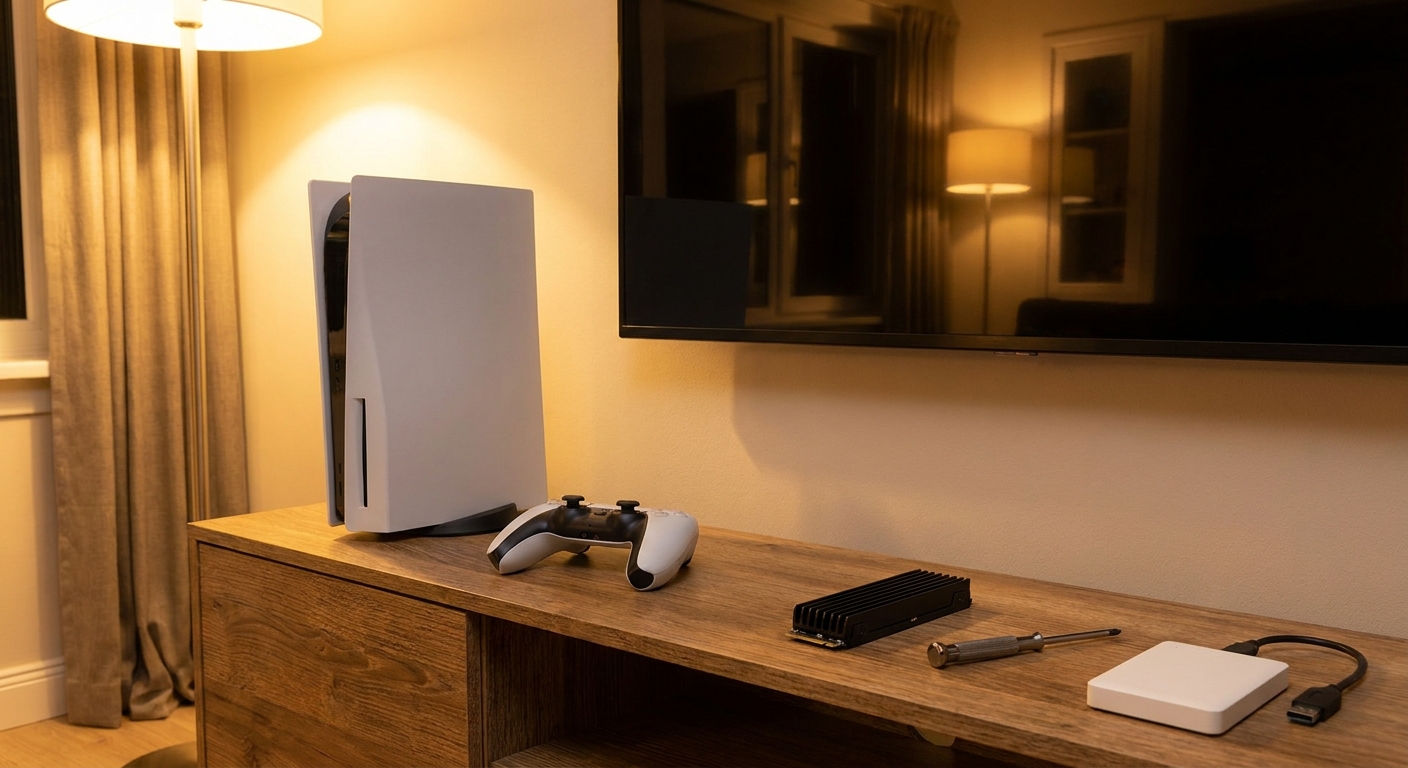
Step 1: Check what's eating your storage
Go to Settings, then Storage, then Console Storage. The list sorts by size, and it's usually a handful of games plus a surprising pile of screenshots and video clips. Clips are the easiest win. I'd export anything you want to keep to a USB stick and delete the rest.
Step 2: Decide between moving games and adding space
This is where people waste money, so it helps to know the rule Sony spells out: PS5 games can't be played from USB extended storage. You can park them there and copy them back later, but they have to live on internal or M.2 storage to run. PS4 games are different and will play straight from a USB drive.
That makes a big external hard drive a good parking lot, not a play space. Something like the Seagate Game Drive for PS5 5TB is useful if you rotate between a few big games, because copying a game back from USB is usually quicker than downloading it again. It won't help you run GTA VI, though.

Step 3: Add an M.2 SSD if you want more playable space
Every PS5 model has an expansion slot for an M.2 NVMe drive, and this is the real fix. Sony's requirements are specific: a PCIe Gen4 x4 M.2 NVMe SSD, 250GB to 8TB, form factors from 2230 up to 22110, and a total thickness of 11.25mm or less including any heatsink. Sony recommends sequential read speeds of 5,500MB/s or faster. You also have to format the whole drive when the console sets it up, so don't put anything on it you want to keep.
A heatsink matters because the slot sits inside the console with limited airflow. Sony is direct about it: "Do not use an M.2 SSD without a heat-dissipation mechanism, such as a heat sink or heat transfer sheet." Buying one with a heatsink already fitted is the least fiddly route, as long as it's sold as PS5 compatible.
The drives I'd actually look at
For a straightforward pick, the WD_BLACK SN850P 2TB for PS5 is officially licensed for the console and rated for up to 7,300MB/s reads with a 1,200TBW endurance rating. It's the one I'd hand to someone who doesn't want to think about compatibility at all.

If you want the fastest rated Gen4 numbers on this list, the Samsung 990 PRO 2TB with heatsink is rated up to 7,450MB/s reads and has 2GB of DRAM cache. The 990 PRO 4TB with heatsink is the same family at double the size, which is what I'd get if you're the type who keeps ten games installed and hates deleting anything.

The Seagate FireCuda 530R 2TB with heatsink stands out on endurance with a 2,400TBW rating, which is overkill for a console but nice if the drive might end up in a PC later. Seagate's licensed Game Drive PS5 NVMe 2TB is rated up to 7,300MB/s and comes with a heatsink designed for the slot.
On the value side, the Team Group T-FORCE CARDEA A440 2TB is rated up to 7,000MB/s with DRAM cache and an aluminum and graphene heatsink, and it's listed as PS5 compatible. The Crucial T500 1TB with heatsink is the smallest drive here, so I'd only go 1TB if you're tight on budget and plan to rotate games often.
My take
If you're on a launch PS5 or a Slim and you play more than two or three big games, a 2TB drive is the sweet spot. It nearly quadruples the usable space on a launch console and costs you about ten minutes with a screwdriver. A USB hard drive is a nice extra for archiving, but it doesn't replace the M.2 slot for PS5 games. And whatever the final GTA VI size turns out to be, getting this done before November 12 means the preload is the only thing you have to wait on.
Frequently Asked Questions
How big is GTA 6 on PS5? The PlayStation Game Size account on X reported a download size of about 210GB on October 27, 2026. Rockstar has not confirmed the figure, so the final size could differ.
Can I play GTA 6 from an external USB drive on PS5? No. Sony says PS5 games can't be played directly from USB extended storage. You can store them there, but you have to copy them back to console storage or an M.2 SSD to play.
What kind of SSD works in the PS5 expansion slot? A PCIe Gen4 x4 M.2 NVMe SSD between 250GB and 8TB, in sizes from 2230 to 22110, no thicker than 11.25mm including the heatsink. Sony recommends 5,500MB/s or faster reads.
When can I preload GTA 6? Digital pre-orders can start pre-loading on November 12, 2026, one week before the November 19 launch on PS5 and Xbox Series X|S.
Is a 1TB M.2 SSD enough for GTA 6? It's enough for the game itself, but 2TB gives you much more breathing room if you keep several large games installed at the same time.
Read More
- PlayStation Support: How to add M.2 SSD storage to PS5 consoles - Sony's official size, speed and heatsink requirements for the expansion slot.
- PlayStation Support: USB extended storage on PS5 - What you can and can't do with games on an external USB drive.
- Rockstar Newswire: Grand Theft Auto VI launches November 19, 2026 - Rockstar's official release date announcement.
- Tom's Hardware: The Best SSDs - Tested NVMe drive recommendations across price and performance tiers.
- Newegg Insider: Best PS5 SSDs for GTA 6 - Our earlier roundup of PS5-ready M.2 drives.