Artificial intelligence has moved from cloud servers into the very heart of your laptop. In 2026, Copilot+ PCs represent the most significant shift in personal computing since the introduction of touchscreens, bringing powerful AI capabilities directly into your device's hardware. This transformation isn't just about flashy features—it's fundamentally changing how we interact with computers, what tasks they can perform, and how efficiently they operate. Whether you're a business professional, creative artist, or everyday user, understanding Copilot+ technology will help you decide if it's worth the investment.
What Makes a Copilot+ PC Different?
At its core, a Copilot+ PC is distinguished by dedicated neural processing units (NPUs) capable of performing at least 40 trillion operations per second (TOPS). This specialized hardware allows AI tasks to run locally on your device rather than relying on cloud servers, offering several crucial advantages: enhanced privacy, faster response times, and functionality even without internet connectivity.
Traditional laptops process AI tasks through their CPU or GPU, which works but isn't optimized for the specific mathematical operations AI requires. NPUs are purpose-built for AI workloads, handling them more efficiently while consuming less power. This efficiency translates to longer battery life—a critical consideration for mobile professionals.
The integration goes beyond hardware. Copilot+ PCs feature deeply integrated AI assistants that understand context across applications, learn your work patterns, and proactively suggest optimizations. Think of it as having an intelligent assistant that knows your workflow intimately and can execute complex tasks with simple natural language commands.
 Real-World AI Features That Matter
The practical applications of Copilot+ technology extend far beyond gimmicks. These are tools that genuinely enhance productivity and creativity when properly implemented.
Intelligent Content Creation: AI-powered writing assistance has matured significantly. Copilot+ can now help draft emails, reports, and presentations by understanding context from your previous work and current project needs. For creative professionals, AI-assisted image editing, video enhancement, and even music composition tools operate in real-time without lag. The key difference? Everything happens locally, meaning your creative assets never leave your device.
Enhanced Video Conferencing: Professional communication has evolved with AI-powered background blur, noise cancellation, and even real-time translation. Copilot+ PCs can maintain eye contact correction even during intensive video calls, automatically adjust lighting in challenging conditions, and transcribe meetings with speaker identification—all while running your usual productivity applications smoothly.
Smart Performance Management: The AI doesn't just handle specific tasks—it optimizes your entire system. Copilot+ learns which applications you use together, preloads resources you'll need, manages power consumption based on your work patterns, and even predicts when you'll need maximum performance versus when to prioritize battery life.
Security and Privacy Enhancements: AI-powered security features analyze behavior patterns to detect anomalies that might indicate malware or unauthorized access. Biometric authentication becomes more sophisticated, while on-device processing means sensitive data analysis happens without sending information to external servers.
 Business Applications and ROI
For business laptop buyers, the question isn't whether AI is useful—it's whether the premium price justifies the productivity gains. The answer increasingly depends on your specific use case.
Sales and marketing professionals benefit from AI-powered CRM integration, automated data entry, and intelligent lead scoring that happens locally. Financial analysts appreciate real-time data analysis and visualization without sending sensitive information to cloud services. Healthcare professionals value HIPAA-compliant AI assistance that processes patient data on-device.
The productivity multiplier is real but varies significantly. Studies suggest knowledge workers save 2-4 hours weekly on routine tasks through AI assistance. For a professional billing $100+ per hour, a Copilot+ PC can pay for itself within a year through time savings alone. However, users working primarily with standardized applications and simple workflows may not realize sufficient benefits to justify the premium.
 Copilot+ for Creative Professionals
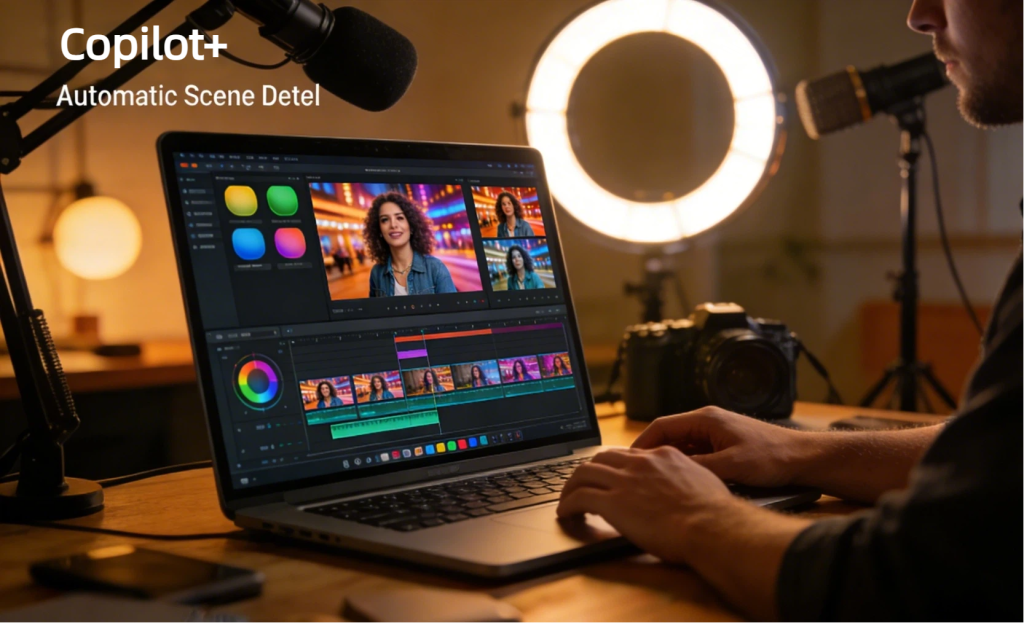
Creative workflows have perhaps been most transformed by Copilot+ technology. Video editors working with 4K and 8K footage benefit from AI-powered scene detection, automatic color grading suggestions, and real-time preview rendering. Photographers appreciate intelligent object selection, sky replacement, and noise reduction that processes in seconds rather than minutes.
The AI assists without replacing creativity. It handles tedious technical tasks—removing backgrounds, stabilizing footage, matching audio levels—freeing creators to focus on artistic decisions. Content-aware fill technology has reached the point where it understands three-dimensional space and lighting conditions, producing results that previously required expert manual work.
Musicians and audio engineers use AI for stem separation, automatic mixing suggestions, and even composition assistance. The NPU handles real-time audio processing with imperceptible latency, enabling new workflows impossible on traditional hardware.
Performance Considerations and Limitations
Copilot+ PCs deliver impressive capabilities, but understanding their limitations prevents disappointment. NPU performance varies significantly between models—entry-level Copilot+ devices meet the 40 TOPS minimum, while premium options exceed 100 TOPS. This difference directly impacts which AI features run smoothly.
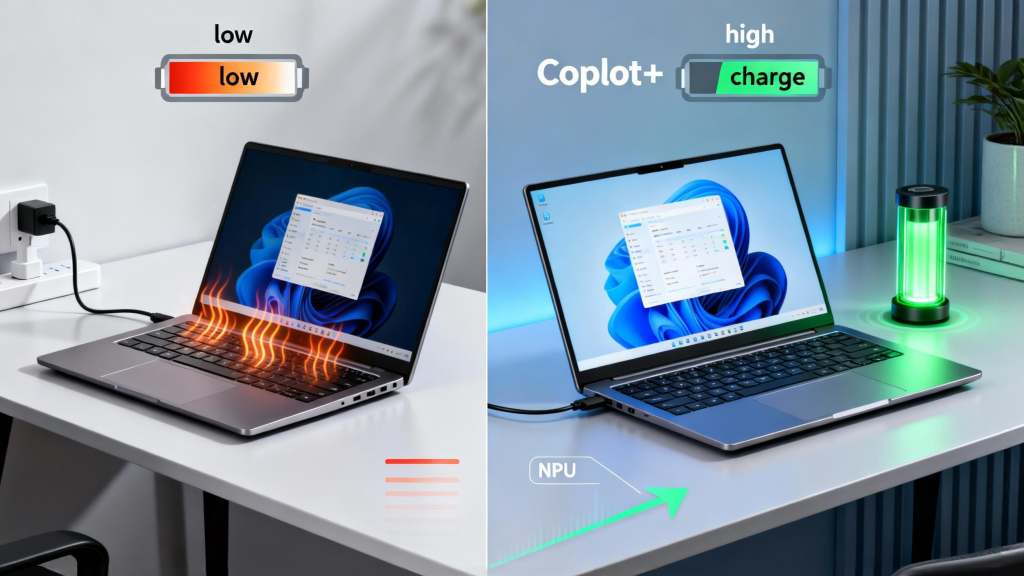
Battery life improvements are real but context-dependent. AI tasks running on the NPU consume less power than when processed by CPU/GPU, but intensive AI workloads still drain batteries faster than basic productivity work. Expect 8-12 hours for typical mixed usage—better than traditional laptops doing equivalent work, but not miraculous.
Software ecosystem maturity remains a consideration. While Microsoft, Adobe, and major developers have embraced NPU optimization, many applications haven't been updated to leverage the hardware fully. The AI features you can actually use depend heavily on your software stack. Before investing, verify that your critical applications support Copilot+ capabilities.
 Is Copilot+ Worth It in 2026?
The decision to invest in Copilot+ technology depends on carefully evaluating your needs against the premium pricing—typically $200-$400 more than equivalent non-AI hardware.
Strong candidates for Copilot+: Content creators working with media files, professionals handling sensitive data requiring on-device processing, business users performing repetitive tasks amenable to AI automation, and anyone prioritizing future-proofing as AI integration accelerates.
Consider traditional laptops if: Your work involves primarily static applications with minimal AI features, you're budget-constrained and need maximum traditional computing power, or your software ecosystem hasn't adopted NPU optimization.
The technology has crossed the threshold from "interesting" to "genuinely useful" for many users. Unlike previous computing trends that promised transformation but delivered incremental gains, AI integration demonstrably changes workflows. The question is whether those changes align with your specific needs.
Choosing the Right Copilot+ PC
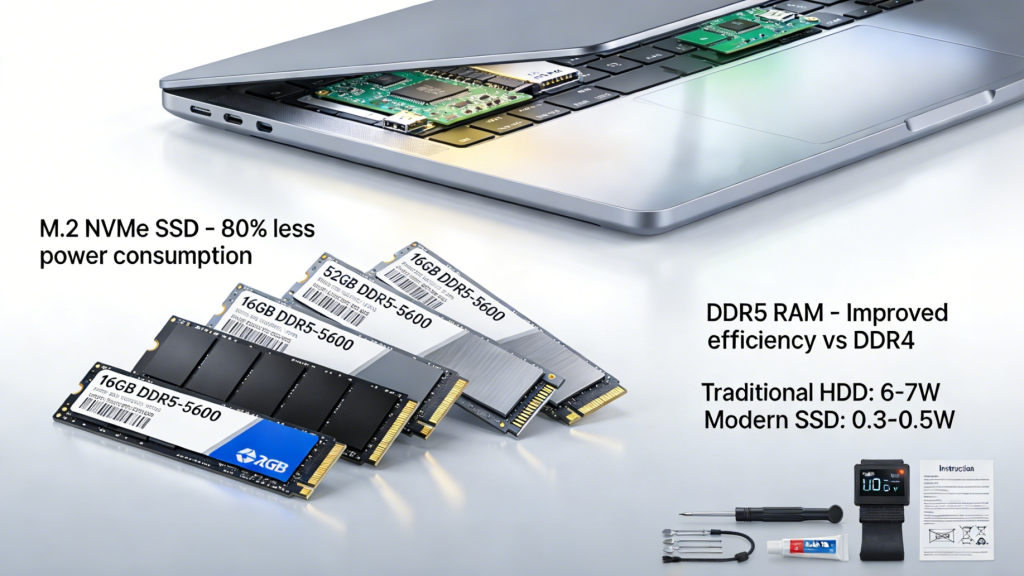
If you've decided Copilot+ makes sense, selecting the right model requires looking beyond NPU specs. Consider the complete package: traditional CPU/GPU performance for tasks that don't benefit from AI, RAM (16GB minimum, 32GB preferred for professional work), storage type and capacity, display quality for your work type, and build quality for durability.
For users exploring premium laptop upgrades, many Copilot+ models now offer customization options that weren't available at launch. The ability to configure NPU capabilities, memory, and storage allows tailoring systems to specific workflows rather than accepting compromise specifications.
Battery capacity deserves special attention with Copilot+ devices. The AI features are most valuable when mobile, so prioritize models with larger batteries if you regularly work untethered from outlets. Weight considerations matter too—the most capable Copilot+ PC isn't useful if you leave it home because it's too heavy to carry comfortably.
 The Future of AI Computing
The 2026 landscape represents just the beginning of AI-integrated computing. As developers optimize more applications for NPU processing, the value proposition of Copilot+ hardware strengthens. Users purchasing today buy into an ecosystem that will expand capabilities through software updates—your laptop literally becomes more useful over time.
Microsoft and hardware partners have committed to annual NPU performance improvements of roughly 50%, meaning today's premium models will become tomorrow's baseline. This rapid evolution suggests waiting if you don't have immediate needs, but also indicates that current-generation devices will remain capable for 3-4 years before feeling outdated.
The integration of AI into every aspect of computing is inevitable. Copilot+ PCs simply accelerate that timeline, offering today what all laptops will provide tomorrow. For users whose work benefits materially from AI assistance, early adoption makes financial sense. For others, the technology will be there when needs evolve—likely at lower prices with broader software support.
Understanding what Copilot+ technology actually delivers—beyond marketing promises—empowers informed purchasing decisions that align with your workflow, budget, and timeline.